“Which software program is best for data visualization???” This is one of the most common questions about getting started with graphs, charts, and diagrams.
There are plenty of great software programs, like Excel and Tableau—and even PowerPoint!
There’s also a lesser-known secret to creating strong data visualizations: hand-drawn sketches!
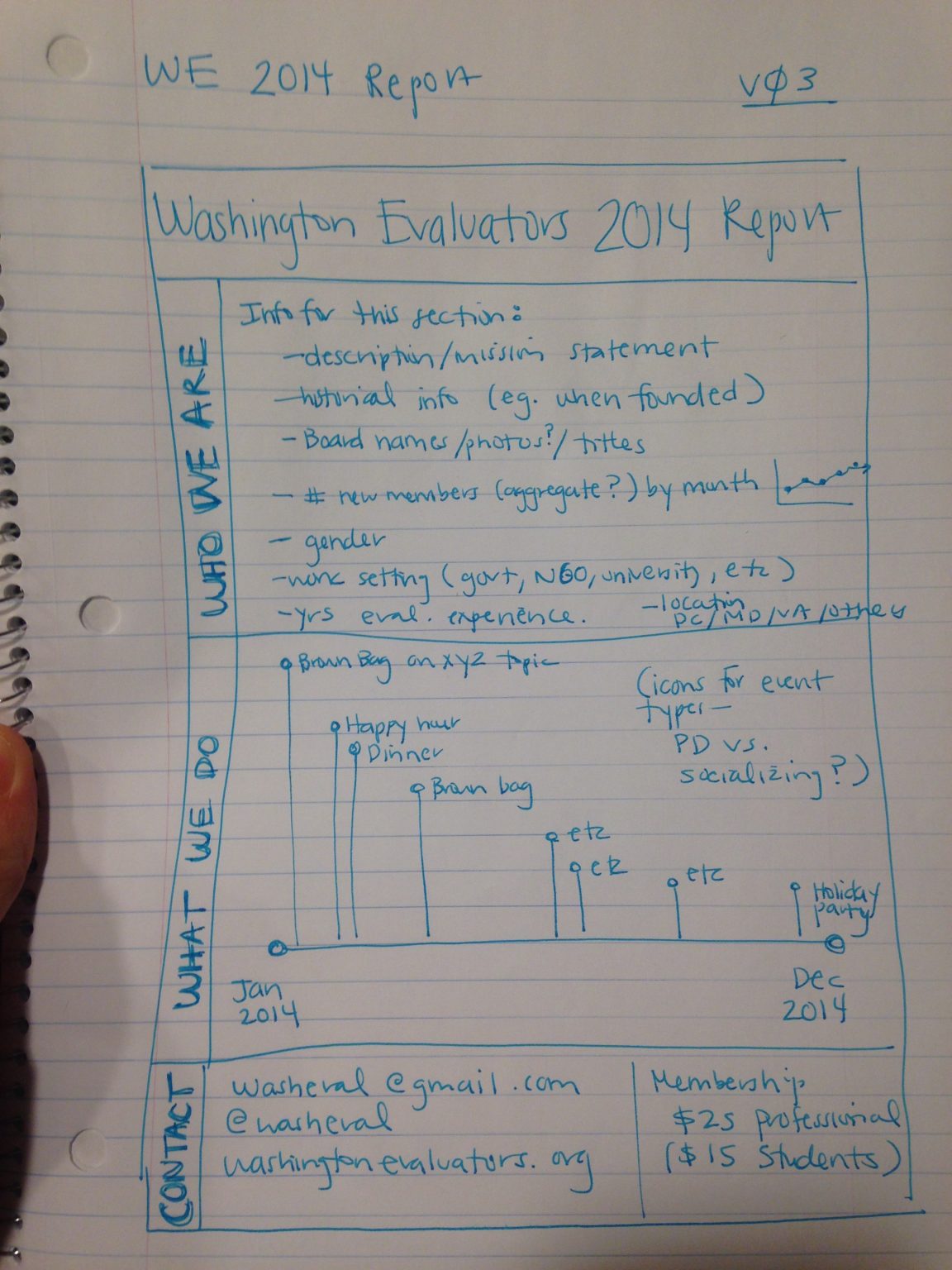
Watch Our Episode of Sketchnote Chats
Want to learn more about how hand-drawn sketches are essential for data visualization?
I was recently interviewed by Emily Mills for an episode of the Sketchnote Chats series.
Emily is a professional illustrator and expert in sketchnoting. She is also the founder of the Sketchnote Academy and author of The Art of Visual Notetaking.
Recognize Emily’s name? She was a guest speaker in our Report Redesign course and I was happy to return the favor.
You can watch our episode here:
How Drawing Can Improve Our Data Visualizations
I use drawing in two ways:
- To brainstorm which chart type I need, and
- To piece together multiple charts on a page or screen (e.g., when designing dashboards that are composed of multiple smaller charts).
Drawing Helps Us Brainstorm Which Chart Type to Use
Here’s how I use hand-sketching to develop better visualizations.
First, I open my spreadsheet with my tabulated data. I might have a table with several columns and several rows of already-analyzed data.
Second, I set a timer on my phone for 10-15 minutes.
Third, I draw as many ideas as possible on paper. I think about whether this dataset can be represented through a donut chart, stacked column chart, hex map, Sankey diagram, and so on.
When I started doing this—back in 2012—I was only able to generate a handful of chart types during each brainstorming session. Now, I can generate a dozen ideas each time.
My audience benefits because they don’t have to suffer through the same ol’ bar charts over and over and over.
My audience also benefits because I’ve thought through the dataset at a much more sophisticated level. I explore whether the dataset has interesting chronological patterns that might be visualized in a line chart; whether there are interesting geographic patterns that might be visualized in a map, etc.
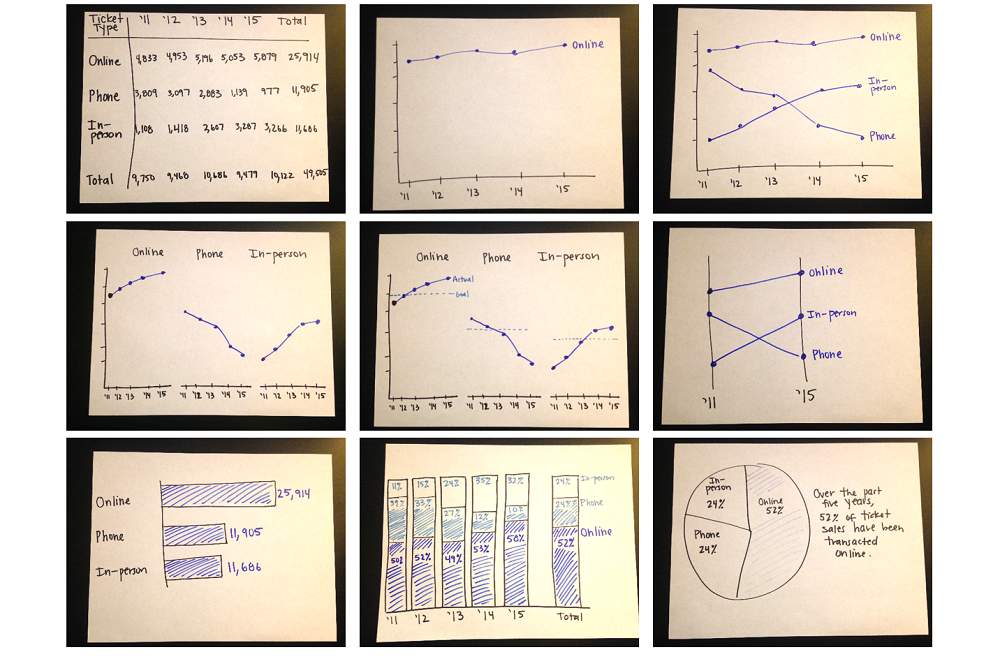
Here’s an example from the Harris Theater in Chicago, where I set my timer for 10-15 minutes, and was able to generate nine ideas for visualizing their (fictional) ticket sales data over time:
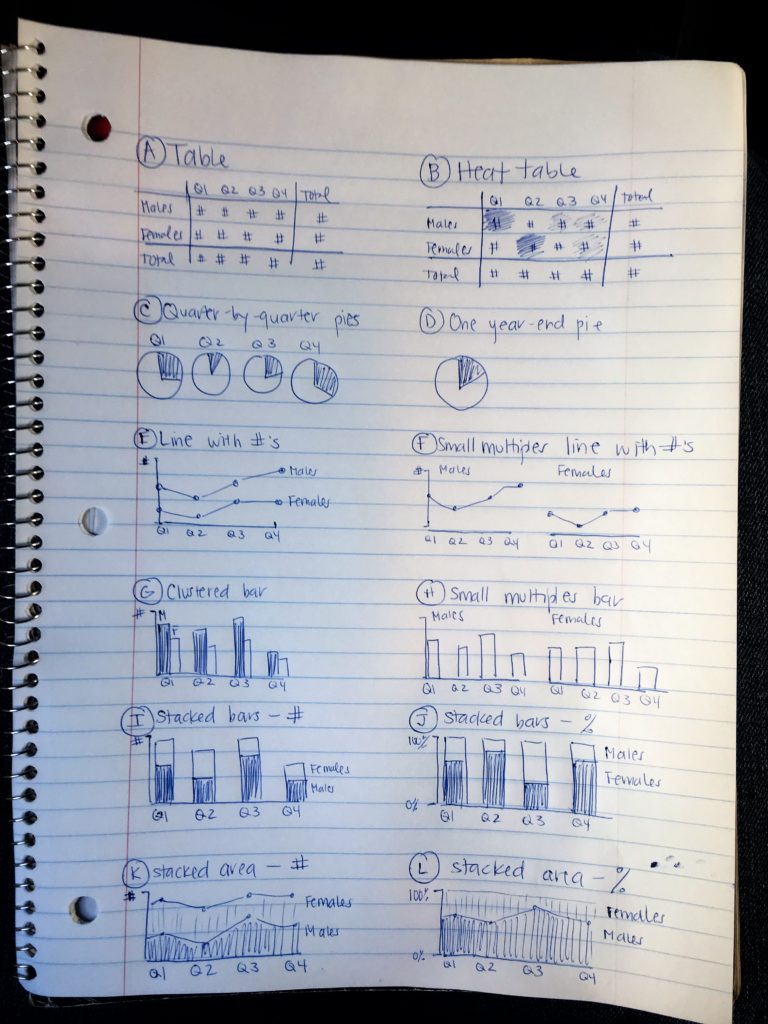
Here’s another example from a juvenile justice project, where I set my timer for 10-15 minutes and brainstormed 12 ideas for updating their pie charts:
Drawing Helps Us Arrange Multiple Charts on a Page or Screen
Once I’ve selected lots of individual graphs to use, I often need to arrange them together on a page or screen.
For example, if I’m designing an infographic, the one-page summary might involve three, four, or five individual graphs.
Or, if I’m designing a dashboard, the screen might involve three, four, or five individual graphs.
I need to decide which graph should be displayed first, second, or third. Is there a natural sequence?
I also need to decide which graphs “go together.” Is there a natural grouping? A categorization? Similar graphs should be next to each other on the infographic or dashboard.
I use a pen and paper to sketch what that page could look like.
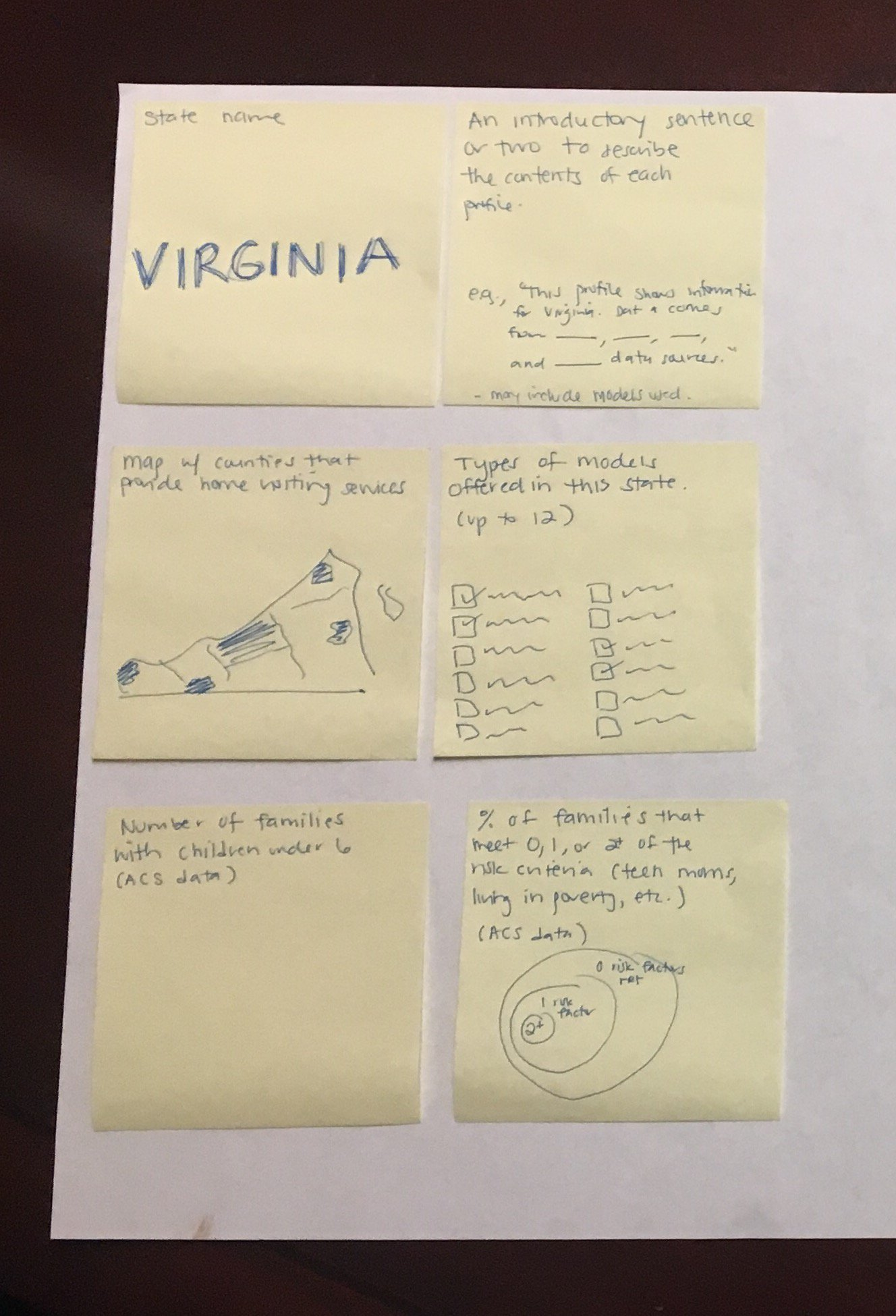
Here’s an example from the National Home Visiting Resource Center, where we used sticky notes to decide how to arrange multiple visualizations on the page:
Get Started with Sketching for Data Visualization
Want to incorporate sketching into your own dataviz design process? In this article, I share my step-by-step process.
Your Turn
Have you used hand-drawn sketches to develop better data visualizations? Comment below!
 English
 Afrikaans
 Shqip
Shqip አማርኛ
አማርኛ العربية
 Հայերեն
 Azərbaycan dili
 Euskara
 Беларуская мова
 বাংলা
বাংলা Bosanski
 Български
 Català
 Cebuano
 Chichewa
 简体中文
简体中文 繁體中文
繁體中文 Corsu
Corsu Hrvatski
 Čeština
 Dansk
Dansk Nederlands
 Esperanto
 Eesti
Eesti Filipino
 Suomi
Suomi Français
 Frysk
Frysk Galego
 ქართული
 Deutsch
 Ελληνικά
 ગુજરાતી
 Kreyol ayisyen
 Harshen Hausa
 Ōlelo Hawaiʻi
 עִבְרִית
 हिन्दी
 Hmong
Hmong Magyar
 Íslenska
 Igbo
Igbo Bahasa Indonesia
 Gaeilge
 Italiano
 日本語
日本語 Basa Jawa
 ಕನ್ನಡ
ಕನ್ನಡ Қазақ тілі
 ភាសាខ្មែរ
 한국어
한국어 كوردی
كوردی Кыргызча
 ພາສາລາວ
 Latin
Latin Latviešu valoda
 Lietuvių kalba
 Lëtzebuergesch
 Македонски јазик
 Malagasy
 Bahasa Melayu
 മലയാളം
 Maltese
 Te Reo Māori
 मराठी
मराठी Монгол
 ဗမာစာ
ဗမာစာ नेपाली
 Norsk bokmål
 پښتو
پښتو فارسی
فارسی Polski
 Português
 ਪੰਜਾਬੀ
 Română
 Русский
 Samoan
 Gàidhlig
 Српски језик
 Sesotho
 Shona
Shona سنڌي
سنڌي සිංහල
සිංහල Slovenčina
 Slovenščina
 Afsoomaali
 Español
 Basa Sunda
 Kiswahili
 Svenska
 Тоҷикӣ
 தமிழ்
தமிழ் తెలుగు
 ไทย
ไทย Türkçe
 Українська
 اردو
اردو O‘zbekcha
 Tiếng Việt
 Cymraeg
 isiXhosa
 יידיש
יידיש Yorùbá
 Zulu
Zulu