Is it worth upgrading your Canva Free account to Canva Pro? Is Canva for Teams a different thing? Is Canva Pro really free for Nonprofits & Schools?
So if you read my blog, you probably already know I’m a big fan of Canva. I have posts on creating logic models using Canva, creating timeline infographics, creating line graph infographics, and even a post on converting Canva reports into Microsoft Word. I also talk about Canva a lot with my online workshop participants.
I like Canva enough that it’s one of the very few tools where I’m part of their partner program. Which basically means they gave me an affiliate link, and if you click and purchase using that link I’ll get a kick back.
This isn’t to say Canva doesn’t have its negatives. The biggest fault is in accessibility > Canva Accessibility is bad, here is how you fix your design. This means there are things I would suggest you never do using Canva in its present state, such as create a Web Site. Until they fix their accessibility issues.
All this to say, I think I know Canva enough to give some guidance on if Canva Pro is worthwhile and which kind of Canva you should consider using.
TLDWTR (Too Long Don’t Want to Read)
In this post I’m going to walk you through all the different iterations of Canva. Unlike other articles I’m not just going to copy/paste feature lists from the Canva sales page. Instead I’m going to give the gist of what each plan offers and why you might consider it for yourself.
But if you don’t want to read any of it at all, here is my advice.
Should you pay for Canva?
No, don’t pay.
- If you are out of work, a poor college student, or really just don’t have expendable cash, you can do almost everything using Canva Free.
Yes, pay up.
- If you are an indie business person like me, Canva Pro is a great deal. I would even suggest it if you are just running a side hustle or use a lot social media for professional development and networking.
- If you run a small business, definitely consider at least the base version of Canva for Teams. It will cost significantly less than two Canva Pro subscriptions and includes up to 5 accounts.
No, get it for free.
- If you are a K-12 student, teacher, or inside a K-12 district, Canva for Education is free. Teachers need to get verified, other school personal need to contact Canva, and K-12 students need teacher invites.
- If you work in a NonProfit, Canva for Nonprofits is also free. You just need to register.
Canva Free
Canva is a freemium product. Meaning it’s free but you can pay for more features.
Sometimes freemium is just another way to say demo version. The software company gives you just enough features to act as a never ending trial, but if you want to use the software professionally, you need to pay up.
Canva Free is not like that. Canva Free is a professional product with or without an upgrade to Canva Pro. There are really no limits to what you can create. Images, Infographics, Whiteboards, Presentation Slide decks, eBooks, Video, Reports, and even Websites (although I would recommend against that use given the accessibility thing I mentioned earlier).

Canva Pro
The biggest reason to upgrade to Canva Pro is the shift from 1 million + free photos and graphics to the 100 million + premium stock photos, videos, audio, and graphics.
There are bunches of free stock photo sites and icon libraries on the web. But bouncing back and forth between Canva and stock libraries can get a little tiresome. It’s so much easier to just use the full stock icon and photo archive embedded within the tool.
Yes, there are some cool features you get when you upgrade. Like the Background Remover, the ability to Magic Resize designs, a personal Brand Kit, and a Social Media Content Scheduler. But while these are nice to have and can certainly be useful features, they don’t make a huge difference in your design workflow. But having a huge growing royalty free archive at your disposal, that just makes everything so much faster.
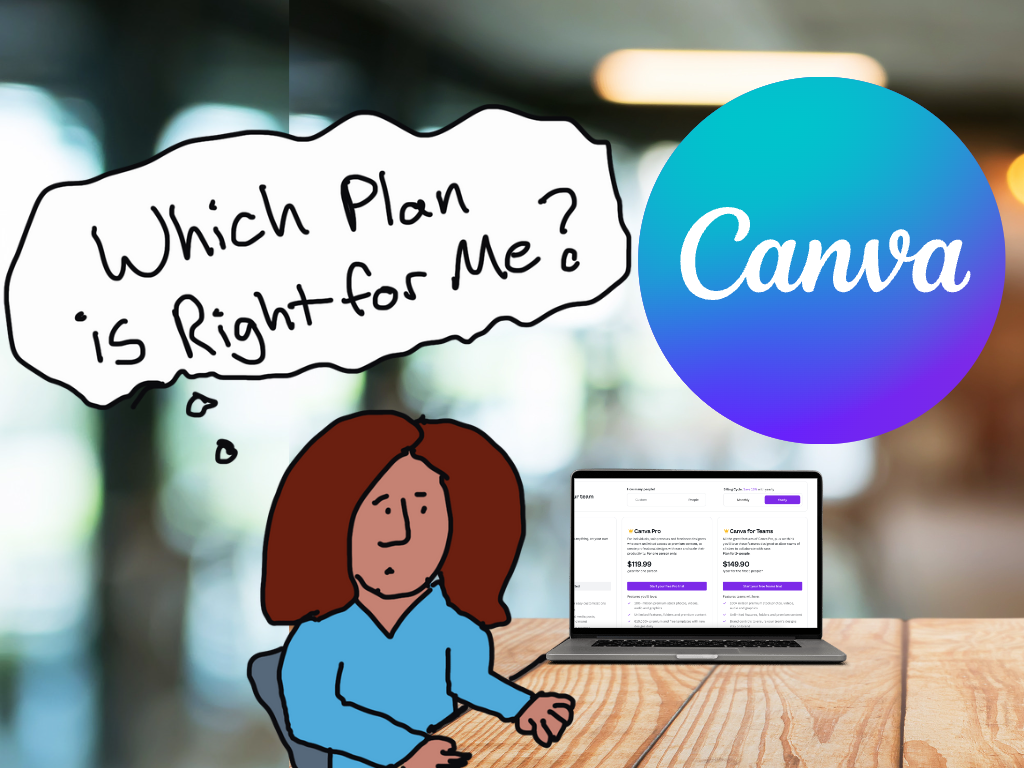
At the time of this writing Canva Pro costs $119.99/year or $12.99/month.

Canva for Teams
For a little while, if you signed up for Canva Pro you also received the basic membership for Canva for Teams. So if you were already a Canva Pro user, you may already have Canva for Teams (just check your account status).
Canva for Teams is basically a shared group version of Canva Pro. This lets you share brand kits and brand templates between team members. I’ve seen a lot of small teams where the responsibility for the design falls on a single person’s shoulders (the one with the Pro account). This is a surefire path to creative burnout or turnover.
By team creating, you give all your team members the ability to tweak items. This means anyone on your team can open, edit, and download your designs (as long as they are shared with the entire team). This can be incredibly important, especially with looming deadlines.
Right now Canva for Teams is $149.90/year or 14.99/month for up to the first 5 team members. That’s the Canva sweet spot (average is less than $30/year for each of 5 members)
Increasing your team above 5 members gives you a pro-rated increase in rates that goes up as you add more members. By the time you get to 23 team members you are essentially paying the Canva Pro full price for each member of your team (average $119.99/year for each of 23 members).
Canva for Education
Canva for Education is 100% free for primary and secondary teachers and their students. You just have to start by getting verified as a teacher. But for a student to get the plan, they need an invite from their teacher.
If you are another staff member who is part of a K-12 school or district you can also get in touch with Canva as they offer enterprise-level deployment.
Sorry College Students & Preschoolers, this free offer does not currently include you.
Canva for Nonprofits
Canva for Nonprofits is another free offering. But just like most other software services with NonProfit plans, you need to fill out an application and get verified first.
Speaking of Discounts.
Are you a researcher or evaluator wanting help in learning how to design? I have an ongoing online workshop for that.
Not only that, I offer No Ask Necessary Scholarships that instantly give you 25%, 50%, or 75% off the full registration price.
 English
 Afrikaans
 Shqip
Shqip አማርኛ
አማርኛ العربية
 Հայերեն
 Azərbaycan dili
 Euskara
 Беларуская мова
 বাংলা
বাংলা Bosanski
 Български
 Català
 Cebuano
 Chichewa
 简体中文
简体中文 繁體中文
繁體中文 Corsu
Corsu Hrvatski
 Čeština
 Dansk
Dansk Nederlands
 Esperanto
 Eesti
Eesti Filipino
 Suomi
Suomi Français
 Frysk
Frysk Galego
 ქართული
 Deutsch
 Ελληνικά
 ગુજરાતી
 Kreyol ayisyen
 Harshen Hausa
 Ōlelo Hawaiʻi
 עִבְרִית
 हिन्दी
 Hmong
Hmong Magyar
 Íslenska
 Igbo
Igbo Bahasa Indonesia
 Gaeilge
 Italiano
 日本語
日本語 Basa Jawa
 ಕನ್ನಡ
ಕನ್ನಡ Қазақ тілі
 ភាសាខ្មែរ
 한국어
한국어 كوردی
كوردی Кыргызча
 ພາສາລາວ
 Latin
Latin Latviešu valoda
 Lietuvių kalba
 Lëtzebuergesch
 Македонски јазик
 Malagasy
 Bahasa Melayu
 മലയാളം
 Maltese
 Te Reo Māori
 मराठी
मराठी Монгол
 ဗမာစာ
ဗမာစာ नेपाली
 Norsk bokmål
 پښتو
پښتو فارسی
فارسی Polski
 Português
 ਪੰਜਾਬੀ
 Română
 Русский
 Samoan
 Gàidhlig
 Српски језик
 Sesotho
 Shona
Shona سنڌي
سنڌي සිංහල
සිංහල Slovenčina
 Slovenščina
 Afsoomaali
 Español
 Basa Sunda
 Kiswahili
 Svenska
 Тоҷикӣ
 தமிழ்
தமிழ் తెలుగు
 ไทย
ไทย Türkçe
 Українська
 اردو
اردو O‘zbekcha
 Tiếng Việt
 Cymraeg
 isiXhosa
 יידיש
יידיש Yorùbá
 Zulu
Zulu