Today’s blog post will walk you through a method you can use to create explanation videos using Canva and Zoom.
The concept was designed as a simple way to walk an audience through a some type of model (ex. logic model, theory of change, etc.).
The Concept Video
This video was recorded using Zoom and edited with Canva. It is embedded here using Canva’s Embed feature.
The Basic Steps.
There are eight basic steps in this process. Let’s go ahead and walk through each one.
- Write the script.
- Record the video.
- Drop it into Canva.
- Setup your initial frame.
- Split the scenes.
- De-emphasize the model.
- Add transitions.
- Export your video.
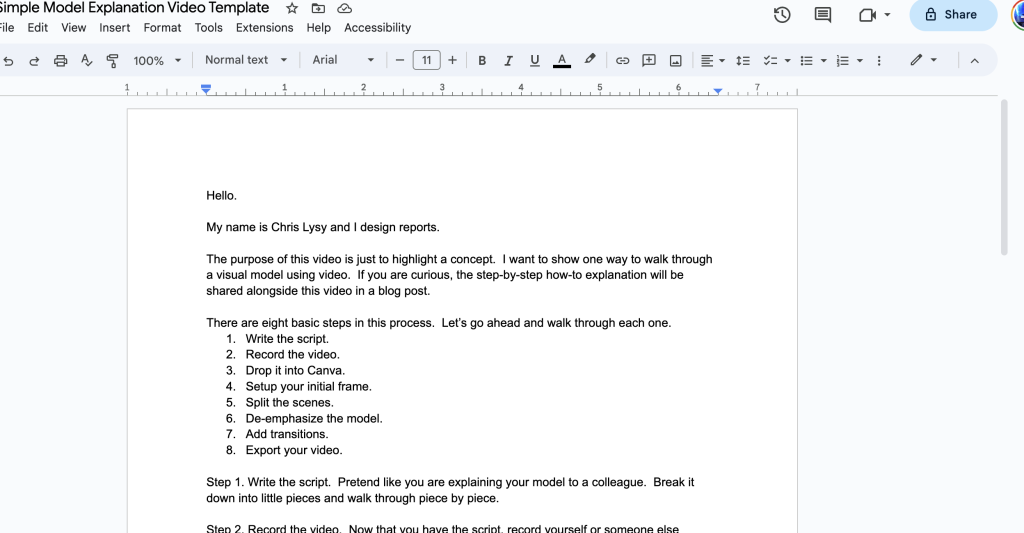
Step 1. Write the script.
Pretend like you are explaining your model to a colleague. Break it down into little pieces and walk through piece by piece.
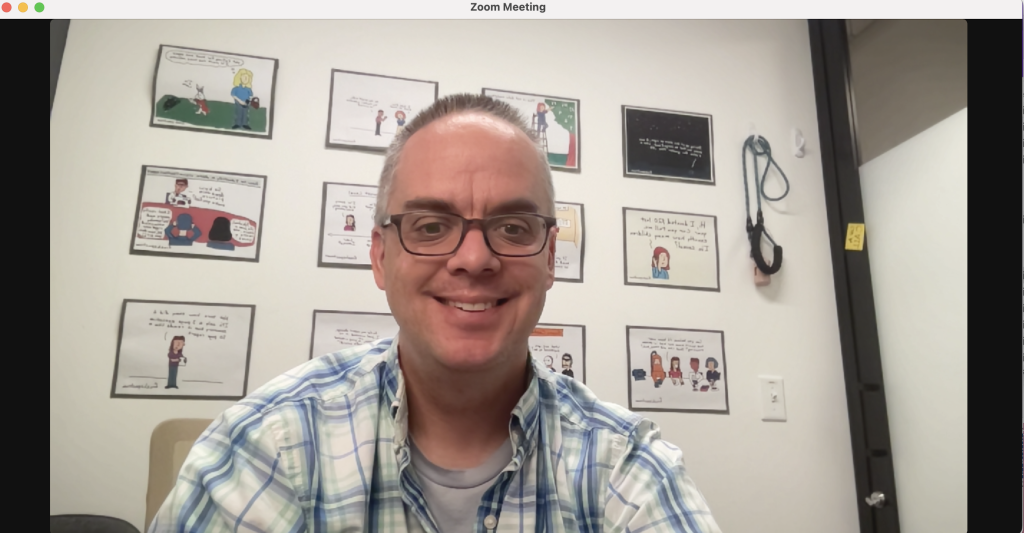
Step 2. Record the video.
Now that you have the script, record yourself or someone else reading the script. I suggest using Zoom, because you probably already know how to use it. I also suggest downloading the recording to your computer in high definition. As you read the script, pause slightly between segments to leave room for video transitions.
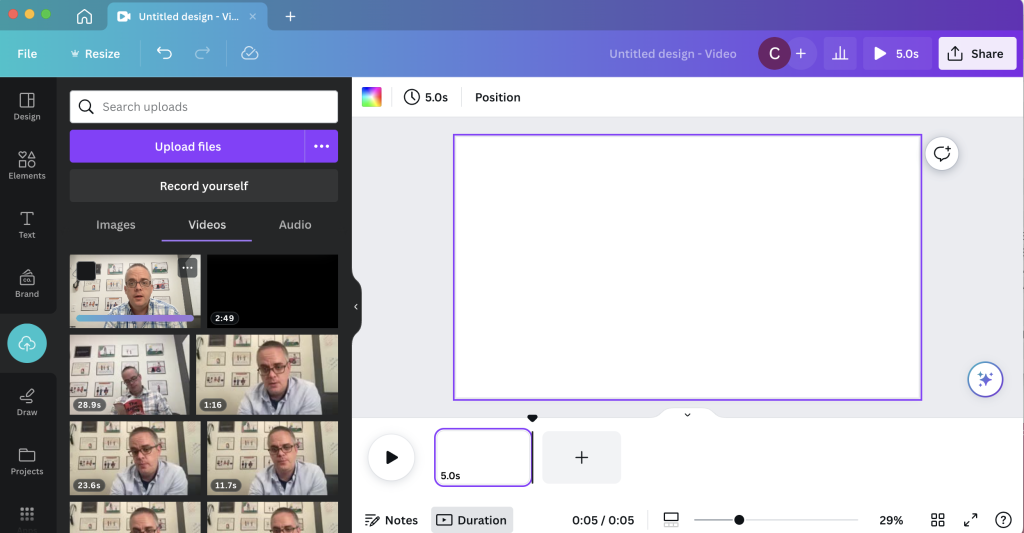
Step 3. Drop it into Canva.
Now that you have a video, click the button to create a 1920 by 1080 video in Canva. Once you have the file started, drop in the video.
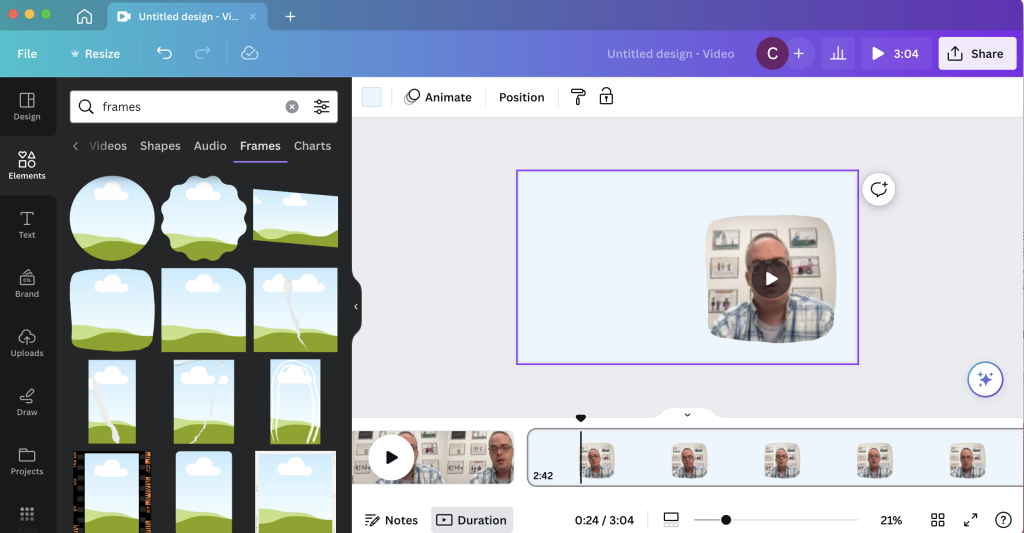
Step 4. Setup your initial frame.
I like going full screen for the introduction and closeout, but for the majority of the video I want it to be me alongside the actual model. You can set this up by adding in a frame and dropping the video inside.
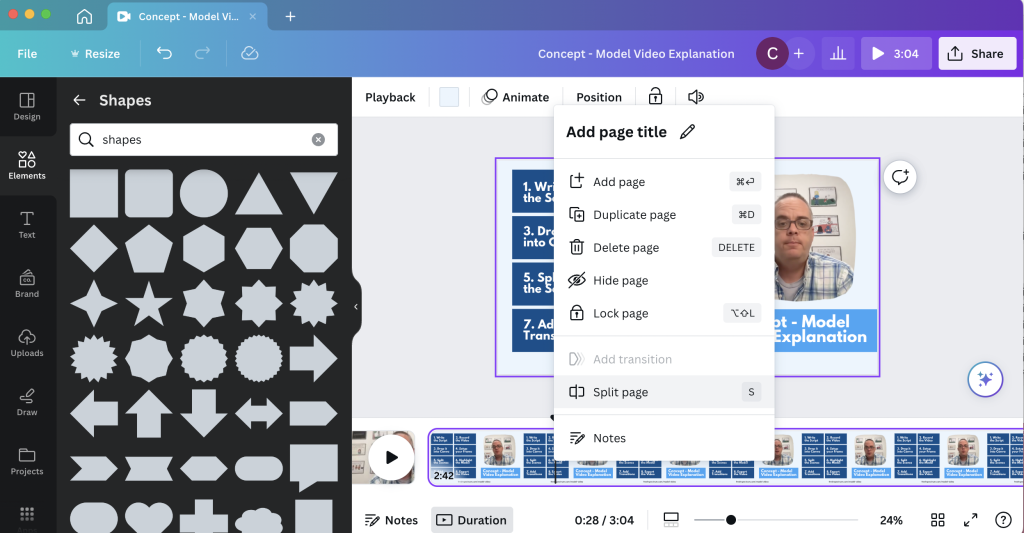
Step 5. Split the scenes.
Once you have the general look, go through and split your video by scene.
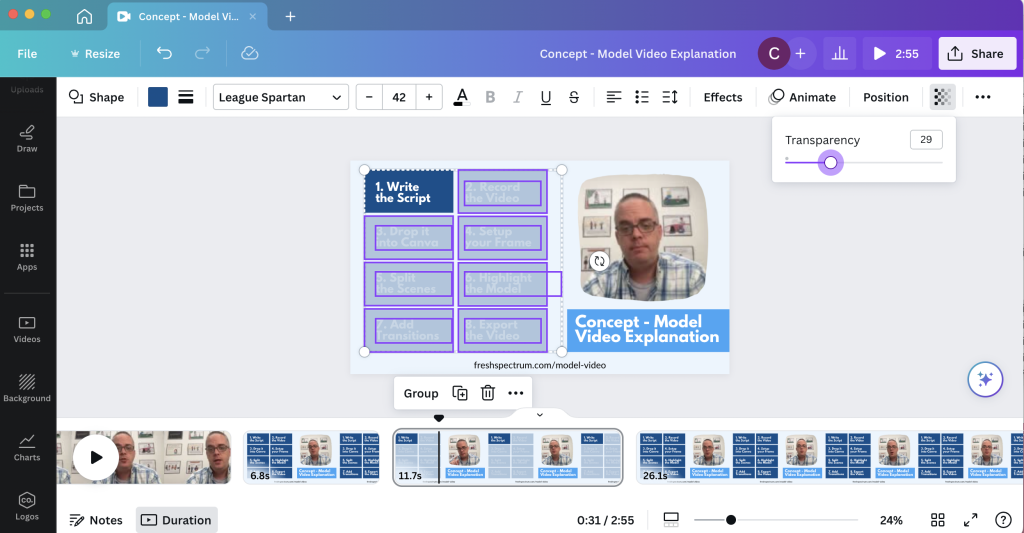
Step 6. De-emphasize the model.
To focus audience attention, you can take a simple model and emphasize what you want the audience to see. OR, you can take a bold model and de-emphasize what you don’t want the audience to see. This is what I will do scene by scene, making use of the transparency slider in Canva.
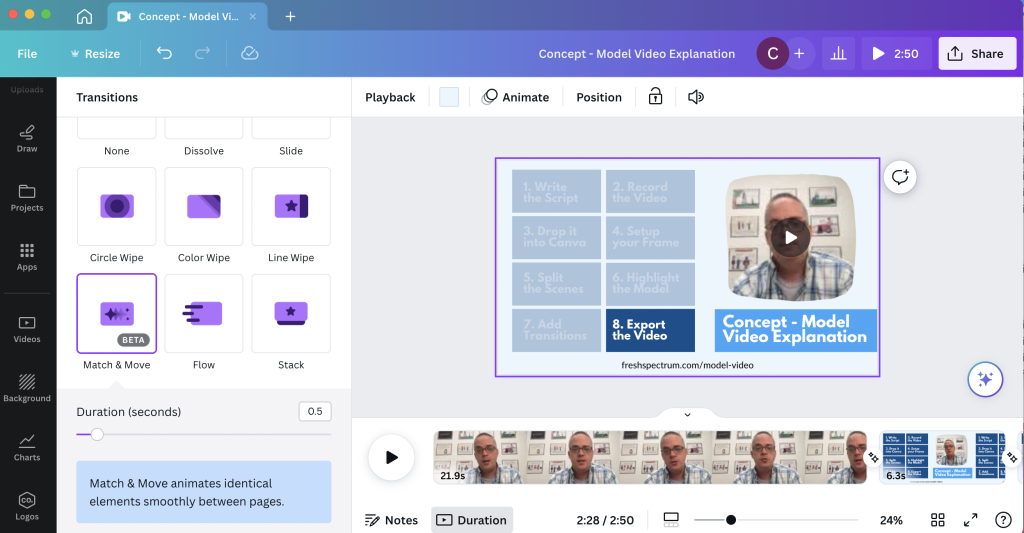
Step 7. Add transitions.
I have Canva Pro, and with that some extra transition options. My favorite to use is the match and move transition.
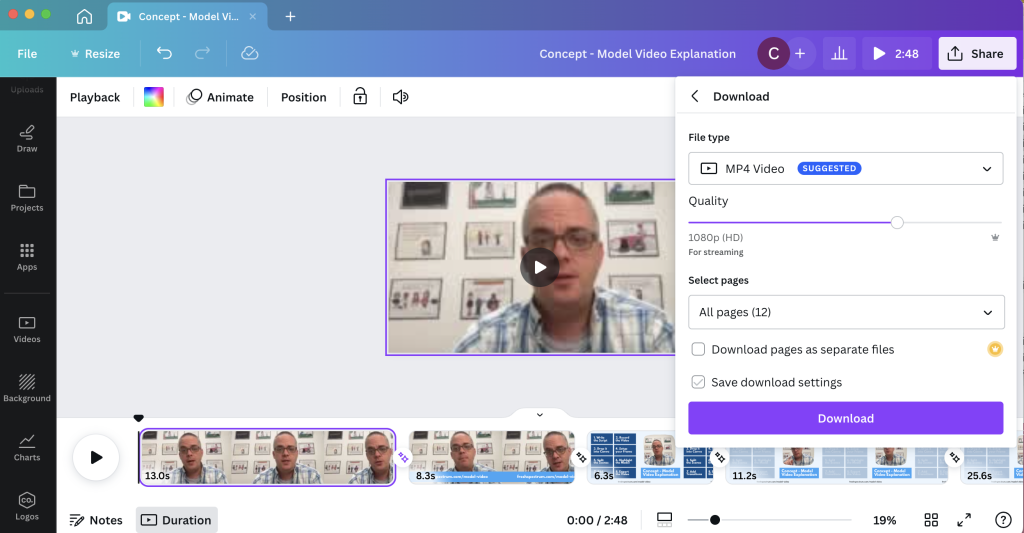
Step 8. Export your video.
After you are through, make sure to watch it a time or two just in case you need to edit something. Then when you are happy, download the video.
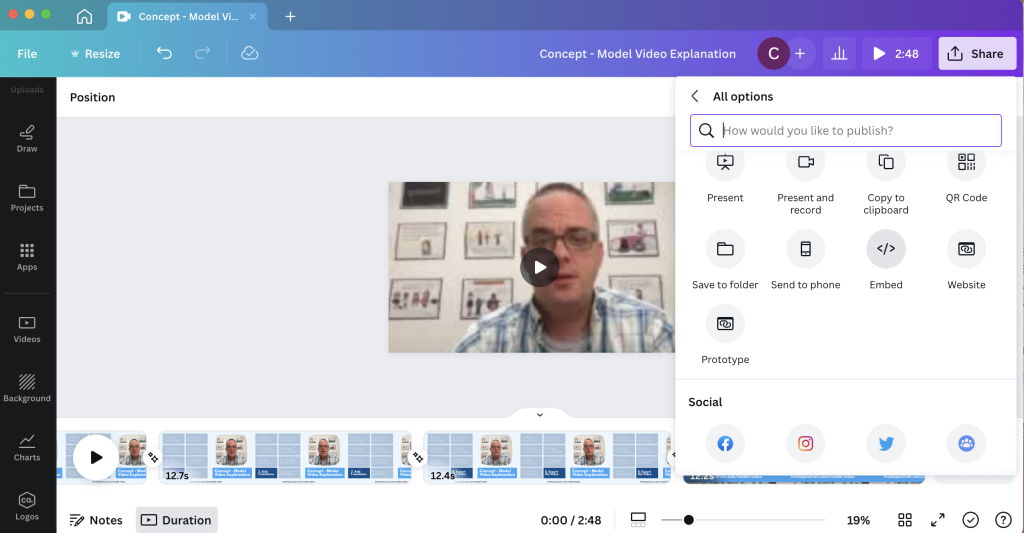
Bonus. Embed your video.
Did you know that you can embed video right from Canva? Only caution, from personal experience, some organizations block Canva. But if it works for your audience, embedding straight from Canva certainly saves extra steps.
How are you using Video in your reporting?
Doing anything interesting with video? Have you ever used Canva to edit video? Leave a comment and let me know.
 English
 Afrikaans
 Shqip
Shqip አማርኛ
አማርኛ العربية
 Հայերեն
 Azərbaycan dili
 Euskara
 Беларуская мова
 বাংলা
বাংলা Bosanski
 Български
 Català
 Cebuano
 Chichewa
 简体中文
简体中文 繁體中文
繁體中文 Corsu
Corsu Hrvatski
 Čeština
 Dansk
Dansk Nederlands
 Esperanto
 Eesti
Eesti Filipino
 Suomi
Suomi Français
 Frysk
Frysk Galego
 ქართული
 Deutsch
 Ελληνικά
 ગુજરાતી
 Kreyol ayisyen
 Harshen Hausa
 Ōlelo Hawaiʻi
 עִבְרִית
 हिन्दी
 Hmong
Hmong Magyar
 Íslenska
 Igbo
Igbo Bahasa Indonesia
 Gaeilge
 Italiano
 日本語
日本語 Basa Jawa
 ಕನ್ನಡ
ಕನ್ನಡ Қазақ тілі
 ភាសាខ្មែរ
 한국어
한국어 كوردی
كوردی Кыргызча
 ພາສາລາວ
 Latin
Latin Latviešu valoda
 Lietuvių kalba
 Lëtzebuergesch
 Македонски јазик
 Malagasy
 Bahasa Melayu
 മലയാളം
 Maltese
 Te Reo Māori
 मराठी
मराठी Монгол
 ဗမာစာ
ဗမာစာ नेपाली
 Norsk bokmål
 پښتو
پښتو فارسی
فارسی Polski
 Português
 ਪੰਜਾਬੀ
 Română
 Русский
 Samoan
 Gàidhlig
 Српски језик
 Sesotho
 Shona
Shona سنڌي
سنڌي සිංහල
සිංහල Slovenčina
 Slovenščina
 Afsoomaali
 Español
 Basa Sunda
 Kiswahili
 Svenska
 Тоҷикӣ
 தமிழ்
தமிழ் తెలుగు
 ไทย
ไทย Türkçe
 Українська
 اردو
اردو O‘zbekcha
 Tiếng Việt
 Cymraeg
 isiXhosa
 יידיש
יידיש Yorùbá
 Zulu
Zulu