Summary: You don’t need fancy tools to create basic logic models.
In this post I’m going to walk you through the visual creation of a logic model. If you want to learn more about developing the content for a logic model, I suggest starting with this post: What is a Logic Model?
Why Canva for Logic Models?
You can use all sorts of different tools to create logic models, from PowerPoint and Word to Adobe Illustrator and InDesign. But now-a-days I tend to use Canva for just about anything, logic models included. It’s especially nice if you want to add a little visual flair.
In this tutorial I’m going to show you how to create a basic logic model using Canva.
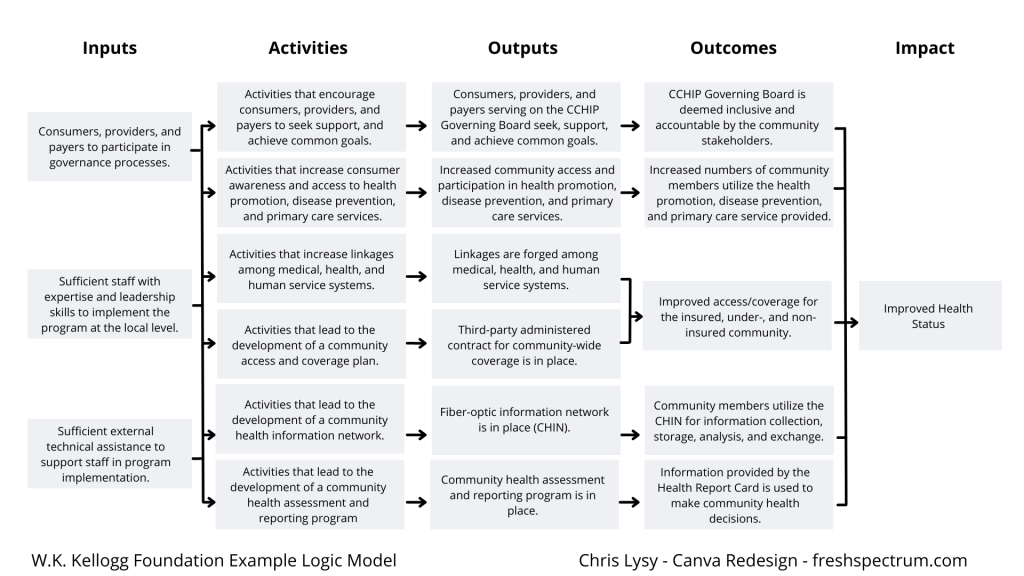
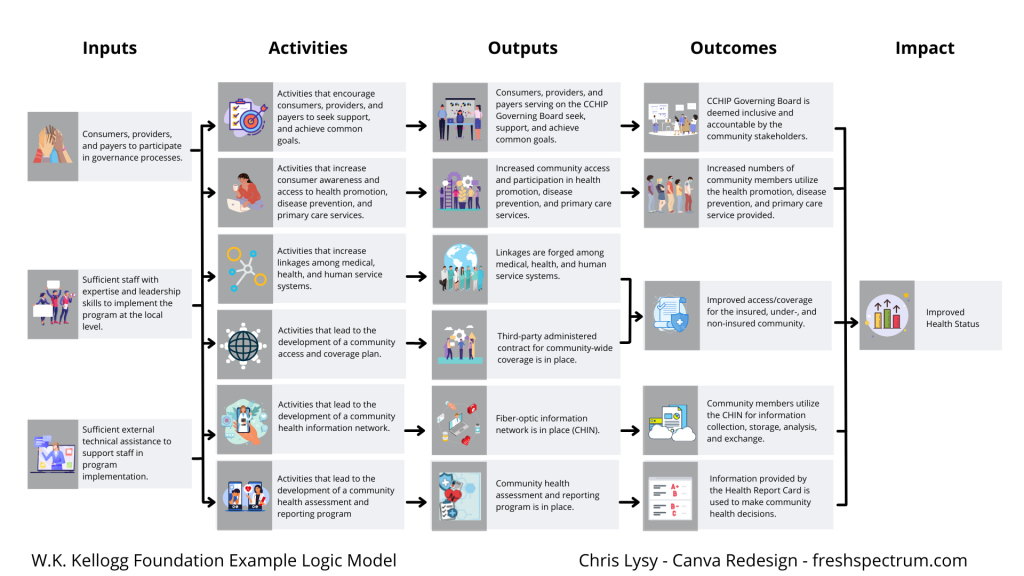
A Simple Results Chain Logic Model – Example from the W.K. Kellogg Foundation
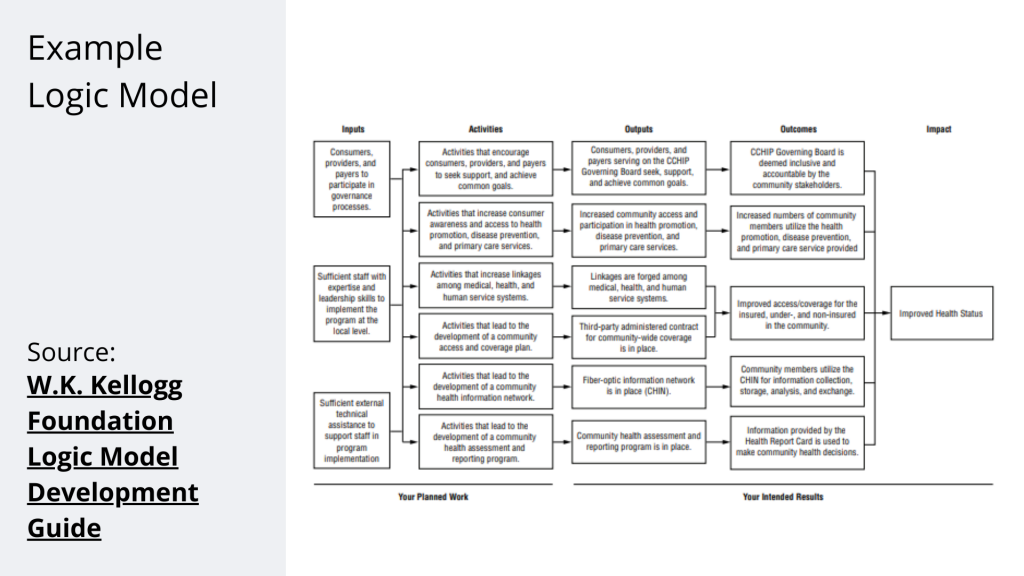
Okay, so as a starting point I’m going to use this example logic model found in the Kellogg Foundation logic model guide.
Recreating the Logic Model using Canva
When it comes down to it, most basic logic models are really simple to design. It’s just a bunch of shapes, arrows, and lines.
There are a few ways to do this in Canva.
- Most rectangles and other shapes in Canva let you click inside them to add text directly to the shape.
- You can put in all your text using individual text boxes and then add the “background effect” to turn it into a box.
- You can put in a bunch of hollow rectangles, then add in all of your text using individual text boxes.
I tend to use the hollow rectangles and individual text boxes because it gives me the most visual control.
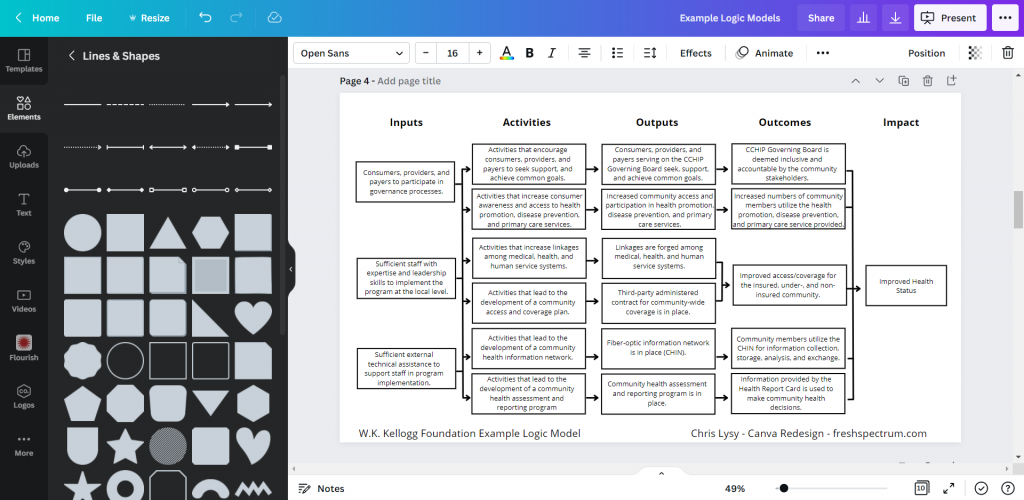
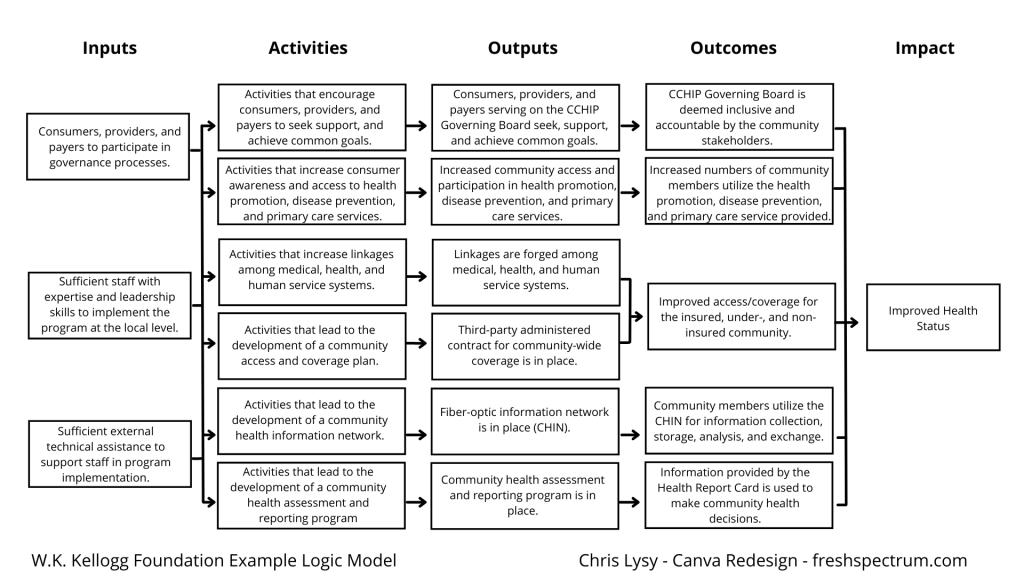
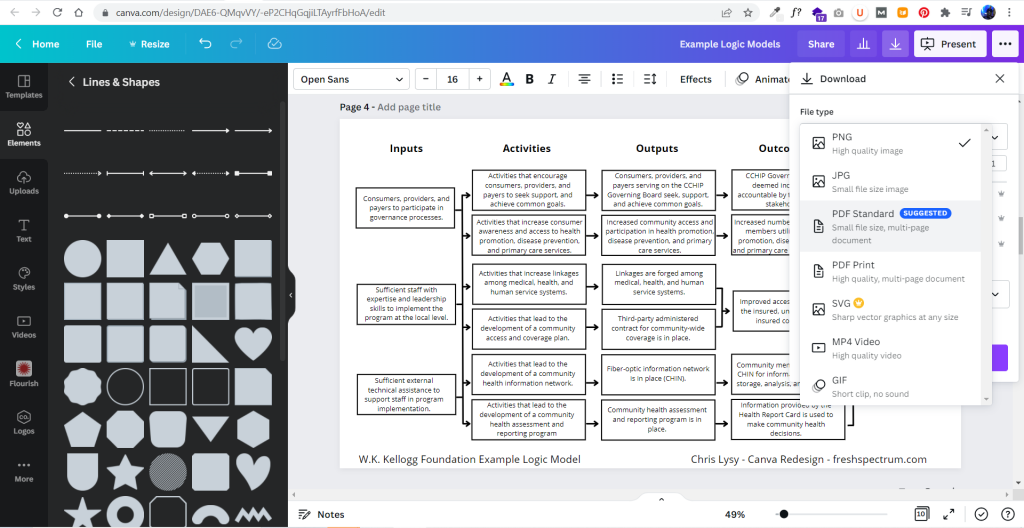
It didn’t take too long to create something that looked really similar to the original. And because it’s now in Canva, I have a lot of download options. If I just want an image I’ll usually download as PNG. If I want something printable, then I’ll download as a PDF Standard.
Adapting your Canva Logic Model
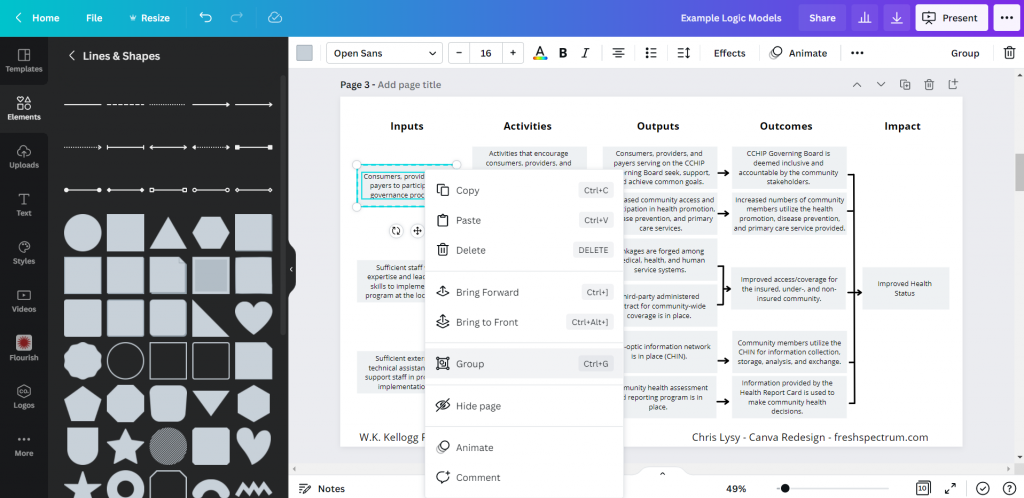
The nice thing about Canva is that it’s pretty easy to duplicate and adapt your logic model, trying out different styles. I find the outline boxes to be a little visually jarring. So instead I replaced the outline boxes with some solid color light gray boxes.
The shapes exist separately from the text, so you just insert the rectangle and send it to the back to set behind the text blocks. If you spend a lot of time moving the boxes around it’s a good idea to group the individual text/shape pairs.
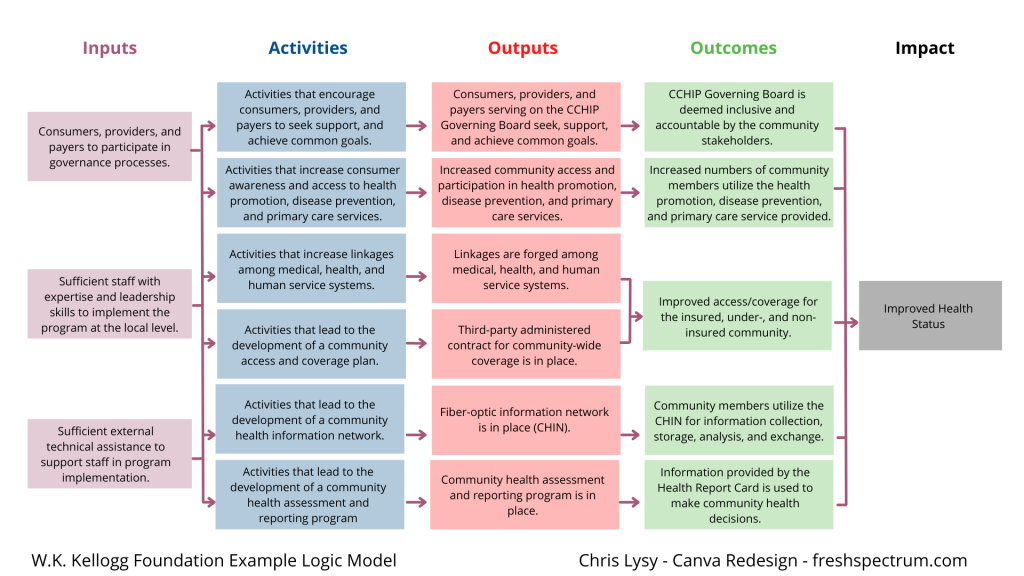
Color coding the logic model.
Once you have the base shape and text there are all sorts of alterations you can do to the design. I know there are a lot of evaluators who like to color code different elements. That’s certainly simple enough to do.
Occasionally you’ll want a softer color, especially for background elements. One way to do that is just make the boxes slightly transparent.
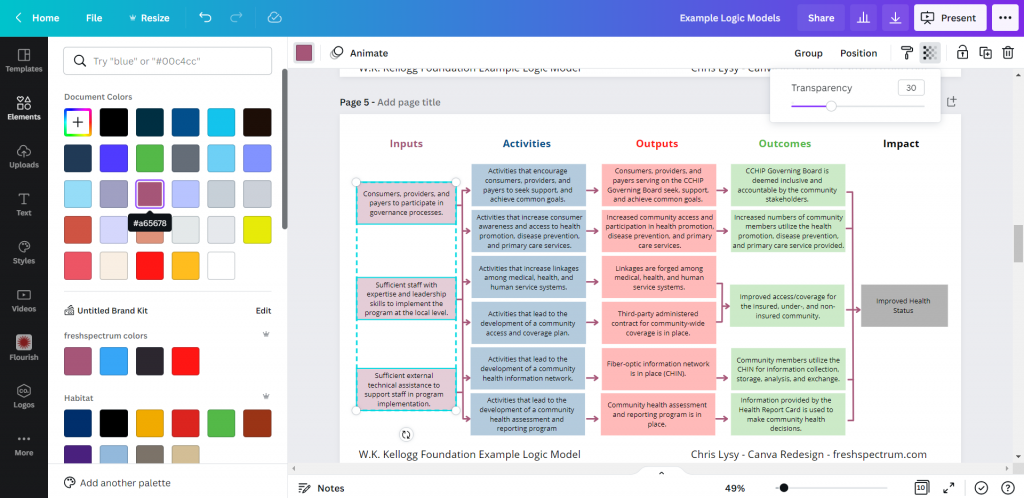
Photo annotating the logic model.
If you find yourself creating a lot of different logic models annotating with some photographs and background elements can really help you to differentiate. Especially if the photographs pair well with the actual project. I created this corny version with just some Canva stock photos.
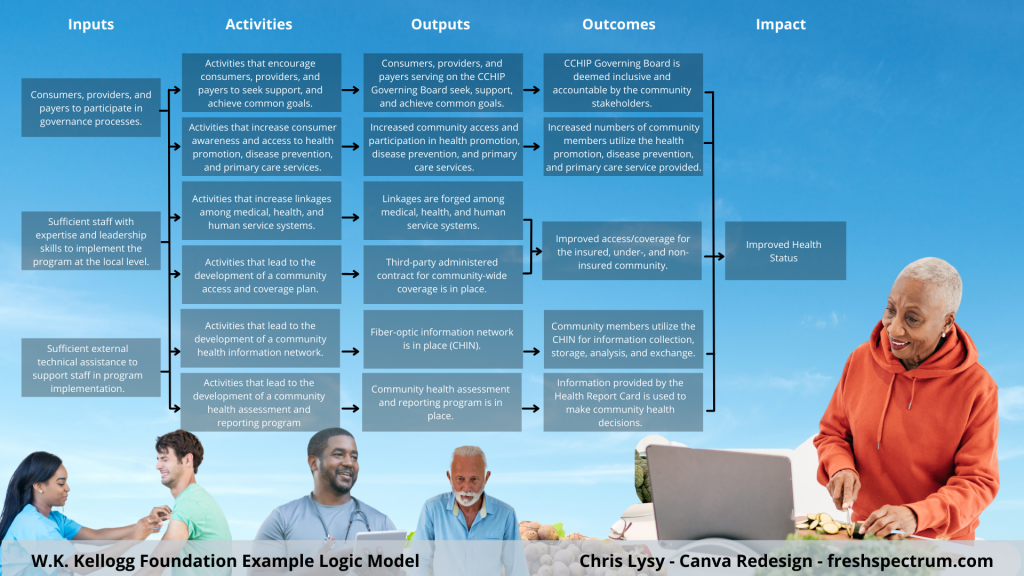
I use a Canva a lot, so I’ve made the investment in a pro account (~$10/month at the time of this post). Given the amount of stock content I use and the bonus features, this is well the worth the subscription cost. One of the features I like to use is the background remover. It’s a nice way to make certain stock images fit almost anywhere.
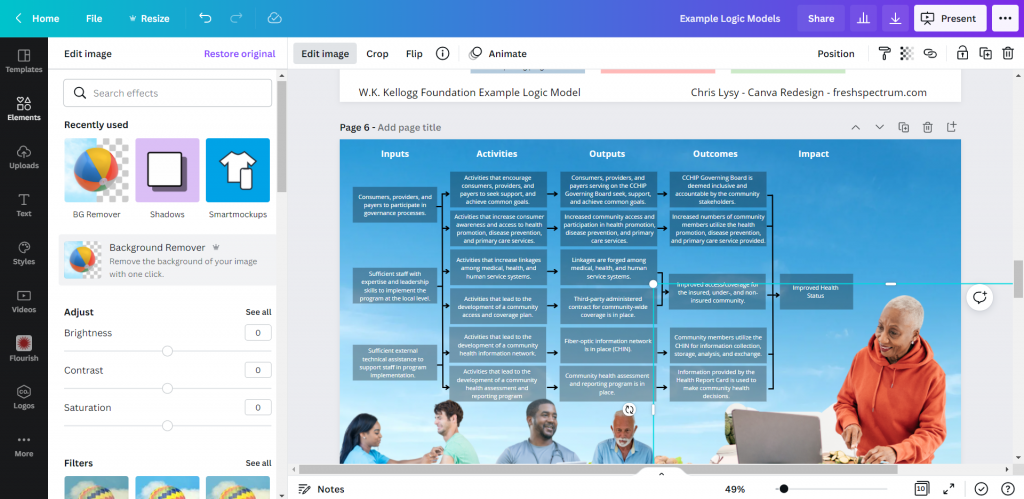
Coding Logic Model Elements
If your logic model is still being developed and fine tuned it can be a good idea to code the individual blocks. This makes it a lot easier to talk about individual elements.
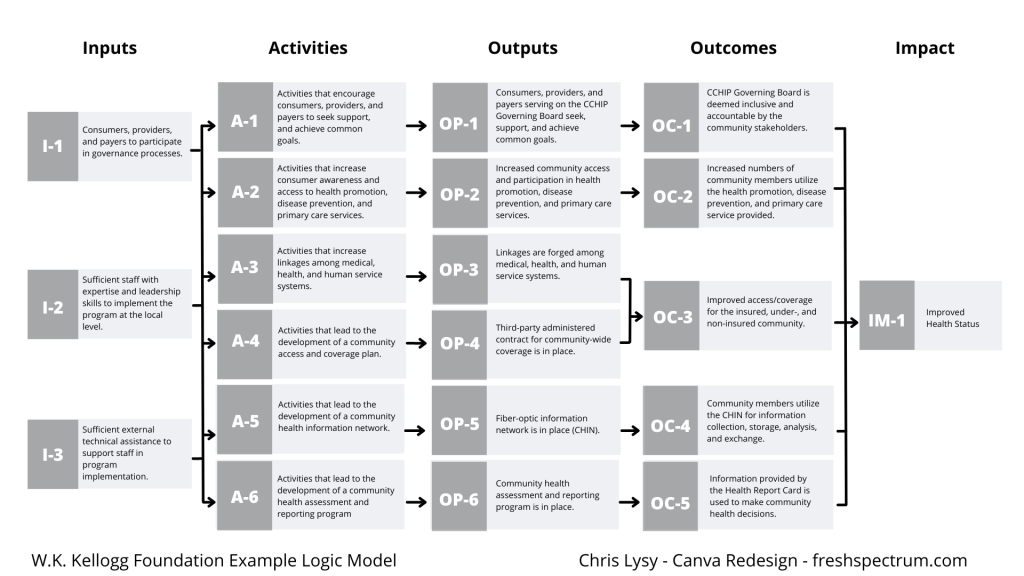
For this I just shrunk the text and offset it to the right of the gray boxes. Then I darkened the side to create a space for codes.
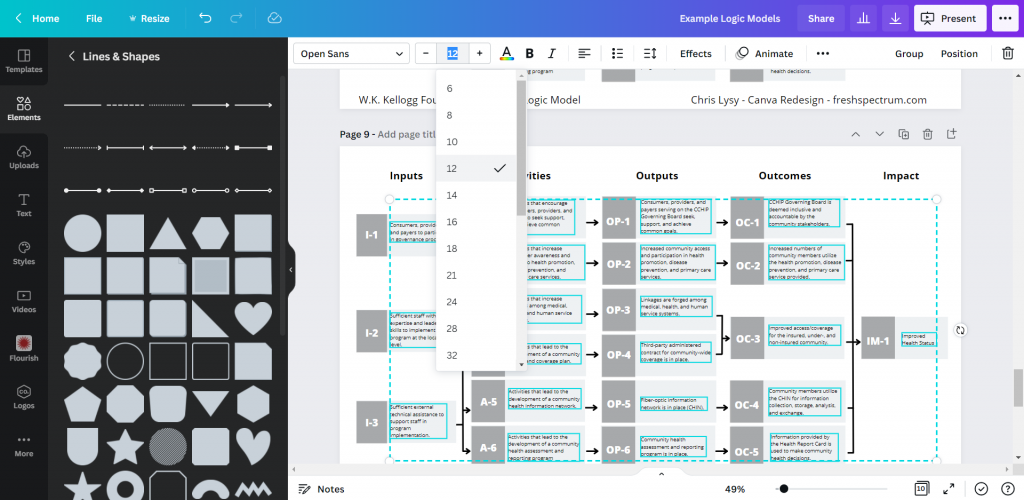
Icon Illustrating your Logic Model
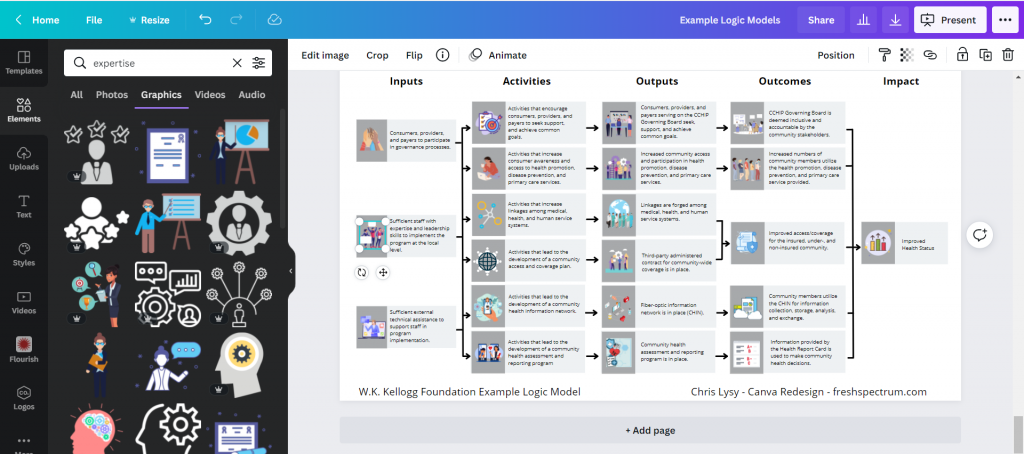
My favorite way to adapt a logic model is to simply icon illustrate the individual elements.
Just move from element to element looking for icons that somewhat illustrate each block of text. There are all sorts of icon styles available within Canva.
Do you want to start with these templates?
I made the Canva file a template file. Just make sure to log in to your Canva account before opening the following template (and if you don’t have a Canva account, create one, it’s free).

What tools do you use to create your logic models?
There is no one perfect tool for anything. Canva has some downsides just like every other tool. So what tool is your favorite?
 English
 Afrikaans
 Shqip
Shqip አማርኛ
አማርኛ العربية
 Հայերեն
 Azərbaycan dili
 Euskara
 Беларуская мова
 বাংলা
বাংলা Bosanski
 Български
 Català
 Cebuano
 Chichewa
 简体中文
简体中文 繁體中文
繁體中文 Corsu
Corsu Hrvatski
 Čeština
 Dansk
Dansk Nederlands
 Esperanto
 Eesti
Eesti Filipino
 Suomi
Suomi Français
 Frysk
Frysk Galego
 ქართული
 Deutsch
 Ελληνικά
 ગુજરાતી
 Kreyol ayisyen
 Harshen Hausa
 Ōlelo Hawaiʻi
 עִבְרִית
 हिन्दी
 Hmong
Hmong Magyar
 Íslenska
 Igbo
Igbo Bahasa Indonesia
 Gaeilge
 Italiano
 日本語
日本語 Basa Jawa
 ಕನ್ನಡ
ಕನ್ನಡ Қазақ тілі
 ភាសាខ្មែរ
 한국어
한국어 كوردی
كوردی Кыргызча
 ພາສາລາວ
 Latin
Latin Latviešu valoda
 Lietuvių kalba
 Lëtzebuergesch
 Македонски јазик
 Malagasy
 Bahasa Melayu
 മലയാളം
 Maltese
 Te Reo Māori
 मराठी
मराठी Монгол
 ဗမာစာ
ဗမာစာ नेपाली
 Norsk bokmål
 پښتو
پښتو فارسی
فارسی Polski
 Português
 ਪੰਜਾਬੀ
 Română
 Русский
 Samoan
 Gàidhlig
 Српски језик
 Sesotho
 Shona
Shona سنڌي
سنڌي සිංහල
සිංහල Slovenčina
 Slovenščina
 Afsoomaali
 Español
 Basa Sunda
 Kiswahili
 Svenska
 Тоҷикӣ
 தமிழ்
தமிழ் తెలుగు
 ไทย
ไทย Türkçe
 Українська
 اردو
اردو O‘zbekcha
 Tiếng Việt
 Cymraeg
 isiXhosa
 יידיש
יידיש Yorùbá
 Zulu
Zulu