Ever had that “aha!” moment in Excel that completely changes your data game?
For me, it was discovering pivot tables and their ability to run circles around painstaking formula execution.
What are Pivot Tables?
Simply put, pivot tables sort a contiguous array of quantitative data by multiple planes of information simultaneously.
This is an example of a contiguous dataset (with pretend data). All the cells are touching/sharing a border.

After you fiddle with the rows (x axis)/ columns (y axis)/ values (summary), filters (sorting)… Tah da! The magic happens.
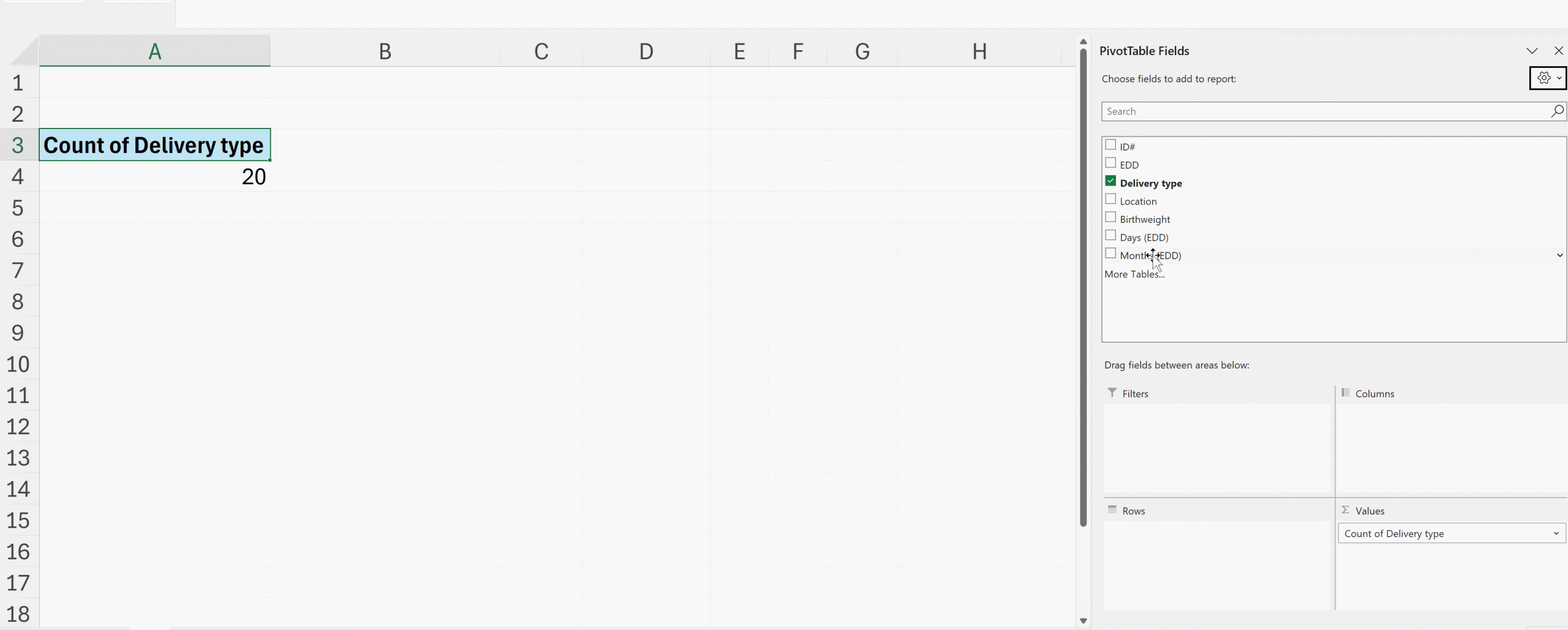
Here’s how quickly you can summarize data with pivot tables:
Improving Your Interactive Dashboards
To build professional and reliable interactive dashboards, pivot tables are your best friend.
As a data designer who’s recently completed Ann K. Emery’s Dashboard Design course, I’m excited to share three techniques that have elevated my dashboard game.
(1) Helper Tables
First, I’ve learned the value of creating “helper tables.”
Think of these as your dashboard’s backbone.
While pivot tables are constantly shifting as users interact with filters and slicers, helper tables provide a stable foundation for your key metrics.
I create these on a dedicated ‘Ref’ sheet, where they quietly but efficiently pull data from the pivot tables using direct cell references (=).
(2) Consistent Cell References
Second, cell references need to be consistent.
By using absolute references (=$row$column), I ensure my helper tables always pull exactly what I need, regardless of how the underlying pivot table shifts and sorts.
(3) Naming Pivot Tables
Third, name your pivot tables intuitively!
Sure, Excel is happy to call them “PivotTable1,” “PivotTable2,” and so on, but meaningful names make maintenance so much easier. (Just remember: no spaces allowed!)
Organizing Your Dashboard Spreadsheets
My finished dashboards now follow a clean, organized structure with five key sheets:
- Overview (where users find instructions)
- Data (the raw information, typically hidden)
- Pivot (where the magic happens, also hidden)
- Dashboard (the beautiful final product)
- Ref (my helper tables’ home)
Dashboards Need Functionality and Performance
One of the most valuable lessons from Ann’s course was learning to balance functionality with performance.
Multiple pivot tables can strain Excel’s resources, but with these techniques, I can create sophisticated dashboards that remain lightning-fast and reliable.
What started as a simple appreciation for pivot table magic has grown into a comprehensive approach to creating dynamic, professional dashboards that my clients love.
Your Turn
What’s your favorite pivot table trick?
I’d love to hear how you’re using these powerful tools in your own work!
Connect with Anna Pfaff
Reach out to guest author Anna Pfaff on LinkedIn.
 English
 Afrikaans
 Shqip
Shqip አማርኛ
አማርኛ العربية
 Հայերեն
 Azərbaycan dili
 Euskara
 Беларуская мова
 বাংলা
বাংলা Bosanski
 Български
 Català
 Cebuano
 Chichewa
 简体中文
简体中文 繁體中文
繁體中文 Corsu
Corsu Hrvatski
 Čeština
 Dansk
Dansk Nederlands
 Esperanto
 Eesti
Eesti Filipino
 Suomi
Suomi Français
 Frysk
Frysk Galego
 ქართული
 Deutsch
 Ελληνικά
 ગુજરાતી
 Kreyol ayisyen
 Harshen Hausa
 Ōlelo Hawaiʻi
 עִבְרִית
 हिन्दी
 Hmong
Hmong Magyar
 Íslenska
 Igbo
Igbo Bahasa Indonesia
 Gaeilge
 Italiano
 日本語
日本語 Basa Jawa
 ಕನ್ನಡ
ಕನ್ನಡ Қазақ тілі
 ភាសាខ្មែរ
 한국어
한국어 كوردی
كوردی Кыргызча
 ພາສາລາວ
 Latin
Latin Latviešu valoda
 Lietuvių kalba
 Lëtzebuergesch
 Македонски јазик
 Malagasy
 Bahasa Melayu
 മലയാളം
 Maltese
 Te Reo Māori
 मराठी
मराठी Монгол
 ဗမာစာ
ဗမာစာ नेपाली
 Norsk bokmål
 پښتو
پښتو فارسی
فارسی Polski
 Português
 ਪੰਜਾਬੀ
 Română
 Русский
 Samoan
 Gàidhlig
 Српски језик
 Sesotho
 Shona
Shona سنڌي
سنڌي සිංහල
සිංහල Slovenčina
 Slovenščina
 Afsoomaali
 Español
 Basa Sunda
 Kiswahili
 Svenska
 Тоҷикӣ
 தமிழ்
தமிழ் తెలుగు
 ไทย
ไทย Türkçe
 Українська
 اردو
اردو O‘zbekcha
 Tiếng Việt
 Cymraeg
 isiXhosa
 יידיש
יידיש Yorùbá
 Zulu
Zulu