• Skip to main content
  • Skip to footer
  • Home

The May 13 Group

the next day for evaluation

  • Get Involved
  • Our Work
  • About Us
You are here: Home / Archives for allblogs

allblogs

May 10 2023

Engaging in Beautiful Work

#image_title

If you’re stuck, looking to energize what you do, or reclaim the purpose of your organization or yourself, look to beauty to help you out.

Organizational aesthetics is a domain of practice that fuses workplace design, organizational psychology, and strategy. The focus is on beautiful work and, by extension, the health, well-being, and performance of those doing the work.

Beauty is something self-defined. It has aesthetic qualities to it, but those are not universal. If you find work beautiful, it is. It often includes visual aesthetics but is also a matter of taste. That’s the remarkable thing about beauty in the workplace: it’s what we make it.

What is Beautiful Work?

An organization that engages in beautiful work is one that values and prioritizes the following qualities:

  1. Purpose: An organization that engages in beautiful work has a clear sense of purpose and mission that is aligned with its values and goals. The organization is committed to making a positive impact on the world and is dedicated to creating work that is meaningful and fulfilling.
  2. Creativity: An organization that engages in beautiful work encourages creativity and innovation. It values new ideas and approaches and is willing to take risks to achieve its goals.
  3. Collaboration: An organization that engages in beautiful work promotes collaboration and teamwork. It values diversity and inclusivity and encourages individuals to bring their unique perspectives and experiences to the work and workplace.
  4. Excellence: An organization that engages in beautiful work strives for excellence in all that it does. It is committed to producing work that is of the highest quality and is always looking for ways to improve and innovate.
  5. Authenticity: An organization that engages in beautiful work is authentic and transparent. It values honesty and integrity and is committed to building trust with its stakeholders.
  6. Empathy: An organization that engages in beautiful work is empathetic and compassionate. It values the well-being and dignity of all individuals and is committed to creating a supportive and inclusive workplace culture.
  7. Sustainability: An organization that engages in beautiful work is committed to sustainability and responsible business practices. It values the environment and is committed to positively impacting the world and holds a clear sense of purpose and ethics.

Overall, an organization that engages in beautiful work values purpose, creativity, collaboration, excellence, authenticity, empathy, and sustainability. It creates a workplace culture that is supportive, inclusive, and committed to positively impacting the world.

Benefits

Engaging in beautiful work can have numerous organizational benefits, including:

  1. Increased Employee Engagement: Beautiful work can inspire and motivate employees, increasing job satisfaction, commitment, and productivity. When employees feel that their work is meaningful and fulfilling, they are likelier to be engaged and invested in it.
  2. Improved Brand Reputation: Organizations that engage in beautiful work are often viewed as ethical, responsible, and socially conscious. This can improve their brand reputation and help attract and retain customers who value these qualities.
  3. Increased Innovation: Beautiful work often involves creativity, risk-taking, and innovation. Organizations that engage in beautiful work are more likely to develop new ideas and approaches, leading to increased innovation and competitive advantage.
  4. Improved Financial Performance: Organizations that engage in beautiful work may experience improved financial performance due to increased employee engagement, customer loyalty, and innovation. Beautiful work can also help organizations attract and retain top talent, reducing turnover costs and improving productivity.
  5. Enhanced Workplace Culture: Organizations that engage in beautiful work often create a supportive and inclusive workplace culture that values diversity, authenticity, and empathy. This can improve employee morale, reduce conflicts, and create a positive work environment.
  6. Social Impact: Beautiful work often involves positively impacting the world. Organizations that engage in beautiful work can contribute to the greater good, creating social impact and benefiting the wider community.

Overall, engaging in beautiful work can lead to a range of organizational benefits, including increased employee engagement, improved brand reputation, increased innovation, improved financial performance, enhanced workplace culture, and social impact. By valuing purpose, creativity, collaboration, authenticity, empathy, and sustainability, organizations can create a culture of beautiful work that benefits both employees and society as a whole.

Key Resources:

Organizational Aesthetics (Journal)

Petrovski, D. Organizational Aesthetics and Creative Outputs. Acad Management Proc 2020, 14531 (2020).

Norman, C. D. A Beautiful Journey Through The Familiar Unfamiliar | Organizational Aesthetics. https://oa.journals.publicknowledgeproject.org/index.php/oa/article/view/249.

If you want to create a beautiful workplace and workforce, let’s grab a (virtual) coffee and talk about how we can help you do it.

The post Engaging in Beautiful Work appeared first on Cense Ltd. .

Written by cplysy · Categorized: cameronnorman

May 10 2023

Designing for Significance

#image_title

If you’re stuck, consider the opportunity to make a mark with your work. Organizations often lack meaning in their work, not capability, when they find themselves stuck.

One way to reinvigorate your work, your organization and yourself is to explore the idea of designing for significance. Designing for significance refers to the process of creating products, services, or experiences that have a meaningful and lasting impact on people’s lives. This includes designing for ourselves: creating beautiful, meaningful work and the organizations to support and focus that work.

It could be that the work you’re doing or the way you’re working is lacking in significance. The good news is that we can design this into our enterprise.

Here are a few things we know about designing for significance:

1. Start with empathy: Understanding who you’re seeking to serve (this may be more than one group). Determining their needs and desires is crucial to creating a product that will resonate with them. Empathy-driven design involves actively listening to your users, observing their behaviour, and putting yourself in their shoes. It also helps you to anticipate what they might need or want in the future. This is where tools like personas can be useful.

2. Focus on outcomes: To design for significance, it’s important to focus on the outcomes you want to achieve rather than just the features of your product or service. What do you want your users to feel, achieve, or experience from using your product or engaging your service? Design with those outcomes in mind. Evaluate and gather the data to see what kind of influence you’re having on people and their actions.

3. Use storytelling: Storytelling is a powerful tool for creating emotional connections with your users. Use storytelling to convey the impact and significance of what you’re creating and to make it more relatable and memorable.

4. Collaborate in ways that find, focus, and amplify diverse perspectives: Designing for significance requires a diverse range of perspectives and experiences to reflect the complexity of the stories, situations, and needs of people. Collaborate with those who bring different backgrounds, skills, and viewpoints to create a product that resonates with a wide range of people and situations.

5. Iterate and test: Design is an iterative process, and testing is a crucial part of that process. Test your product with real users to get feedback and insights that can inform your design decisions and help you create a more significant product. Following a process that aligns with things like the Helix Model can help.

Overall, designing for significance involves a deep understanding of the needs and desires of your audience and yourself as a professional and organization. It’s outcome-driven, collaborative, and engages complexity through diversity; it’s curiousity-promoting and collaborative. All of these things provide energy back to you and your workforce. It’s ultimately about connecting to and generating meaning in the work. That’s why it helps get you unstuck and moves you forward (while making better things).

This is about making beautiful work which connects people to the work and its products.

Try this with your team. Engagement and meaning brings so many benefits.

If you need or want help, we have experience with this and can help enliven, inspire, and focus your team to get them unstuck. Let’s grab a virtual coffee and chat.

Photo by K. Mitch Hodge on Unsplash

The post Designing for Significance appeared first on Cense Ltd. .

Written by cplysy · Categorized: cameronnorman

May 08 2023

What does it mean to champion knowledge management in our organizations?

I have based this post on knowledge management (KM) materials at UNICEF

And what is KM at UNICEF? It is “The capture, organization, sharing and use of knowledge to improve organizational performance towards development and development and humanitarian results for children”. – Global Medium-Term Strategy for Knowledge Management (2021-2022).

KM is recognized by UNICEF as a change strategy in the 2022-2025 Strategic Plan. It is one of the operational strategies that UNICEF will prioritize to support the achievement of development results.

KM Work Areas: KM is not an ad hoc activity, but should be deliberately planned to align with program, operational, or organizational objectives. The goal is to continually use KM to improve performance in:

  • Planning our KM work
  • Capture and document knowledge.
  • Create, package and disseminate
  • Manage content
  • Knowledge sharing (within the office/organization/partner network)
  • Spaces to learn and reflect
  • Retain staff knowledge
  • Evaluate the use of knowledge

What does it mean to be a KM champion? We can support and promote KM by applying the following three pillars:

1. Establish an enabling environment and culture to fully utilize KM

KM is an enabler to achieve results and should be aligned with the organization’s strategic priorities and existing work goals and objectives at both the global and organizational levels.

2. Promotion and participation in KM initiatives

People (staff, partners, stakeholders, beneficiaries) are at the center of KM, supported by technology and effective processes. In particular, that within organizations all personnel are owners and users of knowledge, therefore, the most important and valuable KM resource.

3. Take advantage of the organization’s systems to institutionalize knowledge management

KM must leverage existing institutional/corporate processes so that both the organization and its staff continually learn and improve. The role of KM is to ensure that existing processes maximize the use of knowledge and continuous learning to improve performance and results.

What can we do to make KM successful? What needs to be put in place for us to reap the benefits of doing KM? To fully benefit from KM, we need the following drivers of the KM framework : (a) Governance, (b) Resources (human and financial resources)-People, (c) Culture-Processes and (d) Technology

The following can help us apply and defend KM in the organization:

Anchor our KM work in the needs of our organization

Embed it into existing work

Bring our entire team or organization

Build on our KM efforts and achievements in subsequent years (quick wins)

Written by cplysy · Categorized: TripleAD

May 08 2023

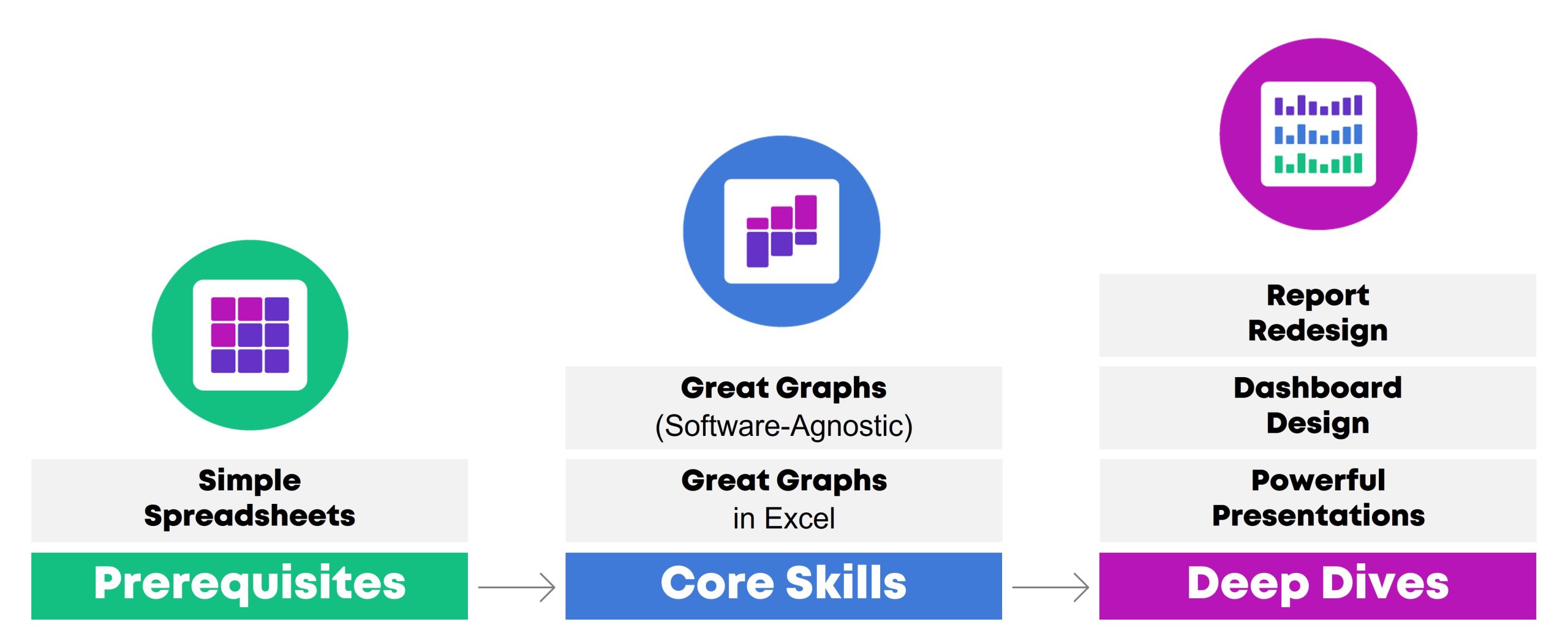
My 6 Data Communications Classes

Did you know… that I teach six different classes?

All of these classes fall under the broad data communications umbrella.

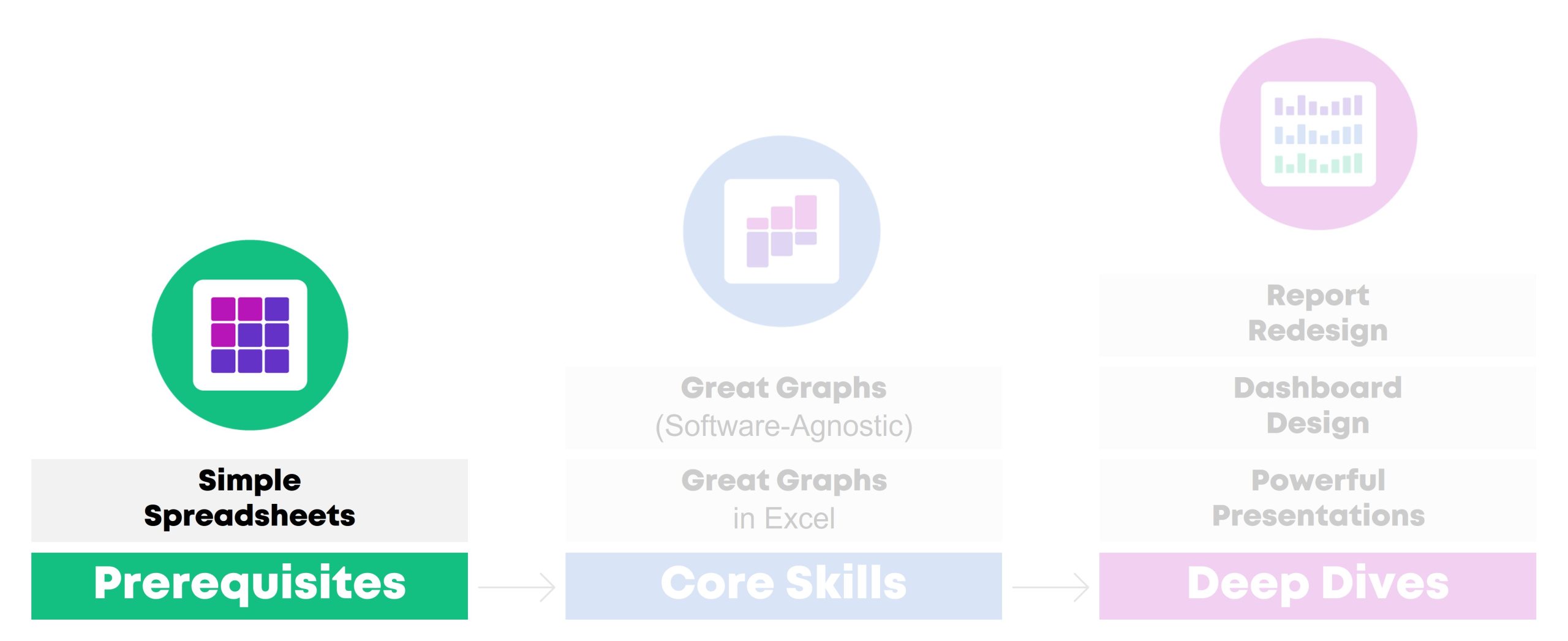
One class focuses on data analysis (cleaning and tabulating our raw datasets to get them ready for graphs).

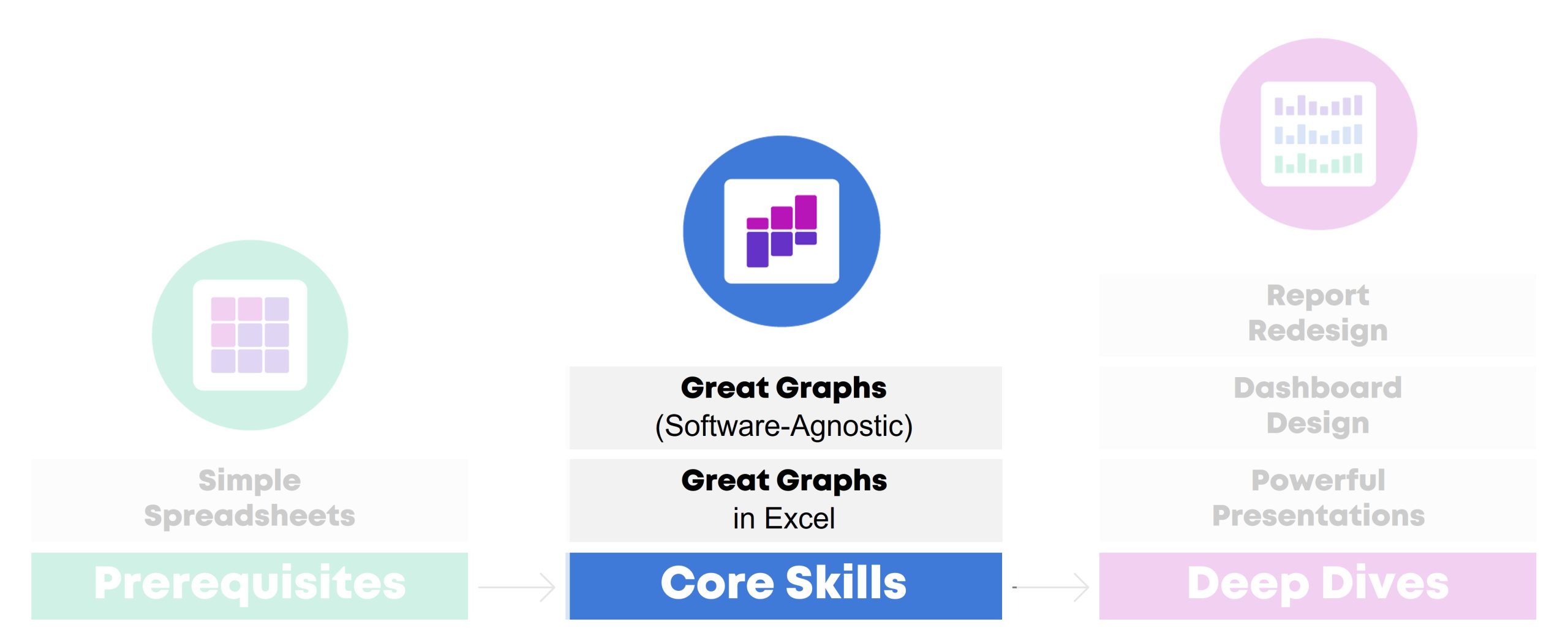
Two classes focus on core data visualization skills (translating technical information for non-technical audiences; making sure we don’t just have bar charts; and using colors and fonts that are branded, accessible, and intuitive).

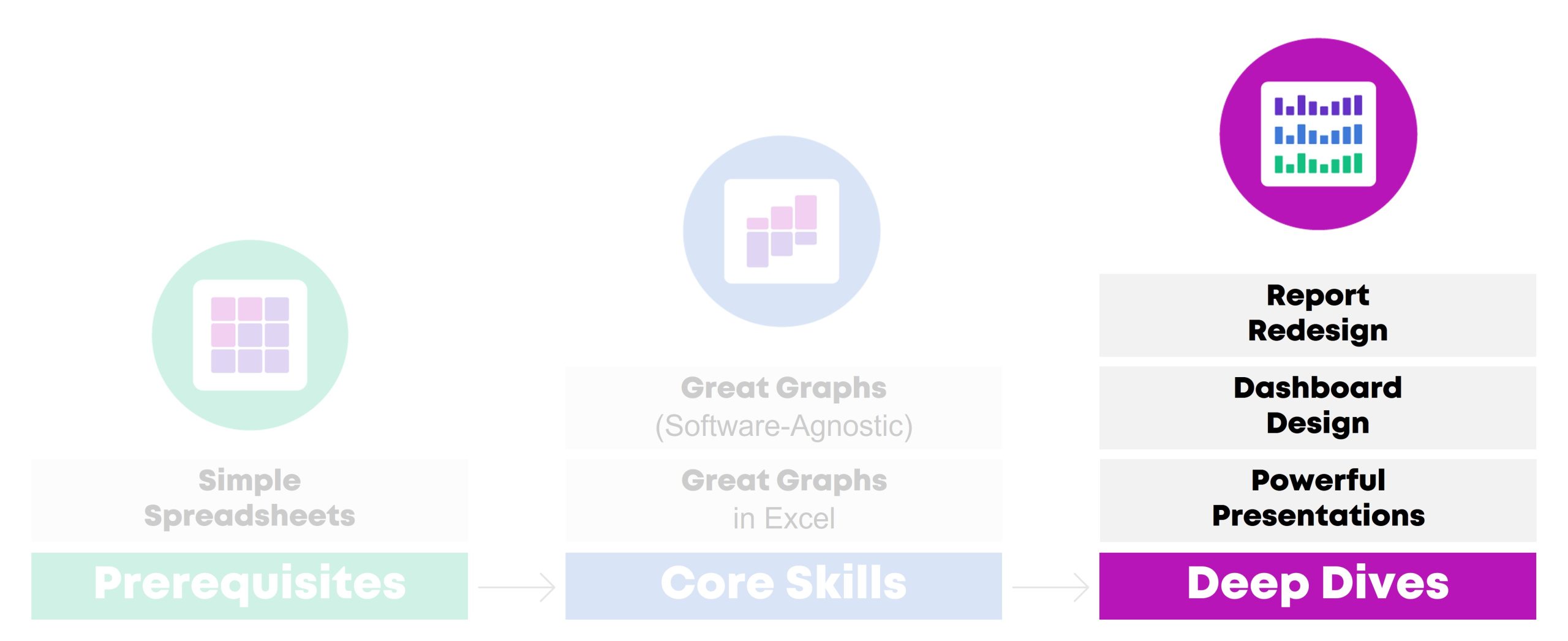
Three classes are advanced, sort of. I call them deep dives because they focus just on reports, or dashboards, or presentations. You’ll need to have your graphs created and edited first (skills taught in previous classes) so they can feed into those reports, dashboards, and presentations.

In this article, you’ll learn more about each of the classes.

Class 1: Simple Spreadsheets: How to Analyze Data from Start to Finish in Excel

Need to make sense of spreadsheets? Not sure where to start? Chances are, there’s a faster and easier way to get it done.

In this class, you’ll practice a step-by-step process for exploring, cleaning, analyzing, and tabulating your dataset. These spreadsheet skills will save your time, energy, and sanity.

You’ll learn how to:

  1. organize your brand new datasets by adding filters, freezing panes, and keeping raw data separate from clean data;
  2. merge disparate spreadsheets together with lookup formulas;
  3. clean and recode messy data (by checking for missing data and duplicates, and by transforming variables);
  4. run descriptive statistics and frequencies; and
  5. explore data more fully through pivot tables.

This workshop is highly interactive. Each section begins with a demonstration followed by a break for hands-on practice. For example, in the Analyze Data with Pivot Tables module, the instructor will show how to insert a pivot table and drag-and-drop variables. Then, you’ll practice right away, and you’ll be expected to ask questions whenever you get stuck.

Learning Objectives

After the two-day workshop, participants will be able to:

  • merge data from multiple sheets into a single master dataset;
  • organize spreadsheets by adding filters and freezing panes;
  • check for duplicates and missing data;
  • clean and recode messy data to get it ready for analysis;
  • run basic descriptive statistics and frequencies; and
  • explore data more fully through pivot tables.

Target Audience

Researchers, evaluators, scientists, graphic designers/communications staff, and admin staff who need to use Excel spreadsheets as part of their job–and it’s not your favorite part of your job.

If you already teach Excel at conferences or in seminars, you don’t need this class. It’s for those of us who didn’t take graduate courses specifically on Excel formulas.

If formulas and pivot tables have always been easy for you, you don’t need this course. It’s for those of us who feel like we’re missing something; that “I don’t know what I don’t know” feeling.

If you’re looking for a dataviz course, this isn’t it. Simple Spreadsheets is about: You’re opening a brand new dataset for the first time. Now what?! You’ll tabulate nominal, ordinal, interval, and ratio variables with the right formulas (you’ll need different formulas based on the type of variable/dataset). You’ll learn the in’s and out’s of pivot tables — and when to use formulas vs. pivot tables. These are the skills that precede graphs, dashboards, reports, and slideshows.

Level

Beginner/intermediate.

Prerequisites

None.

(But this course is a suggested prerequisite for all the other classes.)

Equipment Needed

A desktop or laptop computer (not a tablet or phone).

PCs preferred over Macs.

Software Programs Used

Excel is required.

Newest version preferred (called “Microsoft 365”).

Materials Included

  • 2 days of live instruction (two days on-site, or four half-days virtually).
  • For virtual trainings: Access to recordings for 1 year so you can re-watch anything you’d like.
  • ~6 different Excel files with step-by-step instructions typed out for you.

What Participants Are Saying

“As a 20+ year Excel user I can not BELIEVE the things I didn’t know, and that I learned to master in moments from Ann’s brilliant and engaging teaching. This course is by far the most well prepared and executed online course I have ever taken… The course materials are actual Excel files embedded with the skills, tricks and formulas… As far as who this course is best suited to, I think it could help Excel users of all levels, from beginners to advanced (which is what I would have called myself before taking this course and realizing my knowledge gaps!). For beginners it would be a one-stop shop of all you need to know to excel at Excel. For long-time users it will provide short-cuts, helpful formulas and other tricks you might not have known were hiding in this program. I truly can’t say enough about it, and have already recommended it to research colleagues, data/social indicator experts and policy folks.” – Lynn Davey, Ph.D, Davey Strategies

“I am a university researcher and have a lot of familiarity with data collection and statistical analysis programs/platforms (e.g. SPSS, SAS, etc.), but needed a low-cost, widely-used data collection and analysis tool I could recommend and teach to the community partners with whom I conduct research. I have known for a long time that Excel was likely the solution to my problem, but could never find time to learn to use it, except in the most basic ways (sort, sum). Last summer, I took Ann Emery’s Simple Spreadsheets course and dramatically improved my Excel acuity. *Plus* the course was fun, straightforward, and immediately useful… This course was more than worth the time and money I put into it, and I continue to learn and benefit from it (almost a year later). I highly recommend this course!” – Sarah V. Suiter, Vanderbilt University

Case Studies from Past Participants

You can view participants’ before-after transformations here:

  • 6 Data Cleaning Steps to Save You Millions by Hudson Kelley, HOPE International

Class 2: Great Graphs: A Software-Agnostic Introduction to Accessible Data Visualization

Are your takeaway findings getting lost? Busy graphs can slow down the viewer’s comprehension, increase cognitive load, and fail to inform decision-making processes. With intentional editing, we can design graphs that inform and inspire.

During this class, you’ll walk through a step-by-step process that you can apply to your own projects.

You’ll learn how to:

  1. customize your visualizations for each of your audiences (technical vs. non-technical, internal vs. external, etc.);
  2. choose the right chart type for your dataset (hex maps vs. choropleth maps, donuts vs. waffles, spaghetti lines vs. small multiples, etc.);
  3. select an appropriate software program for your needs;
  4. declutter your visuals so that viewers’ attention is focused on the data; and
  5. use colors and fonts that are branded, accessible, and intuitive.

Learning Objectives

After the two-day workshop, participants will be able to:

  • explain when they would use traditional graphs vs. storytelling graphs;
  • weigh the pros and cons of presenting data through various chart types (e.g., clustered bar charts vs. dot plots, and choropleth maps vs. hex maps);
  • explain how to declutter visuals to make sure the viewers’ attention is focused on the key patterns (e.g., by removing redundant text);
  • select graph colors that are branded, accessible, and intuitive; and
  • write graph text (titles, annotations, tooltips, etc.) that is branded, accessible, and intuitive).

Target Audience

Researchers, evaluators, scientists, graphic designers/communications staff, and admin staff who need to share data with others through accessible graphs.

Level

Beginner/intermediate.

Prerequisites

None.

(But this course is a suggested prerequisite for Great Graphs in Excel, Report Redesign, Dashboard Design, and Powerful Presentations.)

Equipment Needed

A desktop/laptop computer (not a tablet or phone).

PCs preferred over Macs.

Software Programs Used

None.

This course covers software-agnostic best practices that can be applied to any software program you might be using, from Excel to Tableau to R.

You don’t need to learn coding or graphic design to communicate data more effectively, and you’ll be encouraged throughout the class to continue using whichever software you’re already using.

Most of the examples shown throughout the course have been made with everyday software like Excel.

Materials Included

  • 2 days of live instruction (two days on-site, or four half-days virtually).
  • For virtual trainings: Access to recordings for 1 year so you can re-watch anything you’d like.
  • Handout
  • Ebook
  • PDF’d slides

What Participants Are Saying

“I would often see charts, graphs, and other data visuals in journal articles, and think to myself, ‘Wow, this is horrible; I have no idea what I am supposed to learn from this!” But I had no idea how to make it better or offer constructive suggestions.  After Great Graphs, I learned about how to select the best type of graph and how to make it visually appealing to the intended audience.  My own publications and posters have also benefitted—no more hard-to-read charts filled with clutter!” – John R. Heberger, Epidemiologist, Centers for Disease Control and Prevention

Case Studies from Past Participants​

You can view participants’ before-after transformations here:

  • A Before-After One-Pager Makeover by Lillian Haley, Haley Evaluation & Research Services

Class 3: Great Graphs in Excel: How to Make Beginner, Intermediate, and Advanced Graphs from Start to Finish

You’re familiar with all the research-based dataviz best practices. Now, let’s get down to business and make those graphs in Excel!

During this class, you’ll make beginner, intermediate, and advanced graphs in Excel.

You’ll walk through four levels of Excel vizardry:

  1. First, in Level 1, you’ll explore your dataset with sparklines, data bars, and heat tables.
  2. In Level 2, you’ll learns the in’s and out’s of overused native charts (bar charts, pie charts, line charts, and more).
  3. In Level 3, you’ll make underused native charts, like tree maps, b’arc charts, sunburst diagrams, and geographic maps.
  4. Finally, in Level 4, you’ll make non-native charts–charts that require sophisticated workarounds to produce in Excel, like dot plots, small multiples bar charts, population pyramids, waffle charts, and more.

Learning Objectives

After the two-day workshop, participants will be able to:

  • explore preliminary patterns by adding sparklines, data bars, and heat tables;
  • create and edit classic chart types (bars, lines, pies, etc.) to make sure they’re Big A Accessible (508-compliant) and little a accessible (intuitive);
  • practice creating newer chart types that are now available in Excel, like geographic maps and tree maps; and
  • transform Regular Tables into Magic Tables to fully harness Excel’s power and make dot plots, population pyramids, and more.

Target Audience

Researchers, evaluators, scientists, graphic designers/communications staff, and admin staff who need to share data with others through accessible graphs.

Level

Intermediate.

Prerequisites

You should complete a one- or two-day data visualization best practices class first (like Great Graphs).

You should already have strong spreadsheet skills (being able to transform your raw data into clean, tabulated data (skills covered in Simple Spreadsheets).

Equipment Needed

A desktop/laptop computer (not a tablet or phone).

PCs preferred over Macs.

Software Programs Used

Excel is required.

Newest version preferred (called “Microsoft 365”).

Materials Included

  • 2 days of live instruction (two days on-site, or four half-days virtually).
  • For virtual trainings: Access to recordings for 1 year so you can re-watch anything you’d like.
  • 28+ Excel files with step-by-step instructions and templates for making beginner, intermediate, and advanced graphs.
  • 2-page Chart Chooser.
  • 1-page cheat sheet on Transferring Graphs from Excel into Word or PowerPoint.
  • Instructions for setting up Theme Colors & Theme Fonts.

What Participants Are Saying

“Before the course, I presented numbers narrated by text…yawn. Now, I present numbers as a story with visuals, sometimes as simple as sparklines, which engages staff and invites their insights! The Great Graphs in Excel course helped me see and share what story our data is telling. This course is best for people who learn through interaction, not just watching videos and reading tutorials. Ann K Emery responds to students’ questions and specific data scenarios, has us try the solutions real-time, and engages and encourages her students (probably the most impactful part of the course…) I especially appreciate her walking us through her thought process as she demonstrates the procedures she’s developed. It’s like having an officemate who’s both a whiz and mentor, which helps make me a better analyst.” – Ellen Shepherd, Program analyst at a nonprofit

“This course helped me to see Excel as a flexible tool for a wide range of data management and analysis tasks… Much more than just tables and calculations!” – Bob Coulter, Missouri Botanical Garden

“My trend is definitely upward in this course. I’m learning EVERYTHING about graphs and #dataviz. Even the first couple lessons taught me so much useful formatting information about Excel that are already saving me so much time and ensuring my #professionalbranding consistency. And I’m looking forward to making graphs and charts that can convey complex information in an effective way!” – Sue Griffey, Founder, SueMentors

“Enrolling in courses at Depict Data Studio is one of the best professional developments I have ever made… After eight months with Ann, I was able to turn my blah capabilities statement into something I am happy to share! I could go on and on about the many design and data visualization lessons I’ve learned from Ann. Instead, I’ll end by saying that books and blogs are excellent resources. I have several books and subscribed to many blogs. However, they do not compare to live and on-demand instruction of Depict Data Studio.” – Lillian Haley Ph.D., MSW, ChFC®, President and Owner, Haley Evaluation & Research Services (HERS)

Case Studies from Past Participants​

You can view participants’ before-after transformations here:

  • 3 Simple Steps that Took My Graph from Good to Great by Maia Werner-Avidon, evaluator

Class 4: Report Redesign: How to Transform Text-Heavy Technical Reports into Visual, Skimmable Reports

Were you trained to write lengthy technical reports with methodological details? Technical reports are a great fit for technical audiences, like our peers working in public health. But what about our non-technical audiences, like policymakers or the general public?

In this class, you’ll learn how to translate technical data for non-technical audiences. You’ll walk through 3 layers of the Report Redesign pyramid.

Here’s what you’ll learn and practice:

  • In “Level 1: Go Beyond the Report,” you’ll learn how to add a variety of dissemination formats to your project (not just reports) in order to meet a variety of audiences’ needs. You’ll also learn about the 30-3-1 Approach to Reporting, visual appendices, and the 8 ingredients for designing one-pagers.
  • In “Level 2: Structure Your Report,” you’ll learn how to design a 20-minute cover. Then you’ll visually chunk your data with color-coded chapters. These are the big-picture, structural edits that make data-dense reports easier to skim and navigate.
  • Finally, in “Level 3: Design Each Page,” you’ll fine-tune the graphs and paragraphs included on each page. You’ll see a checklist of 15 Ideas for Visuals, and then practice adding more visuals to each page. You’ll also edit your writing to ensure that it’s accessible and inclusive.

Learning Objectives

After the two-day workshop, participants will be able to:

  • name a few dissemination formats (beyond technical reports) that would be ideal for non-technical audiences;
  • describe the 30-3-1 Approach to Reporting;
  • name 8 ingredients that should be included in one-pagers;
  • create a 20-minute report cover in Word;
  • create color-coded divider pages in Word; and
  • transform one text-heavy page into a visual, skimmable page.

Target Audience

Researchers, evaluators, and scientists who are preparing technical reports (peer-reviewed articles, etc.) and need to translate those scientific details for non-technical audiences.

Or, graphic designers/communications staff and admin staff who are helping scientists prepare those non-technical reports or infographics.

Level

Intermediate/advanced.

This training is ideal for staff who regularly work on reports of any type or length, and who might already be thinking about adding one-pagers or infographics to their project.

In other words, you’ll gain the most from this session if you can bring your own draft reports to work on. It’ll be harder to participate if you don’t have any documents to work on during the hands-on portions.

Suggested Prerequisites

This course is about designing reports and one-pagers for non-technical audiences. It’s not a data visualization course. We suggest that you complete a half-day or full-day data visualization class first. Then, those well-designed graphs and maps can go into the reports that you’ll fine-tune during this course.

Equipment Needed

A desktop/laptop computer (not a tablet or phone).

PCs preferred over Macs.

Software Programs Used

You’ll learn both reporting best practices and Word how-to’s.

Materials Included

  • 2 days of live instruction (two days on-site, or four half-days virtually).
  • For virtual trainings: Access to recordings for 1 year so you can re-watch anything you’d like.
  • Ebook
  • PDF’d slides

What Participants Are Saying

“Investing in the Report Redesign course from Depict Data Studio was one of the best decisions I have made in my career. Before the course, I was writing long, wordy reports that I thought were visually appealing because I included tables and bar charts; I had no idea the options I had within software I already had access to. Now, I create impactful one-pagers and reports that are visually appealing and even more importantly, get read by my colleagues. I know that there are more than 15 types of visuals to include in reports, how to utilize my company’s brand to my advantage, and more. I have been complimented on the new look of my reports by coworkers and external stakeholders, and continue to have “aha” moments of how I can continue to apply Ann’s advice as access to the course never expires. I cannot recommend this course enough. Thanks Ann and Depict Data Studio!” – Olivia Power, Data and Reporting Specialist, National FFA Organization

Case Studies from Past Participants

You can view participants’ before-after transformations here:​

  • Upping Your Reporting Game–with PowerPoint! by Ann Webb Price, Community Evaluation Services
  • Three Ways Intentional Data Viz Has Elevated My Work by Kathy Dowell, The Evaluation Group

Class 5: Dashboard Design: How to Design Static and Interactive Dashboards in Excel

Why wait until the end of the year to write a lengthy report when you can share data early and often with dashboards? Your organization’s leaders have more important things to do than read lengthy reports. Dashboards get to the point so that leaders can understand the numbers and take action.

During this class, you’ll make both static and interactive dashboards in Excel.

First, you’ll see sample dashboards from a dozen organizations like yours. You’ll hear share the story behind each dashboard so that you can learn about each dashboard’s audience and goals. For example, some of the dashboards were designed to track progress towards goals. Other dashboards were designed to help organizations compare their different program areas. You can decide which elements of each dashboard would be most applicable to your own work.

Then, you’ll design a few static dashboards in Excel. You’ll create sparklines and uncover some of Excel’s best kept secrets, like Conditional Formatting. These dashboards will live inside of Excel and get shared with stakeholders as PDFs through email or as printed handouts during meetings. Static dashboards are a great fit for non-technical audiences who only have time to skim a one-page email attachment.

Finally, you’ll design an interactive dashboard in Excel. You’ll turn your regular table into an Excel Table; you’ll tabulate your dataset with pivot tables; you’ll design pivot charts to showcase your key findings; and you’ll link everything together with slicers. Interactive dashboards are a great fit for technical audiences who have time to explore the data themselves.

Learning Objectives

After the two-day workshop, participants will be able to:

  • describe when static vs. interactive dashboards are most useful (e.g., for technical vs. non-technical audiences);
  • create sparklines, data bars, and heat tables;
  • adjust their dashboard to be printer- and PDF-ready to create static dashboards; and
  • insert Excel Tables, pivot tables, pivot charts, and slicers to create interactive dashboards.

Target Audience

Researchers, evaluators, and scientists who want to create monthly, quarterly, or annual dashboards inside no-code software you already have, like Excel.

Level

Intermediate/advanced.

You don’t need to have any prior dashboard experience.

You *do* need to have prior data visualization and Excel experience (skills covered in Simple Spreadsheets and Great Graphs).

Suggested Prerequisites

You’ll gain the most from this course if you’ve already taken two other courses from this instructor: (1) Simple Spreadsheets (to start practicing formulas and pivot tables) and (2) Great Graphs (to start practicing data visualization skills, like chart-choosing, branding, and accessibility).

Equipment Needed

A desktop/laptop computer (not a tablet or phone).

PCs preferred over Macs.

Software Programs Used

Excel is required.

Newest version preferred (called “Microsoft 365”).

Materials Included

  • 2 days of live instruction (two days on-site, or four half-days virtually).
  • For virtual trainings: Access to recordings for 1 year so you can re-watch anything you’d like.
  • Ebook
  • PDF’d slides
  • ~15 templates with step-by-step instructions for making static and interactive dashboards in Excel

What Participants Are Saying

“This course helped me to design a visually engaging and easy to interpret surveillance report for our State Health Department. This course offers so many great Excel tips and techniques in such an organized way. The skills I learned from this course were extremely easy to apply to an actual project. Furthermore, the course examples provided me with so many ideas and inspiration for future projects.” – Melissa Lurie, MPH, Epidemiologist/Research Scientist, New York State Department of Health

“When I started my position, I was tasked with developing a better way to track performance data across multiple programs. With this course, I was able to transform the old system into a dashboard that is efficient, makes good use of a single page, and looks great. We now get lots of compliments on our dashboard, thanks to this course.” – Shawna Rohrman, Associate Director, Cuyahoga County Office of Early Childhood

Case Studies from Past Participants

You can view participants’ before-after transformations here:

  • Creating Reports for Grant Deliverables Using Excel Dashboards by Josephine Engels, Mental Health America of Greater Houston
  • Better Storytelling with the Same Data: Upgrade that Board Packet! by Kristen Summers, Saint Luke’s Foundation

Class 6: Powerful Presentations: How to Design and Deliver Presentations for Maximum Impact

Do you need to give presentations, either in-person or online? You might need to design slides for public health conferences. Or, you might need to give updates at your staff meetings.

In this class, you’ll learn how to avoid Death by PowerPoint–those slides with Text Walls, grainy images, and run-on content. Our audiences are busier than ever, and they’re relying on us to communicate our data clearly and concisely.

You’ll gain presentation best practices and practical how-to’s in PowerPoint.

First, in the “Slidedecks vs. Slidedocs” module, you’ll learn the five graphic design features that make presentations stand out from reports. You’ll see examples of slidedecks and slidedocs from real CDC projects, and we’ll pause to make sure you know whether you need slidedecks and/or slidedocs for your own projects.

Second, in the “Message” module, you’ll design a Visual Framework to help organize your presentation into manageable chunks of information. You’ll also write the takeaway tweets for your presentation in advance to make sure it’s concise and actionable.

Third, in the “Design” module, you’ll swap out your bullet points and bar charts for a variety of visuals. You’ll receive our Chart Chooser and our checklist of 15 Ideas for Visuals, and we’ll practice adding visuals to some of your real slides.

Fourth, in the “Delivery” module, you’ll learn how to storyboard you slides, which is a technique for breaking up dense data over multiple slides and explaining it piecemeal to our non-technical audiences. You’ll also learn about public speaking skills, body language, and tech set-up for virtual presentations.

Learning Objectives

After the two-day workshop, participants will be able to:

  • name five characteristics that should differentiate slidedocs (handouts made in PowerPoint) from slidedecks (presentation slides made in PowerPoint);
  • narrow down a presentation’s content to just 3-5 “buckets” of information;
  • draft a Visual Framework (a diagram) that shows how those 3-5 buckets are related (e.g., a venn diagram, step-by-step process, or repeating cycle);
  • write a 1-2 sentence “takeaway tweet” that summarizes the main message from the presentation;
  • re-design one text-heavy slide so that it includes accessible, skimmable visuals; and
  • storyboard one graph (break up the graph over multiple slides to match your speaking points and keep the audience engaged).

Target Audience

Researchers, evaluators, and scientists who are preparing their own slides/handouts for upcoming presentations.

Or, graphic designers/communications staff and admin staff who are preparing slides/handouts that their supervisors will be presenting.

Level

Intermediate/advanced.

This class is designed for staff who are already giving presentations (informal staff meetings, or formal conference presentations) and want to take their slides and public speaking skills to the next level.

In other words, you’ll gain the most from this session if you can bring your own draft slides to work on. It’ll be harder to participate if you don’t have any slides or upcoming presentations to work on during the hands-on portions.

Suggested Prerequisites

This course is about presentations, slide design, and public speaking skills. It’s not a data visualization course.

We suggest that you complete a half-day or full-day data visualization class first (like Great Graphs). Then, those well-designed graphs and maps can go into the presentations you’ll design in this course.

Equipment Needed

A desktop/laptop computer (not a tablet or phone).

PCs preferred over Macs.

Software Programs Used

You’ll learn both presentation best practices and PowerPoint how-to’s.

Materials Included

  • 2 days of live instruction (two days on-site, or four half-days virtually).
  • For virtual trainings: Access to recordings for 1 year so you can re-watch anything you’d like.
  • Ebook
  • PDF’d slides

What Participants Are Saying

“Not only have my presentation skills and setup improved, but so have my slides. There are so many great tips and tricks I could highlight, but I will keep it to my three favorites: color coding, increasing readability, and storyboarding. The best part is, they don’t take that much extra time! These are simple changes that take your slidedecks to a new level and allow you to really impress your audience.” – Kelsey Waterson, Evaluator, Centerstone Research Institute

“A client asked me to report the results at their meeting and I used so many of your suggestions in the slidedeck, it was the most impressive PowerPoint I have ever made. But as the meeting progressed, they were running out of time, [but] luckily, I had also created a slidedoc and was able to share that document. I have never been so grateful that I had signed up for your class!” – Kristin Wright

Case Studies from Past Participants

You can view participants’ before-after transformations here:

  • A Tip, a Trick, and a Thing to Try in Your Next Presentation by Elizabeth Dove, University of Montana
  • Creating a Powerful Presentation: 3 Easy Changes to Revamp Your PowerPoint by Kelsey Watterson, Centerstone Research Institute

Learn More

If you’d like to explore private training options, you can learn more here.

Smaller teams may prefer group rates for online courses.

Written by cplysy · Categorized: depictdatastudio

May 05 2023

¿Qué significa liderar la gestión del conocimiento en nuestras organizaciones?

He basado este post en materiales sobre gestión de la conocimiento (GC) en UNICEF

¿Y qué es GC en UNICEF? Es “La captura, organización, intercambio y uso del conocimiento para mejorar el desempeño organizacional hacia el desarrollo y los resultados de desarrollo y humanitarios para los niños”. – Estrategia Global de Medio Plazo de Gestión del Conocimiento (2021-2022).

La GC es reconocida por UNICEF como una estrategia de cambio en el Plan Estratégico 2022-2025. Es una de las estrategias operativas que UNICEF priorizará para apoyar el logro de resultados de desarrollo.

Áreas de trabajo de la GC: La GC no es una actividad ad hoc, sino que debe planificarse deliberadamente para alinearse con los objetivos del programa, operativos u organizacionales. El objetivo es utilizar continuamente la GC para mejorar el rendimiento en:

  • Planificación de su trabajo de GC
  • Capturar y documentar el conocimiento.
  • Crear, empaquetar y difundir
  • Administrar contenido
  • Intercambio de conocimientos (dentro de la oficina/organización/red de socios)
  • Espacios para aprender y reflexionar
  • Retener el conocimiento del personal
  • Evaluar el uso del conocimiento

¿Qué significa ser campeón/a de GC? Podemos apoyar y promover la GC aplicando los siguientes tres pilares:

1. Establecer un entorno propicio y una cultura para utilizar plenamente GC

La GC es un facilitador para lograr resultados y debe alinearse con las prioridades estratégicas de la organización y las metas y objetivos de trabajo existentes tanto a nivel global como de organización.

2. Promoción y participación en iniciativas de GC

Las personas (personal, socios, partes interesadas, beneficiarios) están en el centro de la GC, respaldadas por tecnología y procesos efectivos. En particular, que dentro de las organizaciones todo el personal es propietario y usuario del conocimiento, por lo tanto, el recurso GC más importante y valioso.

3. Aprovechar los sistemas de la organización para institucionalizar la gestión del conocimiento

La GC debe aprovechar los procesos institucionales/corporativos existentes para que tanto la organización como su personal aprendan y mejoren continuamente. El papel de GC es asegurar que los procesos existentes maximicen el uso del conocimiento y el aprendizaje continuo para mejorar el desempeño y los resultados.

¿Qué podemos hacer para que la GC tenga éxito? ¿Qué debe implementarse para que podamos cosechar los beneficios de hacer GC? Para beneficiarnos plenamente de la GC, necesitamos los siguientes impulsores del marco de GC: Gobernanza, Recursos (humanos y financieros)-Personas, Cultura-Procesos y Tecnología

Lo siguiente puede ayudarnos a aplicar y defender GC en la organización:

· Anclar nuestro trabajo de GC en las necesidades de nuestra organización

· Incrustarlo en el trabajo existente

· Traiga a todo nuestro equipo u organización

· Construir sobre nuestros esfuerzos y logros de GC en los años siguientes (quick wins)

Written by cplysy · Categorized: TripleAD

  • « Go to Previous Page
  • Go to page 1
  • Interim pages omitted …
  • Go to page 88
  • Go to page 89
  • Go to page 90
  • Go to page 91
  • Go to page 92
  • Interim pages omitted …
  • Go to page 310
  • Go to Next Page »

Footer

Follow our Work

The easiest way to stay connected to our work is to join our newsletter. You’ll get updates on projects, learn about new events, and hear stories from those evaluators whom the field continues to actively exclude and erase.

Get Updates

Want to take further action or join a pod? Click here to learn more.

Copyright © 2026 · The May 13 Group · Log in

en English
af Afrikaanssq Shqipam አማርኛar العربيةhy Հայերենaz Azərbaycan dilieu Euskarabe Беларуская моваbn বাংলাbs Bosanskibg Българскиca Catalàceb Cebuanony Chichewazh-CN 简体中文zh-TW 繁體中文co Corsuhr Hrvatskics Čeština‎da Dansknl Nederlandsen Englisheo Esperantoet Eestitl Filipinofi Suomifr Françaisfy Fryskgl Galegoka ქართულიde Deutschel Ελληνικάgu ગુજરાતીht Kreyol ayisyenha Harshen Hausahaw Ōlelo Hawaiʻiiw עִבְרִיתhi हिन्दीhmn Hmonghu Magyaris Íslenskaig Igboid Bahasa Indonesiaga Gaeilgeit Italianoja 日本語jw Basa Jawakn ಕನ್ನಡkk Қазақ тіліkm ភាសាខ្មែរko 한국어ku كوردی‎ky Кыргызчаlo ພາສາລາວla Latinlv Latviešu valodalt Lietuvių kalbalb Lëtzebuergeschmk Македонски јазикmg Malagasyms Bahasa Melayuml മലയാളംmt Maltesemi Te Reo Māorimr मराठीmn Монголmy ဗမာစာne नेपालीno Norsk bokmålps پښتوfa فارسیpl Polskipt Portuguêspa ਪੰਜਾਬੀro Românăru Русскийsm Samoangd Gàidhligsr Српски језикst Sesothosn Shonasd سنڌيsi සිංහලsk Slovenčinasl Slovenščinaso Afsoomaalies Españolsu Basa Sundasw Kiswahilisv Svenskatg Тоҷикӣta தமிழ்te తెలుగుth ไทยtr Türkçeuk Українськаur اردوuz O‘zbekchavi Tiếng Việtcy Cymraegxh isiXhosayi יידישyo Yorùbázu Zulu