• Skip to main content
  • Skip to footer
  • Home

The May 13 Group

the next day for evaluation

  • Get Involved
  • Our Work
  • About Us
You are here: Home / Archives for allblogs

allblogs

Jun 12 2025

Mini Data Bootcamp

In April 2025, I spent two half-days teaching a fuller Data Bootcamp for the Asian American Health Initiative in Maryland.

We went through the entire data analysis process together: data management, cleaning, tabulation, and visualization. And, we practiced in both Excel and Power BI.

In this 5-part series, you’ll learn some of the highlights from that two-day class.

What’s Inside

  • Part 1: Text Editing in Excel
  • Part 2: Birthdates into Age Ranges in Excel
  • Part 3: Merging and Lookups
  • Part 4: Excel Dashboards
  • Part 5: Power BI Dashboards

Watch the 5-Part Series

Download the Excel File

It’s here: https://depictdatastudio.kit.com/products/mini-data-bootcamp

Written by cplysy · Categorized: depictdatastudio

Jun 11 2025

Benefits Realisation and Evaluation – Can outcomes and benefits be friends?

This week’s post is a guest post by Liz Richardson who is a senior specialist in evaluation at Natural England. As per usual when I have guest post, Liz wrote the words and I just drew the comics 🙂

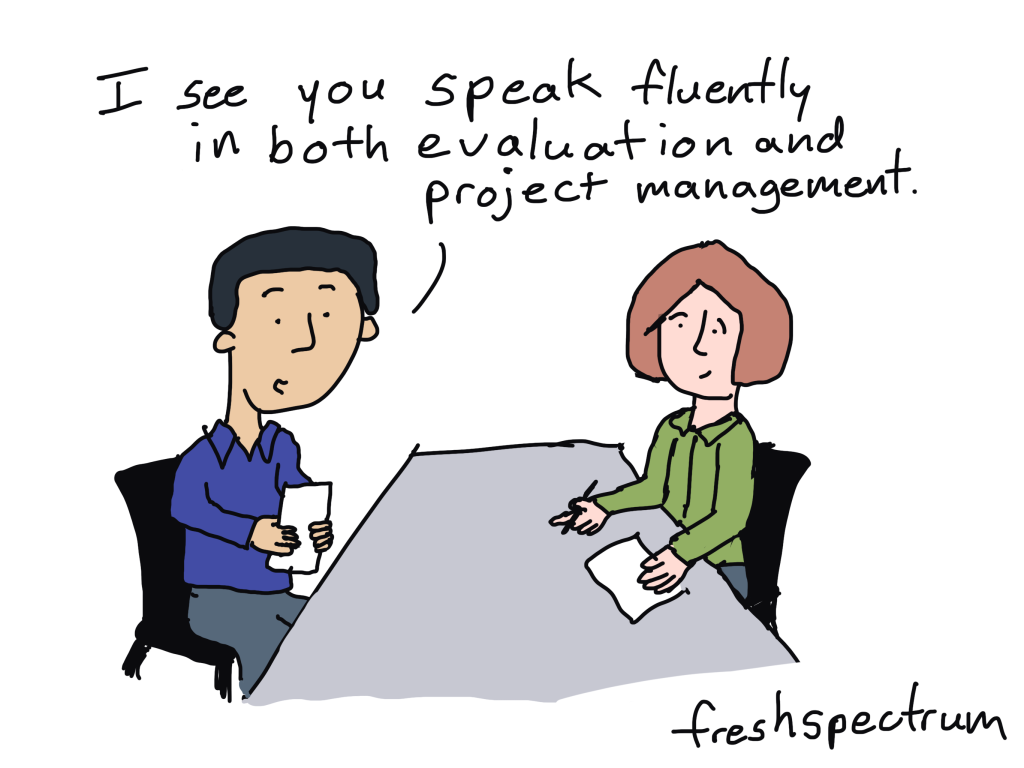
As an evaluator I talk a lot about outcomes, what they are, how to word them, what they are not!  Terminology can be a daily hurdle as the confusion around outputs, outcomes and impacts is very genuine.  But then along come Benefits and their need to be realised.  I now feel I am on the other side of the terminology fence.  How does this fit in with evaluation and how are they different from outputs and outcomes? I am going to attempt to unravel this here.

Where I learned about the term Benefits Realisation.

This is something that has been more prominent in the UK since 2003, but I have become more aware of benefits through my job working on priority projects and they are a requirement  alongside evaluation as part of a project management process.  My experience is working with teams who are trying to define project benefits alongside outputs and outcomes and, as we evaluators are collaborators, this has led me to exploring this further and trying to bring both processes closer together.

Why it’s important.

Before we get on to what the difference is let’s think about why this is important to help us understand if our project or programme is achieving its aims and making a positive change.  Having two separate processes is unhelpful for project staff, so we need to bring both these things together in a meaningful way so one supports and informs the other, reduces the workload for teams and meets our learning and accountability needs.  Evaluation and benefits realisation are both crucial aspects of project management, but they serve different purposes and are conducted at different stages of a project.

How do we define benefits realisation and evaluation?

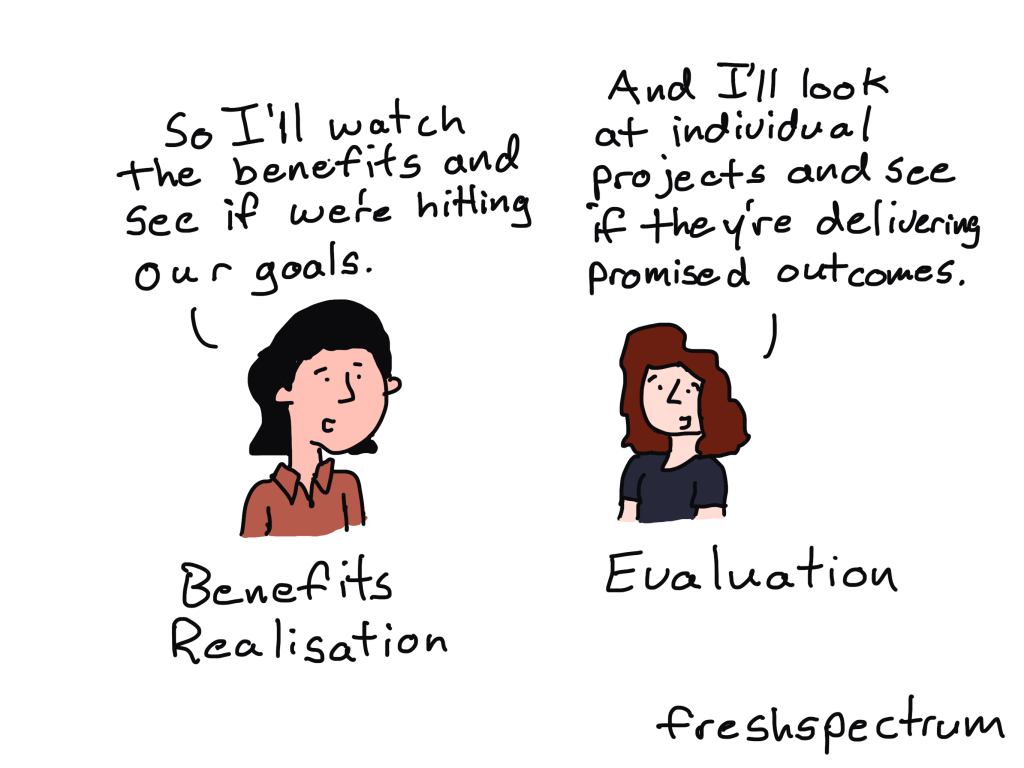
Let’s look at the definitions for each of them.  Evaluation draws on a range of approaches and methodologies to assess a project’s outputs, outcomes and impacts and uses a range of methods to collect and analyse data.  As part of evaluation, we consider attribution and contribution and the extent to which the delivery meets these criteria. Outcomes focus on changes in knowledge, skills, behaviours and attitudes.  We want to know how and why a project is effective and when it isn’t. So, hopefully we all agree with that.

A Benefit is a positive measurable improvement resulting from an outcome that is perceived as an advantage by an organisation. Benefits management identifies, plans and tracks benefits through to realisation which is the practice of ensuring that benefits are derived from outputs and outcomes using KPIs, timelines and milestones. 

What are some parallels between benefits and outcomes?

That seems reasonably clear, but it still feels like there is some overlap here.  Could a benefit be an impact or long term outcome?  While I expect there is room for overlap perhaps the difference lies in the focus.  Benefits feel very specific, tangible, have a value and can be monitored whereas a long term outcome is a broader change that leads to impact and  impact is something that a project is contributing towards rather than achieving solely on its own.

 What some of the differences?

 So now we can perhaps begin to see where some of the differences lie. Evaluation is using methods and approaches to ‘test’ theories and answer questions and is interested in what worked well and less well and why as well as the extent to which the outcomes are a result of the intervention.  Benefits management is ensuring that the planned benefits deliver value for the organisation and often focus on what they are worth. This highlights different audiences, outcomes for beneficiaries and benefits for organisations or funders, although there will be overlaps here.

Here is an example of evaluation and benefits realisation in action.

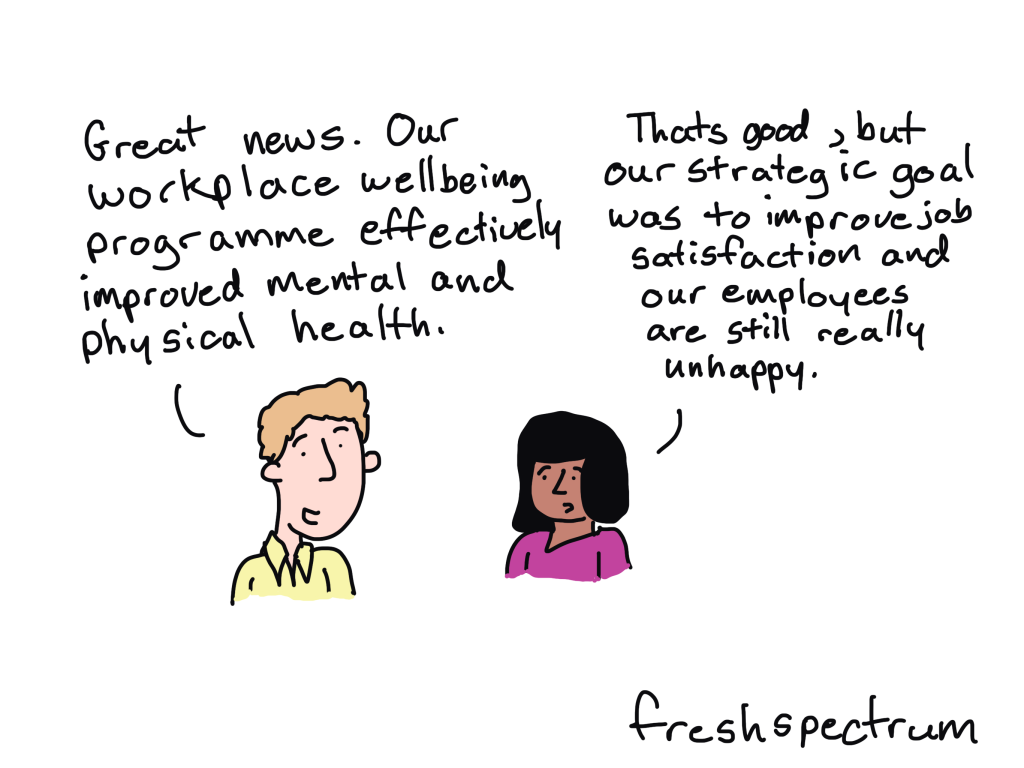
Let’s explore this using an example of a Workplace Wellbeing programme aiming to improve mental and physical health of employees.

For the Evaluation outcomes would include, reduced stress, improved mental well being and physical health.  We would want to know if the programme has been effective and what has worked well and not so well? The evaluation would want to understand if the changes are a result of the programme or whether anything else may have caused this e.g. a change in work practices implemented at the same time or activities outside of work. The methods used would take this into account.

Benefits realisation would focus on ensuring that the benefits defined at the start of the program are achieved and aligned with strategic goals. Benefits might include reduced absenteeism and employee retention thus supporting the organisational strategic aims around employee satisfaction and higher productivity. These benefits could be monitored and tracked and would be a result of the outcomes.

The key here is if these benefits are not realised it is the evaluation that will tell us why. I now feel that Benefits could have a place in a Theory of Change, or I am certainly getting closer to bringing evaluation and benefits realisation together.

Be good to get people feedback on if this rings true.

Written by cplysy · Categorized: freshspectrum

Jun 11 2025

Ask Nicole: How to Fix Cross-Sector Collaboration Challenges

Learn how to fix cross-sector collaboration challenges by addressing power, pace, priorities, and communication across roles.

The post Ask Nicole: How to Fix Cross-Sector Collaboration Challenges appeared first on Nicole Clark Consulting.

Written by cplysy · Categorized: nicoleclark

Jun 06 2025

Making Sense of Complexity: A Strategic Design Approach

In today’s health and service sector environment, leaders are facing more complexity than ever. From overlapping user needs and environmental disruptions to rapid policy changes and emerging technologies, it’s a lot to navigate. But complexity doesn’t have to be a roadblock—it can be an invitation to design smarter, more adaptive strategies. That’s where strategic design comes in.

At Cense, we think about complexity not as a problem to solve, but as a condition to work with.

What is complexity?

Complexity shows up when things are connected in ways that make outcomes uncertain. It happens when multiple forces—people, policies, technologies, environments—are interacting at the same time, often unpredictably. This isn’t something we can fix with a checklist or a five-year plan. Instead, it calls for a different mindset: one that’s curious, flexible, and aware of how things influence one another over time.

Why traditional strategy doesn’t work

Many planning models assume we can predict and control what’s going to happen. But in complex systems, that’s rarely the case. When the path ahead is unclear and keeps shifting, we need tools that help us sense, learn, and adaptas we go. That’s where strategic design comes in.

How strategic design helps

Strategic design blends systems thinking with creative problem-solving. It gives leaders a way to work with uncertainty by focusing on:

  • Framing the problem: Taking the time to ask the right questions before jumping to solutions.
  • Engaging people: Bringing in diverse perspectives from those with lived and professional experience.
  • Making and testing: Using quick experiments or pilots to learn what works in real settings.
  • Reflecting and adapting: Making time to learn from what’s happening and adjust as needed.

This approach doesn’t ignore the messiness—it embraces it. Strategic design helps you design with complexity, not against it.

Getting started

If you’re working in a health or social system and feeling stuck or overwhelmed, try this:

  1. Zoom out: Map out who and what is involved. What forces are interacting?
  2. Zoom in: Where are people feeling the pressure most? What are the patterns or signals?
  3. Ask different questions: Instead of “What’s the solution?”, try “What’s really going on here?”
  4. Start small: Try a low-risk experiment. Learn from it. Build from there.

You don’t need to have all the answers—just a way to learn as you go. Strategic design gives you a structured, flexible way to move forward with purpose, even when the future is unclear. We’ve prepared a simple 2-page strategic design worksheet that can help you get started.

Want help bringing this approach into your organization? Let’s talk.


Written by cplysy · Categorized: cameronnorman

Jun 05 2025

Slice-able Gantt Charts in Excel

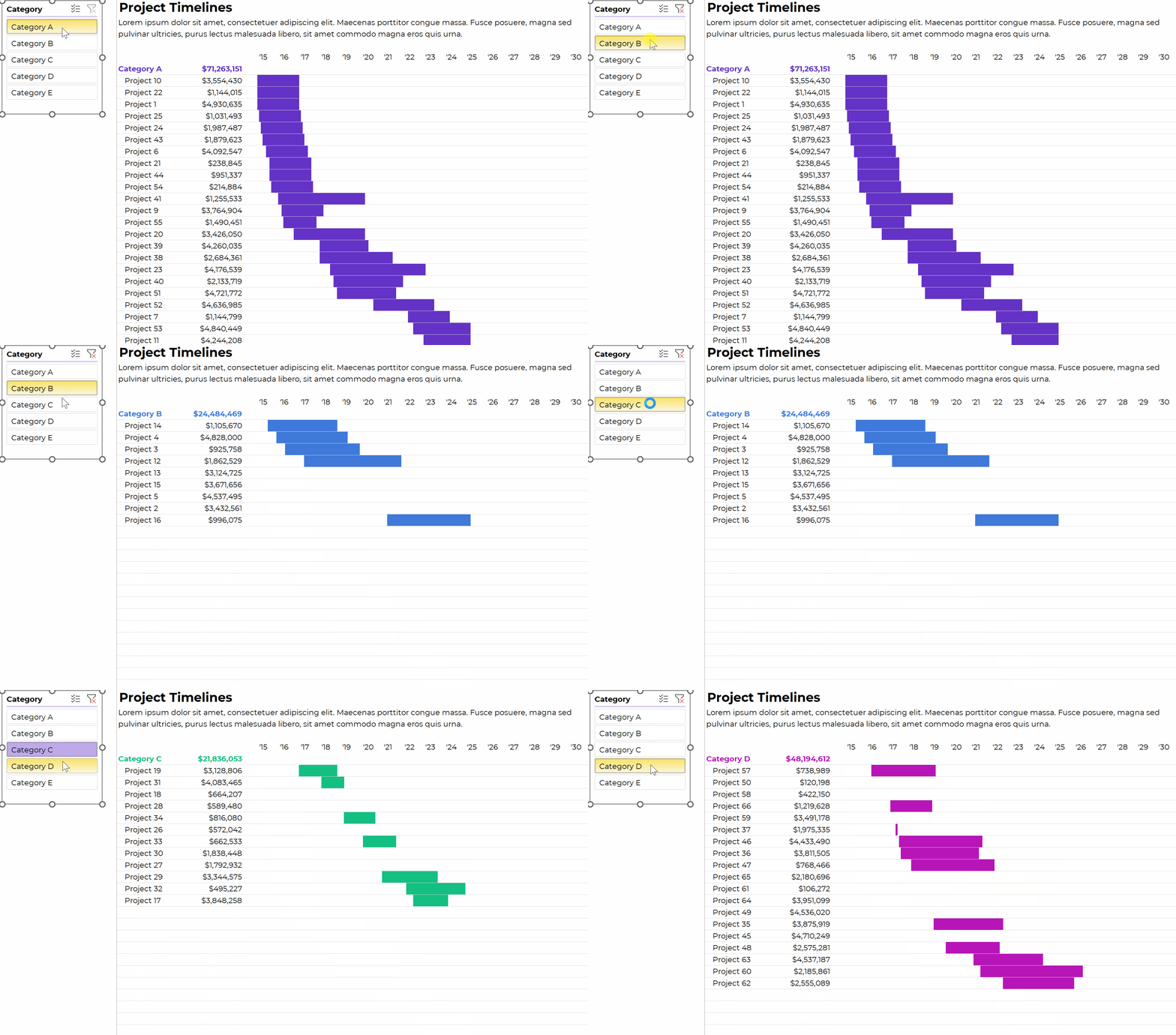
I spent a couple hours livestreaming, and created this masterpiece:

a slice-able Gantt chart that automatically updates and populates itself when you add more rows to your dataset (i.e., no tedious manual updates).

How to Make Slice-able Gantt Charts in Excel

You can watch the high-level tutorial here:

https://youtu.be/LXF2du3-W70

What’s Inside

  • 0:00 Intro
  • 1:08 The end product: Slice-able in Excel. or printed/PDFd
  • 1:52 Gantt chart options in Excel: 1) Stacked bar chart or 2) Inside cells, like this
  • 3:50 Dataset
  • 5:51 Pivot table
  • 6:29 Slicer
  • 6:40 List of projects and their amounts
  • 8:30 Helper cells to the left and above
  • 9:55 AND formula to fill in the body of the table
  • 11:18 Conditional formatting
  • 12:50 Theme Colors
  • 13:40 Your Homework List 41:17 Want more details? Watch the 2.5-hr livestream
  • 14:37 Download this Gantt chart

Download the Excel File

It’s here.

Related Resources

  • The full livestream where I created this from scratch
  • Helper cells

Written by cplysy · Categorized: depictdatastudio

  • « Go to Previous Page
  • Go to page 1
  • Interim pages omitted …
  • Go to page 8
  • Go to page 9
  • Go to page 10
  • Go to page 11
  • Go to page 12
  • Interim pages omitted …
  • Go to page 310
  • Go to Next Page »

Footer

Follow our Work

The easiest way to stay connected to our work is to join our newsletter. You’ll get updates on projects, learn about new events, and hear stories from those evaluators whom the field continues to actively exclude and erase.

Get Updates

Want to take further action or join a pod? Click here to learn more.

Copyright © 2026 · The May 13 Group · Log in

en English
af Afrikaanssq Shqipam አማርኛar العربيةhy Հայերենaz Azərbaycan dilieu Euskarabe Беларуская моваbn বাংলাbs Bosanskibg Българскиca Catalàceb Cebuanony Chichewazh-CN 简体中文zh-TW 繁體中文co Corsuhr Hrvatskics Čeština‎da Dansknl Nederlandsen Englisheo Esperantoet Eestitl Filipinofi Suomifr Françaisfy Fryskgl Galegoka ქართულიde Deutschel Ελληνικάgu ગુજરાતીht Kreyol ayisyenha Harshen Hausahaw Ōlelo Hawaiʻiiw עִבְרִיתhi हिन्दीhmn Hmonghu Magyaris Íslenskaig Igboid Bahasa Indonesiaga Gaeilgeit Italianoja 日本語jw Basa Jawakn ಕನ್ನಡkk Қазақ тіліkm ភាសាខ្មែរko 한국어ku كوردی‎ky Кыргызчаlo ພາສາລາວla Latinlv Latviešu valodalt Lietuvių kalbalb Lëtzebuergeschmk Македонски јазикmg Malagasyms Bahasa Melayuml മലയാളംmt Maltesemi Te Reo Māorimr मराठीmn Монголmy ဗမာစာne नेपालीno Norsk bokmålps پښتوfa فارسیpl Polskipt Portuguêspa ਪੰਜਾਬੀro Românăru Русскийsm Samoangd Gàidhligsr Српски језикst Sesothosn Shonasd سنڌيsi සිංහලsk Slovenčinasl Slovenščinaso Afsoomaalies Españolsu Basa Sundasw Kiswahilisv Svenskatg Тоҷикӣta தமிழ்te తెలుగుth ไทยtr Türkçeuk Українськаur اردوuz O‘zbekchavi Tiếng Việtcy Cymraegxh isiXhosayi יידישyo Yorùbázu Zulu