• Skip to main content
  • Skip to footer
  • Home

The May 13 Group

the next day for evaluation

  • Get Involved
  • Our Work
  • About Us
You are here: Home / Archives for allblogs

allblogs

Jul 09 2025

Strategy in Human Systems: The Organizational Multiplier

Strategy isn’t just about planning—it’s about preparing to meet the future, to shape it, and not just react to what comes our way. In complex conditions, organizations that invest in clear thinking are the ones that perform better, adapt faster, and lead with confidence.

Why Strategy Making Matters

Strategy is an intentional, designed process for determining what to focus on and how to achieve what you want. It accounts for the context you’re in at present, what you’re evolving into, and the resources required to undertake what you’re looking to accomplish.

The process of creating a strategy and building the conditions for successful implementation is called strategic design. These enablers include developing tools and processes for feedback, learning, and adaptation that enable a strategy to survive in living systems. After all, our organizations, communities, and markets are all part of dynamic ecosystems of activity and influence, so our strategy needs to be suited to these.

Among the biggest criticisms of strategic plans is that they are static and don’t account for or enable change in complex environments. Strategic design addresses this limitation by creating adaptive frameworks rather than rigid plans.

The Investment Case for Strategy

Strategy making involves marshalling some of the most valued resources within your organization: time, focus, leadership capital, and money. The return on those investments is significant.

A strategy-making process asks: how will you set yourself up to win? By “win” I mean accomplish your mission, which includes creating an organization that can survive and thrive through complexity.

Roger Martin’s concept of playing to win emphasizes that strategy is not about playing it safe or simply surviving—it’s about making clear, integrated choices that position your organization to achieve meaningful success. In his framework (developed with A.G. Lafley of P&G), winning means defining what success looks like for your organization, where you will compete, and how you will win there. It’s a call to be bold, decisive, and intentional—strategy as a set of choices made in service of a defined goal, not just a plan or process.

Four Key Returns on Strategy Investment

1. Clarity and Alignment

A good strategy provides clarity in your purpose, direction, and the conditions in which you operate. This means bringing into focus what you do, how you do (or intend to do) what you do, the resources you have (or need), and the steps required to get to where you want to go.

This alignment has tangible value. McKinsey research shows that there is a 1.9 times increased likelihood of achieving above-median financial performance when the top team works together toward a common vision¹.

Alignment also creates coherence in your organization. It ensures that people’s energy is focused in the same direction, reducing unnecessary duplication, miscommunication, and wasted efforts while better channeling organizational resources.

2. Better Decisions, Faster

Strategy enables better prioritization under uncertainty and disruption. A strategic design process (different from just a strategic plan) fosters scenario planning, risk anticipation, and structured experimentation. This enables leaders to respond to change quickly because when change occurs, they have already envisioned ways to address the unexpected by training their mind and focus.

It’s not about predicting the future, but anticipating possible outcomes and developing a way of thinking and acting that can sit within this range of possibilities.

This approach avoids expensive missteps, allows early course correction, and encourages timely pivots. It’s also a way to ensure that decisions and actions are aligned with a pathway, not just arbitrary.

3. Resource and People Engagement

A good strategy engages the resources within your organization—material, cognitive, and human talent. On the talent side, we know that contribution is one of the primary factors underlying job satisfaction and performance. People also stay when they know where the organization is going and how they can contribute meaningfully to something bigger than themselves.

As a leader, your strategy will also help you better clarify what you have and what you need to get things done. Personnel inventories can help with this process through the personal inventory method.

On the cost side, a good strategy builds internal culture and cohesion, leading to long-term cost savings in recruitment, onboarding, and lost productivity.

4. Increased Innovation Capacity

Innovation is creating something new that has value—it’s putting your ideas into practice. Innovation might be needed to adapt or survive (like public health units rapidly changing their procurement models or staffing deployments at the onset of a pandemic), as a means to gain an advantage over competitors, or simply to meet an unmet need.

Strategic thinking opens space for intentional, not accidental, innovation. Without a strategy, innovation is scattershot (or non-existent) and unscalable.

Resilience in the Face of Complexity

Strategy is about being the best at what you can, creating positive impact, and enabling sustainable evolution. As we discussed in a previous post, strategy isn’t a plan. It’s not tactics, either. When undertaken as strategic design, a strategy enables organizations to thrive within living systems, rather than be subject to the whims of complexity.

Strategic design helps organizations navigate complexity with intention—not just react. Adaptive strategies reduce costs tied to disruption, crisis management, or failed change efforts. The cost of not preparing for complexity far outweighs the investment in strategic foresight.

Looking Forward

Strategy making is a crucial investment for organizations seeking to thrive in complex environments. By focusing on clarity, decision-making capability, resource engagement, and innovation capacity, strategic design creates the conditions for sustainable success.


Cense helps organizations with strategic thinking through strategic design. If you want to discuss your needs and explore how we can help you organize a strategy for more health and impact, let’s chat.

References:

  1. Keller, Scott, and Mary Meaney. “High-performing teams: A timeless leadership topic.” McKinsey & Company, June 28, 2017. https://www.mckinsey.com/capabilities/people-and-organizational-performance/our-insights/high-performing-teams-a-timeless-leadership-topic

Written by cplysy · Categorized: cameronnorman

Jul 09 2025

Designing Programs and Services with a Social Work Lens

Social work skills are essential to building effective, inclusive programs and services—and this post shows you how.

The post Designing Programs and Services with a Social Work Lens appeared first on Nicole Clark Consulting.

Written by cplysy · Categorized: nicoleclark

Jul 02 2025

Ask Nicole: Casework to Systems Change: A Path for Social Workers

Many social workers—especially those in clinical roles—don’t realize they’re already using systems thinking. This post explores how those skills translate into systems change work like policy, research, evaluation, and strategic planning.

The post Ask Nicole: Casework to Systems Change: A Path for Social Workers appeared first on Nicole Clark Consulting.

Written by cplysy · Categorized: nicoleclark

Jun 30 2025

3 Ways to Elevate Your Pivot Tables and Dashboards in Excel

Ever had that “aha!” moment in Excel that completely changes your data game?

For me, it was discovering pivot tables and their ability to run circles around painstaking formula execution.

What are Pivot Tables?

Simply put, pivot tables sort a contiguous array of quantitative data by multiple planes of information simultaneously.

This is an example of a contiguous dataset (with pretend data). All the cells are touching/sharing a border.

Screenshot of a dataset.

After you fiddle with the rows (x axis)/ columns (y axis)/ values (summary), filters (sorting)… Tah da! The magic happens. 

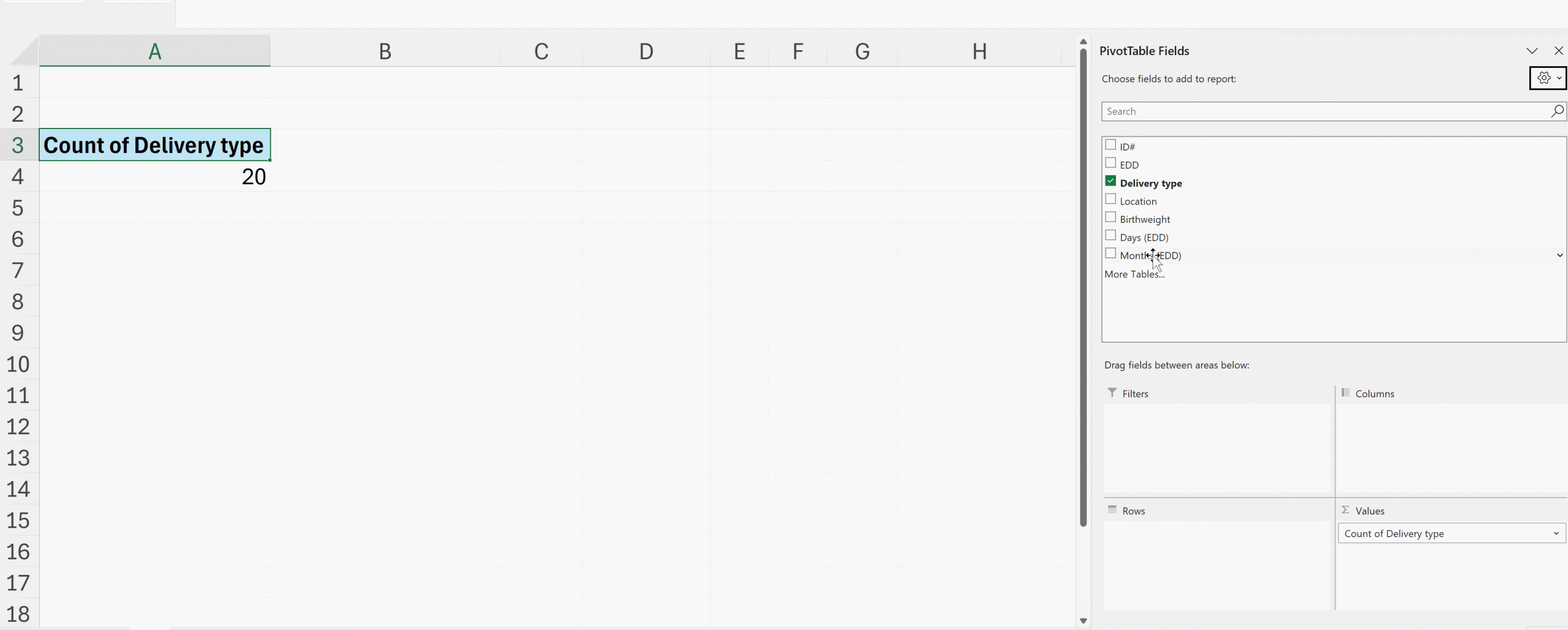
Here’s how quickly you can summarize data with pivot tables:

Screen recording of dragging and dropping variables in a pivot table.

Improving Your Interactive Dashboards

To build professional and reliable interactive dashboards, pivot tables are your best friend.

As a data designer who’s recently completed Ann K. Emery’s Dashboard Design course, I’m excited to share three techniques that have elevated my dashboard game. 

(1) Helper Tables

First, I’ve learned the value of creating “helper tables.”

Think of these as your dashboard’s backbone.

While pivot tables are constantly shifting as users interact with filters and slicers, helper tables provide a stable foundation for your key metrics.

I create these on a dedicated ‘Ref’ sheet, where they quietly but efficiently pull data from the pivot tables using direct cell references (=).

(2) Consistent Cell References

Second, cell references need to be consistent.

By using absolute references (=$row$column), I ensure my helper tables always pull exactly what I need, regardless of how the underlying pivot table shifts and sorts.

(3) Naming Pivot Tables

Third, name your pivot tables intuitively!

Sure, Excel is happy to call them “PivotTable1,” “PivotTable2,” and so on, but meaningful names make maintenance so much easier. (Just remember: no spaces allowed!)

Organizing Your Dashboard Spreadsheets

My finished dashboards now follow a clean, organized structure with five key sheets:

  1. Overview (where users find instructions)
  2. Data (the raw information, typically hidden)
  3. Pivot (where the magic happens, also hidden)
  4. Dashboard (the beautiful final product)
  5. Ref (my helper tables’ home)

Dashboards Need Functionality and Performance

One of the most valuable lessons from Ann’s course was learning to balance functionality with performance.

Multiple pivot tables can strain Excel’s resources, but with these techniques, I can create sophisticated dashboards that remain lightning-fast and reliable.

What started as a simple appreciation for pivot table magic has grown into a comprehensive approach to creating dynamic, professional dashboards that my clients love.

Your Turn

What’s your favorite pivot table trick?

I’d love to hear how you’re using these powerful tools in your own work!

Connect with Anna Pfaff

Reach out to guest author Anna Pfaff on LinkedIn.

Written by Anna Pfaff · Categorized: depictdatastudio

Jun 26 2025

What is Data Illustration?

Data illustration is about more than data visualization. And it’s also different from data design. So what is it exactly?

If you were to search for information about data illustration over Google, you’ll probably end up with a bunch of results about data visualization. I get it, when I tell someone I do data illustration they immediately think about data visualization. But as someone who regularly creates charts and graphs for clients, cartoon illustrates books and presentations, and also does a bit of graphic and web design, I think that’s a mistake.

2 comic people talking.
Person 1. This report is a little dense, it could probably use some illustration.
Person 2. What do you mean? Didn't you see the graph on page 47?

The three big tasks in data reporting.

I find that when we share data there are generally three different tasks people often do at the same time even if they don’t think of it that way.

There is the writing task. Unless you’re a data visualization consultant or graphic designer this is probably the thing you’re doing the most as you put together a report.

There is the design task. This is something a lot of data people think comes after the report is done. But if you ever find yourself spending time in Word tweaking the size of tables and testing different heading sizes, you are doing a bit of design.

There is the illustration task. This is something that most data folk I know do almost incidentally. If there is a data table, they might add a chart or graph. If they have a good photo, they might add it at the end of a section, if they have the space.

When I teach report design, my personal goal is often to get my workshop participants to approach each one of these tasks separately, systematically, and with a little bit more intention.

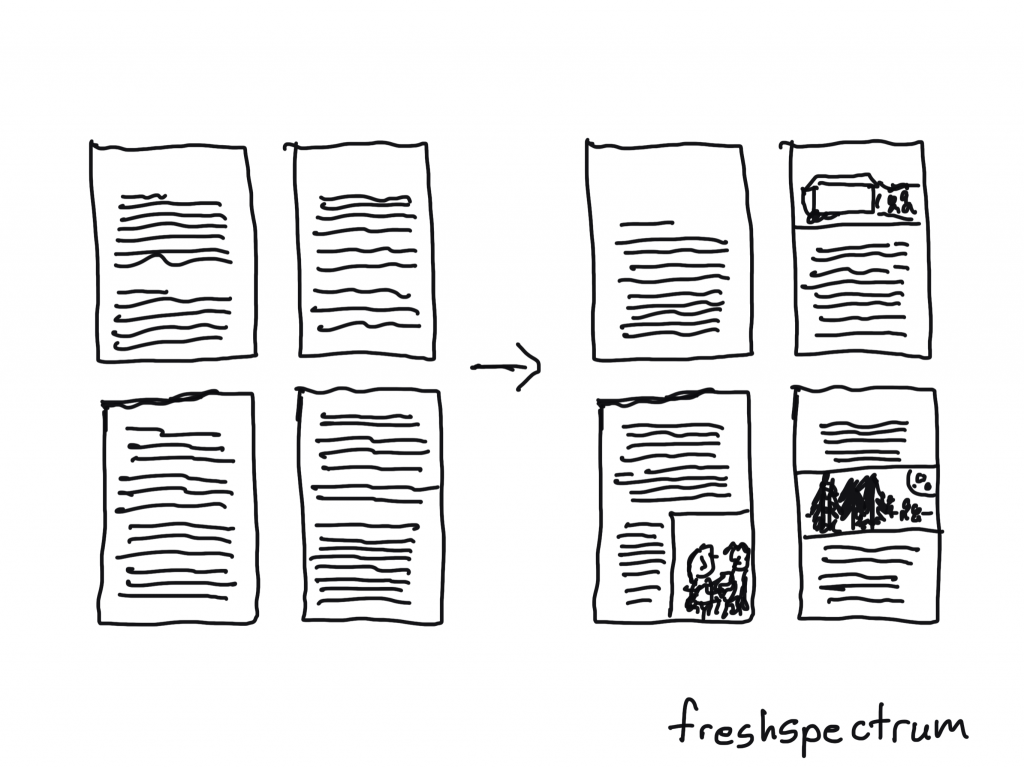
Simple drawing showing illustration.

Why I got a little tired of data visualization.

I’m still a data guy at heart. Someone who does enjoy creating a really nice chart or graph. Someone who loves exploring datasets and making new discoveries through visualization.

But I find that that data visualization field is a little too concerned with optimizing charts and graphs. And not concerned enough about the context within which those charts and graphs appear.

Yes, you could probably make the chart on page 47 a little bit more effective with a different type of chart. But adding 20 more pictures to your report (of any style) would be way more beneficial.

The same with graphic design. A little bit more intention and negative space in your page layouts would certainly make your 60 page report more readable. But creating a 5 page executive summary filled with illustrations would allow your analyses to reach a far greater audience.

It’s why I stopped nitpicking chart choices and report page length.

If you like the pie chart better than the bar chart, keep it. Want to make your technical report 130 pages in default Microsoft Word style with 200 pages of appendices? As long as you create some shorter visual adaptations, go for it. You’ll probably get just as many readers as you would if you were to turn your long report into a well designed 60 pager.

Simple drawing showing featured images being used.

Data illustration presents the biggest opportunity.

A lot of my clients have similar problems with their reports that limit accessibility.

  • The reading level is often too high for the intended audiences.
  • They try to solve all their reporting challenges with one report.
  • And finally, there are just not enough pictures.

On the front page of this site I claim that better illustration is the fastest way to help you boost the impact of your data work.

The reason I say this because most people already know that their writing could use a little help. They also recognize that their design skills are not the best. When they have the budget, a lot of people seek out support by hiring graphic designers and editors. When they want to learn, they join academies and take courses.

But hardly ever does someone say to me, we just don’t have enough pictures even though most of my clients know that I am also an illustrator.

To become a good illustrator takes a lot of time and practice. I’ve been cartooning for like 15 years now and I know I still have a lot to learn. But illustration is a process that can be learned by anyone. And while it may take time to master, it’s not hard to get started.

Simple drawing of one of Maurice Sendak's most famous characters.

An illustration is an enlargement, and interpretation of the text, so that the reader will comprehend the words better. As an artist, you are always serving the words. You must never illustrate exactly what is written. You must find a space in the text so that the pictures can do the work. Then you must let the words take over where words do it best. It’s a funny kind of juggling act.

Maurice Sendak

A Chinese painting is often accompanied by words. They are complementary. There are things that words do that pictures never can, and likewise, there are images that words can never describe.

Ed Young

How to get started with data illustration.

With data illustration…

  1. your work will look more professional.
  2. it will be easier to skim.
  3. you will be more likely to engage a distracted reader.
  4. you will have more opportunity to add context.

I wanted to give you a process, so I developed a framework.

My OSEE framework is a four step data illustration process. The point of the framework is to give you direction on how to approach illustrating reports, presentations, and all sorts of other data products.

I plan to write a good bit more about data illustration in the upcoming months. But to get you started I also created a short little 15 page guide which you can download for free here:

Written by cplysy · Categorized: freshspectrum

  • « Go to Previous Page
  • Go to page 1
  • Interim pages omitted …
  • Go to page 6
  • Go to page 7
  • Go to page 8
  • Go to page 9
  • Go to page 10
  • Interim pages omitted …
  • Go to page 310
  • Go to Next Page »

Footer

Follow our Work

The easiest way to stay connected to our work is to join our newsletter. You’ll get updates on projects, learn about new events, and hear stories from those evaluators whom the field continues to actively exclude and erase.

Get Updates

Want to take further action or join a pod? Click here to learn more.

Copyright © 2026 · The May 13 Group · Log in

en English
af Afrikaanssq Shqipam አማርኛar العربيةhy Հայերենaz Azərbaycan dilieu Euskarabe Беларуская моваbn বাংলাbs Bosanskibg Българскиca Catalàceb Cebuanony Chichewazh-CN 简体中文zh-TW 繁體中文co Corsuhr Hrvatskics Čeština‎da Dansknl Nederlandsen Englisheo Esperantoet Eestitl Filipinofi Suomifr Françaisfy Fryskgl Galegoka ქართულიde Deutschel Ελληνικάgu ગુજરાતીht Kreyol ayisyenha Harshen Hausahaw Ōlelo Hawaiʻiiw עִבְרִיתhi हिन्दीhmn Hmonghu Magyaris Íslenskaig Igboid Bahasa Indonesiaga Gaeilgeit Italianoja 日本語jw Basa Jawakn ಕನ್ನಡkk Қазақ тіліkm ភាសាខ្មែរko 한국어ku كوردی‎ky Кыргызчаlo ພາສາລາວla Latinlv Latviešu valodalt Lietuvių kalbalb Lëtzebuergeschmk Македонски јазикmg Malagasyms Bahasa Melayuml മലയാളംmt Maltesemi Te Reo Māorimr मराठीmn Монголmy ဗမာစာne नेपालीno Norsk bokmålps پښتوfa فارسیpl Polskipt Portuguêspa ਪੰਜਾਬੀro Românăru Русскийsm Samoangd Gàidhligsr Српски језикst Sesothosn Shonasd سنڌيsi සිංහලsk Slovenčinasl Slovenščinaso Afsoomaalies Españolsu Basa Sundasw Kiswahilisv Svenskatg Тоҷикӣta தமிழ்te తెలుగుth ไทยtr Türkçeuk Українськаur اردوuz O‘zbekchavi Tiếng Việtcy Cymraegxh isiXhosayi יידישyo Yorùbázu Zulu