• Skip to main content
  • Skip to footer
  • Home

The May 13 Group

the next day for evaluation

  • Get Involved
  • Our Work
  • About Us
You are here: Home / Archives for allblogs

allblogs

Dec 07 2021

Accessibility Quick Wins: Lower the Reading Level

How do we make our graphs more accessible?

There’s a misconception that accessibility takes all day, that’s it’s costly, or that it’s complicated. Those are all false.
There's a myth that dataviz accessibility is costly-- that's false.

Accessibility is woven into all my trainings, but since this is a topic I get asked about a lot, I decided to make a new talk that’s focused just on accessibility for dataviz.

In Spring 2021 I gave a talk at the Good Tech Fest conference about dataviz accessibility quick wins.

The talk was “Choose Your Own Adventure” style where the audience chose what we discussed from a list of options. They chose:

  • direct labels,
  • lower the reading level, and
  • lower the numeracy level.

You can watch the recording or read the highlights. Enjoy!

—–

Watch the Conversation

Why Bother Lowering the Reading Level?!

We’re writing for busy people. The ones who see tons of graphs coming into their inbox every day.

We need to lower the reading level.

Not because our readers dumb, but because they’re busy.

They need to be able to understand what you wrote the first time—not the second, third, or fourth read-through.

Before: A Dense Slide Title

Here is a real-life graph from a public health agency.

I had to read this slide title at least five times to figure out what it was talking about.
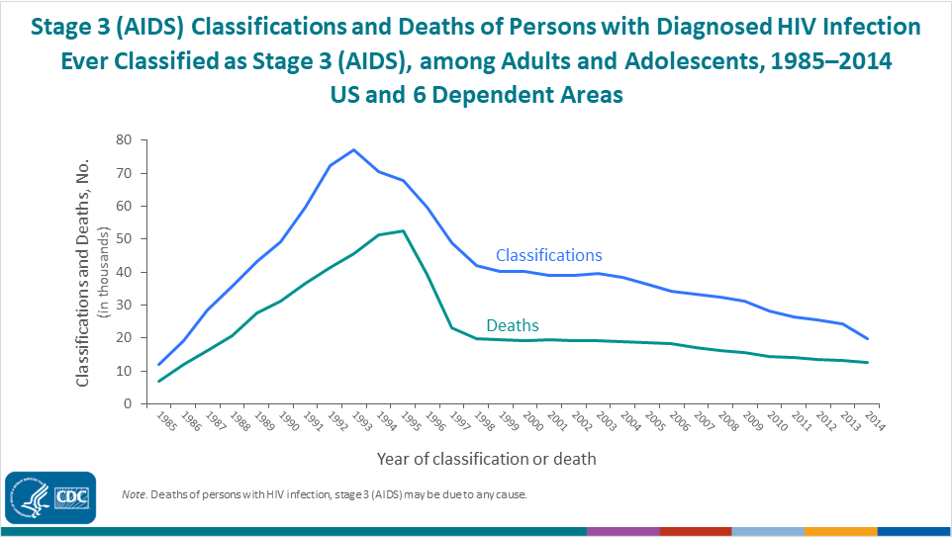
Here is a real-life graph from a public health agency. I had to read this slide title at least five times to figure out what it was talking about.

After: A Skimmable Slide Title

I talked with the epidemiologist who made that slide, and here’s what we came up with:
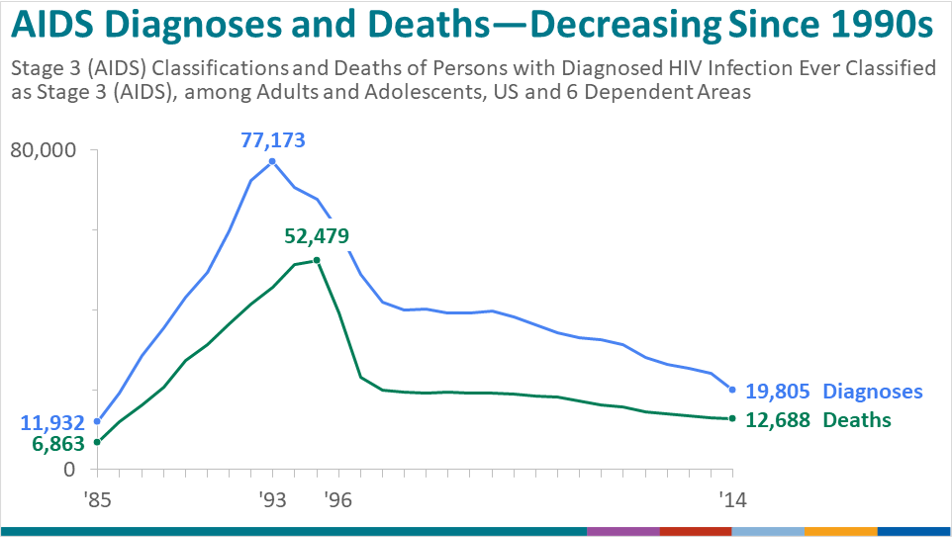
I talked with the epidemiologist who made the slide and together we made some edits.

Here’s what we did:

  • We put the main takeaway point in the title.
  • We used a text hierarchy so that your eye is drawn to the largest, darkest, boldest text first. 
  • We kept her original title so that the technical people had all of the information they would need, but made it the subtitle instead.
  • We rotated the diagonal text and used horizontal text instead (for speed-reading).

Objectively Testing the Reading Level

We tested both titles with an official readability website.

In the past, I’ve used https://readable.com/.

They used to be free, but now have a fee.

(Comment below if you have a great, free readability website you use. You can also use Word or Google for this.)

The before graph title was a 14.2, which in the U.S. would mean you’ve graduated high school.

The after version was a 6, woohoo!
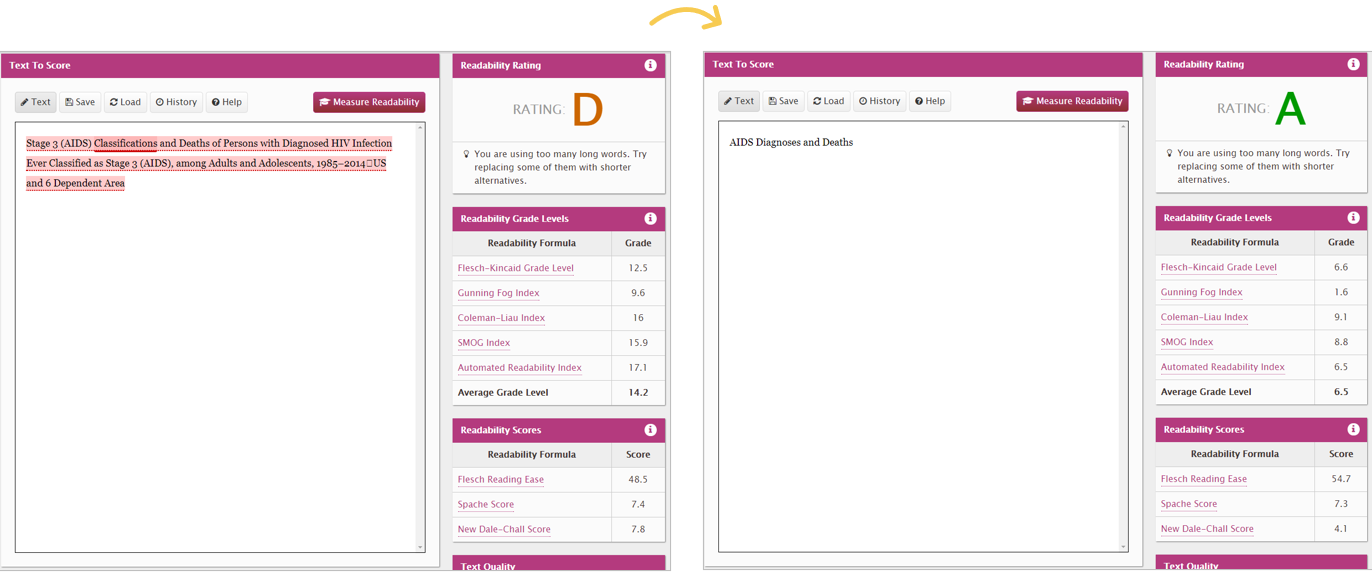
We tested both titles with an official readability website.

The Average American Reading Level

Speaking of grade 6 being a great spot to be at.. What do you think is the average reading level?

Hint: it’s lower than you think.

The average American reading level is a 6 – 8.

While a lot of people have gone on to higher education levels than that, it’s not a one-to-one comparison.

For example, it’s not, “I finished 12th grade, therefore I read at a grade 12 level.” A lot of us read a little bit below our formal education years.

Rule of Thumb: Write 1-2 Levels Below

Sure, you might not be writing for “the general public.”

You might be writing for grant makers, policy makers, trustees, etc.—folks who likely read much higher than a grade 6-8.

A good rule of thumb is to aim for 1-2 levels below your audience’s education level.

For example, if I’m working on a board packet, and I know all the board members have an undergraduate degree, then I write two levels below that—at a middle school level.

If I’m working on a technical report for a government agency, and I know that all the recipients have Master’s degrees or higher, then I write two levels below that—at a high school level.
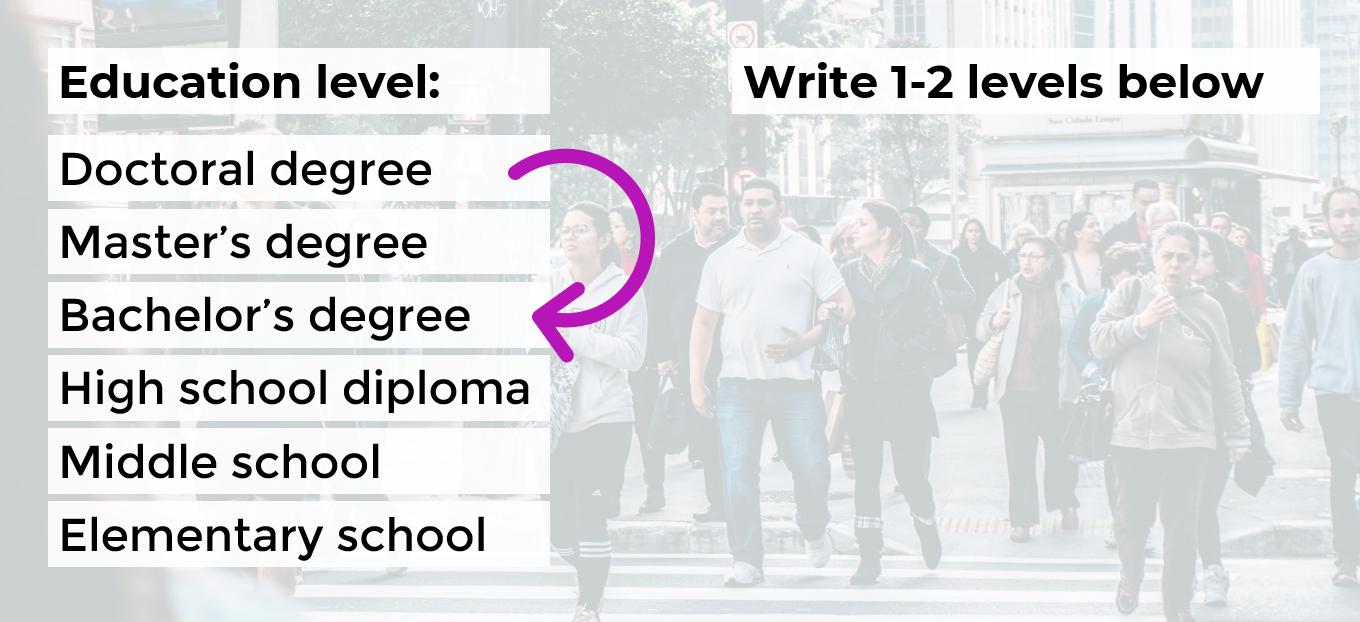
If I’m working on a technical report for a government agency, and I know that all the recipients have Doctoral degrees, then I write two levels below that—at a Bachelor's degree level.

How to Lower the Reading Level

Here are some quick wins:

  • Active voice (instead of passive voice)
  • Shorter words, sentences and paragraphs
  • Replace jargon with synonyms

After drafting your sentence or paragraph (they’ll probably be really long—mine usually are!), you’re going to go back and edit your writing.

Anytime you see a comma, replace it with a period.

Or, if your paragraph is six sentences long, break it into two shorter paragraphs.

Please make sure to objectively test your own writing (with Readable, Word, etc.). I don’t care what tool you use.

Let’s Practice

During the Good Tech Fest conference session, we practiced lowering the reading level for a few common data sentences.

How would you lower the reading level for these examples?

Example A: A survey instrument was designed by the ABC Research Organization.

The quickest wins would be:

  • shorter words, sentences and paragraphs; and
  • replacing jargon with synonyms.

Here’s the after:
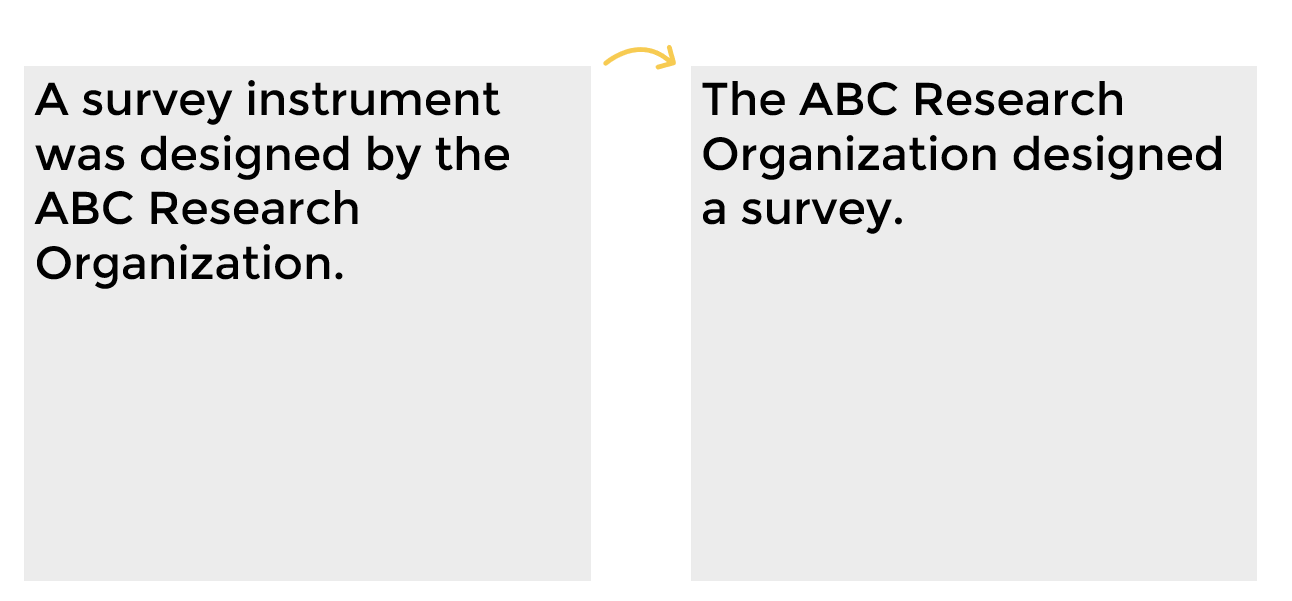
Example A: A survey instrument was designed by the ABC Research Organization. Reworked this would be: The ABC Research Organization designed a survey.

What if you’re trying to explain the number of participants in a survey?

How would you lower the reading level here?

Example B: A total of 14 people participated in the survey.

Example C: A total of 144 people participated in the survey.

Here’s the after versions:
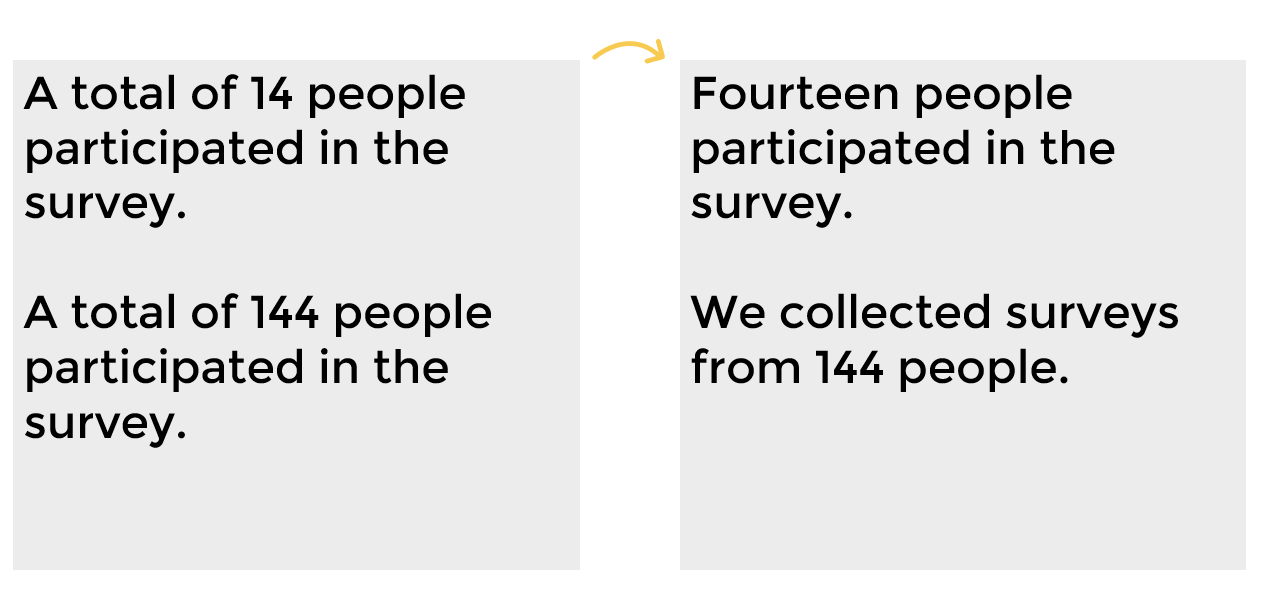
Before and after versions of examples where you're trying to explain the number of participants in a survey.

One last example with some jargon.

Example D: Undergraduate students comprise 65% of total responses.

How would you replace the jargon with synonyms to lower the reading level?

Here’s the after:

Example D: Undergraduate students comprise 65% of total responses. Reworked this becomes: Two out of three responses (65%) were from undergraduate students.

Your Turn

How’s the reading level in your writing? Comment and let me how your writing scored.

This blog post has a Flesch-Kincaid Grade Level of 6.3.

Download the eBook

Want to learn more about accessible data visualization?

In this ebook, you’ll learn 10 quick wins for designing accessible data visualizations. These small edits can have a big impact for our coworkers, board members, and funders who have color vision deficiencies, hearing loss, or learning disabilities–and for all of us who are pressed for time.

Download the Ebook

For your complimentary copy, use code: goodtechfest
Written by cplysy · Categorized: depictdatastudio

Dec 06 2021

Evaluation Christmas Cartoons 2021 (my favorite is the elf one)

Tis the season for holiday cartoons!

Some of my favorite cartoons over the past years were drawn to celebrate the holidays. Not sure if I have any big winners this year, but it’s still fun.

Here is this year’s batch, along with random commentary.

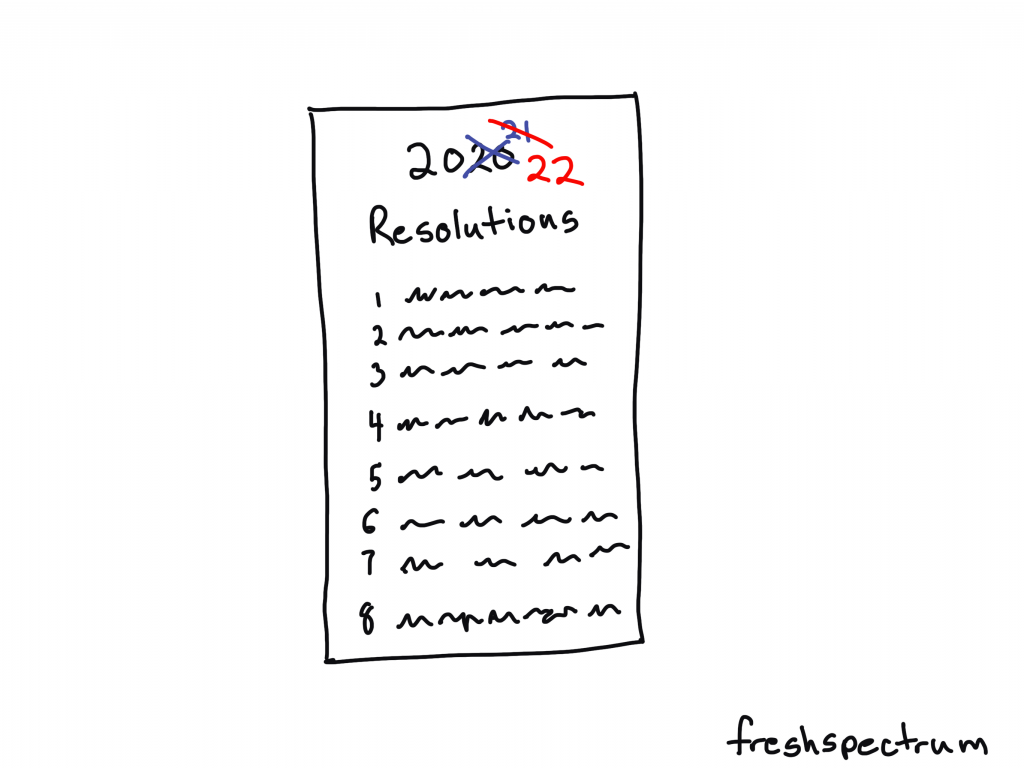
2020 2021 2022 Resolutions

I remember when the year started. Sure 2020 was a bust with COVID and all, but surely 2021 would be better…right?

So naive.

If you didn’t feel super productive or accomplished this past year, don’t worry. You are in good company with all the rest of us.

Freshspectrum cartoon by Chris Lysy.
Illustration of a Resolutions list, with 2020 and 2021 crossed out, then showing 2022.

Elfing from Home

You know if Santa allowed remote work we would see more elves around. Wonder if they are also part of the “great resignation.”

Freshspectrum cartoon by Chris Lysy.
Elf chatting with a person at the beach. "I used to work in HQ up north. But when the Big Guy started allowing remote, I hopped on the next plane."

Dissemination Magic

Every time a bell rings, a stakeholder reads your report.

Freshspectrum cartoon by Chris Lysy.
"Perhaps our dissemination strategy shouldn't rely entirely on Christmas magic."

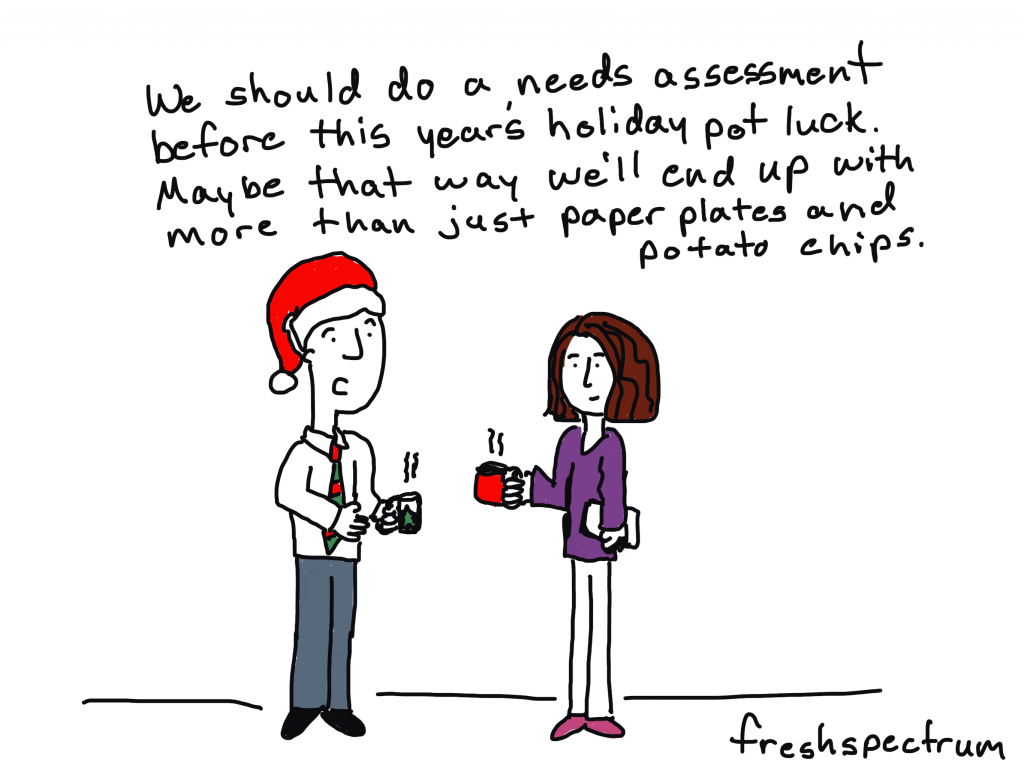
Pot Luck Needs Assessment

I drew this cartoon even though I’m not sure if anyone is really potlucking these days. I still avoid any situation with unmasked non-family members. And everyone bringing a dish, yikes!

Freshspectrum cartoon by Chris Lysy.
"We should do a needs assessment before this year's holiday pot luck. Maybe that way we'll end up with more than just paper plates and potato chips."

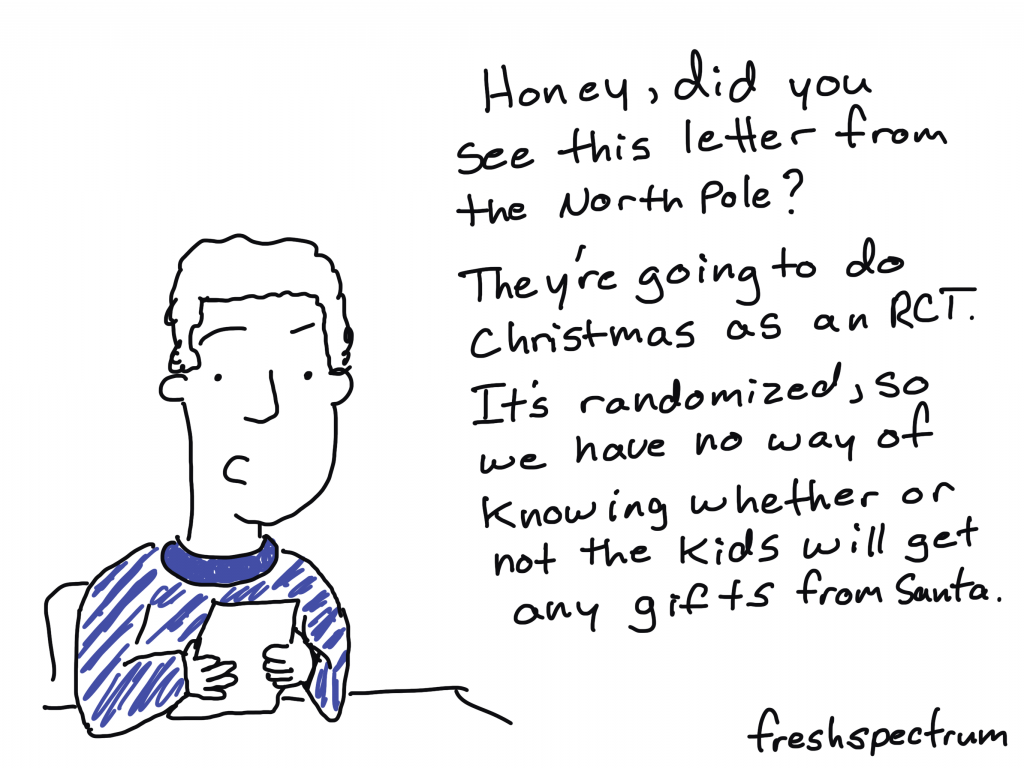
RCT Christmas

It’s too easy to pick on RCTs.

Freshspectrum cartoon by Chris Lysy. "Honey, did you see this letter from the North Pole? They're going to do Christmas as an RCT. It's randoized, so we have no way of knowing whether or not the kids will get any gifts fro Santa."

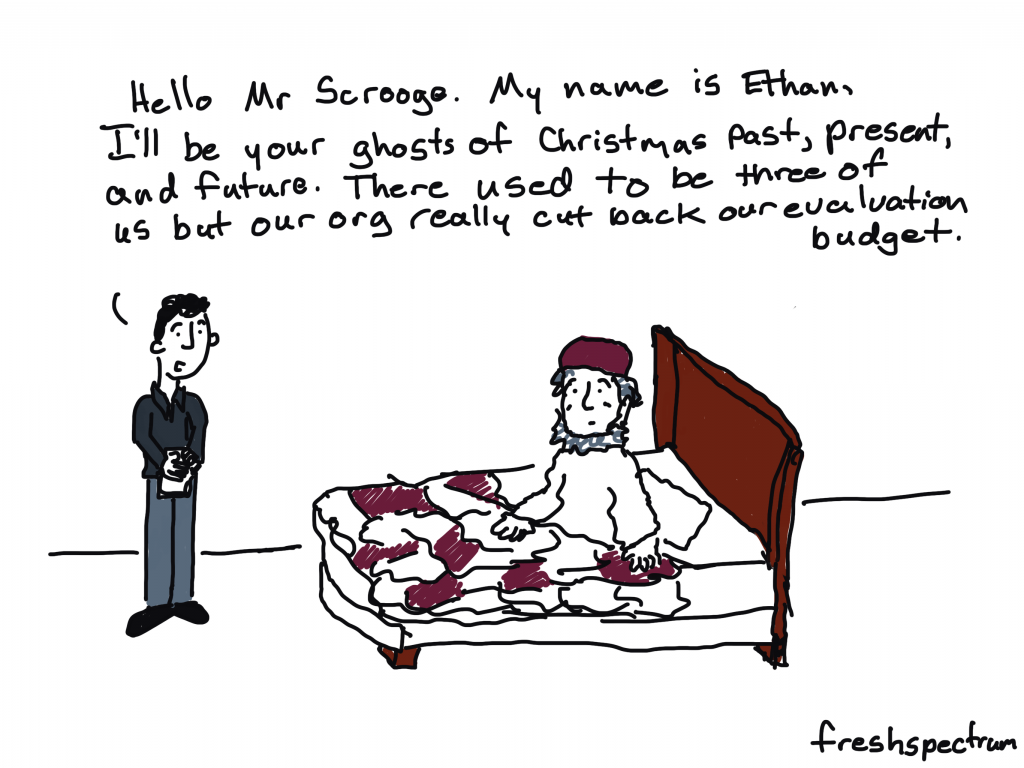
Ghost Downsizing

Did you know that instead of spirits, Dickens first draft of a Christmas Carol featured three evaluators?

Freshspectrum cartoon by Chris Lysy. "Hello Mr Scrooge. My name is Ethan, I'll be your ghosts of Christmas past, present, and future. There used to be three of us but our org really cut back our evaluation budget."

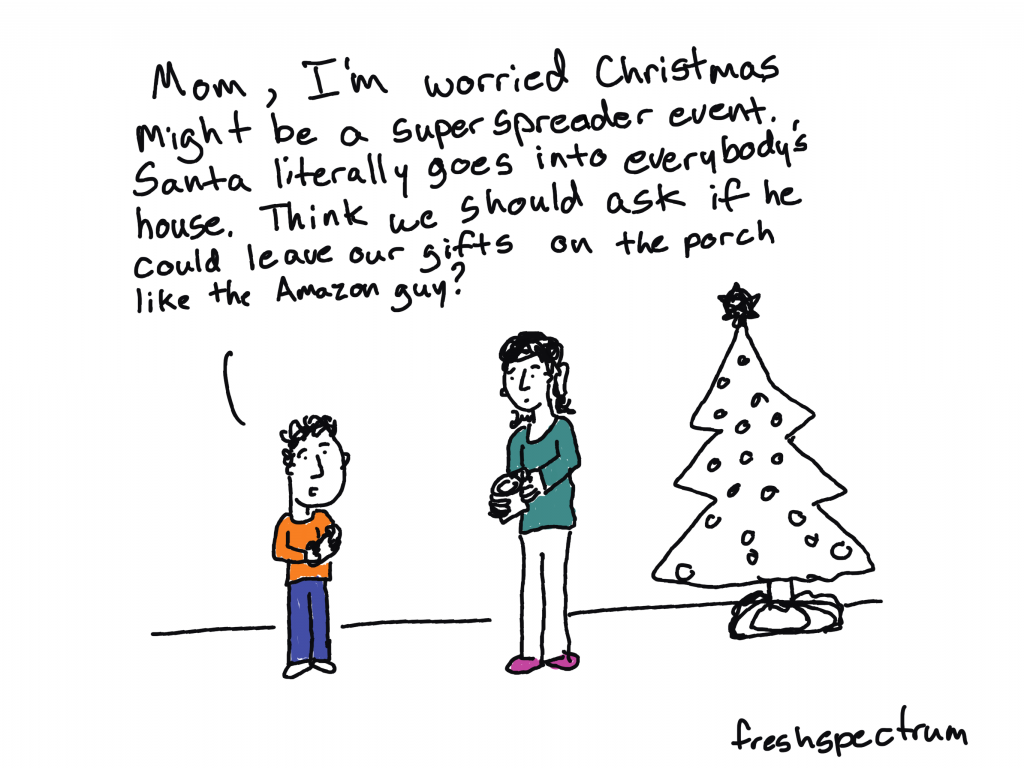
Superspreader Christmas

Toyed with drawing a cartoon about Santa being high risk for COVID. You know given his weight, age, and habit of bingeing on cookies and milk.

Freshspectrum cartoon by Chris Lysy. "Mom, I'm worried Christmas might be a super spreader event. Santa literally goes into everybody's house. Think we should ask if he could leave our gifts on the porch like the Amazon guy?

A few oldies.

Given that my audience fluctuates, thought I would share some of my favorite holiday cartoons from past years.

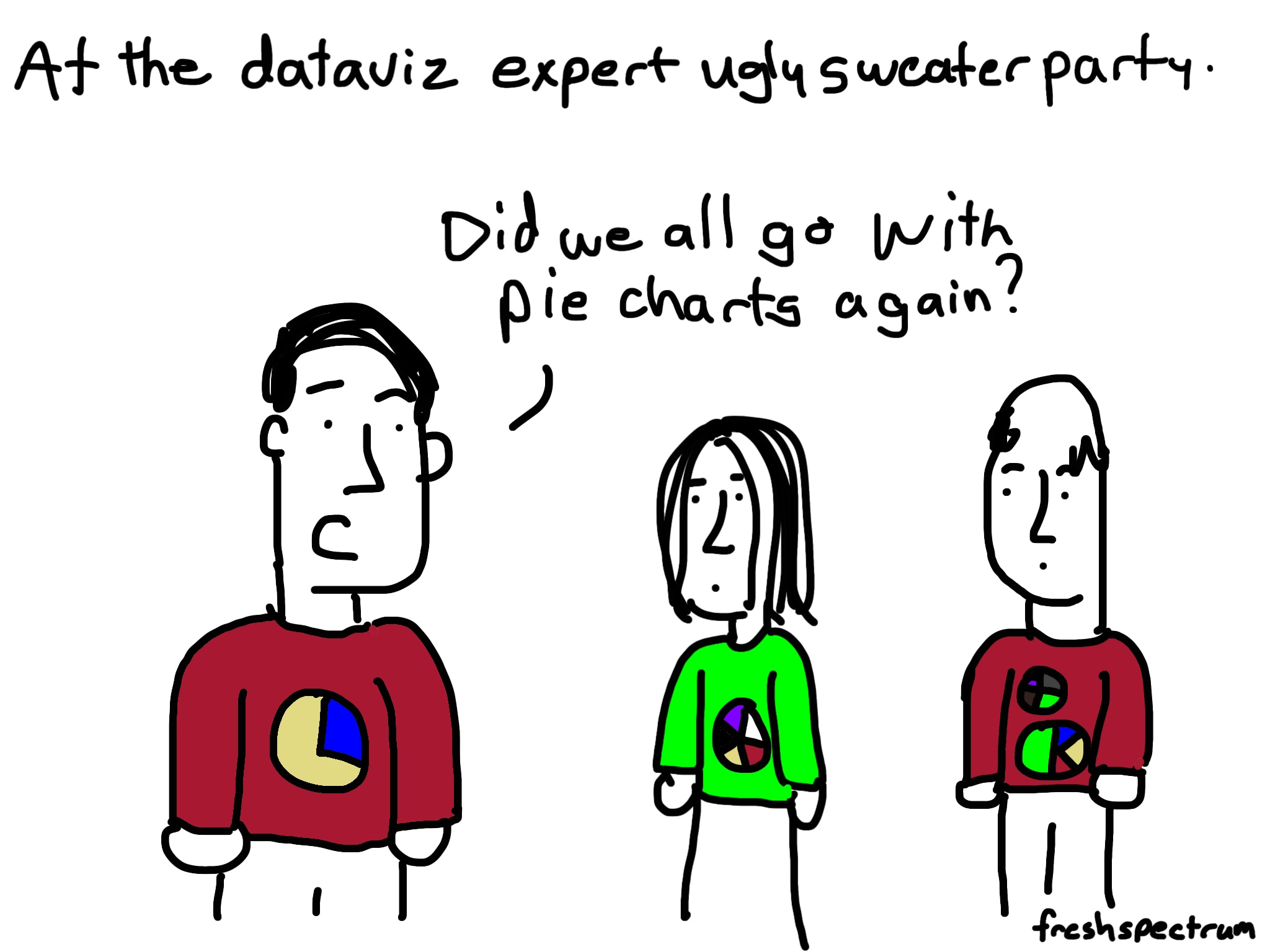
Perennial audience favorite – pie chart ugly sweater

Freshspectrum cartoon by Chris Lysy. "At the dataviz ugly sweater party."
"Did we all go with pie charts again?"

Counterfactual Wonderful Life

Freshspectrum cartoon by Chris Lysy.
"You've been given a great gift George: A chance to see what the world would be like without you."
"So like a really well designed counterfactual in an impact evaluation?"

Time to census some cookies

Freshspectrum cartoon by Chris Lysy. "Would you like to sample the cookies"
"They all look so good. I think I would prefer to census them."

Elf on the Shelf M&E

Freshspectrum cartoon by Chris Lysy. 
Referring to an Elf on a Shelf.
"What is that creepy thing staring at us?"
"According to mom, it's Santa's new monitoring and evaluation system.

Bad, Good, and Child IDs

Freshspectrum cartoon by Chris Lysy.
"Santa, in order to do this data collection the right way we're going to need a more specific definition of "bad and good." We're also going to need to assign unique child IDs, this first name stuff won't fly."

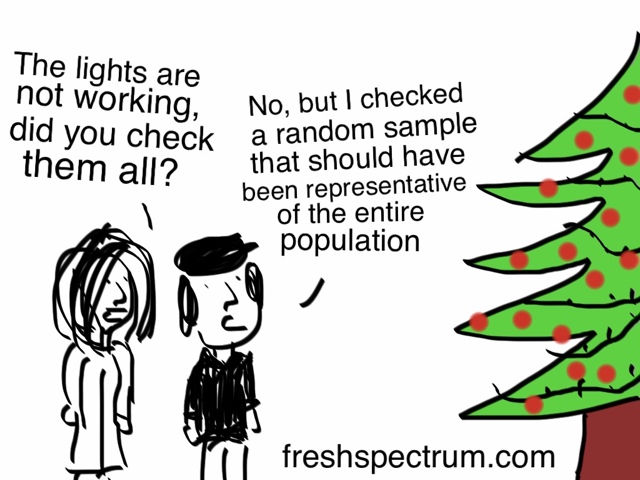
Checking the lights.

Freshspectrum cartoon by Chris Lysy.
"The lights are not working, did you check them all?"
"No, but I checked a random sample that should have been representative of the entire population.

Any favorites of yours that I’ve missed?

Written by cplysy · Categorized: freshspectrum

Dec 03 2021

TEST

Written by cplysy · Categorized: connectingevidence

Nov 30 2021

Accessibility Quick Wins: Remove Legends and Directly Label

How do we make our graphs more accessible?

There’s a misconception that accessibility takes all day, that’s it’s costly, or that it’s complicated. Those are all false.

Accessibility is woven into all my trainings, but since this is a topic I get asked about a lot, I decided to make a new talk that’s focused just on accessibility for dataviz.

In Spring 2021 I gave a talk at the Good Tech Fest conference about dataviz accessibility quick wins.

The talk was a “Choose Your Own Adventure” style where the audience chose what we discussed from a list of options. They chose:

  • direct labels,
  • lower the reading level, and
  • lower the numeracy level.

You can watch the recording or read the highlights. Enjoy!

—–

Watch the Conversation

Here’s the main takeaway message: remove legends and directly label instead.

You probably know what a legend is, but direct labeling? What is that?

Let’s look at an example of a regular (inaccessible) graph.

Why Traditional Legends Don’t Work

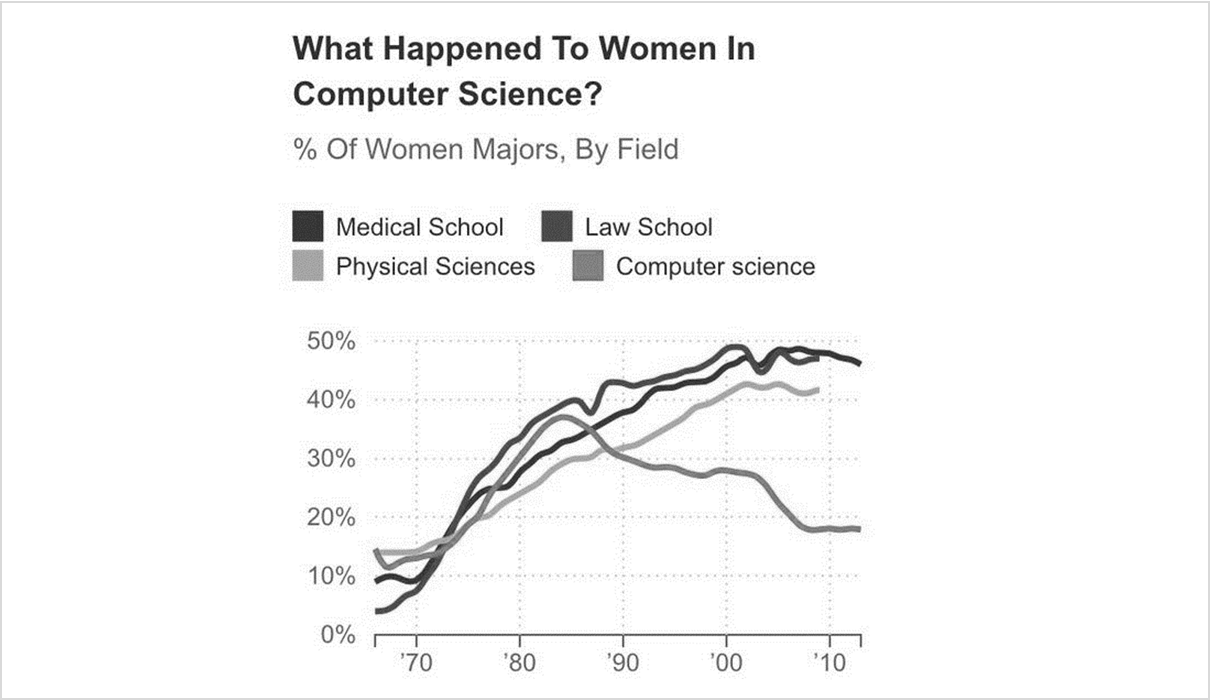
When I saw this graph a few years ago, I actually liked most aspects of it.

I really liked parts of this chart, especially the the title, “What happened to women in computer science?”

I really liked the title in particular, and how it was phrased as a question, which gets the audience to engage. Two thumbs up to the title, “What happened to women in computer science?”

Legends Take Too Long to Read

But then I kept reading a little bit and I was like, “Wait a second… Time out.”

In full color I could mostly tell which section of the legend corresponded with which line. The turquoise lines were tricky because it’s hard figure out which is dark, which is medium, and which is lightest. Your eyes zig–zag back and forth trying to differentiate between the three. It’s really time-consuming.

Legends Don’t Work for Grayscale Printing

So it works in color, kind of, but what about grayscale printing?

Some people will view our graphs on-screen. Others will print them.

And if they’re printing the graphs, we should plan for grayscale printing. Colored ink is so expensive.

Some people will view our graphs on-screen. Others will print them. The grayscale version of this chart doesn't work at all.

It doesn’t work at all.

Legends Don’t Work for People with Color Vision Deficiencies

What about color blindness?

If somebody has a color vision deficiency and can’t differentiate between red and green, the lines would all look yellow.

Traditional legends don’t work; they’re a thing of the past.

So what to do instead?

Directly Label the Graphs

We’re going to directly label our graphs.

What does that mean?

Direct labeling means you put the labels as close as physically possible to the data.

In this line chart, you’d just add the labels off to the side of the line.

Direct labels are:

  • Faster for everyone to read (less eye zig-zagging)
  • Grayscale-friendly
  • Colorblind-friendly

A win-win-win!

Bonus points if you color-code the text to match the line it is labeling. (Red text for a red line, turquoise text for a turquoise line, and so on.)

The before and after versions. The after version is faster to read, grayscale friendly and colorblind-friendly. Win-win-win!

How to Label Pie Charts

We’ve looked at line charts.

So, how do we label a pie chart?

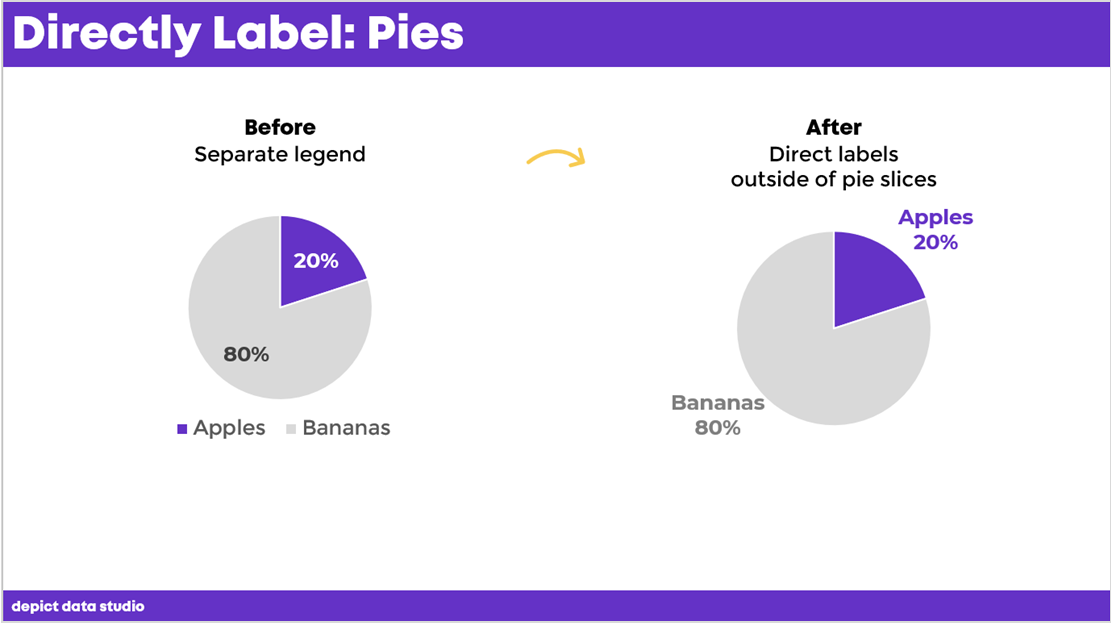
Friendly reminder: Pie charts aren’t evil. They can be used as long as you follow the rule of two: you’re only allowed two slices in your pie. Maaaaybe three. The dark slice will be what you want the viewers to really look at, versus everything else in gray. Simple, right?

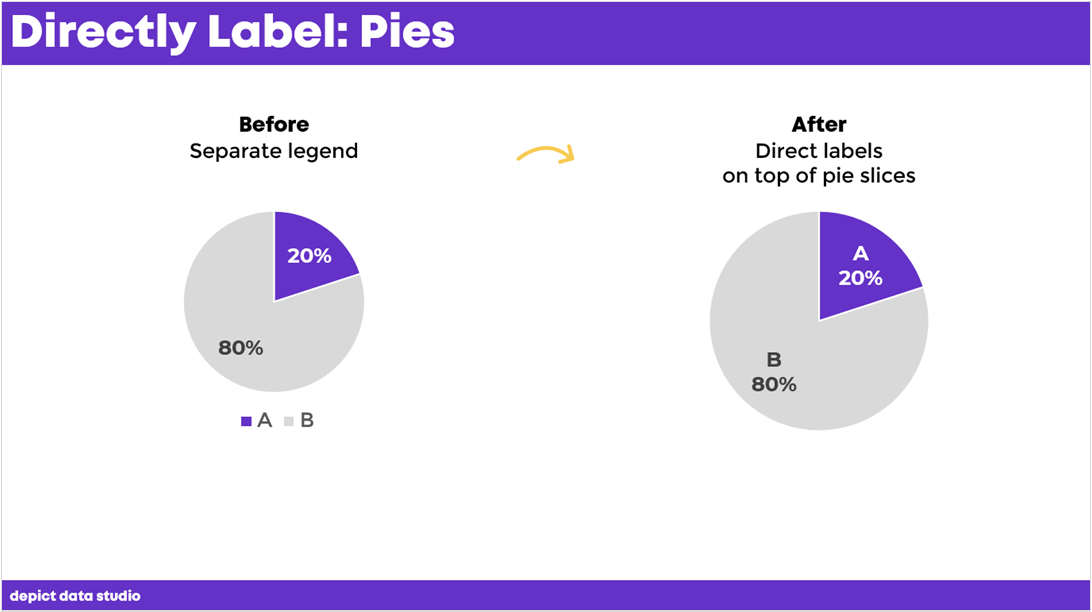
But we still need to directly label them, and it’s as easy as putting the labels as close as physically possible to their slices.

For example, if you have short labels, you can place the labels on top of the pie slices.

How do you directly label a pie chart? By putting the labels as close as physically possible to their slices.

Now it’s speedier for people to read, it’s legible in grayscale, and it’s even legible for people with color vision deficiencies.

A question I get a lot is, “But if I have really long labels?” I know most of us aren’t comparing A to B.

If you have long labels, you can put your labels outside of the pie charts.

Bonus points again if you color-code the labels to the corresponding slices.

A question I get a lot is, “But if I have really long labels?” If you have long labels, you can put your labels outside of the pie charts.

How to Label Donut Charts

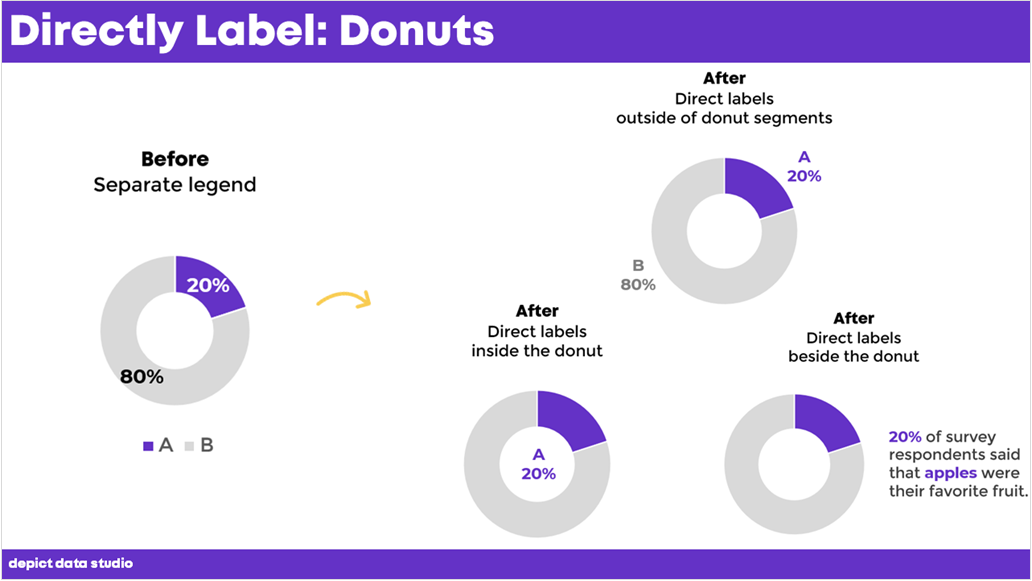
Here’s another scenario for you with donuts. You’ve seen these, right? They’re just a pie chart with a hole punched in the middle.

They have the same rules as pie charts: two slices (max), with one dark slice versus everything else.

But, it’s really hard to fit any labels on top of donut segments. So how do you label these?

You have three options:

  1. Outside of the donut segments
  2. Inside the donut itself
  3. Beside the donut
It’s really hard to fit any labels on top of donut segments. So how do you label these? 1) Outside of the donut segments 2) inside the donut itself or 3) Beside the donut.

How to Label Bar Charts

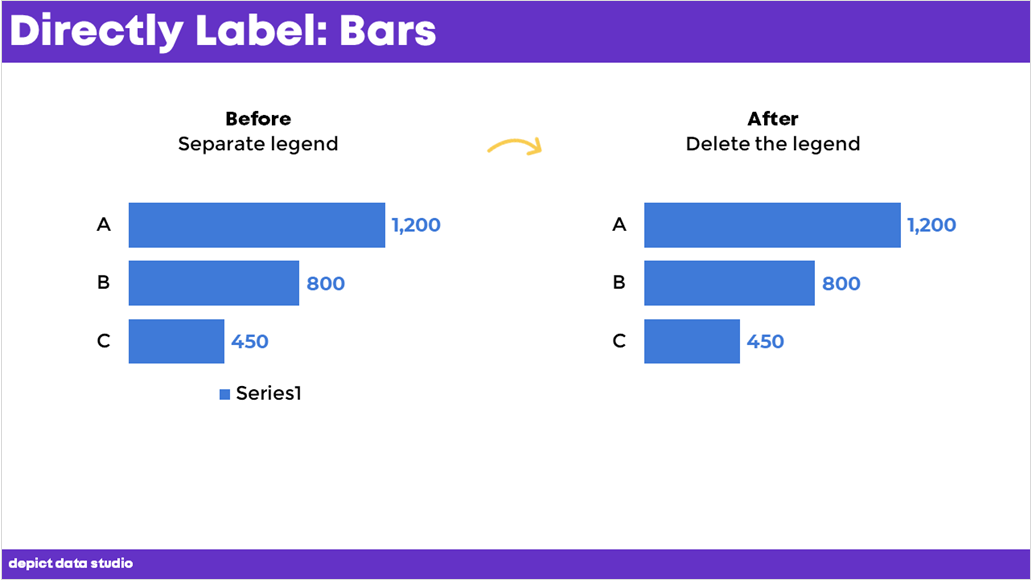
Have you ever seen this, where Excel gives a legend that reads something like ‘Series1’?

This is confusing for viewers. To fix it, all you need to do is delete the legend.

Have you ever seen this, where Excel gives a legend that reads something like ‘Series1’? This is confusing for viewers. To fix it, all you need to do is delete the legend.

How to Label Clustered Bar Charts

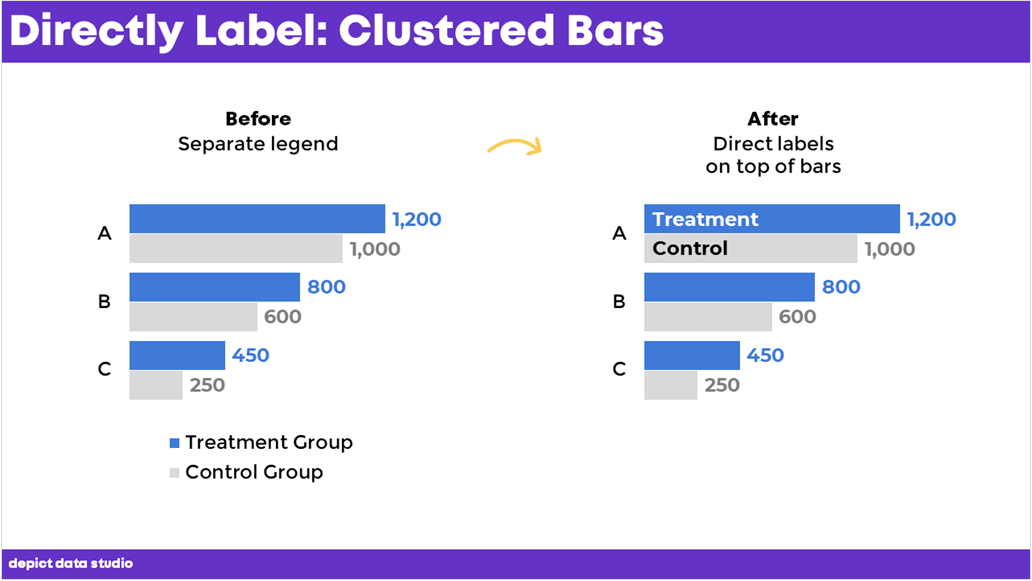
If your bars are long enough, you can place the labels on top of the bars, like this.

No need to label every single bar. Teach the viewers how to read the chart by labeling the top bars. Then, let them read the rest on their own.

If your bars are long enough, you can place the labels on top of the bars, like this.

During the Good Test Fest talk, an audience member asked how I added those labels.

You can:

  • Add text boxes on top of the bars (beware: clunky and time-consuming)
  • Use fancier automation techniques (e.g., concatenating the words and numbers together, a technique from this course)

How to Label Clustered Column Charts

I’m not a fan of putting the labels on the columns. The labels would need to be rotated vertically, which takes longer to read than horizontal labels.  

I typically use horizontal clustered bar charts to allow for horizontal labels, which are the fastest to read.

I typically use horizontal clustered bar charts to allow for horizontal labels, which are the fastest to read.

Download the eBook

Want to learn more about accessible data visualization?

In this ebook, you’ll learn 10 quick wins for designing accessible data visualizations. These small edits can have a big impact for our coworkers, board members, and funders who have color vision deficiencies, hearing loss, or learning disabilities–and for all of us who are pressed for time.

Download the Ebook

For your complimentary copy, use code: goodtechfest

Written by cplysy · Categorized: depictdatastudio

Nov 27 2021

Comentario en La Teoría del Aprendizaje Social y el determinismo recíproco por Luis Manteiga Pousa

No se si el Determinismo está en lo cierto o no pero si lo está entonces los que no creen en el determinismo están determinados a no creer en él. Curiosa paradoja.

Me gustaMe gusta

Written by cplysy · Categorized: TripleAD

  • « Go to Previous Page
  • Go to page 1
  • Interim pages omitted …
  • Go to page 151
  • Go to page 152
  • Go to page 153
  • Go to page 154
  • Go to page 155
  • Interim pages omitted …
  • Go to page 310
  • Go to Next Page »

Footer

Follow our Work

The easiest way to stay connected to our work is to join our newsletter. You’ll get updates on projects, learn about new events, and hear stories from those evaluators whom the field continues to actively exclude and erase.

Get Updates

Want to take further action or join a pod? Click here to learn more.

Copyright © 2026 · The May 13 Group · Log in

en English
af Afrikaanssq Shqipam አማርኛar العربيةhy Հայերենaz Azərbaycan dilieu Euskarabe Беларуская моваbn বাংলাbs Bosanskibg Българскиca Catalàceb Cebuanony Chichewazh-CN 简体中文zh-TW 繁體中文co Corsuhr Hrvatskics Čeština‎da Dansknl Nederlandsen Englisheo Esperantoet Eestitl Filipinofi Suomifr Françaisfy Fryskgl Galegoka ქართულიde Deutschel Ελληνικάgu ગુજરાતીht Kreyol ayisyenha Harshen Hausahaw Ōlelo Hawaiʻiiw עִבְרִיתhi हिन्दीhmn Hmonghu Magyaris Íslenskaig Igboid Bahasa Indonesiaga Gaeilgeit Italianoja 日本語jw Basa Jawakn ಕನ್ನಡkk Қазақ тіліkm ភាសាខ្មែរko 한국어ku كوردی‎ky Кыргызчаlo ພາສາລາວla Latinlv Latviešu valodalt Lietuvių kalbalb Lëtzebuergeschmk Македонски јазикmg Malagasyms Bahasa Melayuml മലയാളംmt Maltesemi Te Reo Māorimr मराठीmn Монголmy ဗမာစာne नेपालीno Norsk bokmålps پښتوfa فارسیpl Polskipt Portuguêspa ਪੰਜਾਬੀro Românăru Русскийsm Samoangd Gàidhligsr Српски језикst Sesothosn Shonasd سنڌيsi සිංහලsk Slovenčinasl Slovenščinaso Afsoomaalies Españolsu Basa Sundasw Kiswahilisv Svenskatg Тоҷикӣta தமிழ்te తెలుగుth ไทยtr Türkçeuk Українськаur اردوuz O‘zbekchavi Tiếng Việtcy Cymraegxh isiXhosayi יידישyo Yorùbázu Zulu