• Skip to main content
  • Skip to footer
  • Home

The May 13 Group

the next day for evaluation

  • Get Involved
  • Our Work
  • About Us
You are here: Home / Archives for allblogs / freshspectrum

freshspectrum

Mar 12 2025

Building a Remote Worker Community

Back in 2006 I was in grad school.

At the time I lived and worked full time in the Maryland suburbs outside of DC.  A few times a week, I would take the Metro from the end of the line to downtown DC for evening classes at George Washington University.  It was about an hour commute door to door.

By the time class was over it was late in the evening.  On the train all around me were people who just looked worn out, coming home from their day jobs far too late.  But the thing that struck me the most was what happened when we reached the end of the line.

A few stops before, people started to car hop in order to get to the front of the train (there was always a large group at the doors closest to the exit).  And when the train reached Shady Grove station, the doors would open and people would start running.

Being a curious sociologist, I joined them a few times.  I wanted to know what they were running towards. Was it to catch a bus or get to a car with a waiting partner or friend?  

But for most, it was just a run to the parking garage. This was their first opportunity to take control over their commute.  They didn’t get to decide when the trains would show up or when their workday was over, but they could shave a couple of minutes off their commute by being in the metro car nearest the exit and taking a quick jog.

It was times like that when I decided that I never wanted a long daily work commute.  I didn’t want to add two hours to my workday, everyday.
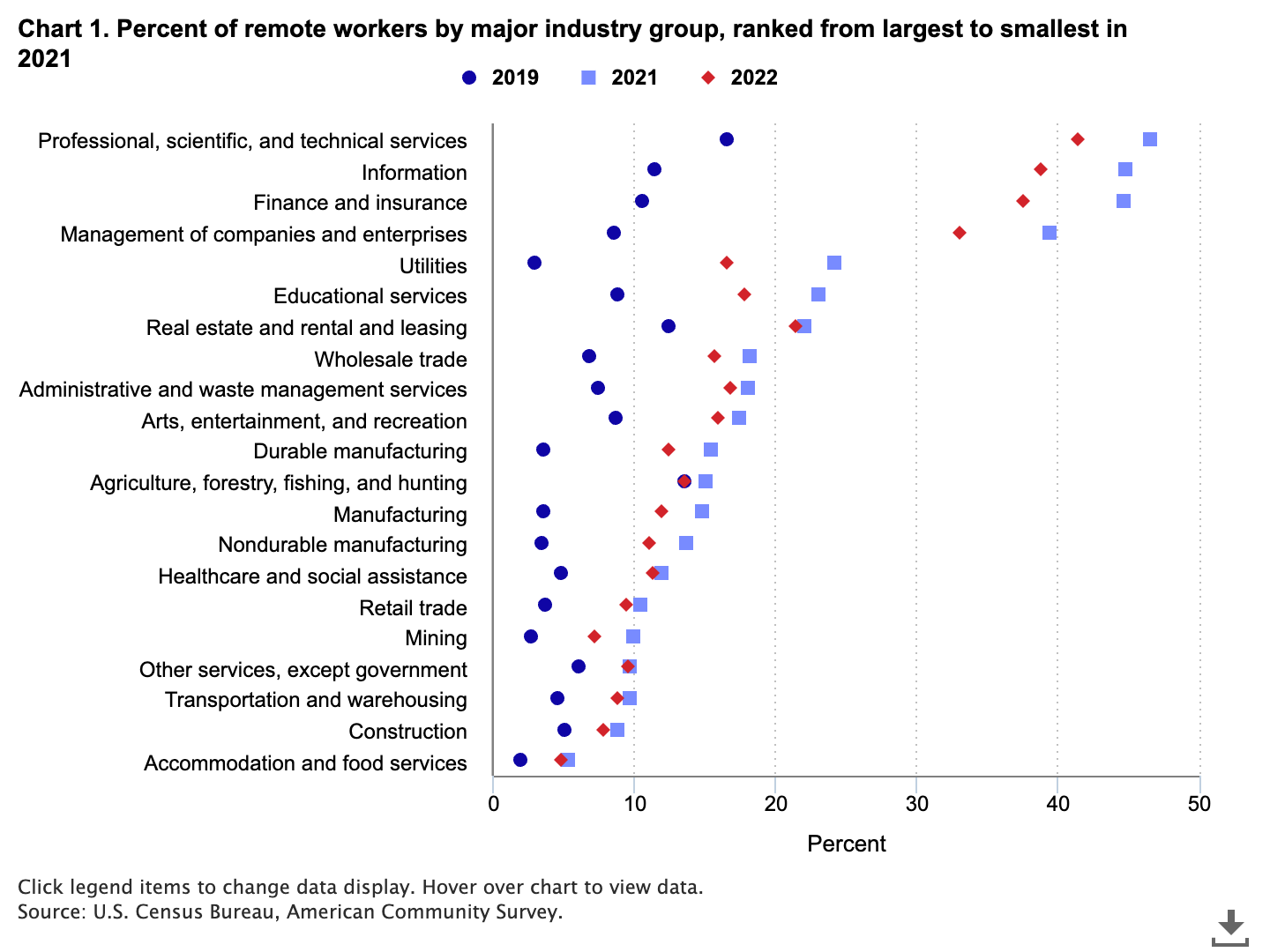
Source: The rise in remote work since the pandemic and its impact on productivity (bls.gov).

The rise of remote work.

For a lot of people, COVID led to a radical change in the structure of their workplace. In some industries the number of people working remotely more than tripled. The professional, scientific, and technical services and information industries experienced the largest shift.

While some organizations have brought their employees back in-office, I doubt we’ll ever get near the pre-COVID numbers.  And as someone who has been remote for most of my career now, I think that’s a good thing.  
Lower commutes are better for the environment, improve work-life balance, save money, and can also improve productivity.  Remote work also increases the potential workforce and can allow people with disabilities opportunities to work in an environment that better suits their physical or mental needs.

But like everything else, with the benefits we also get some disadvantages.  

We find being near coworkers has tradeoffs: proximity increases long-run human capital development at the expense of short-term output.

Source: The Power of Proximity to Coworkers: Training for Tomorrow or Productivity Today?

What really happens when you lose proximity?

Let’s not fool ourselves, there are some advantages to working in an office.  Proximity to others creates connections that could lead to advancement.  It also creates opportunities for day to day mentorship that don’t generally exist at the same level for remote workers. And according to a recent surgeon general’s report, we are also experiencing a loneliness epidemic.  
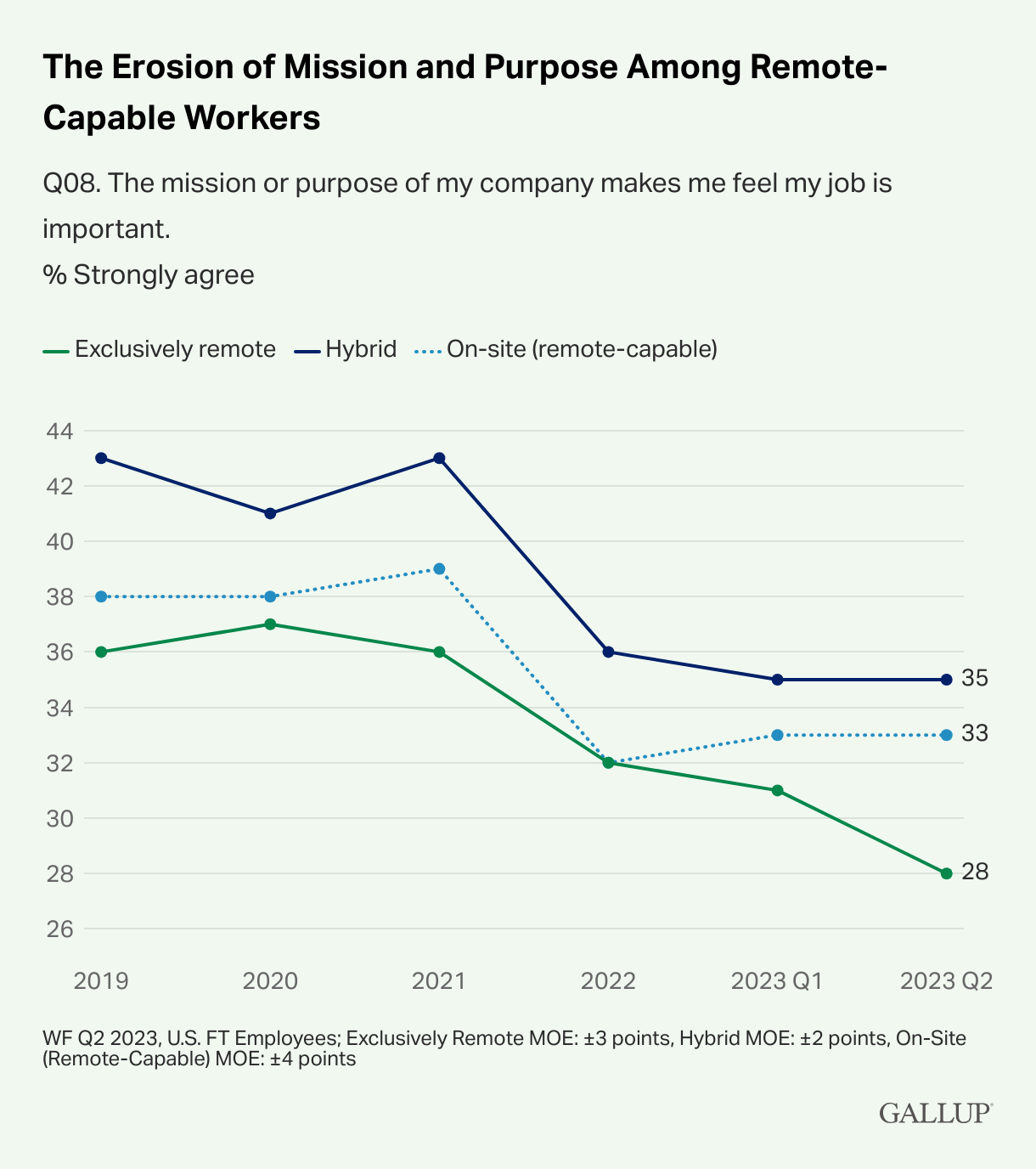
Source: Are Remote Workers and Their Organizations Drifting Apart?

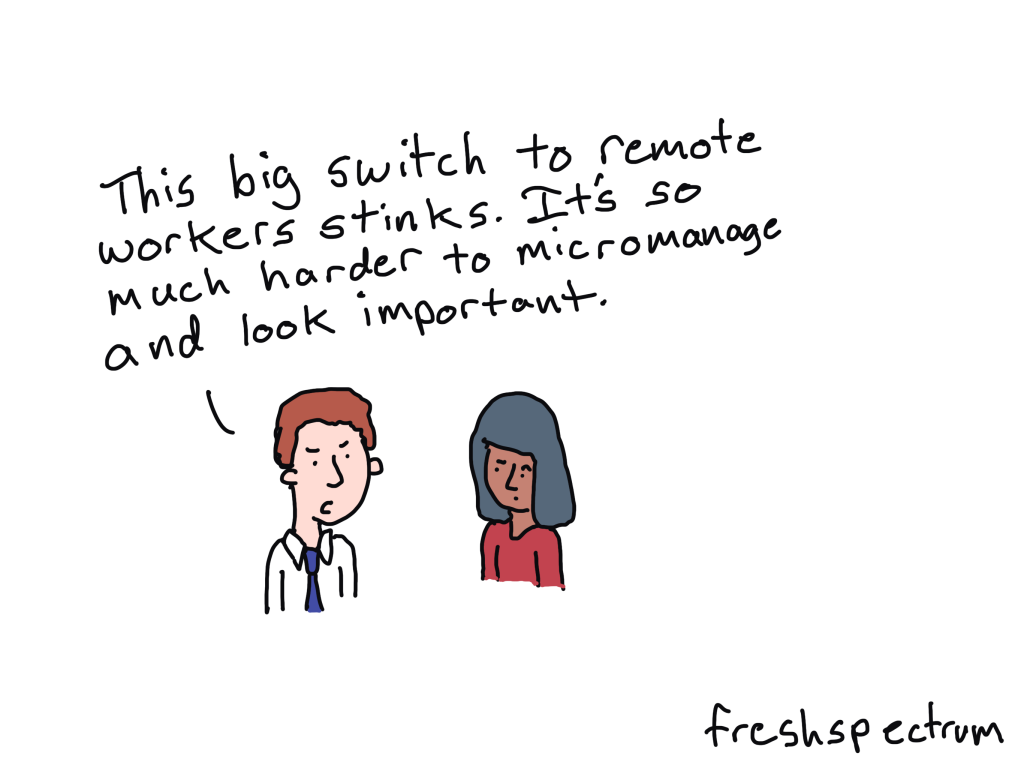
From a company point of view, remote workers tend to be less connected to their mission.  And for middle managers, it’s much harder to micromanage…sorry, I should say “monitor,” their team’s productivity.

This has led to a kind of debate about which is better, remote work or office based. But I think that’s a false dichotomy.  

If the biggest problem of remote work is a loss of proximity, that doesn’t require you to give up on remote work.  You just need to come up with solutions that minimize the negative impact.

And the best way to mitigate a lack of proximity is to build a virtual community. 

Tips for building a workplace community in a virtual world.

I’ve been developing virtual Communities of Practice for over a decade.  Many of the communities I have worked with have been geographically distributed nationally or internationally.  But the same lessons that work for global programs also work for organizations with lots of remote workers.
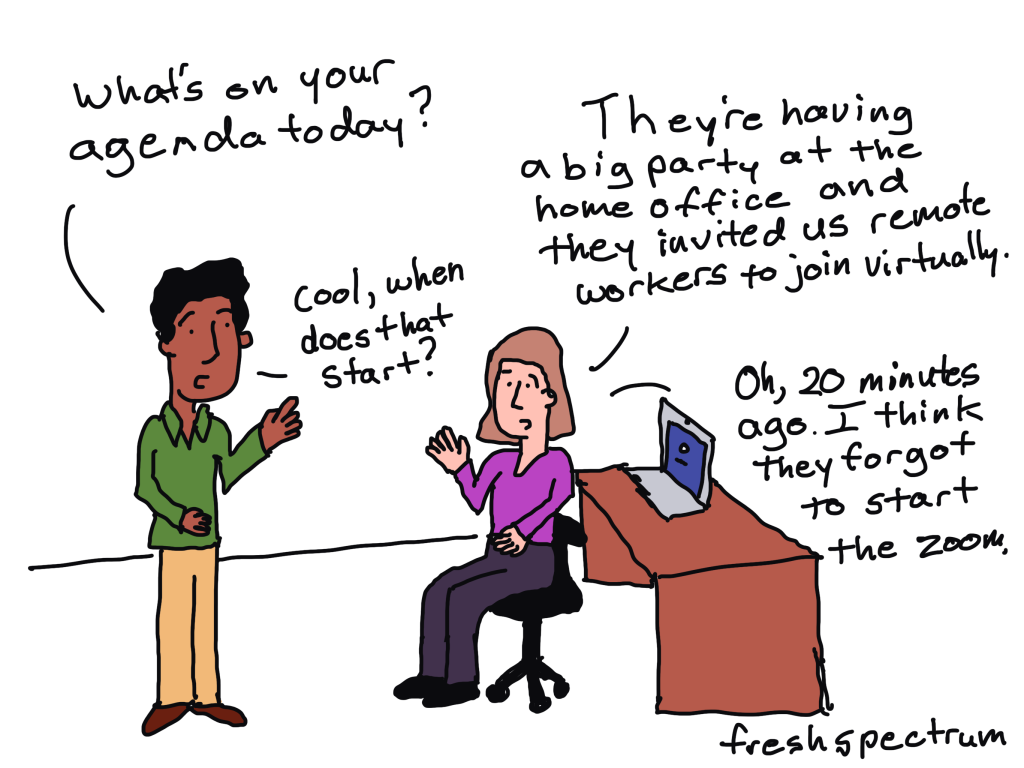
Here are five of my favorite tips.

1. Start small.

You don’t need a fancy forum, resource library, or sharepoint site to start building community.  In fact, you’re better off without it at first.  My two favorite community building blocks are an email newsletter and a Zoom account (or Teams, or Webex, etc.). 

2. Be consistent.

Communities take time to build.  And if you want to develop and facilitate one, you need to show up.  Regularly.  I suggest meeting at least once a month with video on and sharing a regular newsletter.

3. Leverage your internal expertise.

This is the difference between a lecture series and a CoP.  You don’t want just any subject matter expert delivering presentations. Presenters should, for the most part, be members of your community.  Having people present, camera on, based on their own areas of expertise creates an introduction that feels genuine, and not forced.

4. Facilitate individual connections.

Communities work better when someone takes on the responsibility of connecting individuals.  This can be direct, “hey, you should talk to so and so.”  Or this can be indirect by creating a set of individual Q&As, sharing member directories, or making use of breakout groups.

5. Create an advisory group.

Building an advisory group, made up of community members, can help you plan the right sessions and catch any blind spots.  Advisory group members will also end up being some of your more committed community members.

Want help building your own Community of Practice?
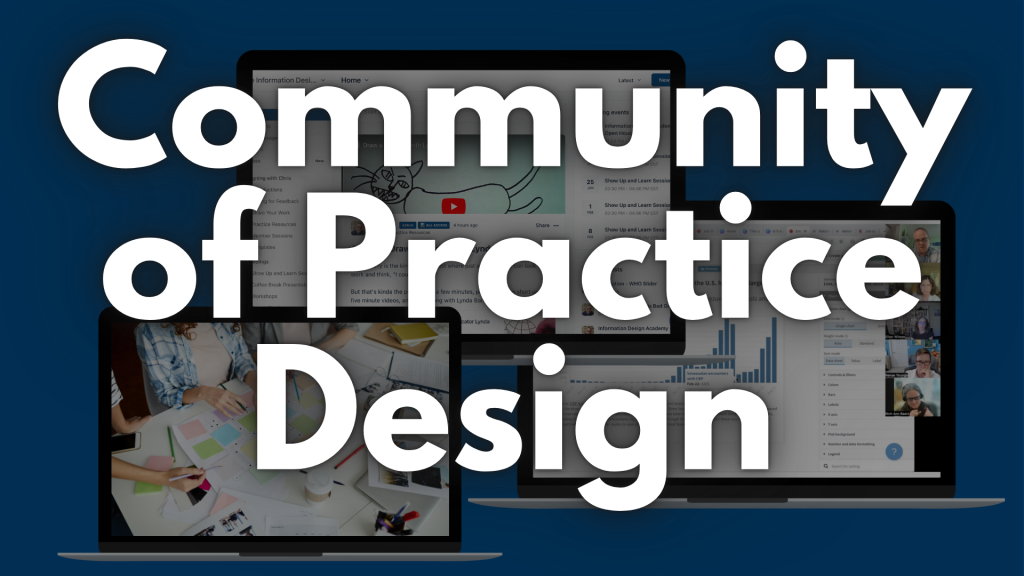
As a consultant I help organizations design, develop, and facilitate modern Communities of Practice.  So if you would like a little support (or a lot of support) the best place to start is with a conversation.  Click here to schedule your free 30 minute consultation.
Written by cplysy · Categorized: freshspectrum

Mar 06 2025

Canva Slide Decks and Slide Docs

For the past 5 or so years Canva has been my go to tool for all sorts of everyday designs. This includes the presentations that I used to design in PowerPoint.

Why Canva?  Because I find the workflow easier.  I can quickly adapt my presentations into other formats like videos or infographics.  I also have Pro which gives me access to all sorts of royalty-free content, so I don’t have to scrounge around the web looking for icons or photos.

But every tool has its quirks.  In today’s post I’ll walk you through eight tips on using Canva for slide deck and slide doc design.

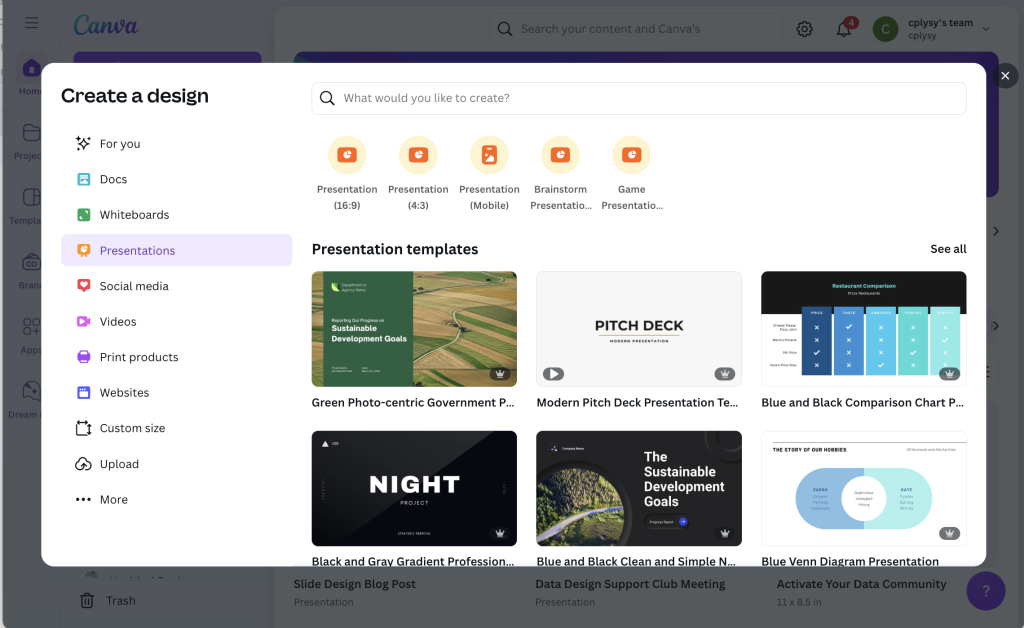
Tip 1: Picking your presentation slide size 16:9 or 4:3.

When deciding to create a presentation, Canva gives you two main options.  You can use the old standard 4:3 slide deck or the new widescreen standard 16:9.  So which should you choose?

It’s not as straightforward as you might think.  Yes, almost all laptops and desktop monitors are widescreen and that’s where many people will view your work.  But, there are also other considerations.

Will it be printed?

This is especially important for slide docs and for in-person presentations where you might hand out print outs of your deck.  The old standard 4:3 is a lot closer to a standard 8.5 by 11 letter size piece of paper (as well as A4) compared to 16:9.  When printed full size, most people will never notice that it was not designed for paper.

Will it be converted to video?

Now if you plan to turn your presentation into a recorded video.  16:9 is actually the identical ratio used in 720p, 1080p, and 4K video.  So if you want to turn it into a standard video, definitely go with the widescreen 16:9.  

Will it be shown on a projector or TV?

If you plan to present live, will it be in a boardroom with an HDTV or a room with a white screen and projector.  If HDTV, then 16:9 will show perfectly.  If a white screen, either will work just fine.

Will you be adapting slides into infographics or featured images?

I like to create multi-purpose slide decks.  This means being able to export individual slides as images for use in illustrating reports, social media, or blog posts.  In these types of situations I prefer a 4:3, as it provides a nice big image similar to the size I use for my comics.  

Will you be using it in a webinar?

Webinars happen on screens, BUT there is often a big right hand column designed to show attendees and a chat window.  And while you might use a two monitor setup to present your slidedeck, chances are most people are not watching it with two monitors.  So a 4:3 presentation creates more room for the side panel.  

So bottom line, which should you choose?

I still have no clue and bounce back and forth often depending on the situation.  In other words, to each their own, there is no one size fits all solution here.

Tip 2: How do I choose a template?

Canva is a template first kind of tool.  Even on the free plan, there are tons of templates to choose from.  Plus, even if you are on a free plan, you can still use a premium Canva template.  You just need to delete or replace the premium elements before downloading your design.

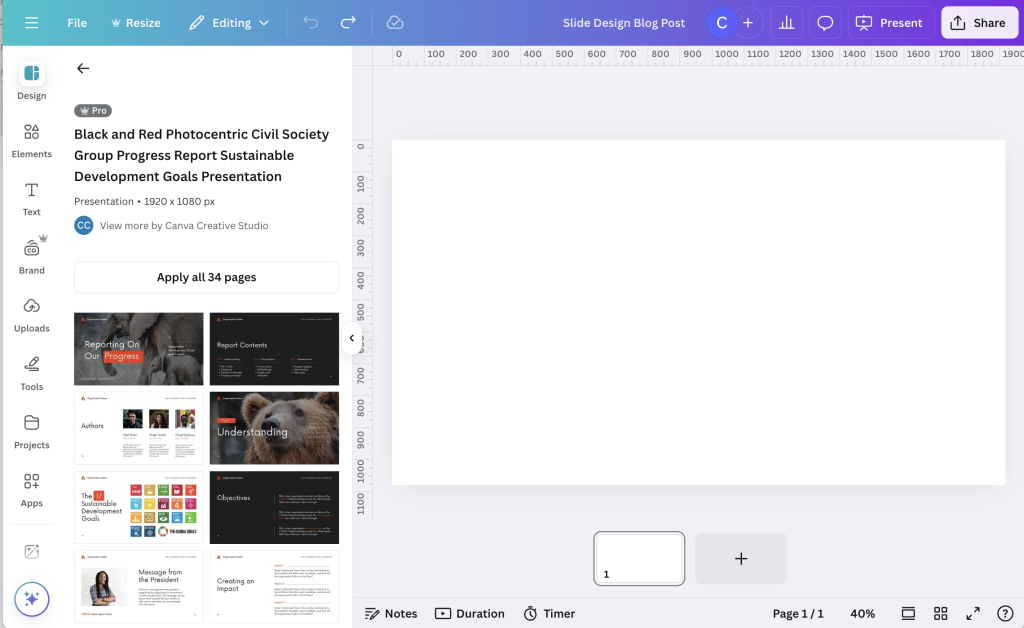
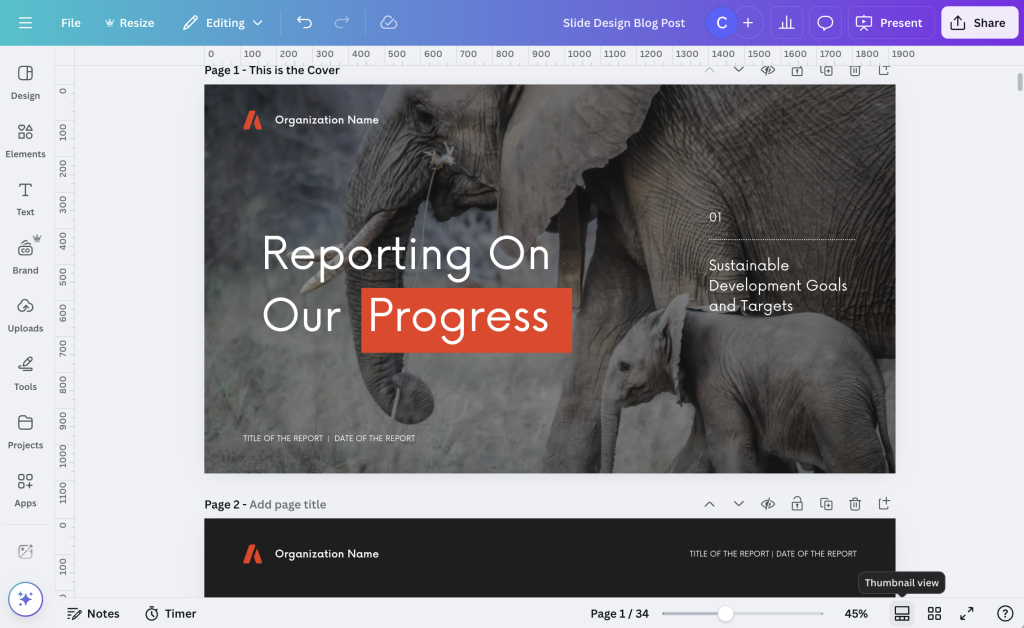
Slide templates in Canva are multi-page.  So when you search, you’ll see the cover first.  But if you hold your cursor over the cover it will start to show all the internal pages.  You also get to see the entire internal spread by clicking on the template.

You have the option to apply ALL the pages, or go through and pick which ones you would like to use.  As a designer I find lots of Canva templates over do it when it comes to color, making it a bit meaningless.  But I think that’s because the template exists to show what’s possible, not to lay out a meaningful report.

My suggestion is to not just apply all pages but figure out the page spreads that best help you present your findings.  Use color meaningfully to indicate when a section is changing or to spotlight important findings.

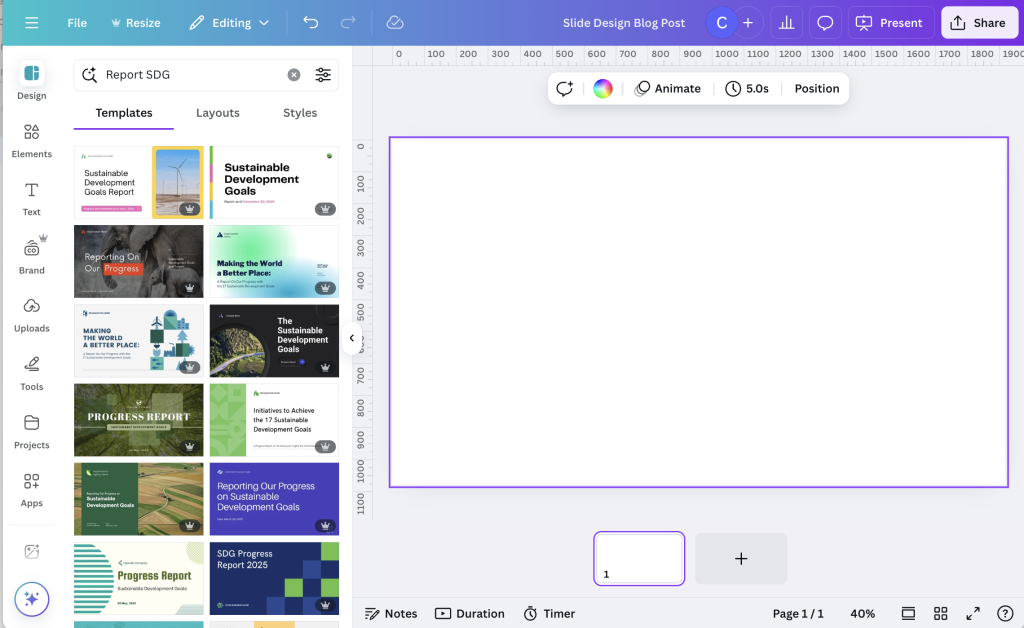
Because there are so many, finding templates you like can be tricky.  It involves a lot of random searches and a good bit of scrolling.  

One of my favorite sets of Canva templates for data reports comes up when you search “SDG Report.”

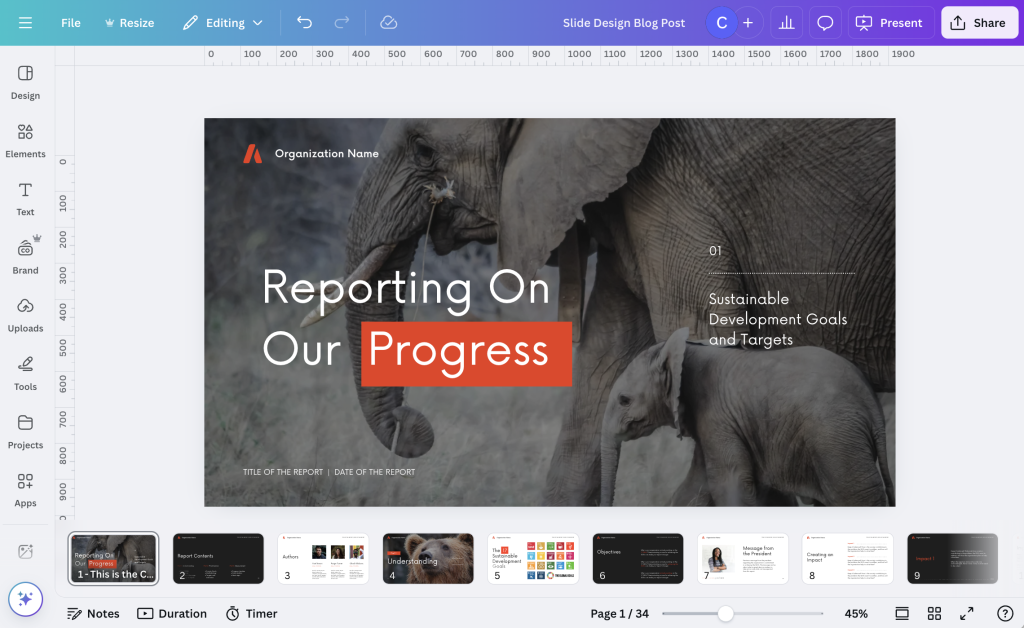
Tip 3: Change the view to get a full sense of the presentation.

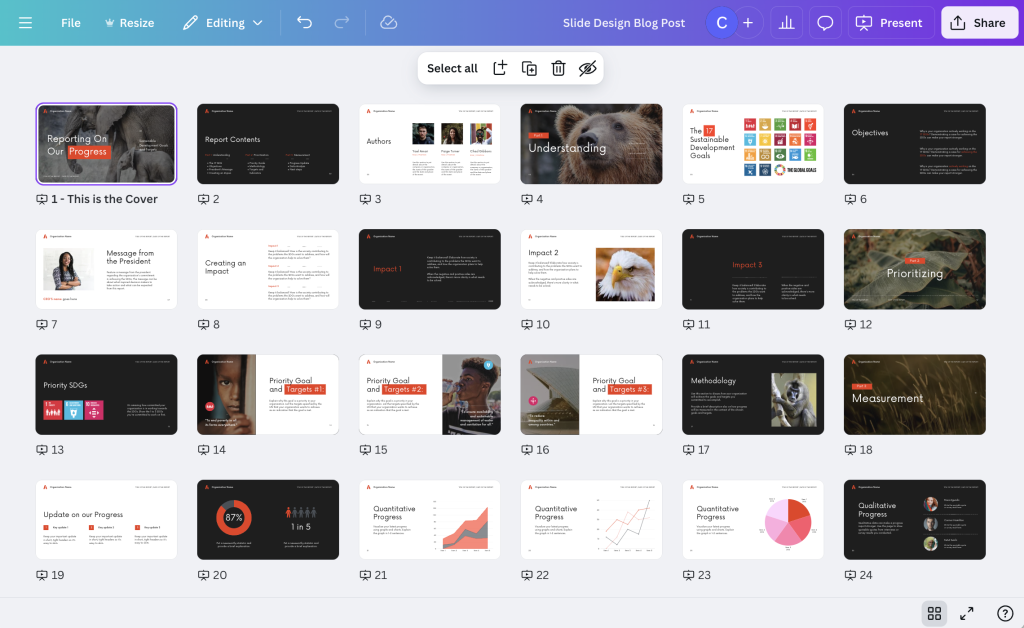
In the bottom right corner you have a couple of view options.  You can choose scroll view, thumbnail view, or grid view.  

Scroll view gives you all the slides underneath the editable slide.  I find this to be a pretty intuitive way to create full presentations and slide doc reports, since it gives you a bit of context as you design.  You can also skip around pretty easily.

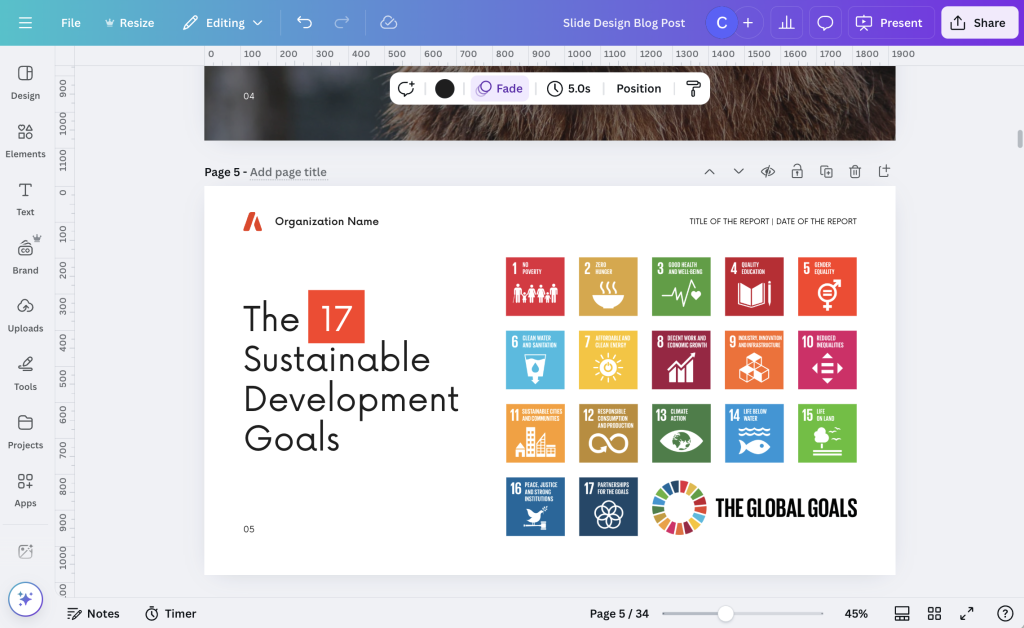
Thumbnail view lets you go through the slides by scrolling up or down.  It does not give you the little mini under the deck menu you get in Scroll view.  I like this view when I’m trying to create a set of small infographics, as it isolates each slide.

Grid view lets you see your entire presentation as a set of smaller icons.  This is the best view to use when changing up the order of your presentation slides or if you just want to get a bird’s eye view of your presentation.

Tip 4: If you plan to turn individual slides into single graphics, name them.

Each slide has a space where you can give it a page title.  This is easiest to see with the thumbnail view.  

The cool thing about these page titles is that it changes the way the individual slide is named on a download.  If you leave the slides un-named, and download a single slide, the file will take the name you put in for the entire slidedeck.  If you download a single named slide the file name will be the name you put in for the slide.

Tip 5: If you plan to use your slides to create a video use the notes for your script.

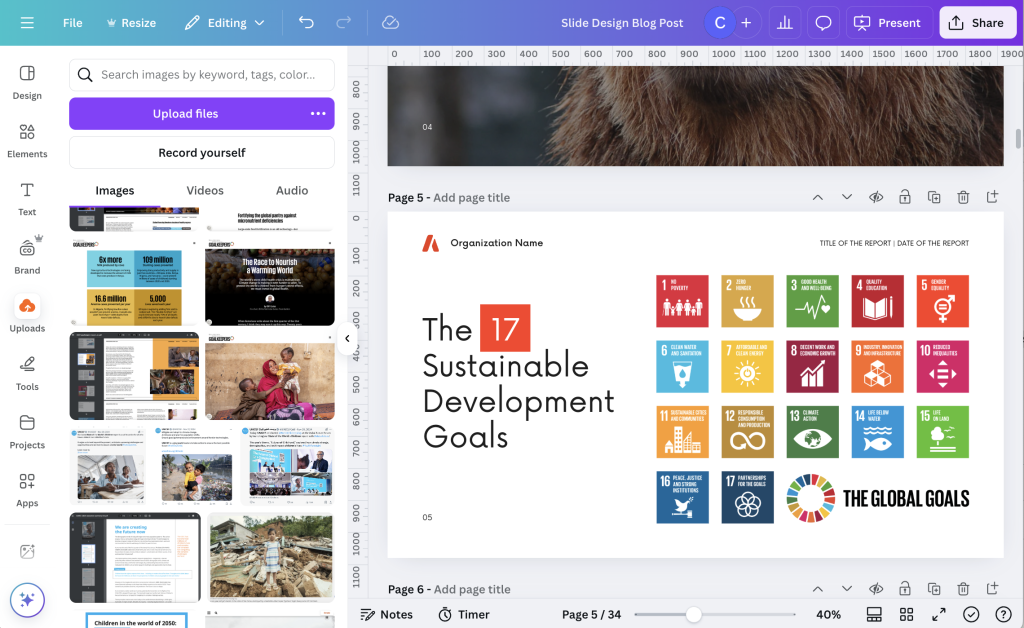
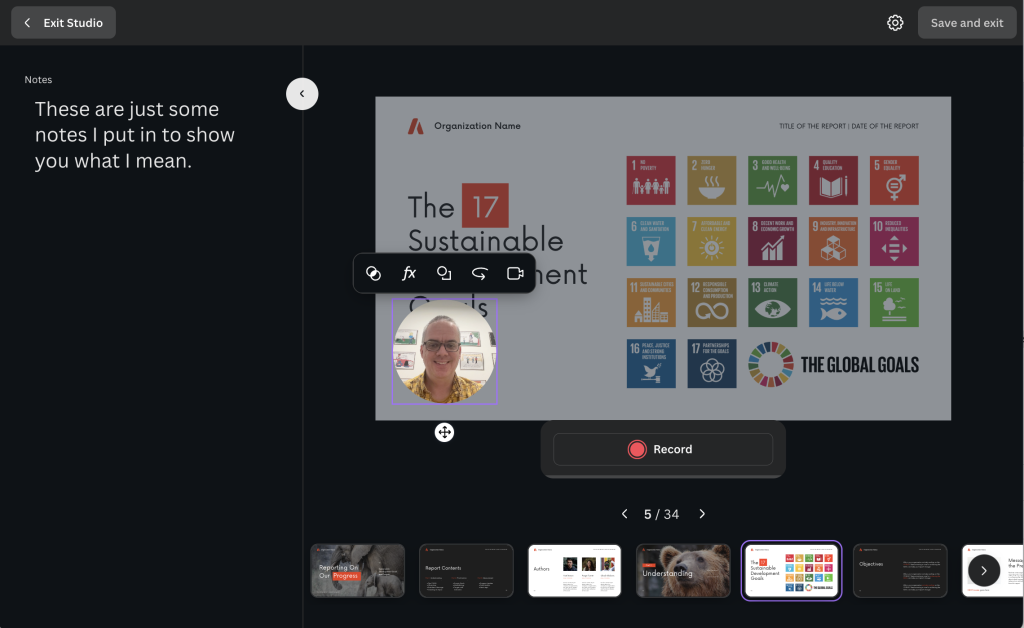
It’s really pretty easy to turn your slidedeck into a video using Canva.  There are a couple ways to do this, but my favorite is just to use the “Record Yourself” feature you will find inside the uploads folder.  

As you record, just move slide to slide.  Each slide will record its own video.  When you are finished with one, just move to the next. If you mess up, you can restart the recording and it will just delete the recording from that slide (not the whole presentation).

My tip is to use the notes section of your slides to write a script.  These notes will show up on the recording screen for each slide acting as a simple teleprompter. 

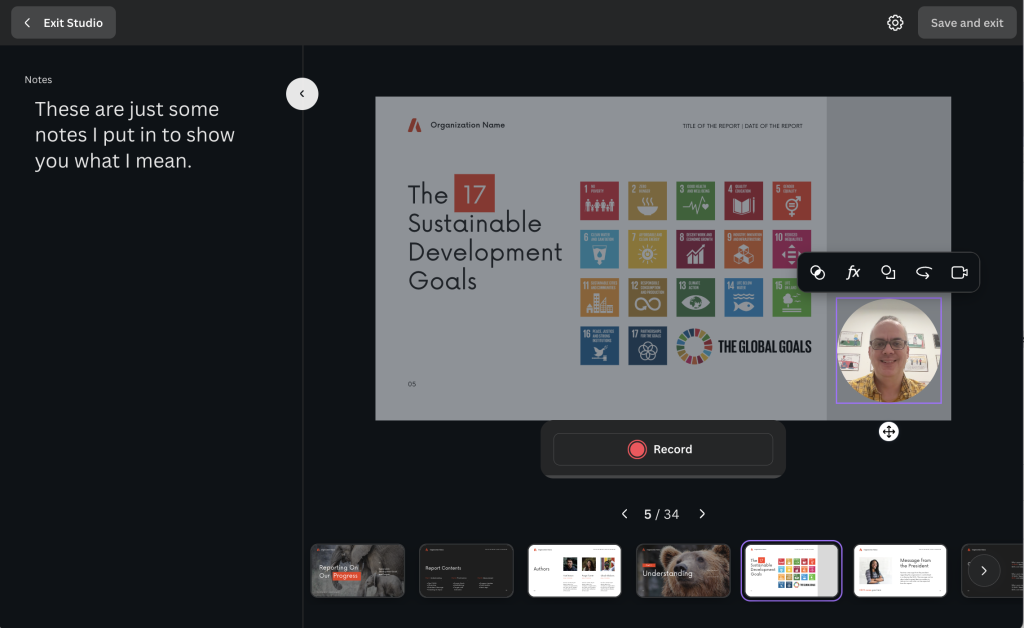
Tip 6: If you plan to create a video, design space for your talking head.

If you know that you will be creating a video and intend to include the video of yourself talking, plan for it in your design.  Instead of having your video cover up the text on individual slides, go ahead and design a space for it ahead of time.  

One simple way to do this is to create a space on the page, maybe using a colored rectangle, that will never include any content.  That way you have a place for your talking head on every slide.

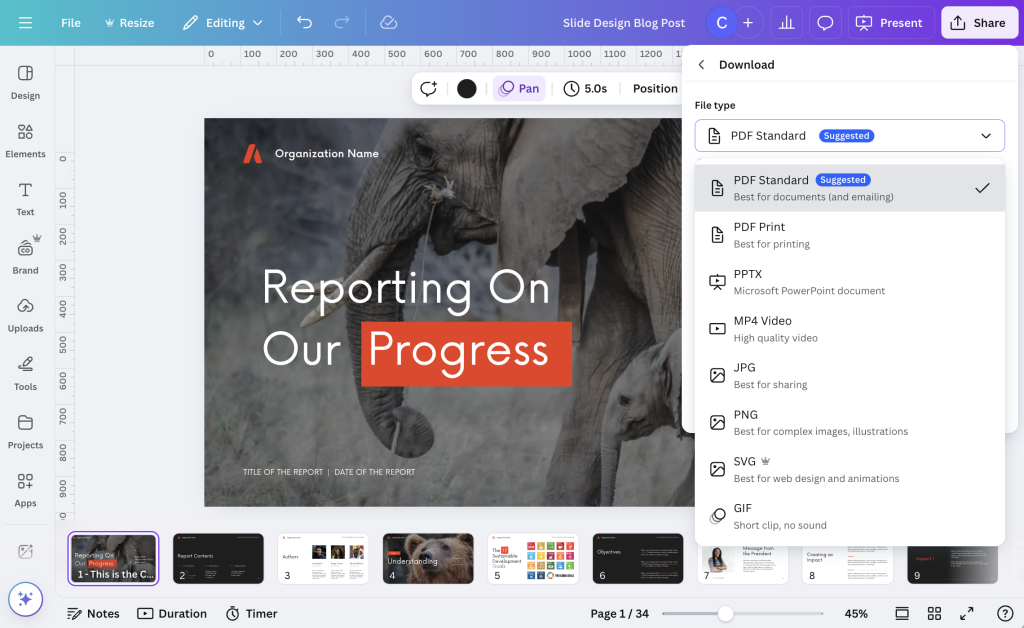
Tip 7: Download your slide decks as standard PDFs, at least most of the time.

Most of the time I present slides these days I am doing so over a Zoom call.  I also don’t tend to use animations, so a standard PDF file works just fine.  I just open up the pdf, take away any toolbars and put the pdf viewer into the “single page view.”  This is the best way to make sure the presentation looks just like it was designed.

Sometimes you might also consider downloading your slide deck straight into PowerPoint.  While this works pretty well most of the time, just know that occasionally things like fonts or certain images will get altered in the process.  So definitely check all your slides over before sharing with others.

Tip 8: Create your slide decks and slide docs together.

A slide doc is essentially a slide deck with more words.  It’s like creating a presentation that doesn’t require a live presenter.  If you want to learn more about slide docs, I wrote a post about it: What is a Slidedoc?

If you plan to create both a slide doc and a slide deck, I suggest starting with the slide doc.  Then adapt that slide doc into the slide deck by simply removing the words and giving your visuals more space.

Written by cplysy · Categorized: freshspectrum

Feb 27 2025

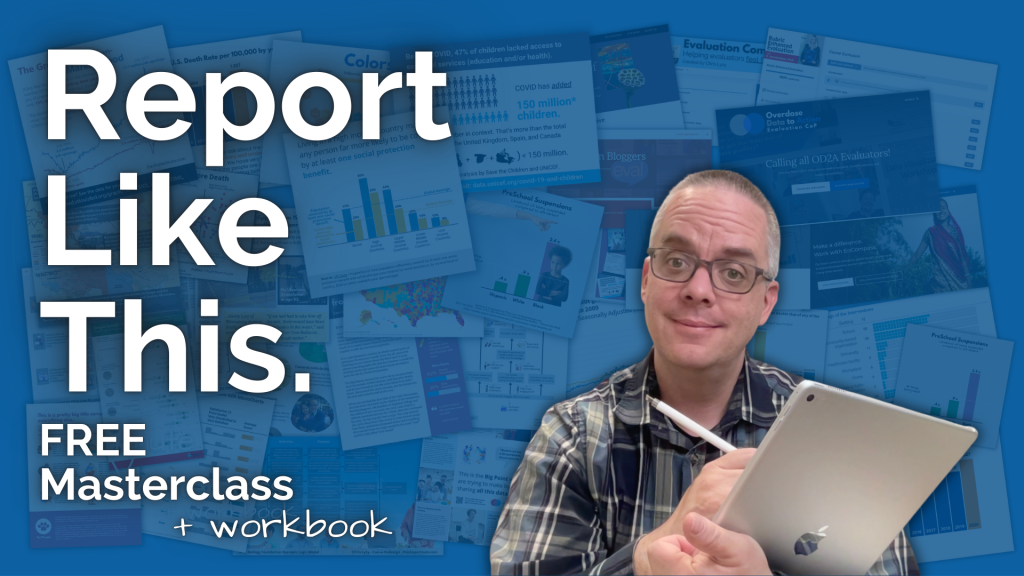
Report Like This, my new FREE masterclass.

I’ve been thinking about writing a new book, but while you wait on that, I created a free masterclass.

Modern report design isn’t harder than the old way, it’s just different. In this free masterclass I’ll teach you my approach. The masterclass is short (it’s a single video course that’s under 15 minutes). I also include a digital workbook (built in Google Docs) you can use working through the reporting process.

You can watch the masterclass right now by following this link.

About the potential book.

Here is the concept I shared on LinkedIn.

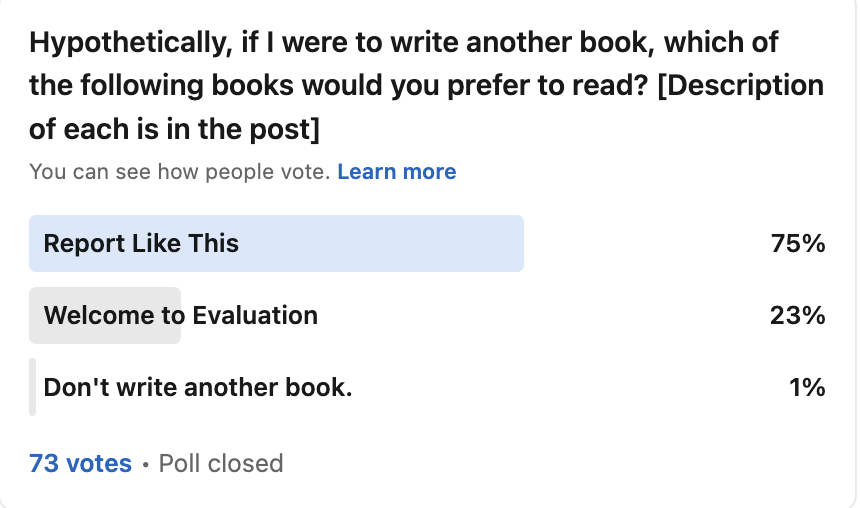
Report Like This is a practical step by step book on modern report design. It would walk through exactly how I would suggest you report evaluation results using a layered strategy. This would include some tutorials and tool suggestions as well as guidance on developing your creative reporting skills.

I put it up against another book concept (Welcome to Evaluation) but Report Like This was clearly the audience favorite.

What do you think, is this a book you would want? Let me know in the comments.

Sidenote: New Report Design Bundle

I’ve finally gone through the process of bundling together my three report design courses. Now you can enroll in all of them at once, with a discount ($100 off). It also includes a year of Data Design Support Club.

Currently all three are available self-paced. I’m also planning to deliver Effective Data Storytelling live again in April (and if you buy the bundle you also get access to every live session).

Also, hint, hint, if you click the button for my free masterclass you’ll also get an additional $200 off.

Written by cplysy · Categorized: freshspectrum

Feb 13 2025

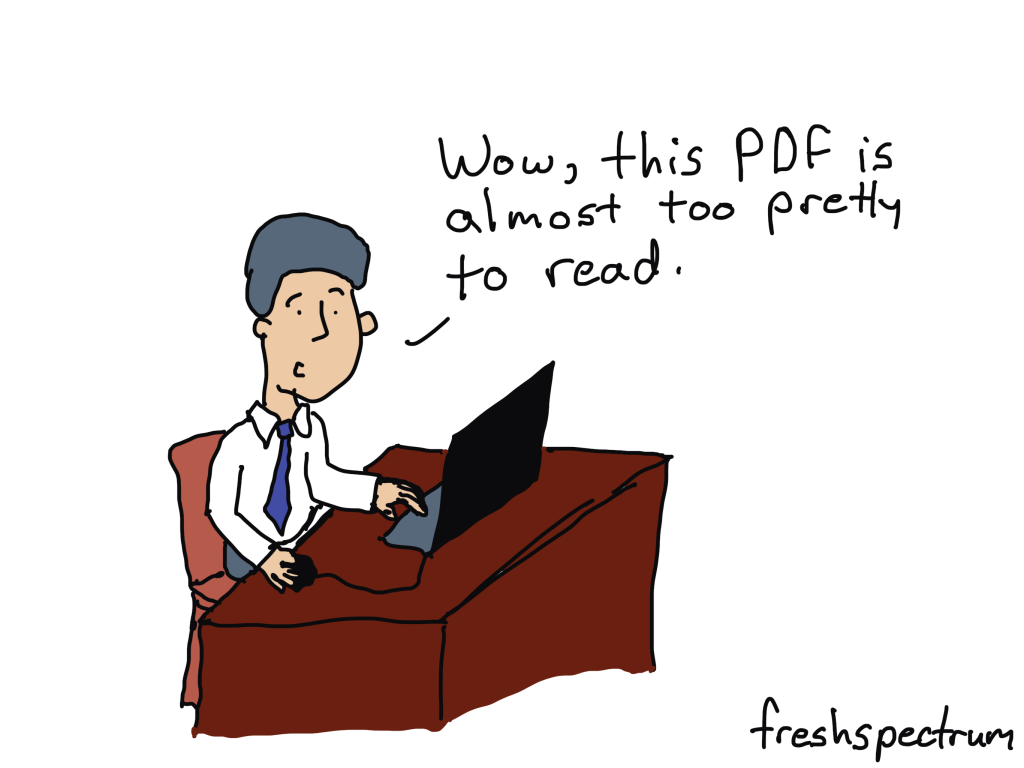
If you must use a PDF, at least make it widescreen.

My first piece of advice, stop using PDFs to share your reports.

Now I know that 95% of you not follow that advice. Even if PDFs are shown to be unfit for human consumption, they are still the status quo reporting tool for most organizations. (For the very few of you who will consider that advice, check out this post I wrote about creating web reports.)

So, given that you are likely to continue using PDFs to share your work, let’s talk about how those PDFs should be formatted.

But first, is it actually a report, or report theater?

At lot of organizations stick with PDFs because you can make a PDF look really pretty. While web development has come a long way in the last decade, it’s still far easier to work within a set canvas (i.e. 8.5 x 11 inches).

But it’s also like that restaurant with the fantastic presentation but tasteless food. I went to a bakery like this, got some really beautiful looking french pastries to try out. Unfortunately the beautiful looking pastries tasted like stale bread.

Report theater is when an organization wants to deliver a report with a certain look. But whether that report is readable or useful in any way is irrelevant.

If that’s you, by all means, create in whatever format you want.

Create your PDF reports using a widescreen format.

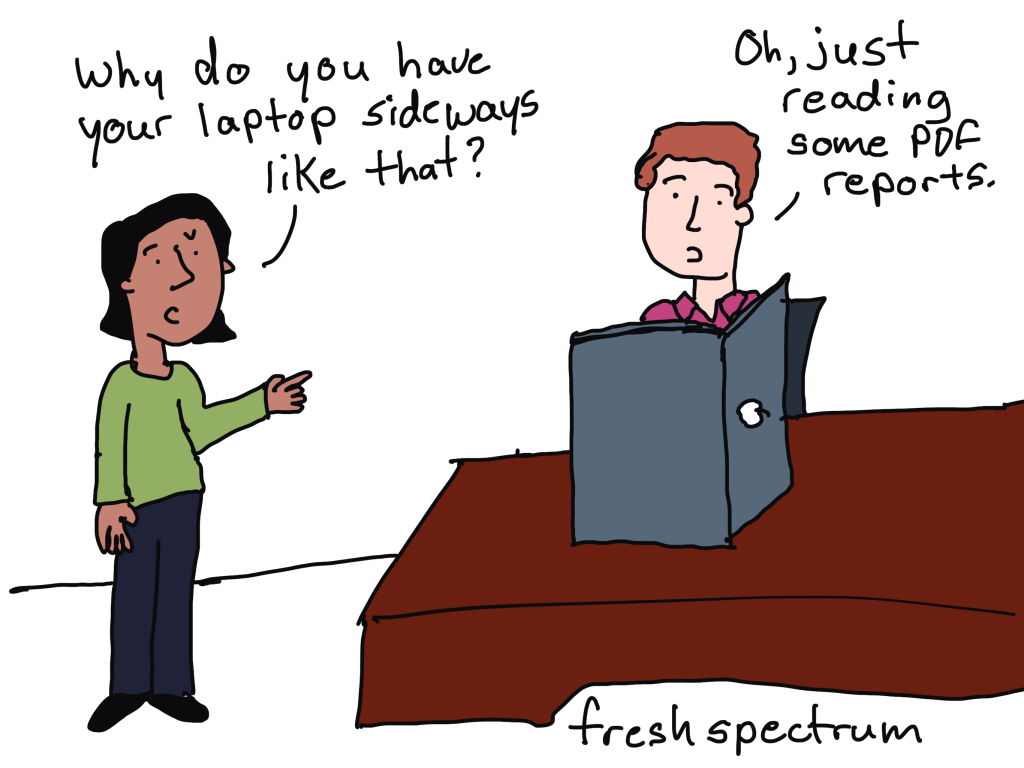
But if you are trying to create human readable reports, and must stick with PDF, then you should be creating in widescreen.

Because if someone is reading your PDF report, the vast majority of the time, they will be reading that report using a laptop or desktop computer. Meaning, they will be reading your report with a widescreen.

And if you would like direction on how to create such a report, check out this blog post I wrote on Slidedocs.

Don’t agree? Present your argument in the comments.

I can think of one pretty solid argument against my advice. How about you?

Written by cplysy · Categorized: freshspectrum

Feb 05 2025

Don’t panic! Just draw more cartoons.

Don’t Panic.

When I was a kid, I remember really enjoying The Hitchhiker’s Guide to the Galaxy. It was my kind of weird and short enough that kid me actually read the whole thing.

In many of the more relaxed civilizations on the Outer Eastern Rim of the Galaxy, the Hitch-Hiker’s Guide has already supplanted the great Encyclopaedia Galactica as the standard repository of all knowledge and wisdom, for though it has many omissions and contains much that is apocryphal, or at least wildly inaccurate, it scores over the older, more pedestrian work in two important respects. First, it is slightly cheaper; and secondly it has the words DON’T PANIC inscribed in large friendly letters on its cover.

Don’t panic also appeared as advice at the end of an email I received last week from one of my bigger clients. The problem is that it’s hard not to panic. And it’s even harder not to panic when someone tells you not to panic.

Uncertainty and Shock

Last night the US president proudly announced his support of ethnic cleansing, and his willingness to use troops to accomplish that cleansing…for real estate reasons. A couple of days ago we heard about El Salvador’s offer to hold any incarcerated individual sent from the US in their prisons. Meanwhile, the president’s unelected, unconfirmed, billionaire buddy is doing everything he can to shut down federal agencies he doesn’t like. I could on and on as everyday brings new crises.

As an evaluator and designer I work with a wide range of clients. Most of my paid contracts are related to public health, global development, and non-profits. All of these areas are directly implicated by this shock.

I’m happy to say that at the moment, as far as I know, I am still funded. And even if I lose all my contracts I should be okay financially for a bit.

But I am worried about my peers, especially the ones who have lost their positions over these last few weeks. And I’m worried about the future of program evaluation, as this administration actively spurns evidence. And I’m worried about the world my 15 year old is going to get when she becomes an adult.

Cartoons and my Happy Place

When I’m at home and my anxiety goes up, I go to the kitchen. Cooking, baking, and even doing dishes puts me into a kind of trance that calms my nerves. And at the end, we have a meal, a batch of scones, or a clean kitchen to enjoy.

When I’m at work and my anxiety goes up, I pull out my iPad. Cartooning calms my nerves. It helps me process the overwhelming world we live in. And at the end, I have single-panel comics to share.

A couple of years ago I got overwhelmed. One of the ways I responded was by leaving Patreon. But today in early 2025, I’m happy to say that I’m back.

Patreon gives me a space that’s just about my comics. But this time I’m not setting up any special offerings for the people who provide me with more financial support. Everyone who follows me on Patreon will get to see all the comics I share, even if you just click the Join for Free button!

FreshSpectrum the blog is mostly about data design. It’s become more and more specialized over time. But FreshSpectrum the Comics can be about anything that inspires me to draw. And with Patreon, I have a space to share all of those comics (even if they have nothing to do with data design).

How are you holding up?

Let me know in the comments and know that I always read every single one!

Written by cplysy · Categorized: freshspectrum

  • « Go to Previous Page
  • Go to page 1
  • Go to page 2
  • Go to page 3
  • Go to page 4
  • Go to page 5
  • Go to page 6
  • Interim pages omitted …
  • Go to page 54
  • Go to Next Page »

Footer

Follow our Work

The easiest way to stay connected to our work is to join our newsletter. You’ll get updates on projects, learn about new events, and hear stories from those evaluators whom the field continues to actively exclude and erase.

Get Updates

Want to take further action or join a pod? Click here to learn more.

Copyright © 2026 · The May 13 Group · Log in

en English
af Afrikaanssq Shqipam አማርኛar العربيةhy Հայերենaz Azərbaycan dilieu Euskarabe Беларуская моваbn বাংলাbs Bosanskibg Българскиca Catalàceb Cebuanony Chichewazh-CN 简体中文zh-TW 繁體中文co Corsuhr Hrvatskics Čeština‎da Dansknl Nederlandsen Englisheo Esperantoet Eestitl Filipinofi Suomifr Françaisfy Fryskgl Galegoka ქართულიde Deutschel Ελληνικάgu ગુજરાતીht Kreyol ayisyenha Harshen Hausahaw Ōlelo Hawaiʻiiw עִבְרִיתhi हिन्दीhmn Hmonghu Magyaris Íslenskaig Igboid Bahasa Indonesiaga Gaeilgeit Italianoja 日本語jw Basa Jawakn ಕನ್ನಡkk Қазақ тіліkm ភាសាខ្មែរko 한국어ku كوردی‎ky Кыргызчаlo ພາສາລາວla Latinlv Latviešu valodalt Lietuvių kalbalb Lëtzebuergeschmk Македонски јазикmg Malagasyms Bahasa Melayuml മലയാളംmt Maltesemi Te Reo Māorimr मराठीmn Монголmy ဗမာစာne नेपालीno Norsk bokmålps پښتوfa فارسیpl Polskipt Portuguêspa ਪੰਜਾਬੀro Românăru Русскийsm Samoangd Gàidhligsr Српски језикst Sesothosn Shonasd سنڌيsi සිංහලsk Slovenčinasl Slovenščinaso Afsoomaalies Españolsu Basa Sundasw Kiswahilisv Svenskatg Тоҷикӣta தமிழ்te తెలుగుth ไทยtr Türkçeuk Українськаur اردوuz O‘zbekchavi Tiếng Việtcy Cymraegxh isiXhosayi יידישyo Yorùbázu Zulu