• Skip to main content
  • Skip to footer
  • Home

The May 13 Group

the next day for evaluation

  • Get Involved
  • Our Work
  • About Us
You are here: Home / Archives for allblogs

allblogs

Jun 22 2022

How to Import Excel Charts into Canva, the Right Way

There are several ways to bring Excel Charts into Canva but which way is the right way? In this post I’ll walk you through the options and help you decide the best way for you.

So I had this question from an attendee of one of my data design webinars. “How do I bring Excel charts into Canva with a transparent background? I’ve tried copy and pasting but I end up with a white background.”

This is a pretty common problem, and it’s not just bringing charts into Canva but into other tools too. Luckily there is also a pretty common solution.
How to Import Excel Charts into Canva Featured Image

Why a simple Copy and Paste gives you an image with a white background.

So the easiest way to bring a chart from Excel into another program like Canva is to use Copy/Paste. Just select the chart and COPY (CTRL C), then open a Canva design and PASTE (CTRL V).
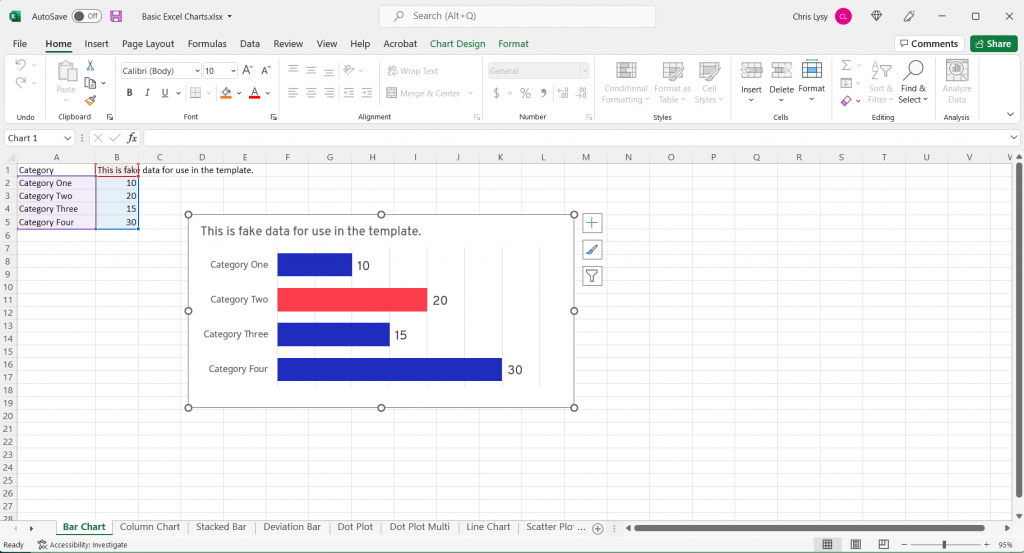
Excel Screenshot Bar Chart

This will work, but two things will likely happen.

  1. You’ll have a white box behind the chart (meaning you won’t be able to see the background through your chart.
  2. You’ll probably also have a border around the box.
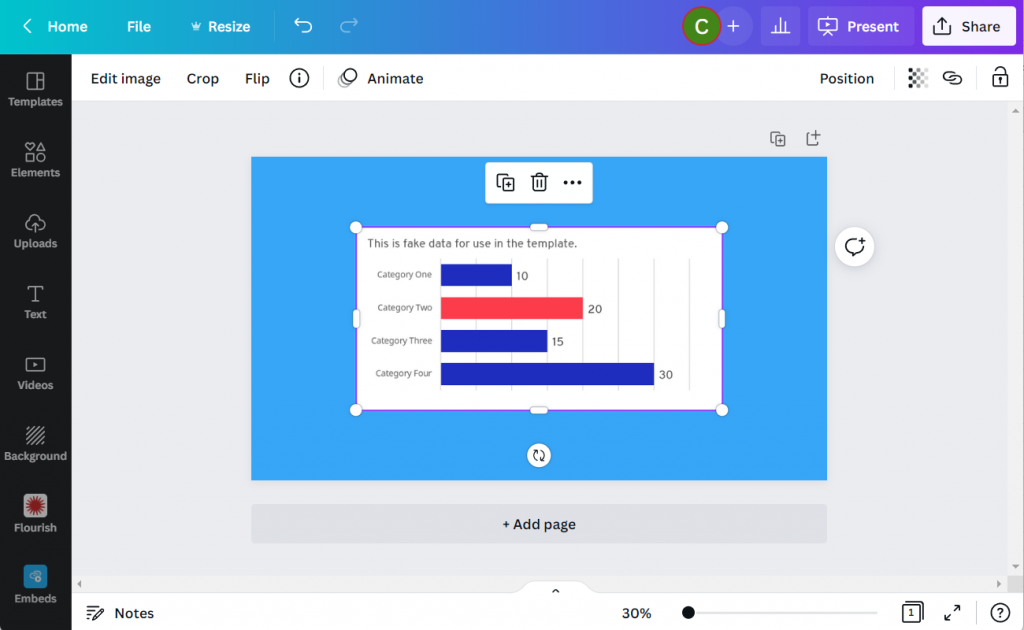
Canva Screenshot with Copy Paste Bar Chart

The first thing you should know though is that this isn’t really a Canva problem. It’s an Excel problem.

When you copy from Excel and paste into Canva, you’ll find a new image file in your Uploads tab. You’ll also notice that the image is a PNG, which is good. Because a PNG “can” give you a transparent background (a JPG will not).
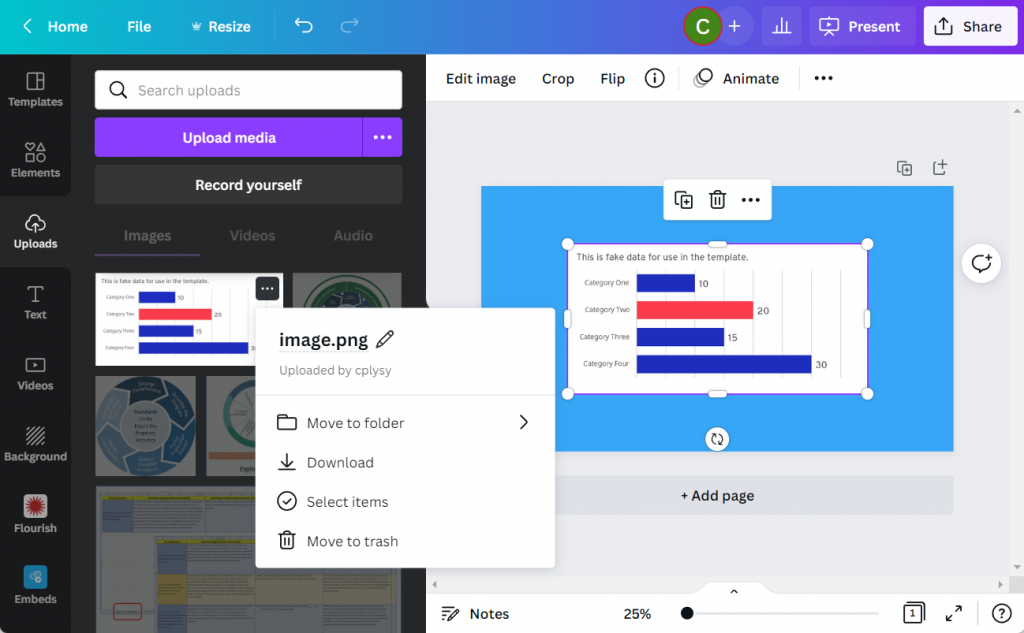
Canva Screenshot Uploads Menu

Giving Your Excel Chart a Transparent Background

Let’s go back to our chart in Excel.

We’ll select the chart and go into the format tab. Then select Shape Fill and then “No Fill.”

This will give us the transparent background. You can quickly see why this isn’t Excel’s default, because a transparent chart in front of the spreadsheet blends in a little too much with the sheet.
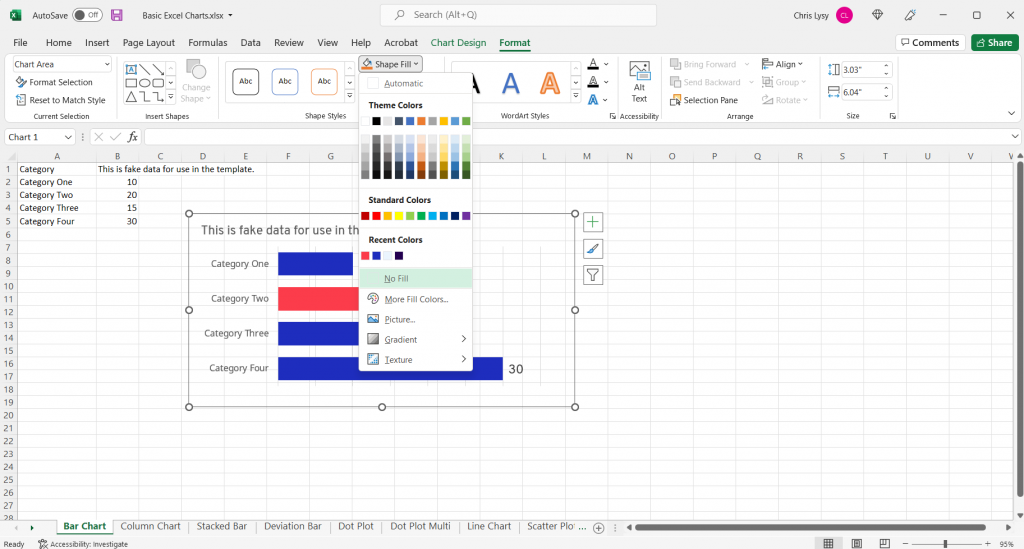
Excel Screenshot Shape Fill

Another step you should take while you are here is to make the shape outline transparent as well by clicking on “No Outline.” Now this default setting I don’t get, it’s just annoying.
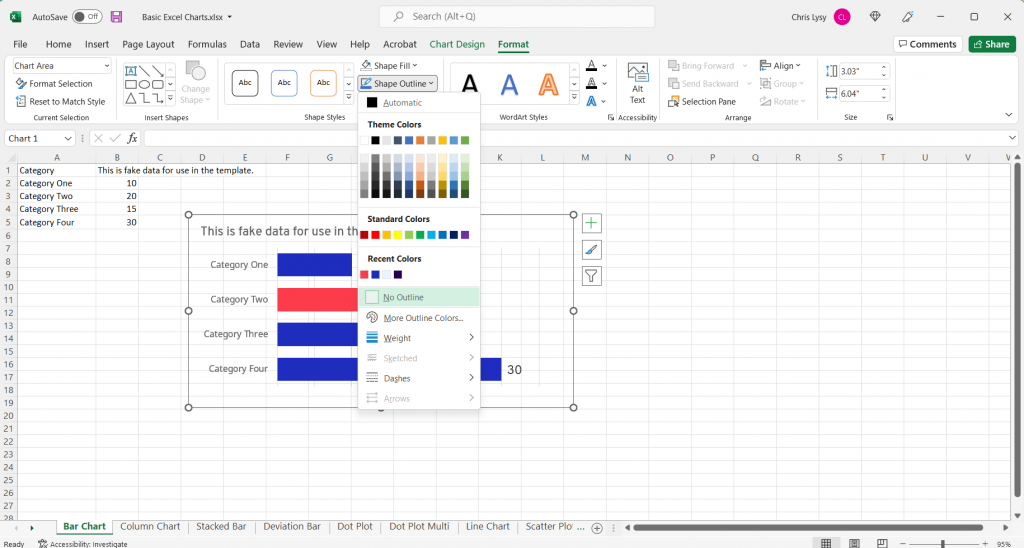
Excel Screenshot Shape Outline

Now the Simple Copy Paste Works

Now that we’ve made the chart background go away it’s time to copy and paste again. The difference is that this time, the chart will have a transparent background and can be better placed within the Canva design.
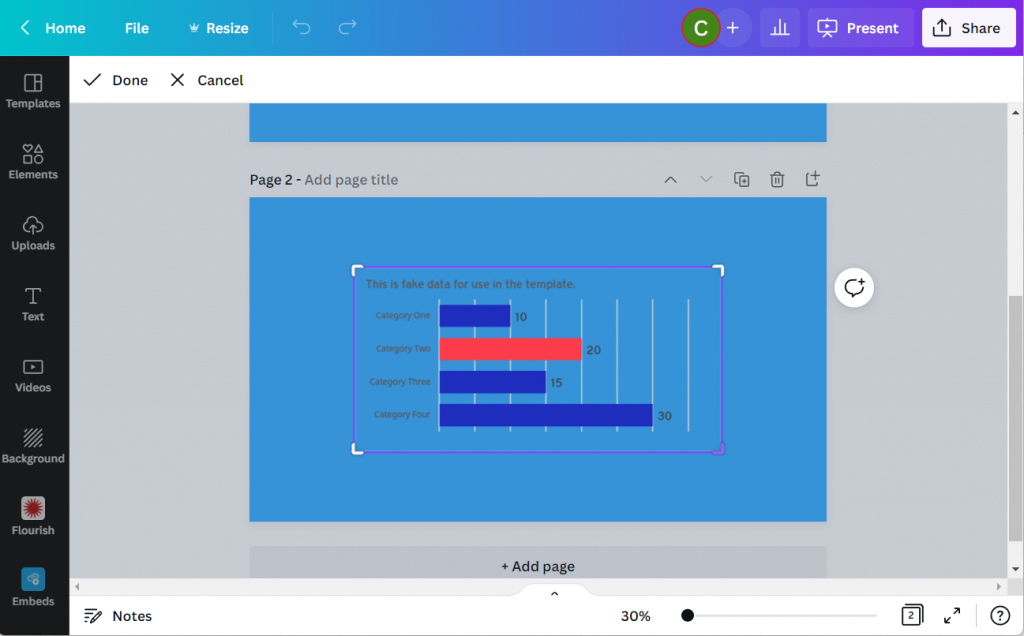
Canva Screenshot Excel Chart Transparent Background

Did you know that Canva has a backgrounds menu? If you don’t see it on the left panel menu click on the “More” button at the bottom. You’ll find bunches of abstracts, textures, gradients, and photos ready to become backgrounds.

Like this super cool Pineapple background.
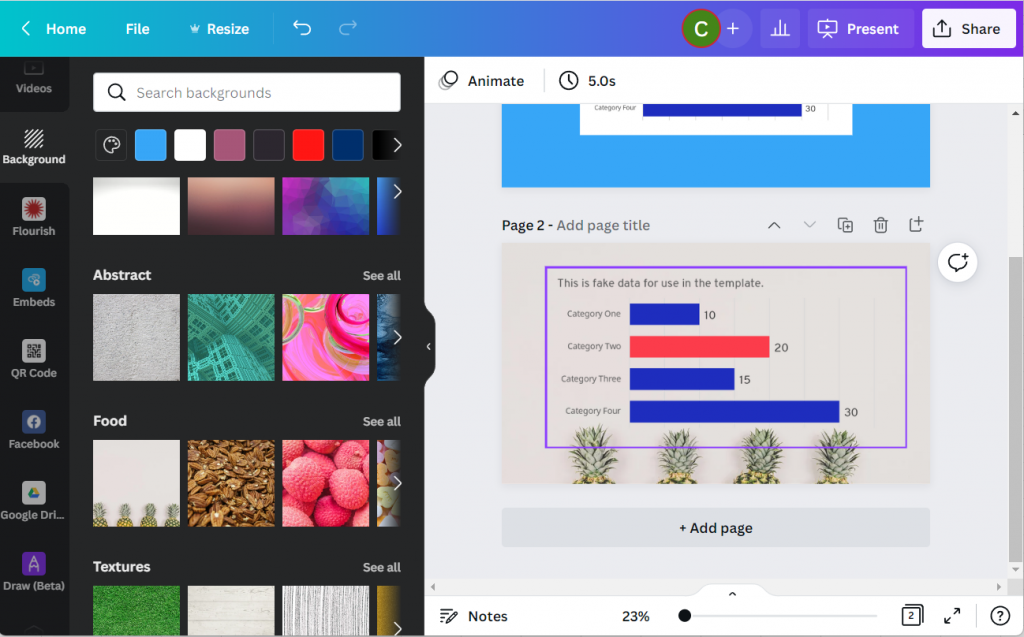
Canva Screenshot with Excel Chart and Background Image

Bonus: Saving your Excel Chart as an SVG

Okay, want to take the cool factor one step further?

Instead of copy and paste let’s save the chart as a picture in Excel.
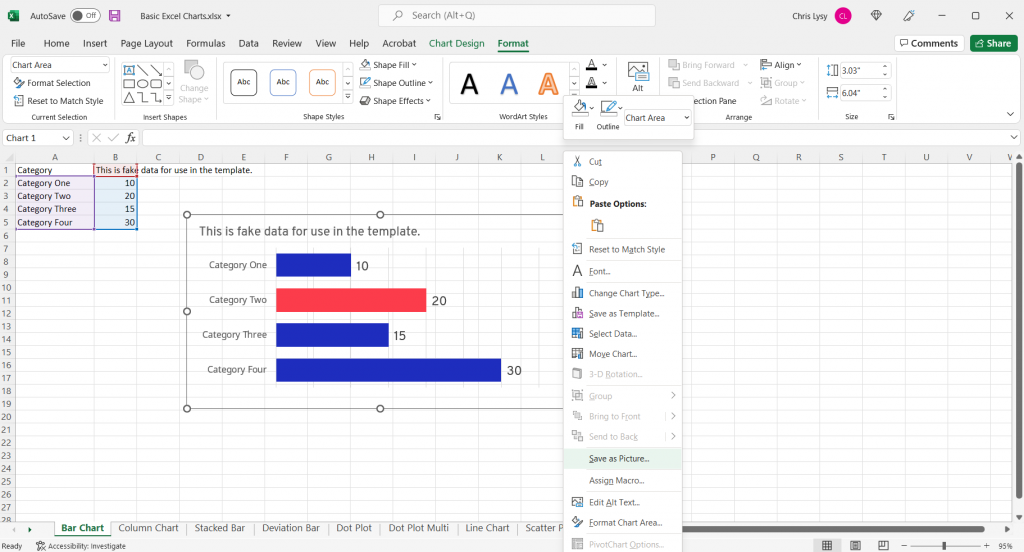
Excel Chart Save as Picture

And not just any picture, let’s set the type to Scalable Vector Graphics.
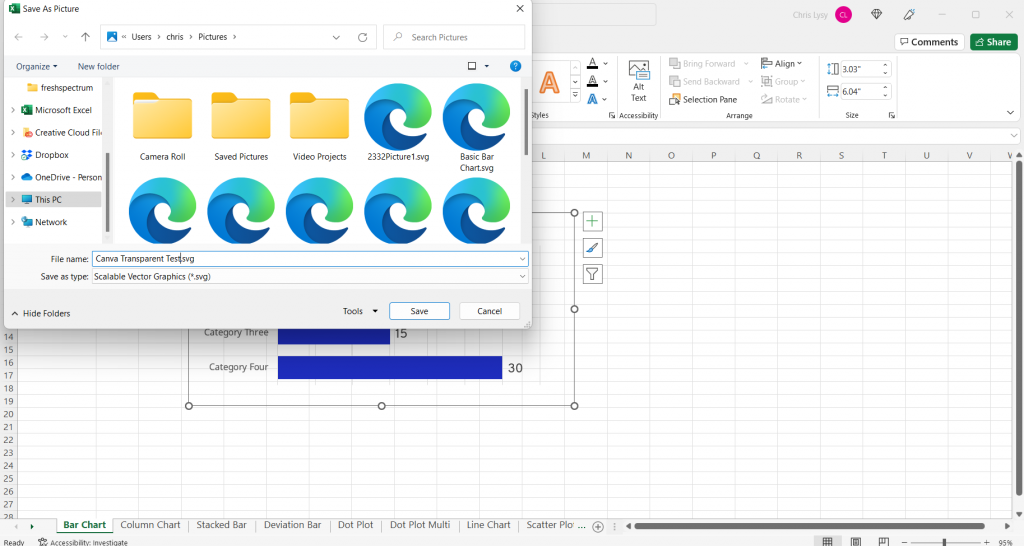
Excel Chart Save as SVG Screenshot

Then we’ll drop the newly created SVG chart into Canva.
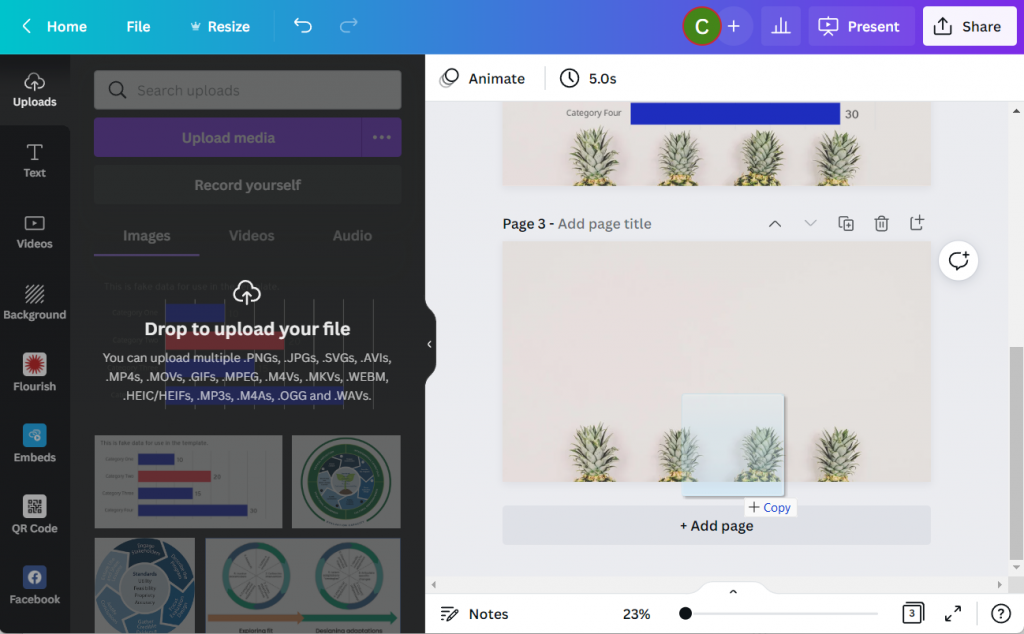
Canva Drop to Upload Picture

In the uploads tab you won’t notice much of a difference between the transparent PNG and the SVG. But something has definitely changed.

If you put the SVG in your Canva design, you’ll notice that you can actually change the colors!!! (I’ve tested this a bunch, and it has its limits. But for basic Excel charts you’ll be able to adjust most if not all of the colors).
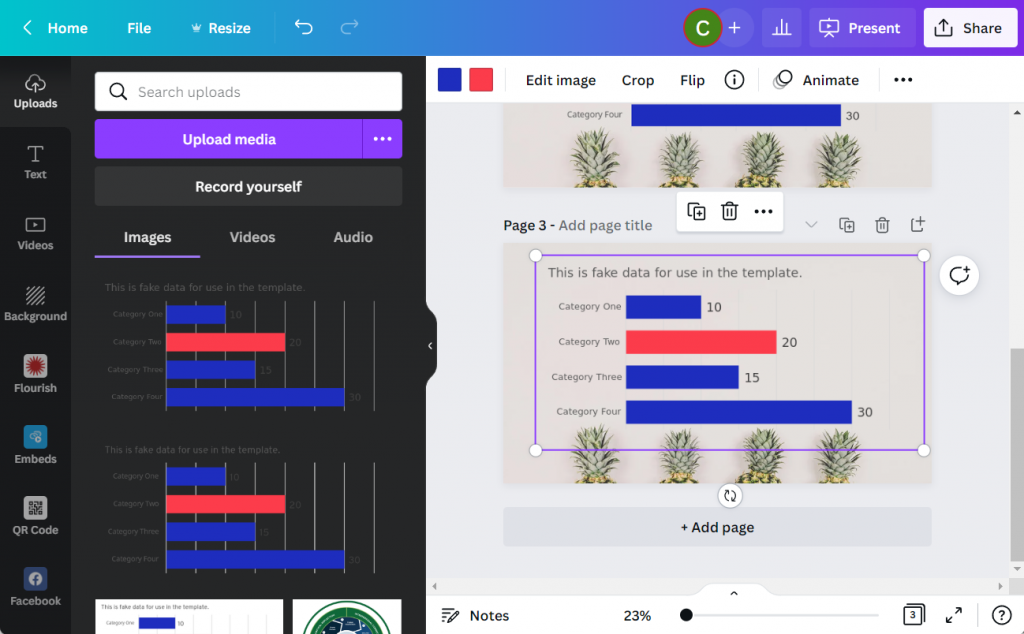
Canva Screenshot Excel Chart SVG

You can even use the eyedropper tool in the colors panel (the first one with the plus sign gives you the option). Now I can match my chart to the awesome pineapple background.
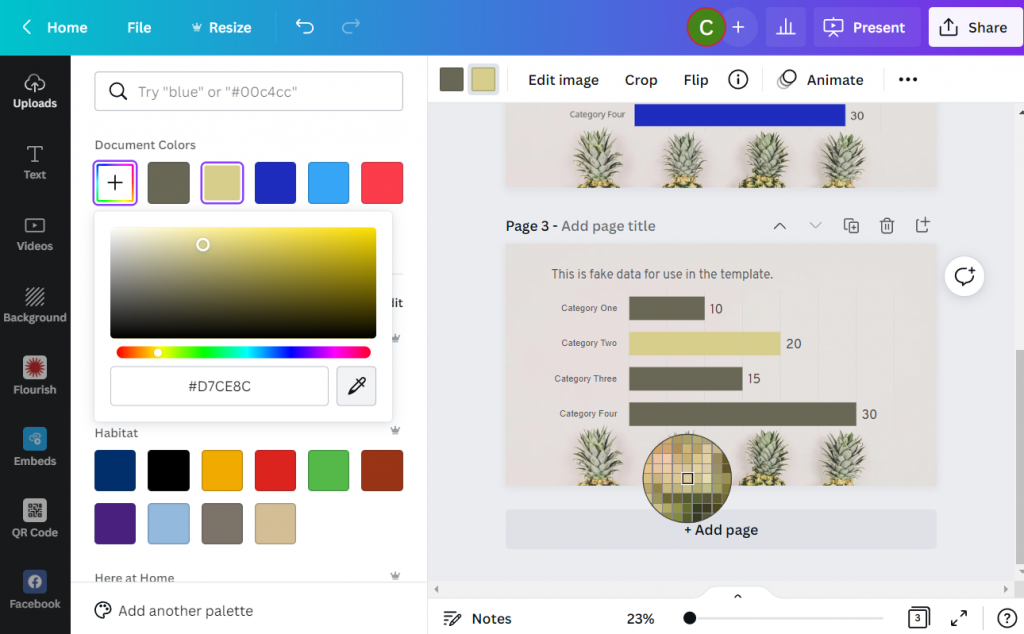
Canva Screenshot Excel Chart SVG Color Dropper

Written by cplysy · Categorized: freshspectrum

Jun 20 2022

How to Hack Excel — and Add Totals to the Tops of Stacked Column Charts

“But you can’t do that in [Excel / Tableau / Numbers / Google Sheets / insert your own…]!”

Well, maybe you could.

When you work with data, you usually use the same tools over and over. You become familiar with them. You know the ins and outs, and you work faster because you remember the shortcuts and hidden menus.

Even with all your know-how, you can still come up against a roadblock, unable to do what you need.  How about taking what you know and use it…but differently. Hack it.

Hack? What? 

What hacking am I talking about? Not any of the Merriam-Webster definitions (think literally beating around the bush 😉). This hacking is more like the idea behind ikeahackers – taking a product and using it in a different way or for a different purpose than the original creator intended. Psst.. It doesn’t have to be ikea. You can take 2 giant foam cushions, and turn them into a side table.
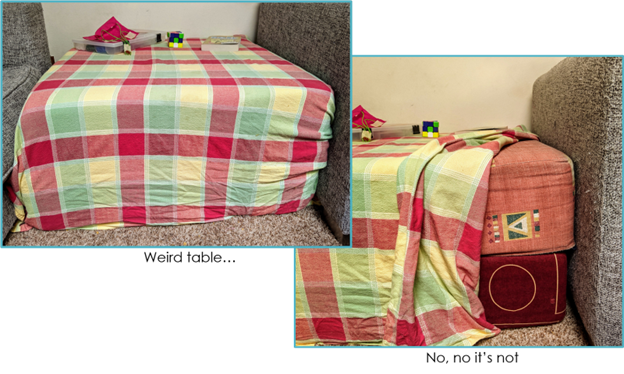
What Do You Want?

Microsoft Excel added a map to its chart types. Great!

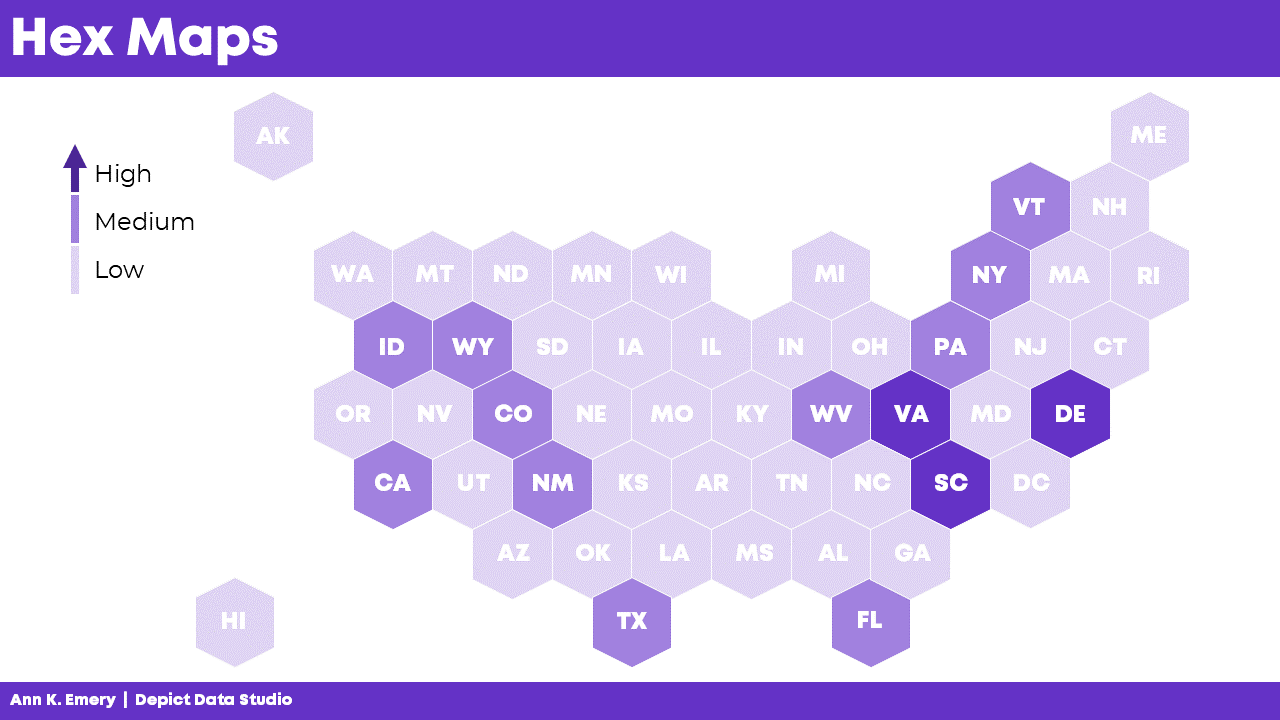
But what if you want to create a hex map?

A hex map is a map that represents an area (a US state for example) as a single hexagon, in the approximate position it should be. This eliminates problems that come up because of the different sizes of states. In the US it is especially helpful when including Alaska and Hawaii since they are both positioned far away from the contiguous US states.

A hex map would have equal representation for all the US states. No state would be too small (hello Rhode Island) or too big (looking at you, Alaska).

Get from Where You Are…

Ok, how to do that? Does Excel map include a hex map option? Nope.

Well, it looks like it’s organized in rows and columns.

Could we use the Excel cell structure for that? Maybe, but how will we get the data to the cells?

Well, a scatter plot could be the basis of that but you would need to build the whole map somehow.

How?

…to Where You Need to Go!

Other people (like David Napoli and John Schwabish) who understand Excel quite well sat down and wrote the process.

They did not use code. They did not use a special hidden feature.

They hacked Excel by using a standard feature such as the scatter plot.

It was done by understanding how scatter plots are built.

Scatter plots place your data in certain positions, based on the x,y coordinates provided.

You could use that to prepare the data for a scatter plot that looks like the US, then add the data, add hexagons, and so on. Since someone already did that, you can simply read up on their work.

Keep it Simple, S…Sweetheart

There are many more simple hacks you can use in Excel. 

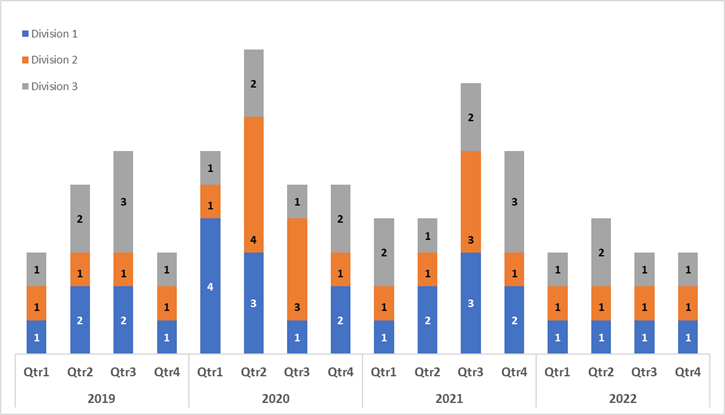
A useful one I recently used is showing the total in a stacked bar or column chart.

A stacked bar chart has the option to display the data labels of each series but not the total.

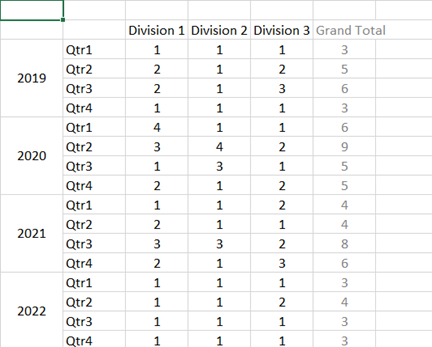
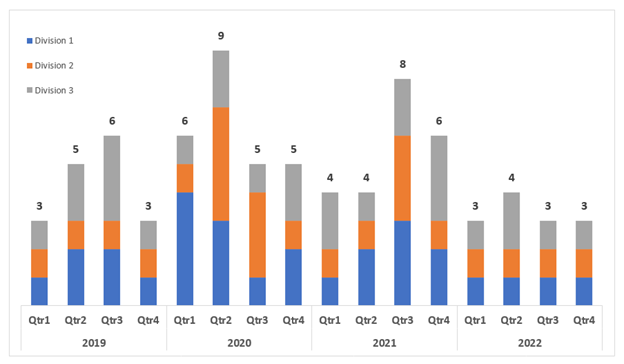
Consider this example displaying the number of projects in different divisions.

Aside from the clutter, if users want to know the total per quarter, I don’t expect them to start adding up the numbers themselves.

But it’s not an option!

Wait, Excel displays the data labels of each series.

Why not create a series summing up quarterly projects and then just showing the data labels?

Did it. 

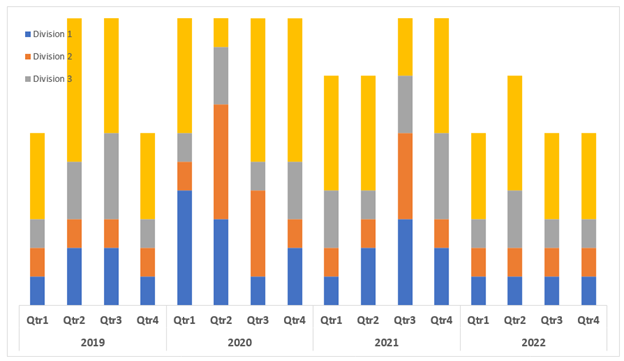
Then added it to the chart where it was displayed in all its glory.

Once I choose “No Fill” and “No Line” and add the data labels, things look different.

If you don’t like to think of all those stacked pieces jutting out of the chart, or you want the vertical axis to be determined automatically there’s another thing you can do.

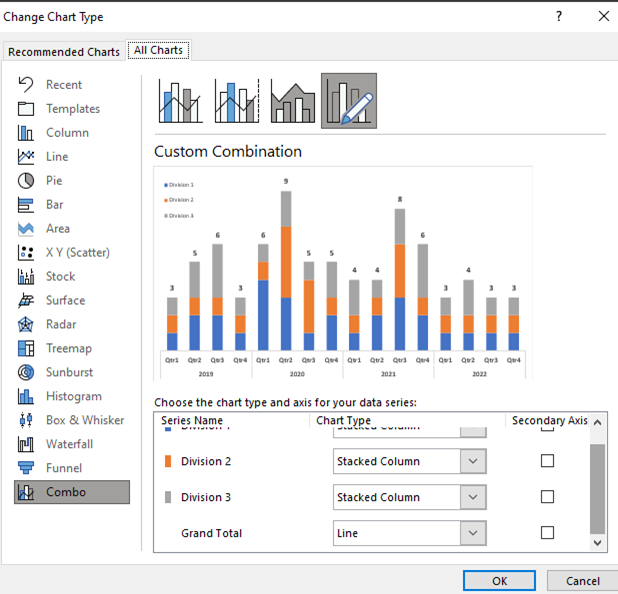
Edit the chart type and choose the Grand Total series to be something other than a stacked column.

Same result, one more step, but a step that can keep the chart looking this way even if the data changes and your axis needs to change as well.

Gimme More…

I also have to mention one of Ann’s many hacks, because it is just so useful and so simple – using the Webdings font as a dynamic graphic component.

Read it and congratulate yourself on learning something small but powerful.

Now What?

Stop.

Stop and think. 

Stop and find time to invest in your professional development and think on the tools you are using. Break away from the “walls” of the examples you’ve learned from and truly think about features you know.  Try to imagine them as simple, skeletal definitions of input-output. “I have data and Excel places it on a grid.” “If there is space in the data, there is space in the table.” “My chart doesn’t have to show everything included in it, some of it can just be structure.”

Stop before you create a chart, table or report and think about what you want to do, without restricting yourself to whatever tool you need to use. Sketch it, describe it in words, use whatever helps you have it defined in your mind. Only after that think of your implementation, think of your own view of features in your tools and plan on how to use them. 

Now, go forth and be technically creative!

Connect with Anat Zohar

LinkedIn: https://www.linkedin.com/in/anatzohar/

Written by cplysy · Categorized: depictdatastudio

Jun 15 2022

Making Visions Work For You

A good vision statement should do many things for your organization. Too often, a vision statement is created that goes into PR and marketing materials, gets framed on the wall, and then left alone. When we have a good vision, we have so much more than that.

Vision statements can indicate your ‘North Star’. A vision statement can also be your Southwest star, too; it’s about indicating direction. But, it’s more than that.

A good vision statement should:

  1. Provide strategic direction.
  2. Help you make decisions about your strategic activities.
  3. Inspire you and your organization.
  4. Focus on the direction of your efforts.
  5. Align your resources with your goals.

Using Your Vision

It’s worth putting in the work to create a strong vision. A vision will allow you to weather the complexity of your market or circumstances. If you’re getting pushed to do new things, a vision can help you to determine what things are most appropriate. A vision might not tell you exactly what to do, but it will reduce the number of options available. By reducing the volume of information and number of decisions, a vision reduces complexity.

That reduction in complexity reduces the amount of effort you need to put into decisions.

When we have fewer decisions, we can focus more on the quality of those decisions.

Creating Your Vision

Vision statements and the like do not need to require days of meetings and processes. We suggest the following steps:

  1. Research what the pressing needs are of the organization.
  2. Ask what the priorities are of the organization based on these needs.
  3. Inquire about what actions are needed to be achieved within a certain time frame (e.g., year, 3-years, etc..).
  4. Determine the values that guide the work.
  5. Bring together the key leaders and stakeholders to frame what kind of feelings and sensations represent success in achieving the goals.
  6. Put these words (descriptors) together.

Yes, it can be that simple. The aim is to create a good enough phrase that can be used in practice. The focus must be on those who will use the vision, not external audiences. Why? Unless you’re looking to create a PR exercise, the vision is meant to inspire and focus your team.

That means designing it for the humans in your organization, not anonymous external individuals. With a vision ready, you can allow it to serve as your compass as you navigate complexity in the years ahead.

Ready to develop your vision? Want help? Let’s talk – we do this with human services organizations working in complex settings, high-pressure environments, and with a need to innovate.

Image Credit: Erlend Ekseth on Unsplash

The post Making Visions Work For You appeared first on Cense Ltd. .

Written by cplysy · Categorized: cameronnorman

Jun 15 2022

Try This: The SOAR Analysis

This this activity and let me know how it goes. You’ve probably heard of the SWOT analysis. Strengths, Weakness, Opportunities, and Threats. It’s considered a traditional component of the strategic planning process. It’s useful, for the most part. What I mean by this is that, a glaring issue with the SWOT analysis is that the […]

The post Try This: The SOAR Analysis appeared first on Nicole Clark Consulting.

Written by cplysy · Categorized: nicoleclark

Jun 14 2022

Join our private community of evaluators and researchers.

Inside DiY Data Design, evaluators and researchers like you come together to meet and support one another, discover new tech, learn new tricks, get answers to burning questions, participate in data design challenges, and more.

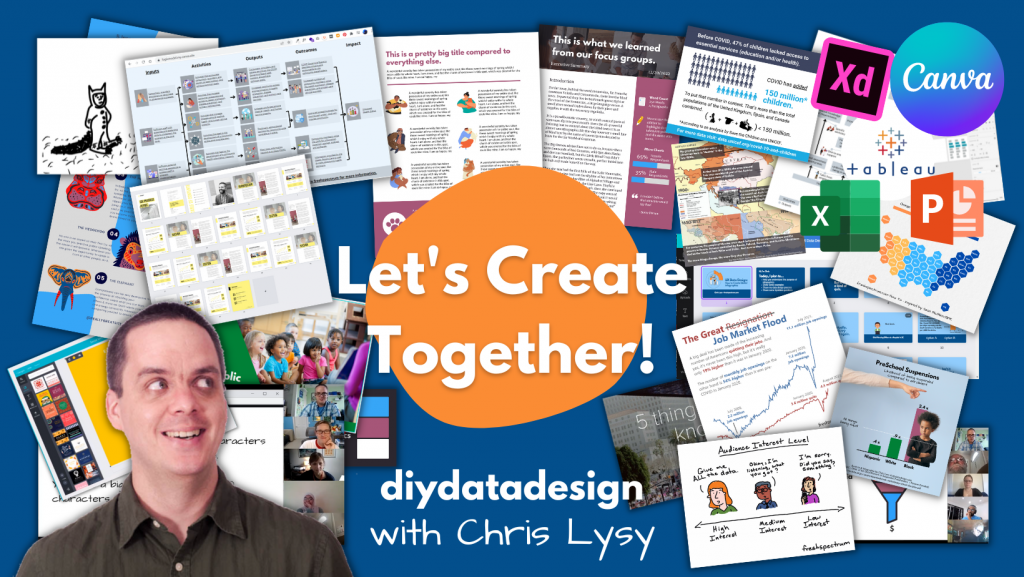
Let's Create Together - DiY Data Design Learning Community with Chris Lysy

Could you become a data design champion?

Behind every well designed report there is a data design champion.

They only sometimes recognize their own talent. And even then, they tend to give far more credit to technology than it deserves. But the reality is, without that person behind the scenes, the cool looking infographic would never exist. Neither would that sleek visual presentation or easy to read slidedoc.

The technology used to create cool things doesn’t work without a person. And if nobody on your team takes the initiative, the status quo remains.

And that’s the secret. It’s not just talent or skill, but initiative. Anyone with the desire to learn could develop the skills to become a data design champion. There are tons of tricks and tools that a person can use to create better infographics and reports.

You could become THE person who makes better design happen in your organization or with your clients. It just involves commitment to building your own skill set, trying new things, and lots of practice.

DiY Data Design Community

Introducing DiY Data Design.

DiY Data Design is a private learning community designed to support aspiring data design champions. The people who join are motivated to go beyond the status quo, committed to self-discovery, willing to do the work, and eager to create.

All data design journeys are unique, but they can all benefit from things like:

  • Direct support from a data design mentor.
  • Introductions to new technology.
  • Cutting edge education.
  • Networking with data design peers.
  • Access to tutorials and templates.

Delivered from within a safe space, free from Cre-Haters and serial Nit Pickers.

Our DiY Data Design Circle Space

What I mean by safe space.

A privacy first attitude. Your work will never be shared outside of the group without your permission. I often stop recording a coaching session so that participants can feel free to privately share their work.

There are no stupid questions. Ask any question without fear of judgment or rejection. We all start somewhere and it’s always okay to ask even the most basic of questions.

A welcoming community. This is a community that welcomes members from diverse backgrounds including race, ethnicity, gender, orientation, neurodiversity, and physical ableness. 

Participate as much or as little as you would like. Want to lurk in the background, take the included courses, watch replays, and not participate in discussions. Feel Free.  The format is open, participate when you have time, take breaks when you don’t.  There is no judgment for lack of participation.

Inside DiY Data Design

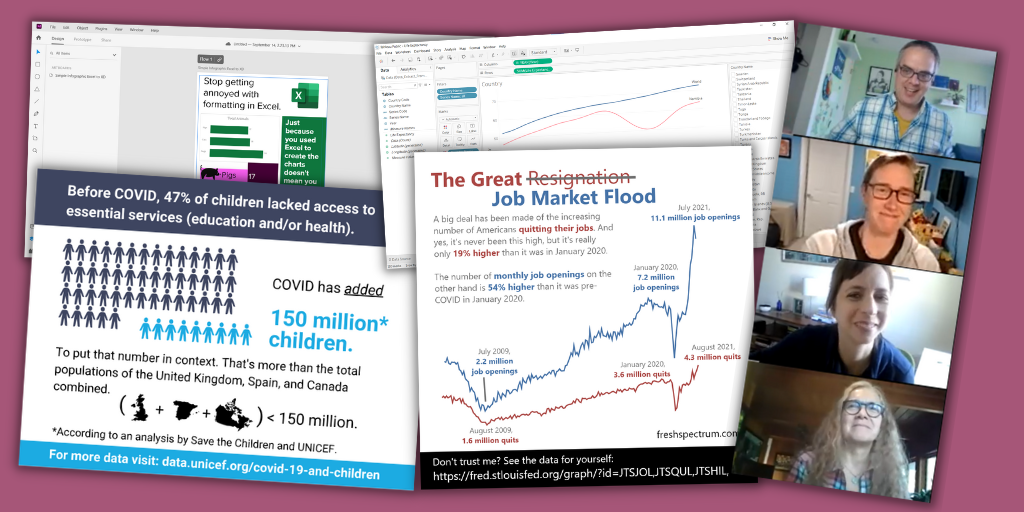
Inside DiY Data Design Laughing

So what does being a part of a modern learning community actually look like?  I would say there are 6 fundamental components that make up DiY Data Design.

1. Weekly whiteboard coaching sessions with Chris.

We get together just about every Wednesday except for the occasional holiday or vacation.

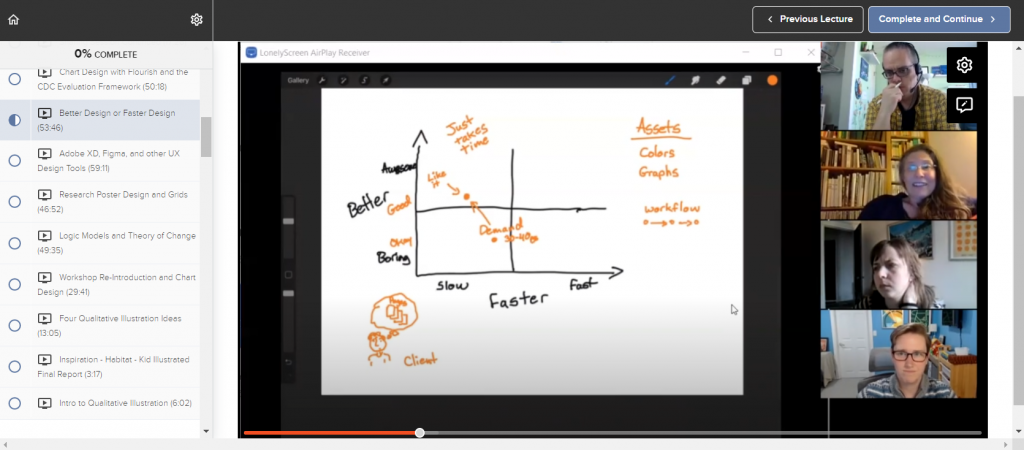
Every session opens with either a tour of a specific piece of software, a lesson on a specific data design process, or a case study review of an actual modern report, infographic or dashboard. This part is always recorded.

Then we dive into a whiteboard coaching session and group discussion.  In the second half of sessions members are encouraged to share their work, processes, and experiences.

DiY Data Design Whiteboarding Session

2. A coaching session recording archive.

I always believed that a successful workshop or course always left you with something.  A takeaway that you could apply to your own work. Every coaching session is designed to deliver at least one practical takeaway, if not a bunch.

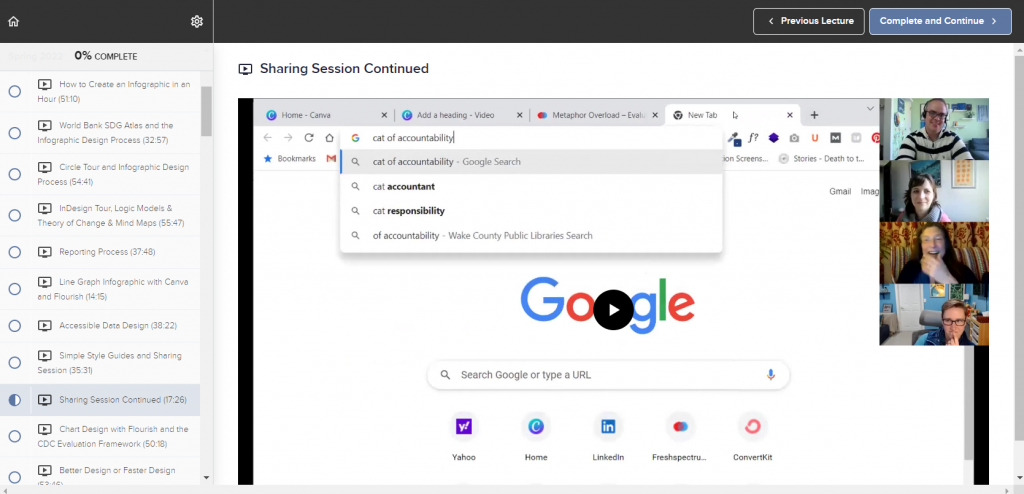
As such, our recording archive is filled with valuable takeaways. We’ve already been operating as a community for 9 months, meeting weekly. And as a bonus, I’ve also included short courses and lessons from my original diy data design workshop.  This gives you hours and hours of content you’ll have access to the minute you register.

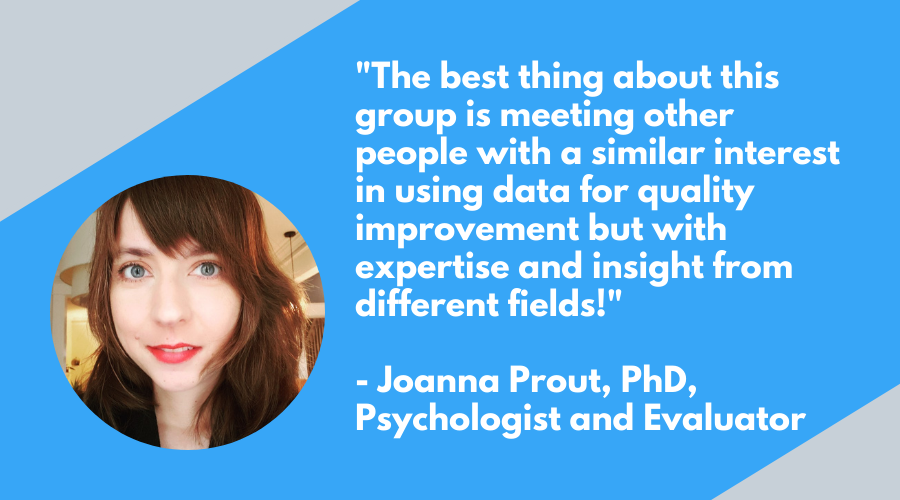
The best thing about this group is meeting other people with a similar interest in using data for quality improvement but with expertise and insight from different fields!

Joanna Prout, PhD, Psychologist and Evaluator

3. An online circle community hub.

In a lot of ways DiY Data Design is a learning community for people who don’t always have the time to be active in a community.  

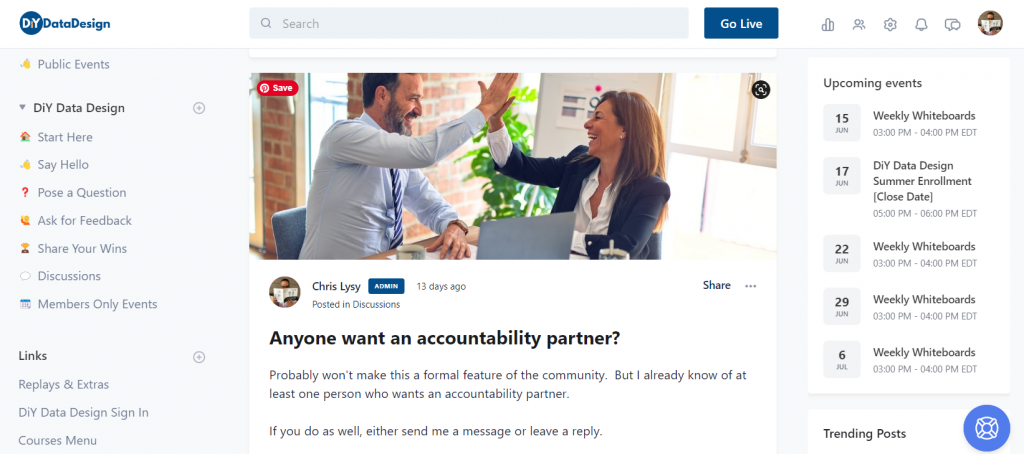
We are built on a Circle community site. There you’ll find a space where you can learn about upcoming events, freely share your work, get feedback, and ask questions.  You can also build out your profile to introduce yourself and your learning goals to me and your fellow community members.  

You are not required to visit often, or ever, if an online community is not your style.  It’s a site that is there if and when you need it. I will also personally read every post that goes onto the site and will usually reply within the next day or two.

4. Self paced courses.

As a DiY Data Design member you will also gain access to a set of self-paced courses.  There are a few existing courses right now, with another handful slated for release this summer and fall.

Currently included:

  • Lunch Break Sessions – Series 1 (diydatadesign exclusive)
  • 1.2.3. Report! (soon to be unpublished and archived)
  • DataViz for Anti-Racism (currently unpublished and archived)

Upcoming course release schedule:

  • Effortless Infographics (Summer 2022)
  • Canva Jumpstart (Summer 2022)
  • Flourish Jumpstart (Summer 2022)
  • Logic Models and Theory of Change (Fall 2022)
DiY Data Design Canva and Flourish Template Collection

5. Data Design Template Collection

You will gain access to a growing collection of specially designed Canva and Flourish design templates. These designs are available to copy and use in your own work.

In the future this collection will also include PowerPoint infographic templates, Excel chart templates, and Data Design Worksheets.

6. Hands on support and coaching from Chris Lysy

As a consultant my minimum project size is in the thousands of dollars. Through this learning community model I get to offer direct hands-on support at a fraction of the cost. I love to teach and will go out of my way to support our community members.

Very much enjoying our creative reporting workshop with Chris.

He has gone the extra length to help me with an annual report and gave feedback on an article I wrote. Our weekly sessions are informative and practical and helping me moving forward in my data and design journey!"

Mareli Claassens, PhD, Professor and Evaluator

Right now is the perfect time to join the community, here is why!

The summer registration period is only open through the end of this week (June 17, 2022).  It won’t open again until early September.

Here is why you should sign up today!

  1. Prices are going up in the fall (considerably). This is the last quarter to lock in your membership at the original subscription rate.
  2. Last chance to get all of the upcoming self-paced courses included in the subscription.  Starting in the fall only a subset of the upcoming DiY Data Design self-paced courses will be included with the subscription.
  3. Last chance to get a free 30 day trial.  The trial period is going to drop from 30 to 7 days.
Deadline is Coming Cat GIF

Feel like it’s a match?

Outstanding! Here is the current pricing information.

Just keep in mind that enrollment is only open through June 17, 2022.

  • Monthly – $50
  • Annual – $500 (two months free)

Right now you can use this link to apply a 15% off coupon.

15% Off Discount (15OFF)

Need a Scholarship?

Intended for students, non-profits, unemployed, BIPOC, developing countries, and anyone who would like to join the workshop but cannot afford full registration costs.

No application necessary, choose one if you need one, just use the following coupon codes:

25% Off Scholarship (25SCHOLARSHIP)

50% Off Scholarship (50SCHOLARSHIP)

Join US!!!

There is nothing to LOSE!

Join us today and you'll get a 30 day free trial.

If it is not right for you, cancel anytime before the 30 days are up and you will NOT be charged.

Written by cplysy · Categorized: freshspectrum

  • « Go to Previous Page
  • Go to page 1
  • Interim pages omitted …
  • Go to page 124
  • Go to page 125
  • Go to page 126
  • Go to page 127
  • Go to page 128
  • Interim pages omitted …
  • Go to page 310
  • Go to Next Page »

Footer

Follow our Work

The easiest way to stay connected to our work is to join our newsletter. You’ll get updates on projects, learn about new events, and hear stories from those evaluators whom the field continues to actively exclude and erase.

Get Updates

Want to take further action or join a pod? Click here to learn more.

Copyright © 2026 · The May 13 Group · Log in

en English
af Afrikaanssq Shqipam አማርኛar العربيةhy Հայերենaz Azərbaycan dilieu Euskarabe Беларуская моваbn বাংলাbs Bosanskibg Българскиca Catalàceb Cebuanony Chichewazh-CN 简体中文zh-TW 繁體中文co Corsuhr Hrvatskics Čeština‎da Dansknl Nederlandsen Englisheo Esperantoet Eestitl Filipinofi Suomifr Françaisfy Fryskgl Galegoka ქართულიde Deutschel Ελληνικάgu ગુજરાતીht Kreyol ayisyenha Harshen Hausahaw Ōlelo Hawaiʻiiw עִבְרִיתhi हिन्दीhmn Hmonghu Magyaris Íslenskaig Igboid Bahasa Indonesiaga Gaeilgeit Italianoja 日本語jw Basa Jawakn ಕನ್ನಡkk Қазақ тіліkm ភាសាខ្មែរko 한국어ku كوردی‎ky Кыргызчаlo ພາສາລາວla Latinlv Latviešu valodalt Lietuvių kalbalb Lëtzebuergeschmk Македонски јазикmg Malagasyms Bahasa Melayuml മലയാളംmt Maltesemi Te Reo Māorimr मराठीmn Монголmy ဗမာစာne नेपालीno Norsk bokmålps پښتوfa فارسیpl Polskipt Portuguêspa ਪੰਜਾਬੀro Românăru Русскийsm Samoangd Gàidhligsr Српски језикst Sesothosn Shonasd سنڌيsi සිංහලsk Slovenčinasl Slovenščinaso Afsoomaalies Españolsu Basa Sundasw Kiswahilisv Svenskatg Тоҷикӣta தமிழ்te తెలుగుth ไทยtr Türkçeuk Українськаur اردوuz O‘zbekchavi Tiếng Việtcy Cymraegxh isiXhosayi יידישyo Yorùbázu Zulu