• Skip to main content
  • Skip to footer
  • Home

The May 13 Group

the next day for evaluation

  • Get Involved
  • Our Work
  • About Us
You are here: Home / Archives for allblogs

allblogs

Sep 17 2024

How to Add Checkboxes to Microsoft Excel **New Feature!**

Did you know… that Excel now has checkboxes?!?

In this video, you’ll learn:

  • how to add checkboxes to your spreadsheet,
  • how much better they look than the “old” way of doing it, and
  • what types of details we can edit (like the checkbox size and color).

What’s Inside

  • 0:00 Welcome
  • 0:21 Dataviz On The Go
  • 0:32 How to Add Checkboxes to Microsoft Excel
  • 0:59 The Old Way: Adding Icons (Image Files) One by One, Not Clickable, Yuck
  • 1:36 Another Old Way: Webdings g’s and c’s (Filled Squares and Empty Squares)
  • 2:26 Your Editing Power: Delete, Size, Color, Use in Formulas (“true” = filled in, “false” = empty)
  • 3:21 Conditional Color (e.g., everything is gray, turns green when filled in)
  • 5:34 Colorblind-Friendly & Grayscale-Friendly, hooray!!
  • 7:28 DON’T Transfer to Word/PowerPoint, darn. NO GRAINY SCREENSHOTS!!! Keep ’em in Excel and just PDF your Excel file directly.
  • 8:32 Don’t Forget to Like, Subscribe, and Share

Resources Mentioned

Colorblindness simulation tool: https://www.color-blindness.com/coblis-color-blindness-simulator/

Transcript

Ann K. Emery: [00:00:00] So today I’m here with Do you want to say your name? This is Isla, and she just got home from kindergarten, and you want to make a video together?

Alright, we’re going to show you how to make checkboxes in Excel. They’re pretty new, so you might not have seen them before. Today is the day.

Isla, should we tell them that they’re watching Dataviz on the Go?

And we make YouTube videos for them? To help them with their job and help them save time. Yeah.

So let me show you how you make these because they’re pretty easy. So what you’re going to do is you click on the empty cell where you want to add them. And then you go to insert and they’re there. They’re right there.

So you click on the checkbox box. It adds an empty one and you just drag them down and then you fill them in. Look, when you click on the square, do you know what happens? You get a little check mark like that.

What I used to do [00:01:00] is you would click on the cell, you go to insert, you go to icons. Do you see the little duck I love right there?

And then you’d have to scroll through the whole menu. Uh, if it loads, right? And do you see all these pictures in here? And you could pick one like this that’s kind of similar, right? That one has a circle. And you could add it and you could, this is a new ish feature too, you could place it in the cell, which is kind of nice.

But then you can’t click on it, you know, you get the same end result, but you don’t have the process, the clickable process in it. So that’s all right. That’s kind of the old way.

Um, what I used to do is, Isla, do you know what letter this is? Do you recognize that one? It makes the guh sound. That’s a “g.” I used to do like this, and then do you know that one?

That’s a “c.” Yeah, we were looking, that makes a kuh sound, right, like cat? We were looking at that in your Bob books last night. Okay, what I used to do is I would do g’s and c’s, uh, G for good, [00:02:00] C for, for crappy. We probably shouldn’t say that word out loud though. Um, and then you change them to webdings, if I can type with one hand, webdings, and you sort of, sort of get the same appearance, right?

Do you see how that’s not quite a checkbox? It’s like a filled in square and an empty square. So it’s. Not, not quite as cute. Yeah, it doesn’t have a check. That’s why I like these. They look like checks.

I also like them because, look, you can delete them if you change your mind. You just hit the delete key on your keyboard.

And you can change the size. You can make them like hugely huge. Whoa, too big. Probably we just want them the same size as the font though.

You can change the color. What color should we pick? Like, purple? Green. Green. We can make them green.

And we can also count them up. How many checks are filled in right here? Two. Yeah, exactly. And let’s say you had a really long list and you didn’t want to count [00:03:00] them all because it would just take forever. You could do this formula. You could do COUNTIF. And you could say, I’m going to count this list and I’m going to count the trues. True means filled in, false means not filled in, right? And then you get two to save yourself a little bit of time, right? And make sure you don’t make typos.

I also really like these because they have not just regular color, but conditional color. Conditional color means, you know, you could make them all black, you could make them all green, you could make them all red. But let me, um, let me show you, let me copy and paste these, right? I’m gonna make them all red, right? They’re all just red font. And then I’m going to make it so that when the check is checked, they’re green, right?

Stoplight, red, green. Do you know when we’re driving and we see the stoplight on the street and it’s like, red means, [00:04:00] red means stop. Yeah, you’re right. Um, so red means like, whoa, caution, bad. Everybody kind of understands that in the data world too. Uh, let’s see. Conditional formatting here. Let’s go to. New rule, and let’s say a, which one do we want?

Format cells that contain. And we want it to be a specific text, and if it is a true, then we will set that one to Is it gonna load? Is it gonna load? Let’s try it again. Format. Uh, we want the font color to be green. Okay, so you Yeah, we made it all red, except if it’s checked, it’s green. And then click OK a couple times, and you get the stoplight coding, which is possible, but I think it looks really ugly.

I don’t know. I think that’s like too colorful almost. What do you think? It is Christmas colored, you’re [00:05:00] right. Um, you could also do, you could make it all gray, and that everything’s checked in, then is green. I like this one better, it’s not quite so busy. What do you think? With the gray? You like the first one better?

You like a lot of colors, right? Mommy more likes plain stuff, I guess. We could focus on the checks. We could also focus on the boxes. Which we would do that with, um, I can’t remember. It doesn’t matter. It would be the opposite of what we just did in conditional formatting.

Alright, um, and then another reason I like checkboxes like this is that they are colorblind friendly and they are grayscale friendly.

Even technically this one with reds and greens is colorblind friendly. Um, Isla, do you know what colorblind means? Have you heard of that before? No. I bet some kids in your class may be colorblind. It’s pretty common. It’s like, um, 1 in 12 boys, they don’t see red and [00:06:00] green. Did you know that? They see it as yellow.

I’m going to show you what it looks like if you were colorblind. I’m going to take a little picture of the screen and we’ll put it here. So people wouldn’t see my red and green. No, they wouldn’t see red and green. I’m going to show you what it would look like for maybe, maybe some of the boys in your class, since it’s pretty common.

Let’s go to color- blindness. com. We clicked on color tools, CVD simulator, and we’re going to choose that screenshot that I just put on the desktop. Here it is. Color blind test. And this is what it looks like for me and you, right? We can see like the Christmas colors right here. But if somebody had red green color blindness, they wouldn’t see red and green.

They would see a bunch of yellows. But even though this looks like a bunch of yellows, it’s okay, they can still see [00:07:00] the checks versus the empty. So, so we’re good. They can see, they can see like the, the colored in part, right? Which is nice. Or if you printed this out, does your teacher, your teacher has printouts and worksheets at school, right?

Um, your teacher, to save ink, might print in grayscale sometimes, and this is what it would look like in grayscale. So it’s super colorblind friendly and grayscale friendly. So it gets Ann Approval.

Alright, the only downside to checkboxes is they do not transfer well to Word or PowerPoint. Can you, you want to see what happens if you try to put them into this thing called Word, Isla?

It’s not, it’s not good. It’s not good. They are not gonna show up as well. They’re gonna look like, um, gonna look like much, they’re gonna look like funny little, like, machine rectangles. They are gonna look like, let’s grab, I don’t know, like this one? Let’s say you wanted to copy [00:08:00] it, and you wanted to paste it, and it just looks like trues and falses, which isn’t, that’s not good, right?

That doesn’t look like checkboxes. Or, if you, even if you paste special and you do, like, a picture, um, it just looks, it looks funny. That doesn’t look good, right? And it does the same thing in PowerPoint, it’s just not very good.

So these are really meant to live inside of Excel, okay? Or you can PDF your Excel screen, and then you can share the PDF with your audience that way.

What do you think about checkboxes? Good? Thumbs up?

Do you want to tell them, um, anything at the end of the video? If I can move the mic closer to you? What do you want to do?

All right. Don’t forget to like, subscribe, and share! Bye!

You did great! What do you think of your first video? [00:09:00] Good.
Written by cplysy · Categorized: depictdatastudio

Sep 09 2024

De la hiérarchie à la redarchie : transformer les organisations

1. Présentation

Dans le monde organisationnel d’aujourd’hui, les structures traditionnelles sont remises en question par de nouveaux paradigmes qui favorisent la collaboration et l’agilité. Deux de ces paradigmes sont la hiérarchie et la redarchie. Alors que la hiérarchie repose sur un contrôle centralisé et une planification rigoureuse, la redarchie encourage l’autonomie, l’innovation et la transparence. Cet article explore ces deux approches, leurs implications pour les organisations de développement et de coopération internationale, et comment les organisations peuvent passer d’un paradigme à un autre.

2. Description et comparaison des paradigmes

Les organisations peuvent fonctionner selon deux paradigmes principaux : la hiérarchie et la redarchie. Vous trouverez ci-dessous une comparaison détaillée des deux paradigmes :

Aspect Hiérarchie (1) Redarchie (2)
Approche Individuel Collectif
Contrôle Contrôle centralisé Autonomie et autogestion
Planification Rigoureux et dans la durée Agilité et adaptabilité
Innovation Limité et contrôlé Encouragé et expérimental
Information Confidentialité et confidentialité Transparence et ouverture

Hiérarchie :

  1. Individu : Dans ce paradigme, l’accent est mis sur l’individu et sa position au sein d’une structure clairement définie. Chaque personne a un rôle spécifique et des responsabilités définies.
  2. Contrôle : La hiérarchie est basée sur le contrôle et la supervision. Les décisions sont prises aux niveaux supérieurs et mises en œuvre aux niveaux inférieurs.
  3. Planification : La planification est rigoureuse et s’inscrit dans la durée. Des objectifs clairs sont fixés et des procédures strictes sont suivies.
  4. Assurer : La priorité est d’assurer la stabilité et de minimiser les risques. L’innovation est limitée et contrôlée.
  5. Confidentialité : les informations sont traitées de manière confidentielle et partagées uniquement avec ceux qui ont besoin de les connaître.

Redarchie :

  1. Collectif : L’accent est mis sur le collectif. Les décisions sont prises en collaboration et la contribution de tous les membres est valorisée.
  2. Autonomie : L’autonomie et l’autogestion sont encouragées. Les équipes ont la liberté de prendre des décisions et de s’adapter rapidement aux changements.
  3. Agilité : L’agilité est la clé. Les organisations redarchiques sont flexibles et peuvent pivoter rapidement en réponse à de nouvelles opportunités ou défis.
  4. Innover : L’innovation est centrale. Les membres sont encouragés à expérimenter et à proposer de nouvelles idées.
  5. Transparence : La transparence est essentielle. Les informations sont partagées ouvertement et la confiance et la collaboration sont favorisées.

3. Impact sur les ONGD et la coopération internationale

Les ONGD et les agences de coopération multilatérales et bilatérales, qui fonctionnent selon le paradigme hiérarchique, ont tendance à être plus structurées et contrôlées. Cela peut entraîner une prise de décision plus lente et une moindre capacité d’adaptation aux changements rapides. Cependant, ils garantissent la stabilité et la clarté des rôles et des responsabilités.

En revanche, les organisations qui adoptent la redarchie sont plus agiles et capables d’innover rapidement. Cela leur permet de mieux s’adapter aux contextes changeants et de profiter de nouvelles opportunités. Cependant, ils peuvent être confrontés à des défis de coordination et de gestion des conflits internes en raison de la plus grande autonomie des équipes.

4. Transition de la hiérarchie à la redarchie

Pour effectuer une transition efficace du paradigme hiérarchique au paradigme redarchique, les organisations doivent envisager les étapes suivantes :

Etape Description
1. Favoriser une vision partagée Communication : Veillez à ce que tous les membres comprennent et partagent les objectifs et les valeurs de l’organisation.
Participation : Impliquer tous les niveaux dans la prise de décision stratégique.
2.Développer de nouveaux leaders Formation : formez des dirigeants qui facilitent la collaboration et l’innovation au lieu d’exercer un contrôle.
Mentorat : mettre en œuvre des programmes de mentorat pour développer des compétences de leadership distribuées.
3.Mettre en place des équipes multidisciplinaires Autonomie : créez des équipes autogérées et flexibles, capables de s’adapter rapidement aux changements.
Collaboration : encourager la collaboration entre les différents départements et disciplines.
4.Adopter les technologies de communication Outils numériques : utilisez les plateformes de collaboration en ligne pour faciliter la communication et la transparence.
Analyse des données : mettez en œuvre des systèmes d’analyse de données pour prendre des décisions éclairées en temps réel.

5. Barrières de la Redarchie et comment les atténuer

Barrière Barrières Atténuation
1. Résistance au changement Les employés peuvent résister à l’abandon des structures et processus familiers. Mettre en œuvre des programmes de changement organisationnel comprenant une formation, une communication claire et une participation active à tous les niveaux.
2. Manque de confiance La transition peut créer de la méfiance entre les employés et les dirigeants. Favoriser une culture de transparence et de communication ouverte. Réaliser des activités de team building pour renforcer les relations.
3. Défis de coordination L’autonomie peut entraîner des problèmes de coordination et d’alignement des objectifs. Établir des mécanismes clairs de coordination et de suivi. Utilisez des outils de gestion de projet pour maintenir l’alignement.

6. Défis de la Redarchie et comment les atténuer

Défis Description Atténuation
1. Décentralisation excessive Cela peut conduire à un manque de cohérence dans la prise de décision. Définir clairement les limites de l’autonomie et établir des lignes directrices communes.
2. Conflits internes Une plus grande autonomie peut générer des conflits entre les équipes. Mettre en œuvre des processus de résolution de conflits et favoriser une culture de respect et de collaboration.
3. Dépendance à la technologie La Networkarchy s’appuie fortement sur des outils technologiques. Assurer une formation continue à l’utilisation des technologies et maintenir les systèmes de sauvegarde.

7. Intégration de la hiérarchie et de la redarchie

À certains moments, il peut être avantageux d’intégrer des approches à la fois hiérarchiques et redarchiques, selon les besoins de l’organisation. Les avantages de cette intégration et le moment idéal pour adapter chaque paradigme sont discutés ci-dessous :

Aspect Hiérarchie (1) Redarchie (2)
Pertinence Dans des situations qui nécessitent stabilité et contrôle, comme la gestion de crise ou la mise en œuvre de politiques strictes. Dans des contextes qui exigent de l’innovation et de la créativité, comme le développement de nouveaux produits ou services.
Efficacité Lorsqu’une prise de décision rapide et centralisée est nécessaire. Lorsque flexibilité et adaptabilité sont nécessaires pour répondre à des changements rapides.
Efficacité Dans des projets aux objectifs clairs et définis où l’encadrement est crucial. Dans des projets collaboratifs où la participation de tous les membres est essentielle.
Impact Dans l’exécution de tâches courantes et opérationnelles. Dans la génération d’idées et de solutions innovantes.
Durabilité Maintenir la cohérence et la discipline dans l’organisation. Favoriser une culture de confiance et de transparence.

8. Conclusion

La transition d’une structure hiérarchique à une structure redarchique peut s’avérer difficile, mais elle offre également de grands avantages en termes d’agilité, d’innovation et de collaboration. Les organisations qui parviennent à effectuer cette transition peuvent mieux s’adapter aux changements et profiter des nouvelles opportunités. Cependant, il est crucial de surmonter les obstacles et les défis associés à ce changement pour garantir une mise en œuvre réussie.

9. Bibliographie

  1. Cabrera, José. Redarchie : Au-delà de la hiérarchie . Éditions LID, 2017.
  2. Cardeñas, Jairo. Théories et paradigmes pour construire et développer des organisations . ResearchGate, 2019.
  3. Fligstein, Neil. La transformation du contrôle d’entreprise . Presse universitaire de Harvard, 1990.
  4. Hannan, Michael T. et Freeman, John. Écologie organisationnelle . Presse universitaire de Harvard, 1989.
  5. Surowiecki, James. La sagesse des foules . Ancre, 2005.
  6. Weber, Max. Économie et société . Fonds pour la culture économique, 1944.

Written by cplysy · Categorized: TripleAD

Sep 09 2024

From Hierarchy to Networkarchy: Transforming Organizations

1. Introduction

In today’s organizational world, traditional structures are being challenged by new paradigms that promote collaboration and agility. Two of these paradigms are hierarchy and networkarchy. While hierarchy relies on centralized control and rigorous planning, networkarchy fosters autonomy, innovation, and transparency. This post explores these two approaches, their implications for development and international cooperation organizations, and how organizations can transition from one paradigm to the other.

2. Description and Comparison of Paradigms

Organizations can operate under two main paradigms: hierarchy and networkarchy. Below is a detailed comparison of both paradigms:

Aspect Hierarchy (1) Redarchy (2)
Approach Individual Collective
Control Centralized control Autonomy and self-management
Planning Rigorous and long-term Agility and adaptability
Innovation Limited and controlled Promoted and experimental
Information Privacy and confidentiality Transparency and openness

Hierarchy :

  1. Individual : In this paradigm, the focus is on the individual and his or her position within a clearly defined structure. Each person has a specific role and delimited responsibilities.
  2. Control : Hierarchy is based on control and supervision. Decisions are made at the higher levels and implemented at the lower levels.
  3. Planning : Planning is rigorous and long-term. Clear objectives are set and strict procedures are followed.
  4. Secure : The priority is to ensure stability and minimize risks. Innovation is limited and controlled.
  5. Privacy : Information is handled confidentially and shared only with those who have a need to know.

Redarchy :

  1. Collective : The focus is on the collective. Decisions are made collaboratively and the contribution of all members is valued.
  2. Autonomy : Autonomy and self-management are encouraged. Teams have the freedom to make decisions and adapt quickly to changes.
  3. Agility : Agility is key. Network-based organizations are flexible and can pivot quickly in response to new opportunities or challenges.
  4. Innovate : Innovation is central. Members are encouraged to experiment and come up with new ideas.
  5. Transparency : Transparency is key. Information is shared openly and trust and collaboration are promoted.

3. Impact on NGOs and International Cooperation

NGOs and multilateral and bilateral cooperation agencies, which operate under the paradigm of hierarchy, tend to be more structured and controlled. This can result in slower decision-making and less adaptability to rapid changes. However, they ensure stability and clarity in roles and responsibilities.

On the other hand, organizations that adopt networkarchy are more agile and able to innovate quickly. This allows them to better adapt to changing contexts and take advantage of new opportunities. However, they may face challenges in coordination and managing internal conflicts due to the greater autonomy of teams.

4. Transition from Hierarchy to Networkarchy

To effectively transition from a hierarchical to a network paradigm, organizations should consider the following steps:

Step Description
1. Foster a Shared Vision Communication: Ensuring that all members understand and share the organization’s goals and values.
Participation: Involving all levels in strategic decision-making.
2.Develop New Leaders Training: Develop leaders who facilitate collaboration and innovation rather than control.
Mentoring: Implement mentoring programs to develop distributed leadership skills.
3.Implement Multidisciplinary Teams Autonomy: Create self-managed and flexible teams that can quickly adapt to changes.
Collaboration: Encourage collaboration between different departments and disciplines.
4.Adopt Communication Technologies Digital Tools: Use online collaboration platforms to facilitate communication and transparency.
Data Analytics: Implement data analysis systems to make informed, real-time decisions.

5. Barriers to Networkarchy and How to Mitigate Them

Barrier Barriers Mitigation
1. Resistance to Change Employees may resist abandoning familiar structures and processes. Implement organizational change programs that include training, clear communication and active participation at all levels.
2. Lack of Confidence The transition can create mistrust between employees and leaders. Promote a culture of transparency and open communication. Conduct team building activities to strengthen relationships.
3. Challenges in Coordination Autonomy can lead to problems of coordination and alignment of objectives. Establish clear coordination and monitoring mechanisms. Use project management tools to maintain alignment.

6. Challenges of Networkarchy and How to Mitigate Them

Challenges Description Mitigation
1. Excessive Decentralization It can lead to a lack of consistency in decision making. Clearly define the limits of autonomy and establish common guidelines.
2. Internal Conflicts Greater autonomy can generate conflicts between teams. Implement conflict resolution processes and foster a culture of respect and collaboration.
3. Technology Dependence The networkarchy relies heavily on technological tools. Ensure ongoing training in the use of technologies and maintain backup systems.

7. Integration of Hierarchy and Networkarchy

At certain times, it can be beneficial to integrate both hierarchical and network approaches, depending on the needs of the organization. Below we discuss the advantages of this integration and when it is best to adapt each paradigm:

Aspect Hierarchy (1) Redarchy (2)
Relevance In situations that require stability and control, such as crisis management or the implementation of strict policies. In contexts that demand innovation and creativity, such as the development of new products or services.
Efficiency When fast, centralized decision making is needed. When flexibility and adaptability are required to respond to rapid changes.
Effectiveness In projects with clear and defined objectives where supervision is crucial. In collaborative projects where the participation of all members is essential.
Impact In the execution of routine and operational tasks. In the generation of innovative ideas and solutions.
Sustainability To maintain coherence and discipline in the organization. To foster a culture of trust and transparency.

8. Conclusion

The transition from a hierarchical to a network structure can be challenging, but it also offers great benefits in terms of agility, innovation and collaboration. Organizations that manage to make this transition are better able to adapt to changes and take advantage of new opportunities. However, addressing the barriers and challenges associated with this change is crucial to ensure a successful implementation.

9. Bibliography

  1. Cabrera, José. Redarchy: Beyond the hierarchy . LID Publishing, 2017.
  2. Cardeñas, Jairo. Theories and Paradigms for Building and Developing Organizations . ResearchGate, 2019.
  3. Fligstein, Neil. The Transformation of Corporate Control . Harvard University Press, 1990.
  4. Hannan, Michael T., and Freeman, John. Organizational Ecology . Harvard University Press, 1989.
  5. Surowiecki, James. The Wisdom of Crowds . Anchor, 2005.
  6. Weber, Max. Economy and Society . Fondo de Cultura Económica, 1944.

Written by cplysy · Categorized: TripleAD

Sep 08 2024

De la Jerarquía a la Redarquía: Transformando las Organizaciones

1. Introducción

En el mundo organizacional actual, las estructuras tradicionales están siendo desafiadas por nuevos paradigmas que promueven la colaboración y la agilidad. Dos de estos paradigmas son la jerarquía y la redarquía. Mientras que la jerarquía se basa en el control centralizado y la planificación rigurosa, la redarquía fomenta la autonomía, la innovación y la transparencia. Este post explora en estos dos enfoques, sus implicaciones para las organizaciones de desarrollo y cooperación internacional, y cómo las organizaciones pueden transitar de un paradigma a otro.

2. Descripción y Comparación de Paradigmas

Las organizaciones pueden operar bajo dos paradigmas principales: la jerarquía y la redarquía. A continuación, se presenta una comparación detallada de ambos paradigmas:

Aspecto Jerarquía (1) Redarquía (2)
Enfoque Individuo Colectivo
Control Control centralizado Autonomía y auto-gestión
Planificación Rigurosa y a largo plazo Agilidad y adaptabilidad
Innovación Limitada y controlada Fomentada y experimental
Información Privacidad y confidencialidad Transparencia y apertura

Jerarquía:

  1. Individuo: En este paradigma, el enfoque está en el individuo y su posición dentro de una estructura claramente definida. Cada persona tiene un rol específico y responsabilidades delimitadas.
  2. Control: La jerarquía se basa en el control y la supervisión. Las decisiones se toman en los niveles superiores y se implementan en los niveles inferiores.
  3. Planning: La planificación es rigurosa y a largo plazo. Se establecen objetivos claros y se siguen procedimientos estrictos.
  4. Asegurar: La prioridad es asegurar la estabilidad y minimizar riesgos. La innovación es limitada y controlada.
  5. Privacidad: La información se maneja de manera confidencial y se comparte solo con quienes tienen la necesidad de saber.

Redarquía:

  1. Colectivo: El enfoque está en el colectivo. Las decisiones se toman de manera colaborativa y se valora la contribución de todos los miembros.
  2. Autonomía: Se fomenta la autonomía y la auto-gestión. Los equipos tienen la libertad de tomar decisiones y adaptarse rápidamente a los cambios.
  3. Agilidad: La agilidad es clave. Las organizaciones redárquicas son flexibles y pueden pivotar rápidamente en respuesta a nuevas oportunidades o desafíos.
  4. Innovar: La innovación es central. Se alienta a los miembros a experimentar y proponer nuevas ideas.
  5. Transparencia: La transparencia es fundamental. La información se comparte abiertamente y se promueve la confianza y la colaboración.

3. Impacto en ONGD y Cooperación Internacional

Las ONGD y las agencias de cooperación multilateral y bilateral, que operan bajo el paradigma de la jerarquía tienden a ser más estructuradas y controladas. Esto puede resultar en una toma de decisiones más lenta y menos adaptabilidad a cambios rápidos. Sin embargo, aseguran estabilidad y claridad en roles y responsabilidades.

Por otro lado, las organizaciones que adoptan la redarquía son más ágiles y capaces de innovar rápidamente. Esto les permite adaptarse mejor a contextos cambiantes y aprovechar nuevas oportunidades. Sin embargo, pueden enfrentar desafíos en la coordinación y la gestión de conflictos internos debido a la mayor autonomía de los equipos.

4. Transición de Jerarquía a Redarquía

Para realizar una transición efectiva del paradigma jerárquico al redárquico, las organizaciones deben considerar los siguientes pasos:

  1. Fomentar una Visión Compartida:
    • Comunicación: Asegurar que todos los miembros comprendan y compartan los objetivos y valores de la organización.
    • Participación: Involucrar a todos los niveles en la toma de decisiones estratégicas.
  2. Desarrollar Nuevos Líderes:
    • Capacitación: Formar líderes que faciliten la colaboración y la innovación en lugar de ejercer control.
    • Mentoría: Implementar programas de mentoría para desarrollar habilidades de liderazgo distribuido.
  3. Implementar Equipos Multidisciplinarios:
    • Autonomía: Crear equipos autogestionados y flexibles que puedan adaptarse rápidamente a los cambios.
    • Colaboración: Fomentar la colaboración entre diferentes departamentos y disciplinas.
  4. Adoptar Tecnologías de Comunicación:
    • Herramientas Digitales: Utilizar plataformas de colaboración en línea para facilitar la comunicación y la transparencia.
    • Analítica de Datos: Implementar sistemas de análisis de datos para tomar decisiones informadas y en tiempo real.

5. Barreras de la Redarquía  y Cómo Mitigarlas

Barrera Barreras Mitigación
1. Resistencia al Cambio Los empleados pueden resistirse a abandonar estructuras y procesos familiares. Implementar programas de cambio organizacional que incluyan capacitación, comunicación clara y participación activa de todos los niveles.
2. Falta de Confianza La transición puede generar desconfianza entre los empleados y los líderes. Fomentar una cultura de transparencia y comunicación abierta. Realizar actividades de team building para fortalecer las relaciones.
3. Desafíos en la Coordinación La autonomía puede llevar a problemas de coordinación y alineación de objetivos. Establecer mecanismos claros de coordinación y seguimiento. Utilizar herramientas de gestión de proyectos para mantener la alineación.

6. Retos de la Redarquía y Cómo Mitigarlos

Retos Descripción Mitigación
1. Descentralización Excesiva Puede llevar a una falta de coherencia en la toma de decisiones. Definir claramente los límites de la autonomía y establecer directrices comunes.
2. Conflictos Internos La mayor autonomía puede generar conflictos entre equipos. Implementar procesos de resolución de conflictos y fomentar una cultura de respeto y colaboración.
3. Dependencia de la Tecnología La redarquía depende en gran medida de herramientas tecnológicas. Asegurar la capacitación continua en el uso de tecnologías y mantener sistemas de respaldo.

7. Integración de Jerarquía y Redarquía

En ciertos momentos, puede ser beneficioso integrar ambos enfoques, jerárquico y redárquico, dependiendo de las necesidades de la organización. A continuación, se analizan las ventajas de esta integración y cuándo es mejor adaptar cada paradigma:

Aspecto Jerarquía (1) Redarquía (2)
Relevancia En situaciones que requieren estabilidad y control, como la gestión de crisis o la implementación de políticas estrictas. En contextos que demandan innovación y creatividad, como el desarrollo de nuevos productos o servicios.
Eficiencia Cuando se necesita una toma de decisiones rápida y centralizada. Cuando se requiere flexibilidad y adaptabilidad para responder a cambios rápidos.
Eficacia En proyectos con objetivos claros y definidos donde la supervisión es crucial. En proyectos colaborativos donde la participación de todos los miembros es esencial.
Impacto En la ejecución de tareas rutinarias y operativas. En la generación de ideas y soluciones innovadoras.
Sostenibilidad Para mantener la coherencia y la disciplina en la organización. Para fomentar una cultura de confianza y transparencia.

8. Conclusión

La transición de una estructura jerárquica a una redárquica puede ser desafiante, pero también ofrece grandes beneficios en términos de agilidad, innovación y colaboración. Las organizaciones que logran hacer esta transición pueden adaptarse mejor a los cambios y aprovechar nuevas oportunidades. Sin embargo, es crucial abordar las barreras y los retos asociados con este cambio para asegurar una implementación exitosa.

9. Bibliografía

Bibliografía

  1. Cabrera, José. Redarquía: Más allá de la jerarquía. Editorial LID, 2017.
  2. Cardeñas, Jairo. Teorías y Paradigmas para Construir y Desarrollar las Organizaciones. ResearchGate, 2019.
  3. Fligstein, Neil. The Transformation of Corporate Control. Harvard University Press, 1990.
  4. Hannan, Michael T., y Freeman, John. Organizational Ecology. Harvard University Press, 1989.
  5. Surowiecki, James. The Wisdom of Crowds. Anchor, 2005.
  6. Weber, Max. Economía y Sociedad. Fondo de Cultura Económica, 1944.

Written by cplysy · Categorized: TripleAD

Sep 05 2024

How to Use Icons in Reports

Icons can be a really easy and effective way to illustrate reports and visualize qualitative data.

In this post I’ll share some examples, give you some icon use tips, and talk about some specific ways you can develop and use your own icons using Canva.

In a previous blog post I talked about qualitative data visualization and my O.S.E.E. approach. I’ll use that same framework in this post to talk about icon usage.

How to use icons to organize your report.

Icons can be useful for giving a pretty dull looking report just a little bit of life. But they can also act to help organize information. In this way icons become a lot like feature images on web pages, helping the reader navigate a report.

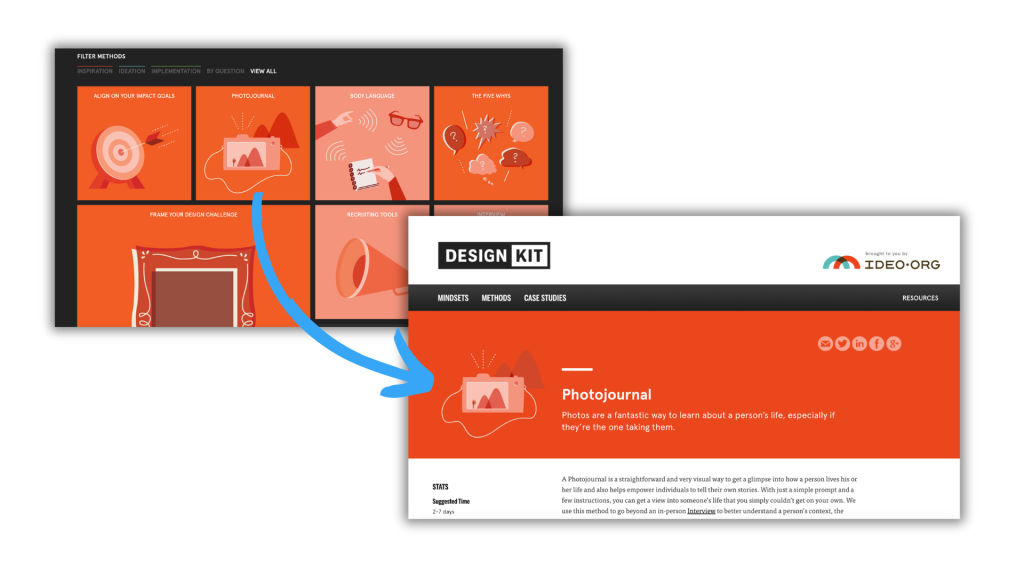
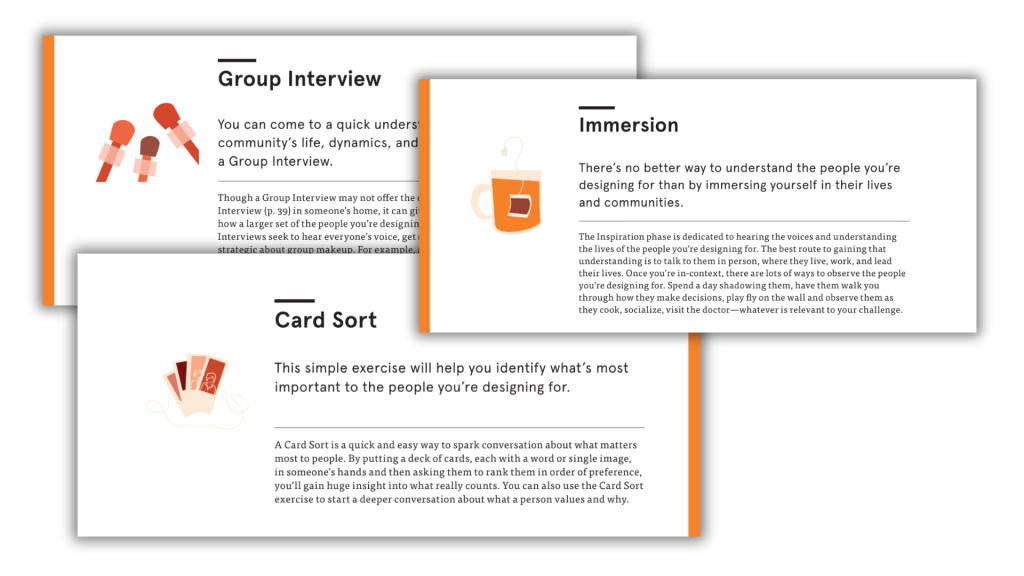
Take this example from IDEO’s Field Guide to Human Centered Design [PDF] & DesignKit website. Icons are used throughout the pdf copy with every single method having an associated icon. These icons are also then used on the designkit website as clickable menu items.

Not only do the icons provide small introductory illustrations, they can also be color coded to match different categories.
Having the same icon on both the menu page and the individual method page confirms to the website user that they have clicked the right link. This kind of utilitarian function is super important when organizing information on the web.

How to use icons to spotlight important information.

Pictures can be an important tool for spotlighting important messages and takeaways. In this way appropriate icons can be used to illustrate quotes, blurbs, and factoids. Icons can also be used to illustrate menu items on a page to help guide the reader to where they would like to go next.

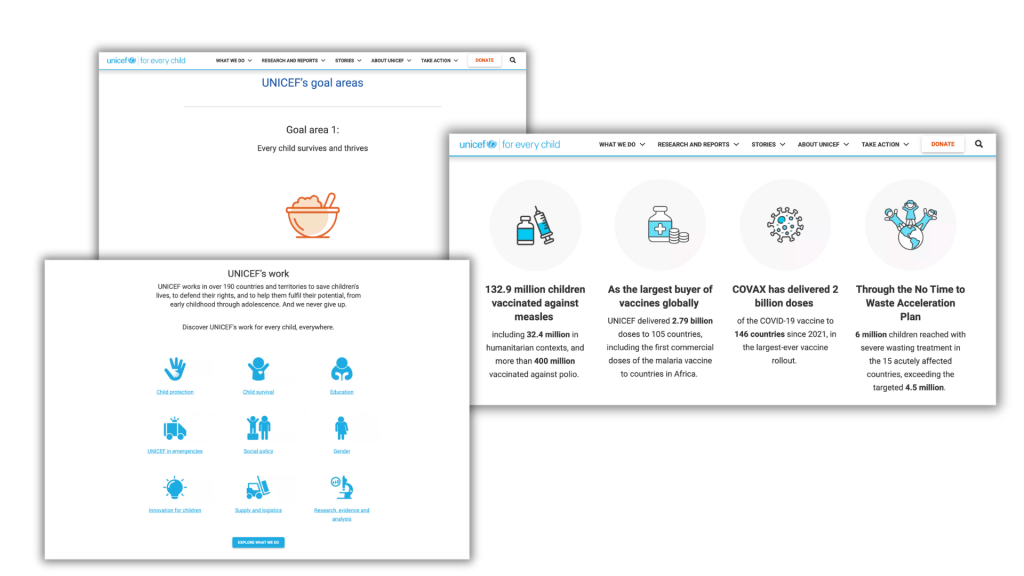
Organizations like UNICEF use a lot of icons in their reports and web pages. Without the icons the information would feel a lot more dense.
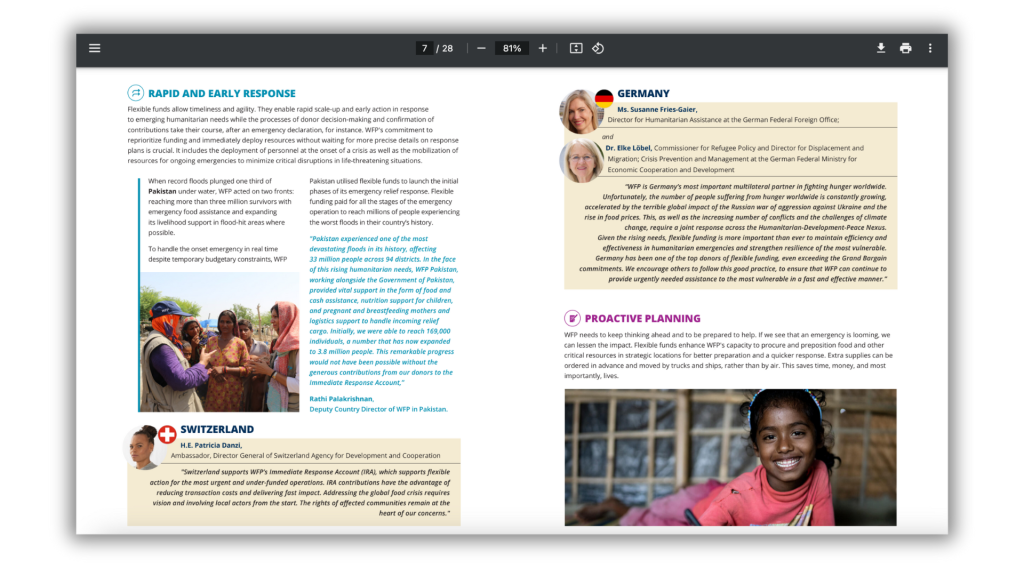
In this example, small icons are used with every section header. We also see small country flag icons next to the photographs of people representing those countries.

How to use icons to engage your report reader.

Icon arrays are one of my favorite ways to visualize small sets of data. But they can also be really helpful in illustrating stories to increase engagement. You might be used to icon arrays as simple pictures with “bathroom people icons” but icon arrays are really only limited by your imagination.

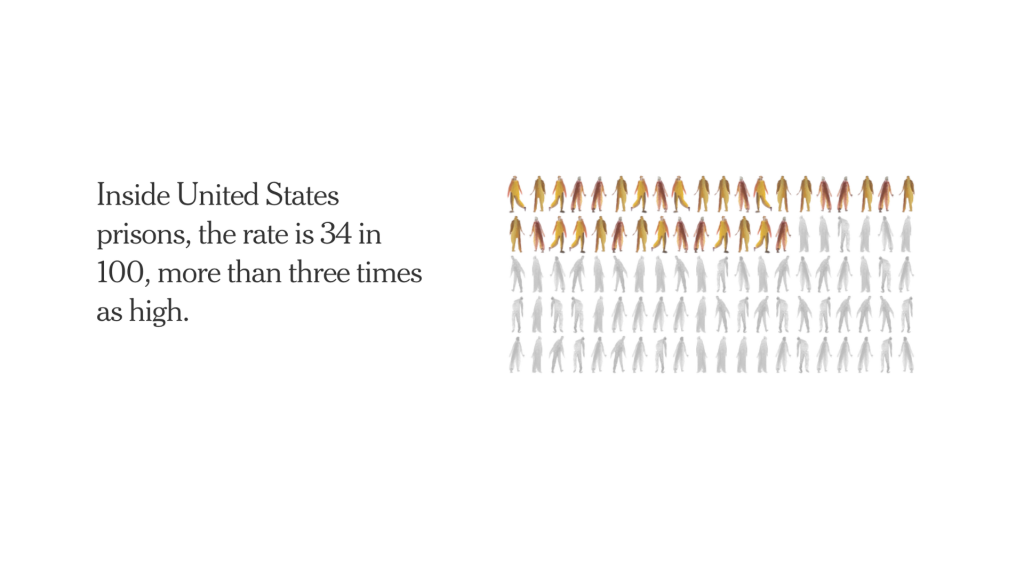
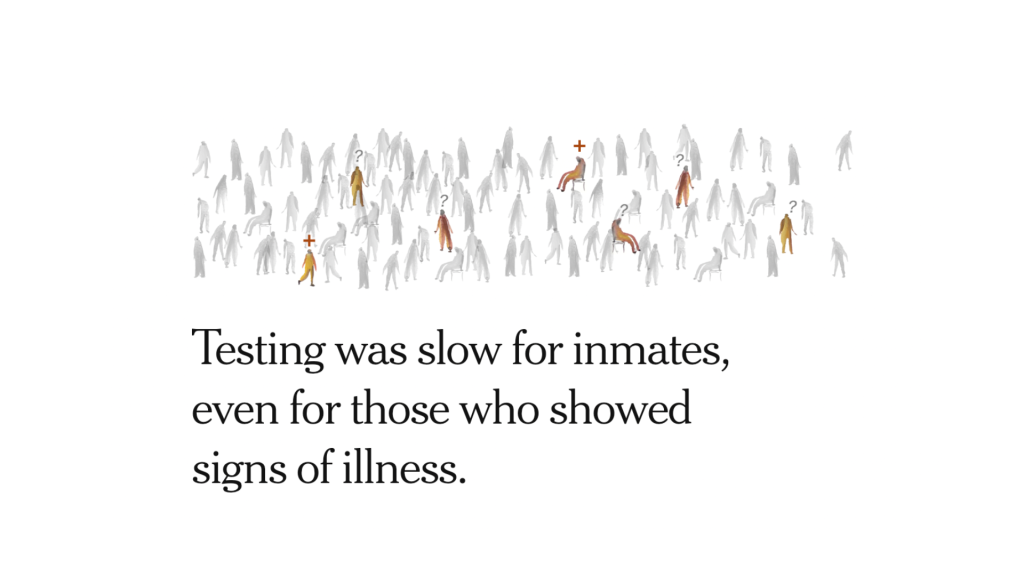
I like the use of icon arrays in this NY Times story about about COVID outbreaks in prisons from 2021. The watercolor feel to the arrays is much more intriguing than a bar chart.

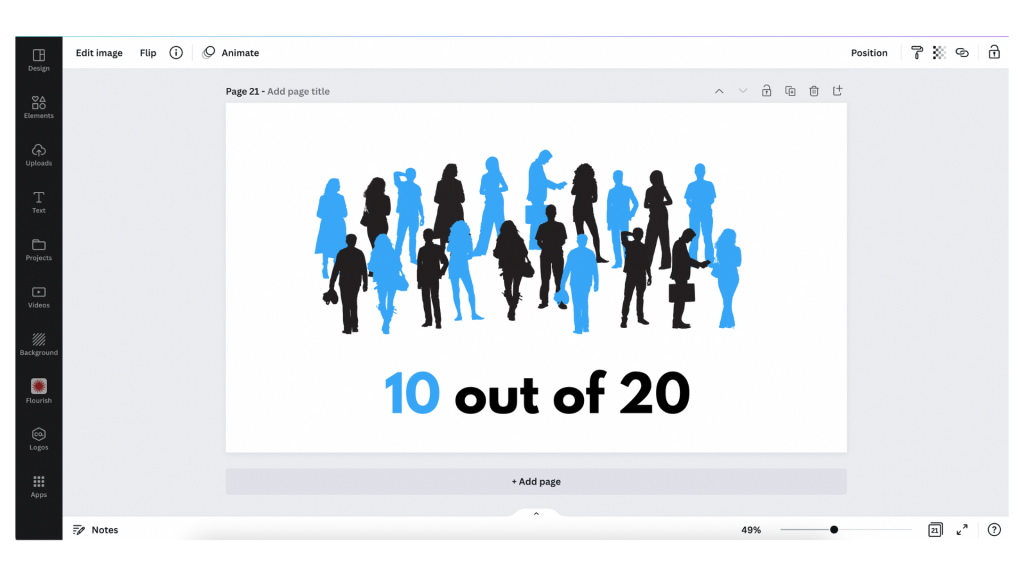
This particular icon array feels more chart link with 5 rows with 20 icons in each row.
This form of icon array feels more like a natural scene with actual people in a big room. It can make the data feel more real.
You don’t need watercolors to create this kind of effect, just a Canva account and your imagination.

How to use icons to enhance your qualitative data.

Icons can provide really subtle enhancements to your data presentations. This especially true for any qualitative information that can be coded.

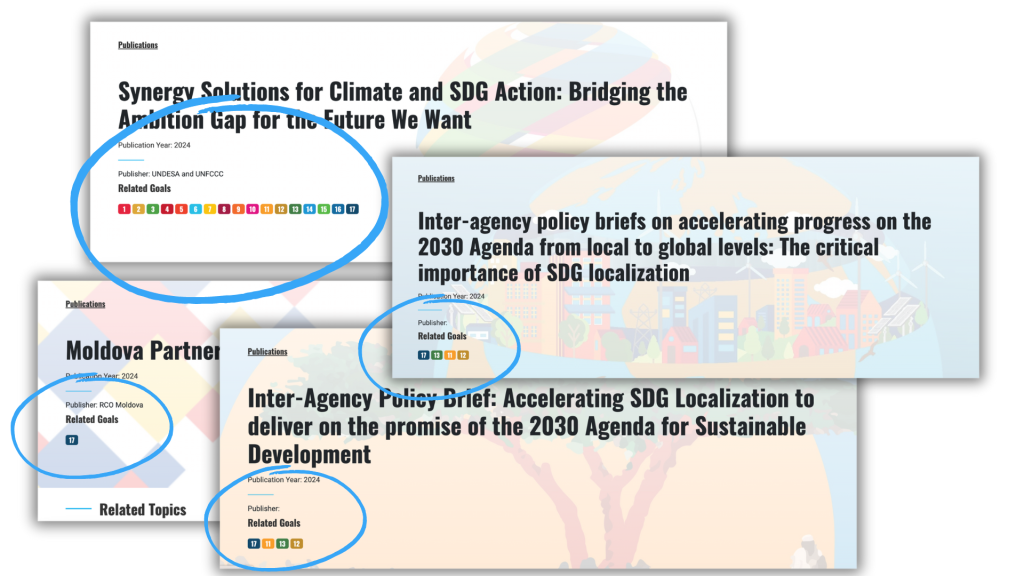
Take for instance the UN Sustainable Development Goals. There is a discrete set of 17 goals, each with its own related icon. In this publication archive the related goals for each report were highlighted on the publications page as small simplified number icons.

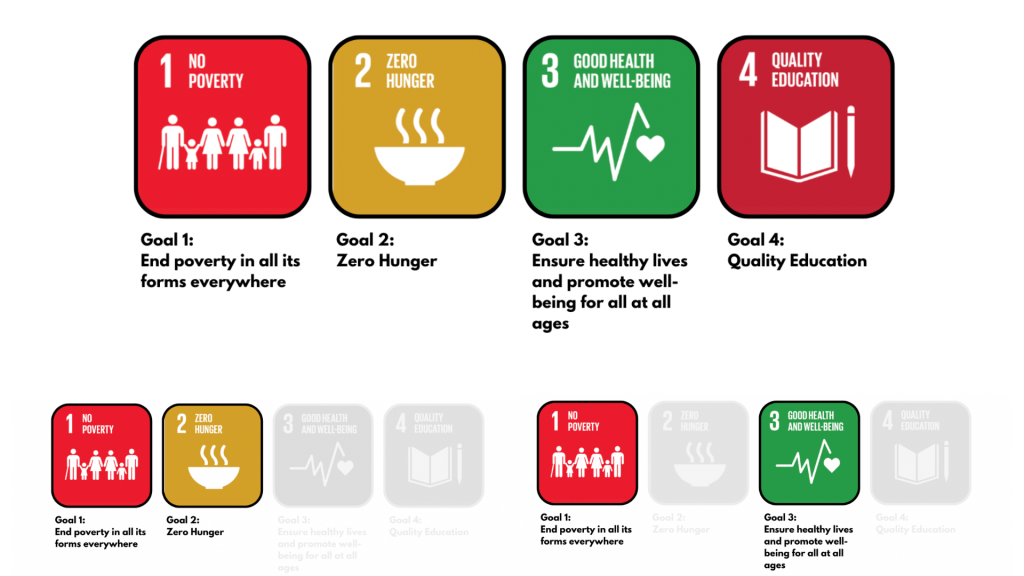
You can also create little icon matrices. Especially when you plan to revisit a topic over and over again. Take this political people profile icon array from the NYTimes. Rather than saying 17 out of 20, you can show the 17 people. Then do it again for another question with the same base set of 20 in the same matrix order.

This kind of setup is really easy to do using a tool like Canva. Just create the matrix, duplicate the page for each question, and the gray out the ones that don’t apply for each use.

A few icon use tips and considerations.

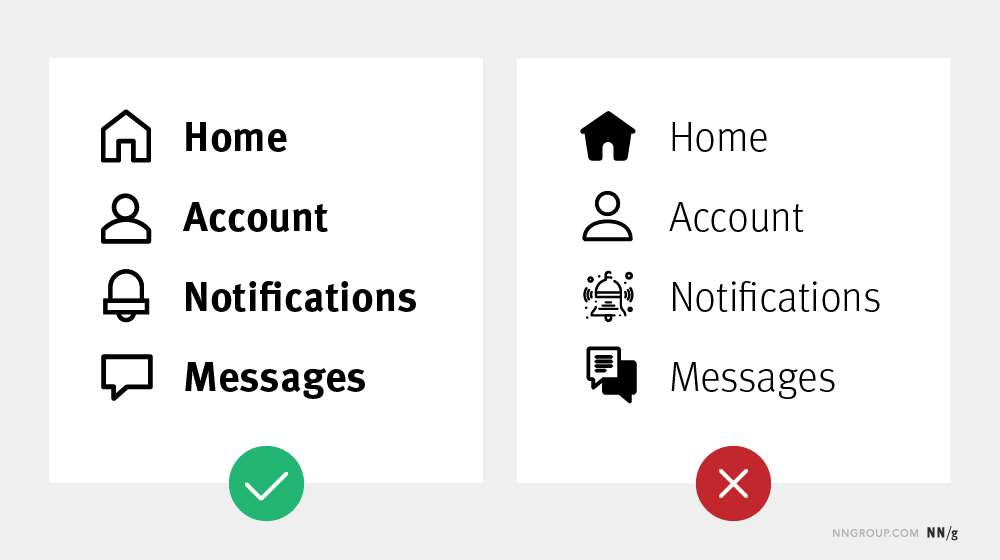
Simple tip, try to match your icons with text weight.
  • Your icon sets should feel cohesive, as if they belong together. If you use a hodgepodge of different styles and colors your whole report will feel like an unorganized mess.
  • Try to use SVG icons when possible. SVG is a scalable format, meaning it will look clean and clear when tiny or huge. This keeps it from being pixelated and from taking up more digital space than necessary.
  • Icons are often used in user interface design to organize information. You can find a lot of tips and tricks from that world.

How to find and select the right icons in Canva.

Here are some tips for working with icons in Canva.

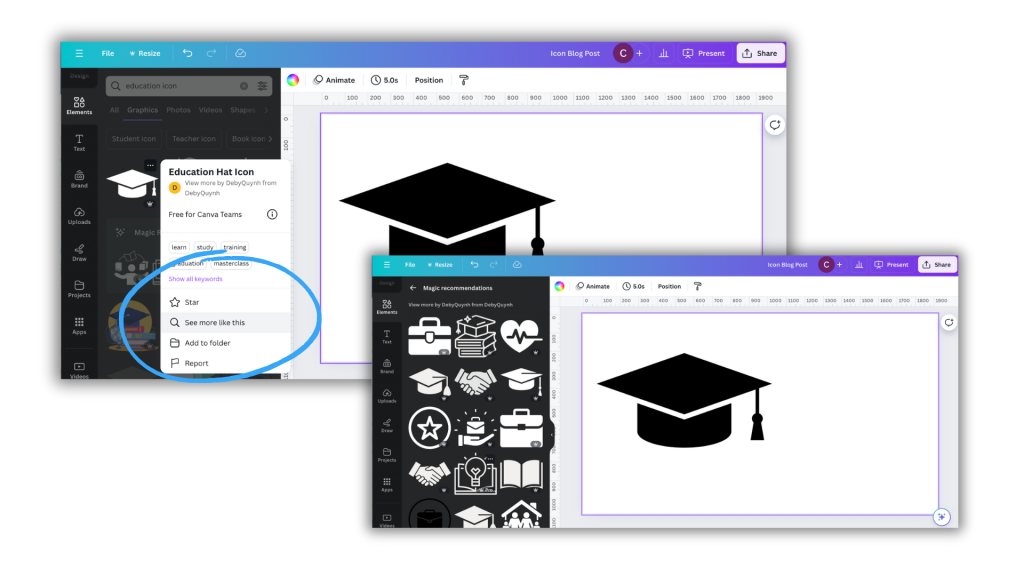
Tip 1. If you find an icon you like, or is close but not perfect, click on the icon for more information.

There you might find a see more like this option that will give you a set of what Canva believes are related icons.

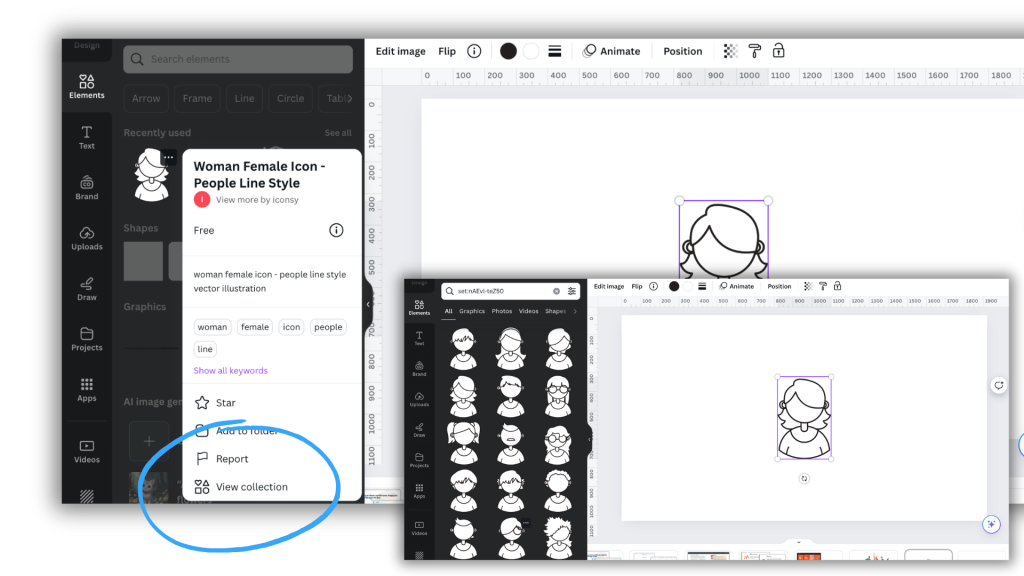
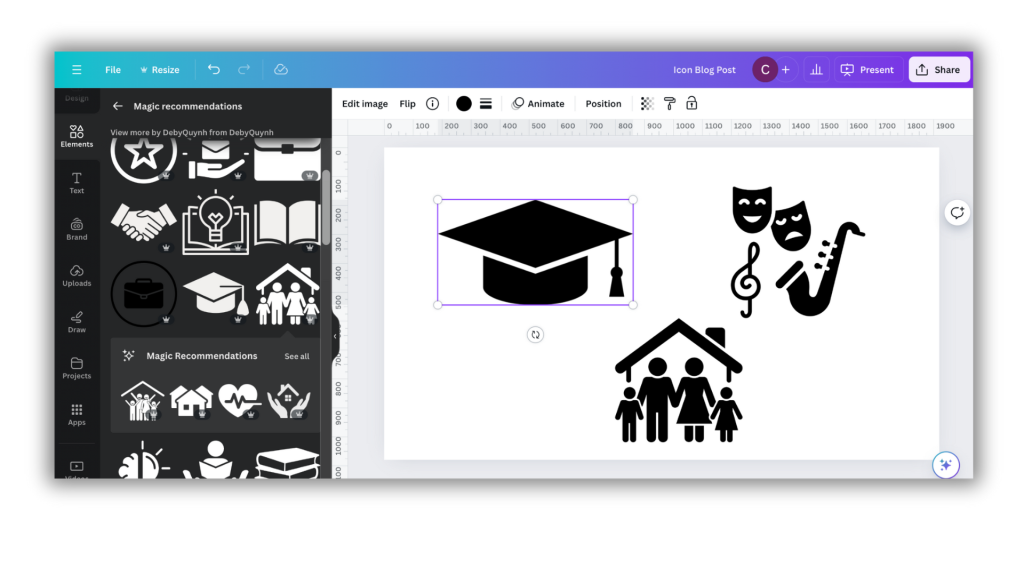
Tip 2. Some Canva icons are part of collections.

This can be super helpful in finding a set of matching icons.

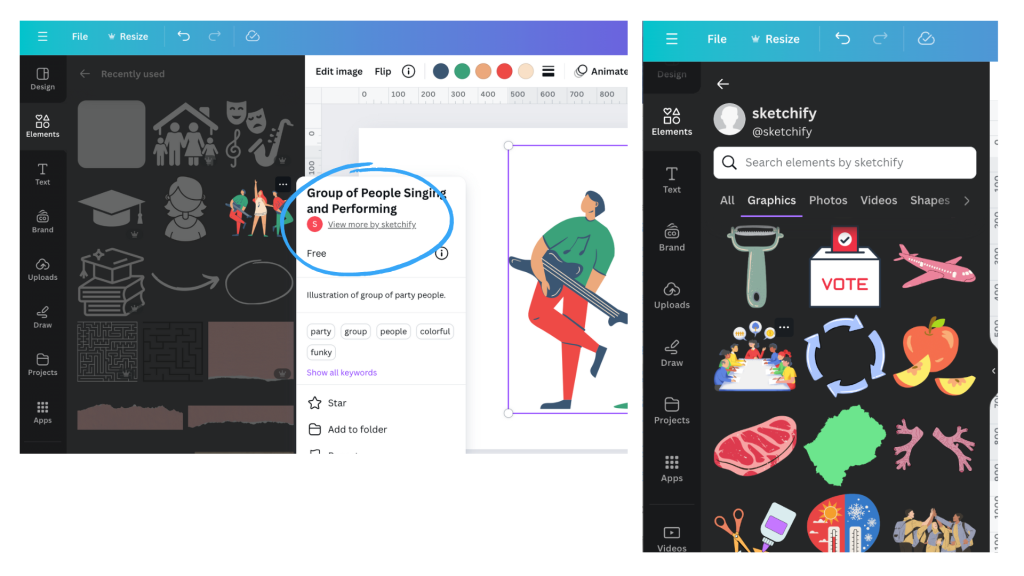
Tip 3. If you like an icon check out other icons by that same creator.

Icon creators often have sets of icons with similar styles, even if not necessarily shared as a collection.

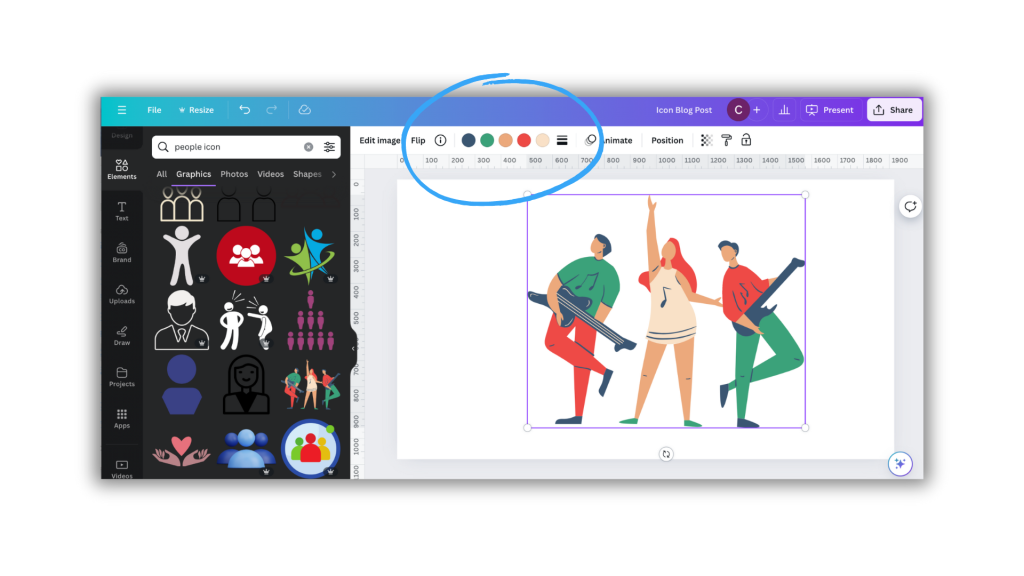
Tip 4. A lot of the icons you can find in Canva have color options (but not all).

This can be a really good way to integrate brand colors or match somewhat unrelated icon sets.

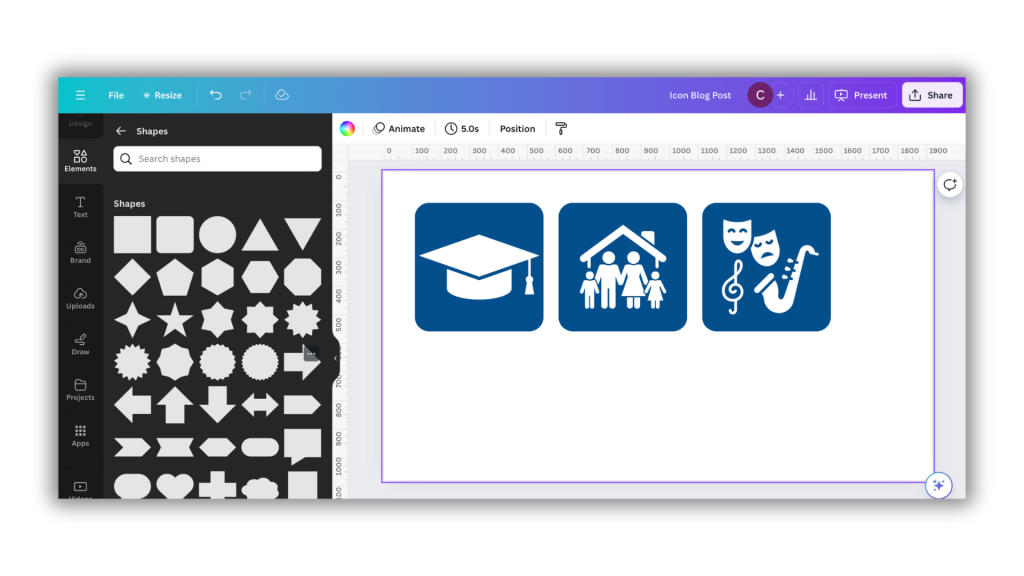
Tip 5. Here is a trick for standardizing the size and shape of icons.

A lot of icons you might want to use will come in different shapes and sizes. Using them as is might feel like a bit of a mess.

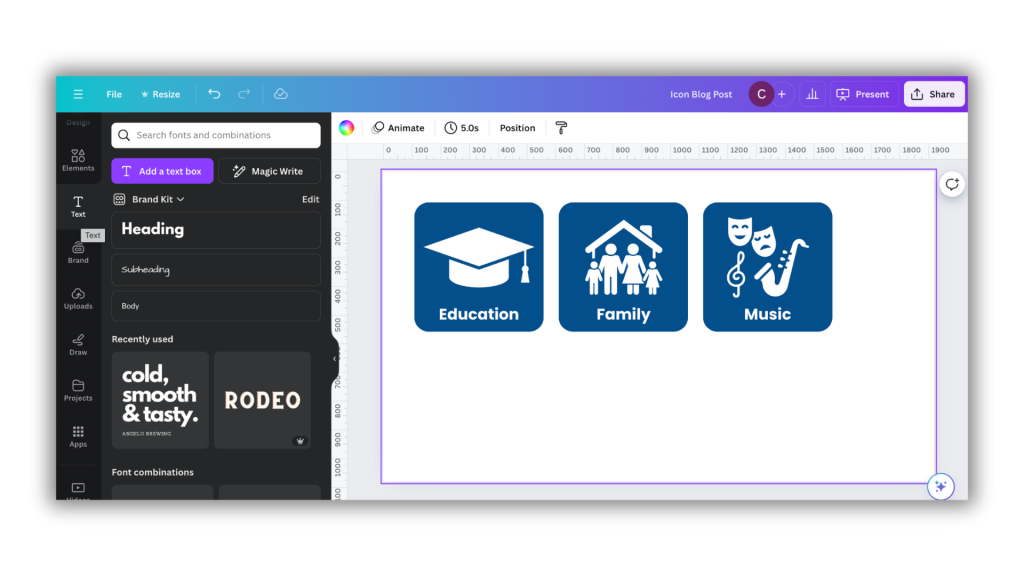
The easiest way to standardize is to place a shape in the background. Squares, circles, and other shapes can be perfect backdrops. This can quickly standardize a set.

You can also add text to the images, as it’s good practice not to assume people will understand exactly what the icon signifies.

My workshop on Qualitative Data Visualization.

If you’re interested in more tips like this, I’ll be covering a good bit in my upcoming course on qualitative data visualization. It’s still in development but I’ll more information about it soon.

Written by cplysy · Categorized: freshspectrum

  • « Go to Previous Page
  • Go to page 1
  • Interim pages omitted …
  • Go to page 34
  • Go to page 35
  • Go to page 36
  • Go to page 37
  • Go to page 38
  • Interim pages omitted …
  • Go to page 310
  • Go to Next Page »

Footer

Follow our Work

The easiest way to stay connected to our work is to join our newsletter. You’ll get updates on projects, learn about new events, and hear stories from those evaluators whom the field continues to actively exclude and erase.

Get Updates

Want to take further action or join a pod? Click here to learn more.

Copyright © 2026 · The May 13 Group · Log in

en English
af Afrikaanssq Shqipam አማርኛar العربيةhy Հայերենaz Azərbaycan dilieu Euskarabe Беларуская моваbn বাংলাbs Bosanskibg Българскиca Catalàceb Cebuanony Chichewazh-CN 简体中文zh-TW 繁體中文co Corsuhr Hrvatskics Čeština‎da Dansknl Nederlandsen Englisheo Esperantoet Eestitl Filipinofi Suomifr Françaisfy Fryskgl Galegoka ქართულიde Deutschel Ελληνικάgu ગુજરાતીht Kreyol ayisyenha Harshen Hausahaw Ōlelo Hawaiʻiiw עִבְרִיתhi हिन्दीhmn Hmonghu Magyaris Íslenskaig Igboid Bahasa Indonesiaga Gaeilgeit Italianoja 日本語jw Basa Jawakn ಕನ್ನಡkk Қазақ тіліkm ភាសាខ្មែរko 한국어ku كوردی‎ky Кыргызчаlo ພາສາລາວla Latinlv Latviešu valodalt Lietuvių kalbalb Lëtzebuergeschmk Македонски јазикmg Malagasyms Bahasa Melayuml മലയാളംmt Maltesemi Te Reo Māorimr मराठीmn Монголmy ဗမာစာne नेपालीno Norsk bokmålps پښتوfa فارسیpl Polskipt Portuguêspa ਪੰਜਾਬੀro Românăru Русскийsm Samoangd Gàidhligsr Српски језикst Sesothosn Shonasd سنڌيsi සිංහලsk Slovenčinasl Slovenščinaso Afsoomaalies Españolsu Basa Sundasw Kiswahilisv Svenskatg Тоҷикӣta தமிழ்te తెలుగుth ไทยtr Türkçeuk Українськаur اردوuz O‘zbekchavi Tiếng Việtcy Cymraegxh isiXhosayi יידישyo Yorùbázu Zulu